

 home-assistant
App ignores time zone and displays everthing in UTC
iOS device model, version and app version
Model Name: iphone 8 Software Version: 14.1 App version: 2022.358
Home Assistant Core Version 2022.4.3
Describe the bug All plots and time series information are not displayed using the time zone setting. Plots are displayed in what appears to be UTC regardless of the time zone set. This impacts the Energy dashboard, history plots, entity histories etc. It appears that the app is simply ignoring the time zone information sent by HA.
The web interface (via safari on iOS) displays the data properly, so this behavior appears to be isolated to the app. The data are also displayed properly when checked from MacOS using Safari and Firefox. So it appears the app is simply ignoring the timezone data that HA is sending.
To Reproduce Examine any history plot and compare time signature against local time. See screenshots.
Expected behavior Time zone should be honored and time series information should display in local time.
Screenshots
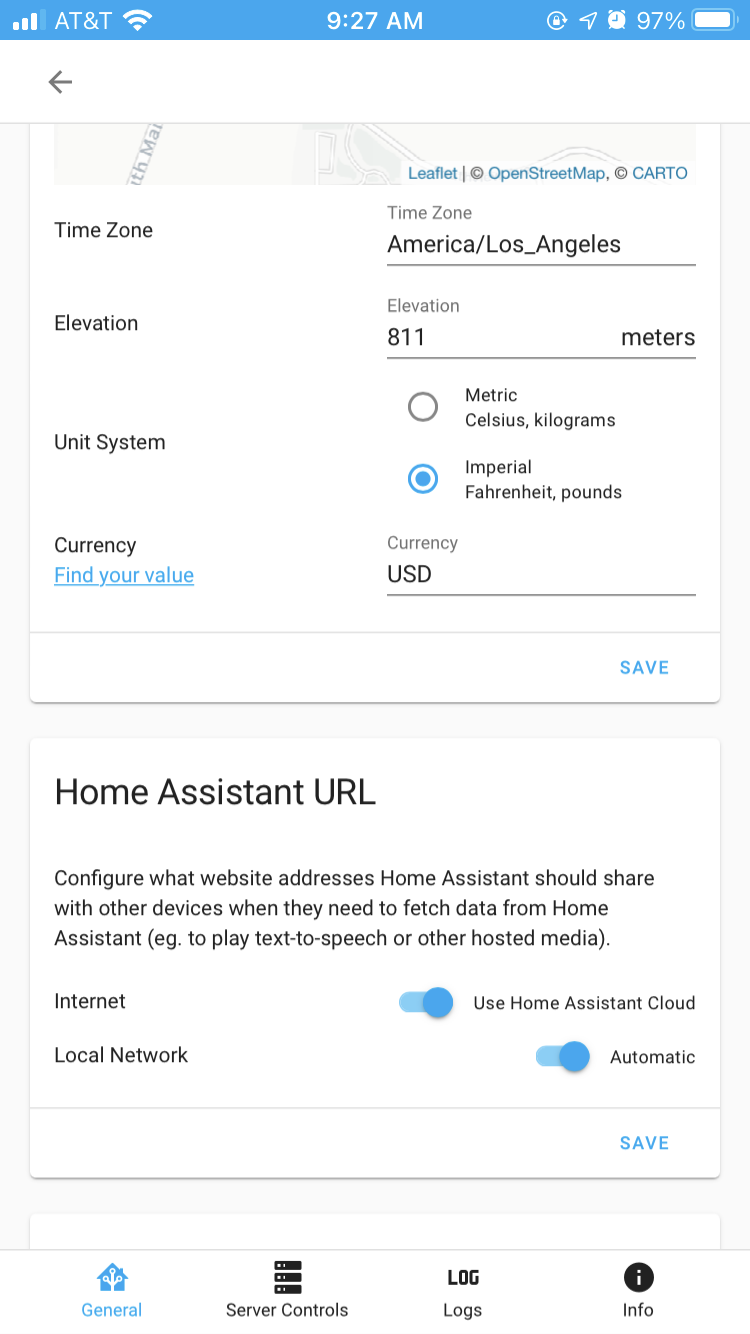
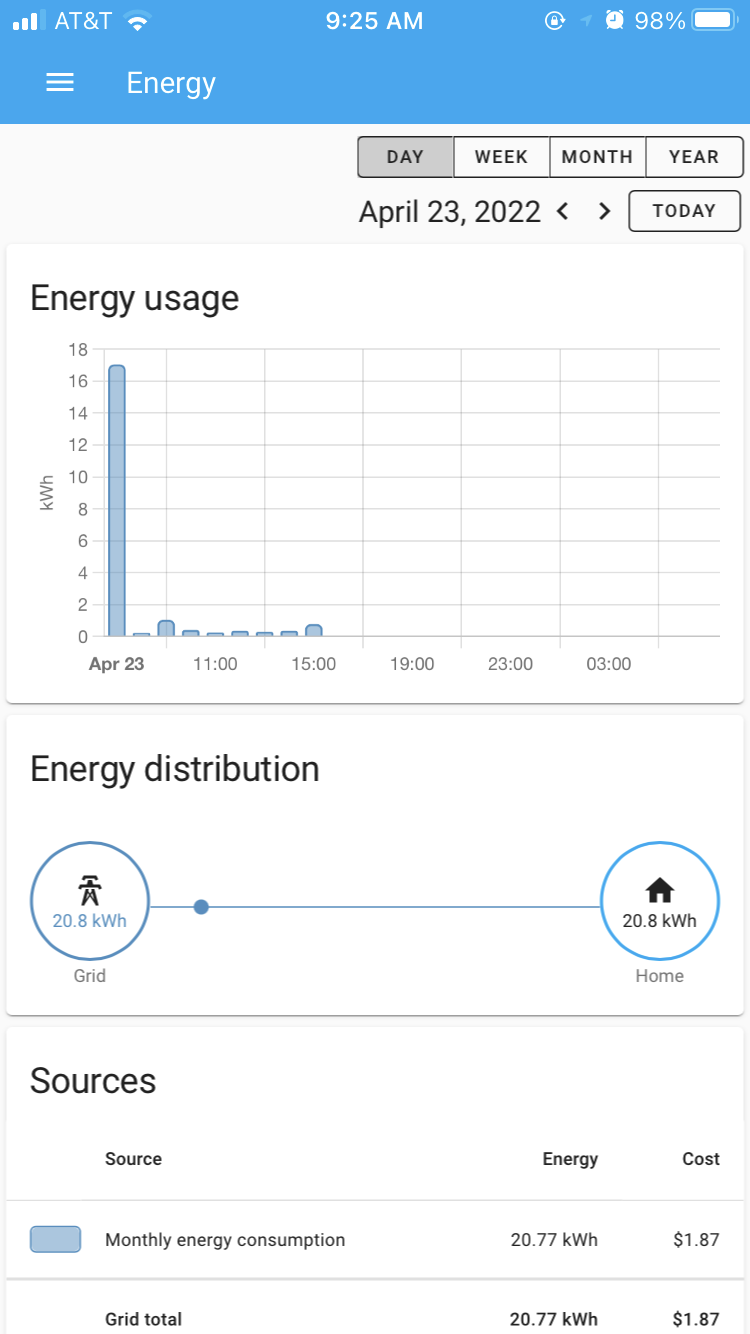
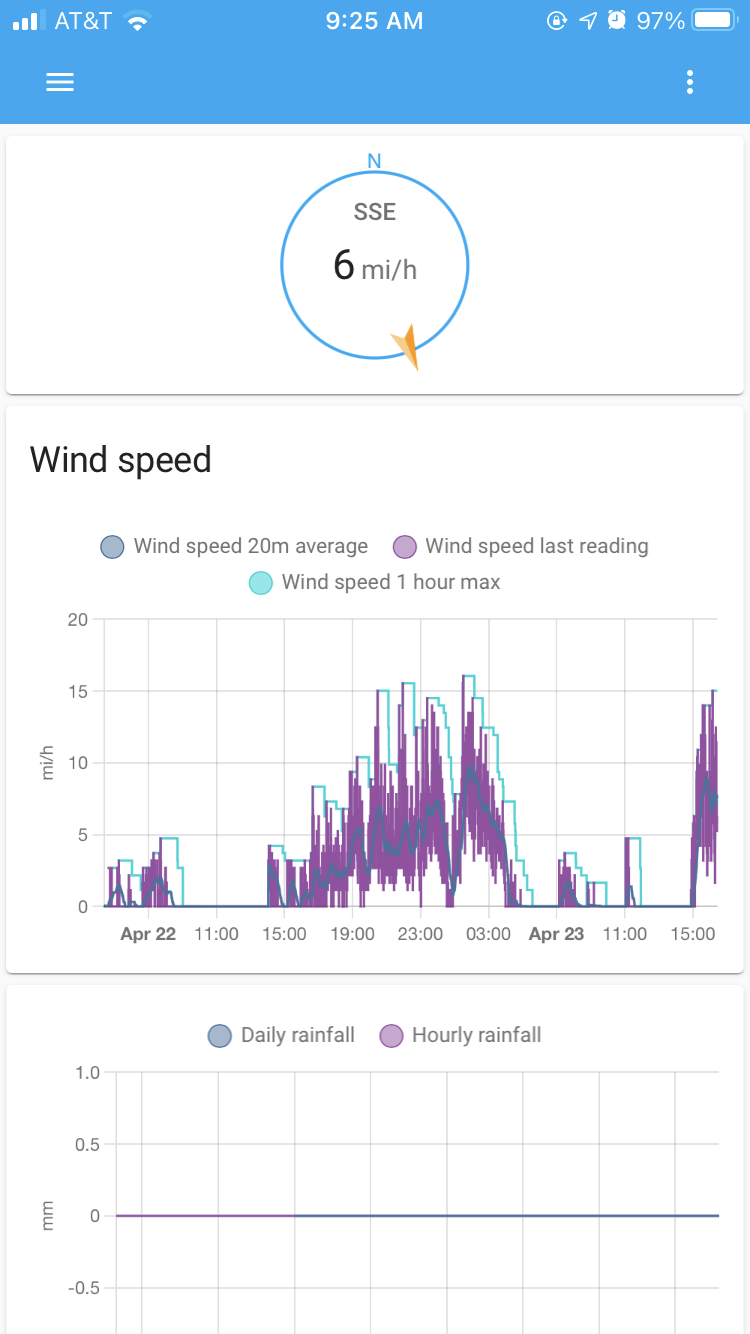  7-d6fb-480a-ad58-51f24019b91c.PNG)
Additional context

Update: On additional digging it is possible to make the app display the data correctly. So this bug is more subtle than my initial report implied. Will do additional testing and post back with any updated information.
Is this still an issue with latest versions of app and core? Feel free to reopen if needed
