

 home-assistant
Statistics Graph card: non-existing entities are present in picker
Checklist
- [X] I have updated to the latest available Home Assistant version.
- [X] I have cleared the cache of my browser.
- [X] I have tried a different browser to see if it is related to my browser.
Describe the issue you are experiencing
Add a new Statistics Graph card via UI.
Open a dropdown list to select an entity, scroll it down. I see lots of non-existing entities:

and even can select them. Mostly these are entities-duplicates (with a "_2" suffix) which were made accidentally or by mistake then removed, then (probably) automatically restored, then removed again from "Settings -> Entities" list. And seems that these "dead entities" are still available in DB (or somewhere else).
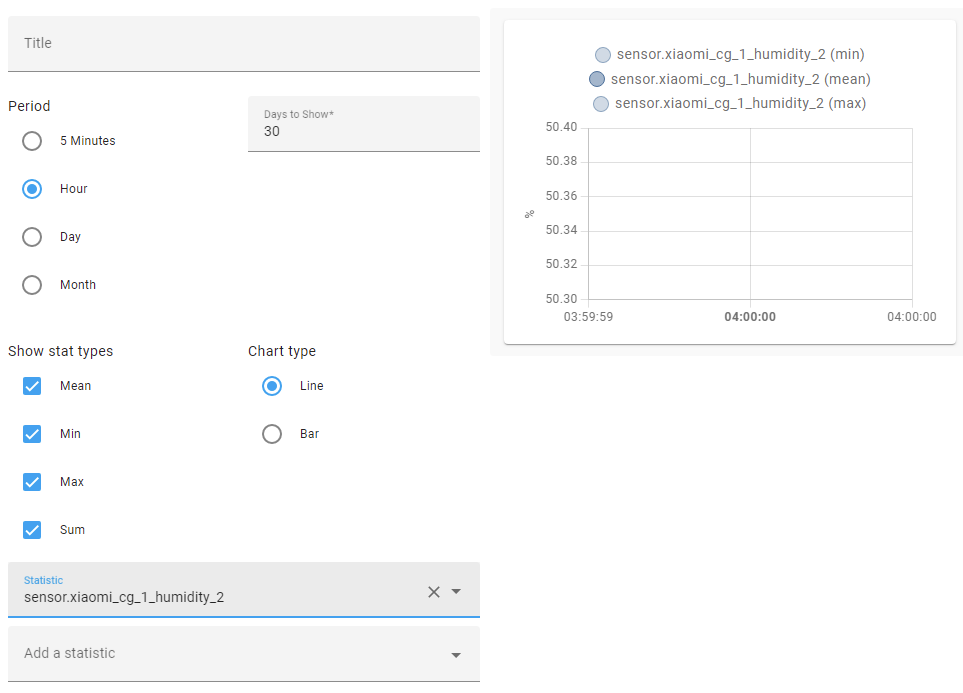
Usually selecting a "dead entity" shows an empty graph around 04:00:
And there is one more related issue - some ALIVE entities cannot be found, the picker gives a DEAD entity instead:
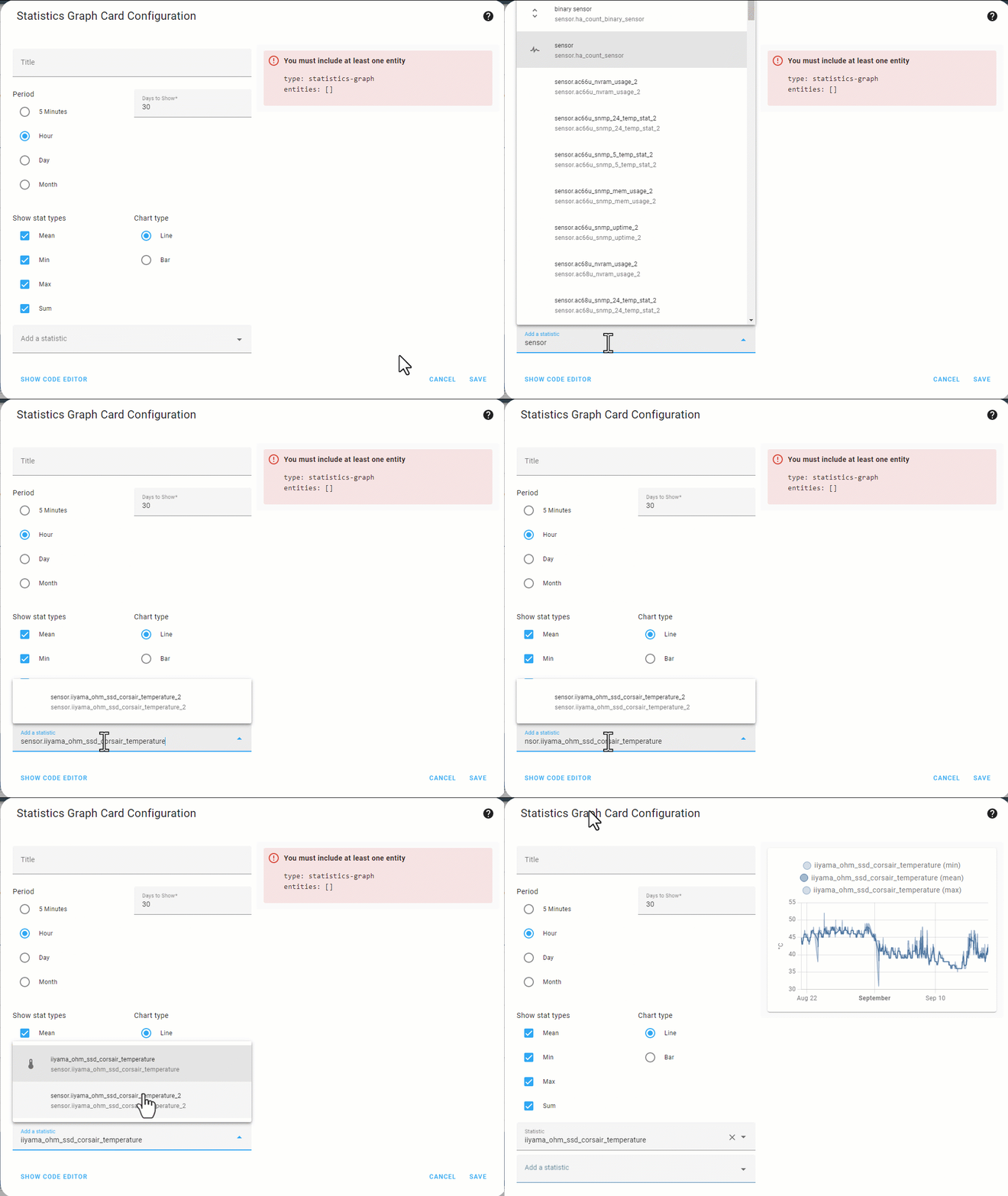 Assume I need to add a "sensor.iiyama_ohm_ssd_corsair_temperature" (for which there is a removed entity "iiyama_ohm_ssd_corsair_temperature_2"):
- Start typing "sensor.", then add (from a clipboard) "iiyama_ohm_ssd_corsair_temperature".
- The removed "sensor.iiyama_ohm_ssd_corsair_temperature_2" is selected.
- Remove "sensor." part - now both entities are shown.
Describe the behavior you expected
No removed entities are available in the picker.
Steps to reproduce the issue
Described above.
What version of Home Assistant Core has the issue?
2022.9.4
What was the last working version of Home Assistant Core?
No response
In which browser are you experiencing the issue with?
Chrome 105.0.5195.127
Which operating system are you using to run this browser?
Win10x64
State of relevant entities
No response
Problem-relevant frontend configuration
No response
Javascript errors shown in your browser console/inspector
No response
Additional information
No response

There hasn't been any activity on this issue recently. Due to the high number of incoming GitHub notifications, we have to clean some of the old issues, as many of them have already been resolved with the latest updates. Please make sure to update to the latest Home Assistant version and check if that solves the issue. Let us know if that works for you by adding a comment 👍 This issue has now been marked as stale and will be closed if no further activity occurs. Thank you for your contributions.
![github-actions[bot] avatar](https://avatars.githubusercontent.com/in/15368?v=4 "Published by a pub.dev verified publisher")
I think if anything this should maybe be reported against core/recorder.
To get the list of options for the picker, the frontend just calls the core function recorder/list_statistic_ids. The core returns a list of ids, and that directly influences what shows up in the dropdown box.
I don't believe there's enough data in the return from that function to determine if any of those ids are "dead" or "non-existing". We don't actually request the statistic data until after it is picked.
If those ids are really invalid, seems the core would have to do a better job of filtering them out before returning the list to the frontend.

Closing per my previous comment, I believe this is intentional behavior.
If you want to clean out the old statistics, you can delete them in developer-tools/statistics using the Fix Issue flow. Otherwise the LTS are intentionally retained unless user decides to delete them. e.g. perhaps they have old energy data that user wants to keep.
Cannot reproduce it right now since my DB was damaged after some glitch and re-created. Not 100% sure, but I have a habit to check this “Dev tools - Statistics” table; I think I would have noticed a presence of these “dead” entities there. Anyway, the issue is not closed in my own registry , I will keep monitoring and will reopen the issue here if it happens again.