
frontend
 frontend copied to clipboard
 home-assistant
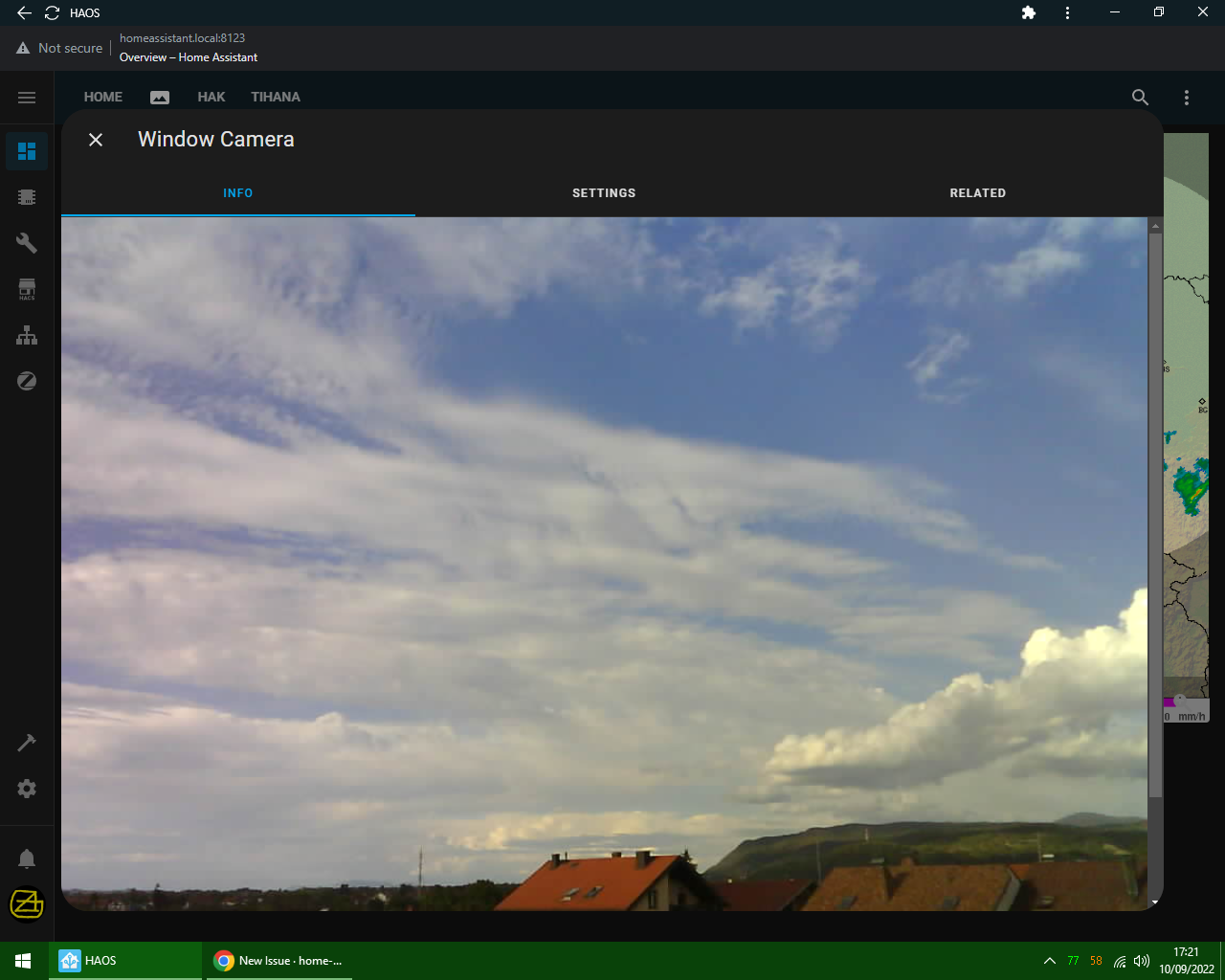
Camera entity going off screen on desktop
Checklist
- [X] I have updated to the latest available Home Assistant version.
- [X] I have cleared the cache of my browser.
- [X] I have tried a different browser to see if it is related to my browser.
Describe the issue you are experiencing
When opening camera entity the image that gets loaded goes off screen (needs to be scrolled). Even tho the image is 1024x768, it goes off screen even on 1080p monitor. It never happened before, it was always in margins of screen. Since 2022.9.0 it goes off screen.
Describe the behavior you expected
Camera entity to load inside of screen, without needing to scroll it.
Steps to reproduce the issue
- Create camera entity.
- Open camera entity on desktop.
What version of Home Assistant Core has the issue?
2022.9 >
What was the last working version of Home Assistant Core?
2022.8.7
In which browser are you experiencing the issue with?
Google Chrome 105.0.5195.102
Which operating system are you using to run this browser?
Win 10 64bit
State of relevant entities
No response
Problem-relevant frontend configuration
No response
Javascript errors shown in your browser console/inspector
No response
Additional information
No response


Any update on this? It has made most of cameras and picture entities unusable.

OK, will this be fixed? This is not a small problem and it's annoying as hell.

There hasn't been any activity on this issue recently. Due to the high number of incoming GitHub notifications, we have to clean some of the old issues, as many of them have already been resolved with the latest updates. Please make sure to update to the latest Home Assistant version and check if that solves the issue. Let us know if that works for you by adding a comment 👍 This issue has now been marked as stale and will be closed if no further activity occurs. Thank you for your contributions.
![github-actions[bot] avatar](https://avatars.githubusercontent.com/in/15368?v=4 "Published by a pub.dev verified publisher")