
frontend
 frontend copied to clipboard
 home-assistant
HA not remembering default dashboard choice on Android
Checklist
- [X] I have updated to the latest available Home Assistant version.
- [X] I have cleared the cache of my browser.
- [X] I have tried a different browser to see if it is related to my browser.
Describe the issue you are experiencing
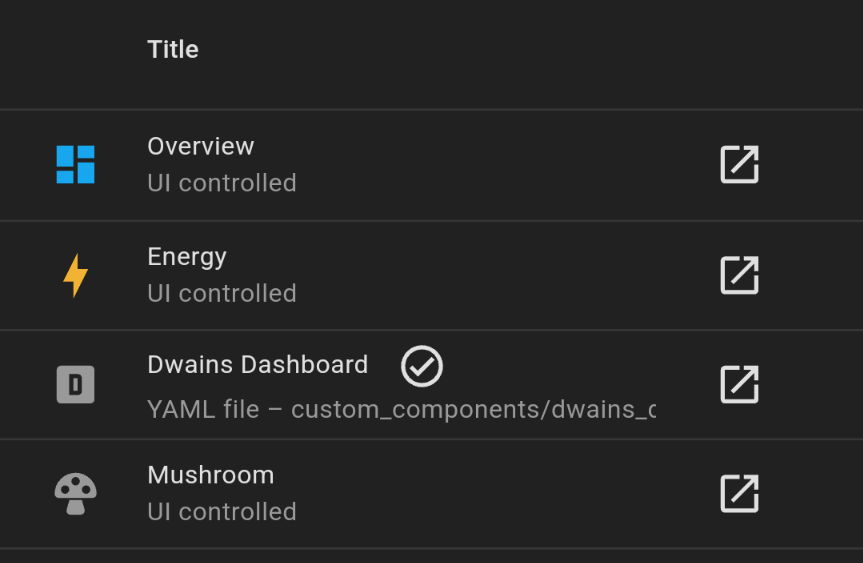
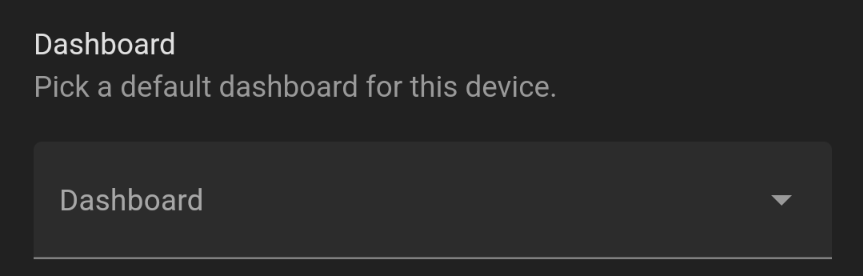
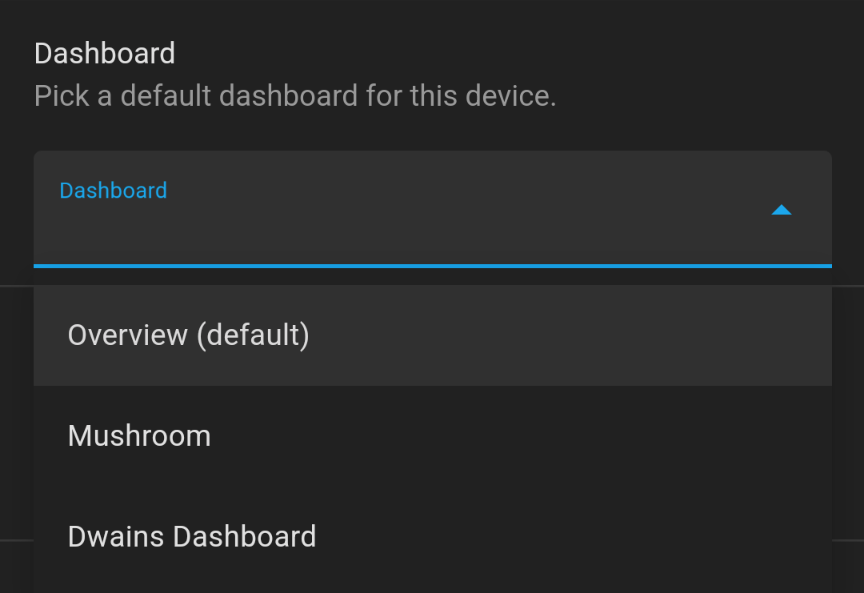
In both HA companion App and Chrome on my OnePlus5 running Android 12, the dashboard selector is blank, and when clicked displays that the Overview is selected as default. This is not correct as Dwains Dashboard is selected as the default.
This seems to be resulting in HA loading the Overview page sporadically, instead of Dwains Dashboard in both the companion app and Chrome for android (about 30% of the time). I see all the same symptoms with FF for android, but it doesn't seem to open to Overview, it always opens my selected default dashboard.
Describe the behavior you expected
Dwains Dashboard should be listed as default. Overview should not be opening.
Steps to reproduce the issue
- Navigate to Settings>Dashboard
- Check default dashboard for all devices is Dwains Dashboard
- Click Profile
- Look at Dashboard selector
- See Overview is listed as default
What version of Home Assistant Core has the issue?
Home Assistant Core 2022.6.6
What was the last working version of Home Assistant Core?
No response
In which browser are you experiencing the issue with?
Google Cheom 102.0.5005.125
Which operating system are you using to run this browser?
Android 12
State of relevant entities
No response
Problem-relevant frontend configuration
No response
Javascript errors shown in your browser console/inspector
No response
Additional information
DD is selected as default
When navigating to the Profile page, nothing is shown in dashboard selector
Once clicked, Overview is listed as default in dashboard selector

There hasn't been any activity on this issue recently. Due to the high number of incoming GitHub notifications, we have to clean some of the old issues, as many of them have already been resolved with the latest updates. Please make sure to update to the latest Home Assistant version and check if that solves the issue. Let us know if that works for you by adding a comment 👍 This issue has now been marked as stale and will be closed if no further activity occurs. Thank you for your contributions.
![github-actions[bot] avatar](https://avatars.githubusercontent.com/in/15368?v=4 "Published by a pub.dev verified publisher")