

 home-assistant
Standard Text Queries to Assist Makes HA Unresponsive and causing unwanted reboot of Core
The problem
Good day,
When using the normal Assist, i.e. typing in text queries such as "turn the kitchen light on", results in HA become very choppy and unstable followed by a reboot of Core.
This happened twice to me once in b0 (using Android App) and once on b1 (from Fully Kiosk tablet), where I simply typed a command such as above and Assist did nothing, except show 3 dots, and stalled and hence then after a few minutes rebooting of core came.
Here's what i did:
- Pressed the assist ~~microphone~~text box button
- Dialogue box opened
- I typed "Turn on the kitchen light"
- Pressed enter (at time 18:03:56)
- Three dots appeared. Nothin happened
- HA becomes very choppy, and unresponsive. After a few minutes reboot messages start appearing
The first time it happened, I have no logs, the second it happened was able to get the core logs via the log.1 file. Attached are the last 3 logs, the file (I have the whole file if you need it).
No fault logs were recorded (the file is empty).
Here's what I see from the core logs just before it restarted on its own.
2023-04-27 18:03:56.707 ERROR (MainThread) [homeassistant.components.websocket_api.http.connection] [546411434176] [REDACTED MY NAME] from 192.168.1.164 (Mozilla/5.0 (Linux; Android 9; G8343 Build/47.2.A.11.228; wv) AppleWebKit/537.36 (KHTML, like Gecko) Version/4.0 Chrome/112.0.5615.135 Mobile Safari/537.36 Home Assistant/beta-9948-32a79333-9948 (Android 9; G8343)): Client unable to keep up with pending messages. Reached 4096 pending messages. The system's load is too high or an integration is misbehaving. Last message was: {"id":29,"type":"event","event":{"event_type":"entity_registry_updated","data":{"action":"update","entity_id":"sensor.7a9e540f_a8fe_4945_bf4c_8d36c87d1c99_0_0_af7a_power","changes":{"options":{"cloud.alexa":{"should_expose":true},"cloud.google_assistant":{"should_expose":true}}}},"origin":"LOCAL","time_fired":"2023-04-28T00:03:56.706829+00:00","context":{"id":"01GZ2JRW524WSJ0MCXHYHX5SXQ","parent_id":null,"user_id":null}}}
2023-04-27 18:04:02.749 ERROR (MainThread) [homeassistant.components.websocket_api.http.connection] [547398696624] FireOS Tablet from 192.168.1.163 (Mozilla/5.0 (Linux; Android 9; KFTRWI Build/PS7328.3432N; wv) AppleWebKit/537.36 (KHTML, like Gecko) Version/4.0 Chrome/108.0.5359.160 Safari/537.36): Client unable to keep up with pending messages. Reached 4096 pending messages. The system's load is too high or an integration is misbehaving. Last message was: {"id":16,"type":"event","event":{"event_type":"entity_registry_updated","data":{"action":"update","entity_id":"sensor.aea5cc95_03e1_4290_a98c_249bc878e347_0_0_e6f4_signal_strength","changes":{"options":{"cloud.alexa":{"should_expose":true},"cloud.google_assistant":{"should_expose":true}}}},"origin":"LOCAL","time_fired":"2023-04-28T00:04:02.748694+00:00","context":{"id":"01GZ2JS21W0P296G24XEBHWJKD","parent_id":null,"user_id":null}}}
2023-04-27 18:08:35.052 WARNING (MainThread) [homeassistant.helpers.entity] Updating state for sensor.humidifiers (<class 'custom_components.spook.sensor.HomeAssistantSpookSensorEntity'>) took 1.956 seconds. Please report it to the custom integration author.
What version of Home Assistant Core has the issue?
2023.5.0b0 and b1
What was the last working version of Home Assistant Core?
2023.4.6
What type of installation are you running?
Home Assistant OS
Integration causing the issue
Assist
Link to integration documentation on our website
https://www.home-assistant.io/docs/assist/
Diagnostics information
No response
Example YAML snippet
No response
Anything in the logs that might be useful for us?
No response
Additional information
No response

as posted in the Discord #beta https://discord.com/channels/330944238910963714/427516175237382144/1101460759583674368
I experienced something like that too.
with the regular Assistant I had before the beta, I tried this in Dutch
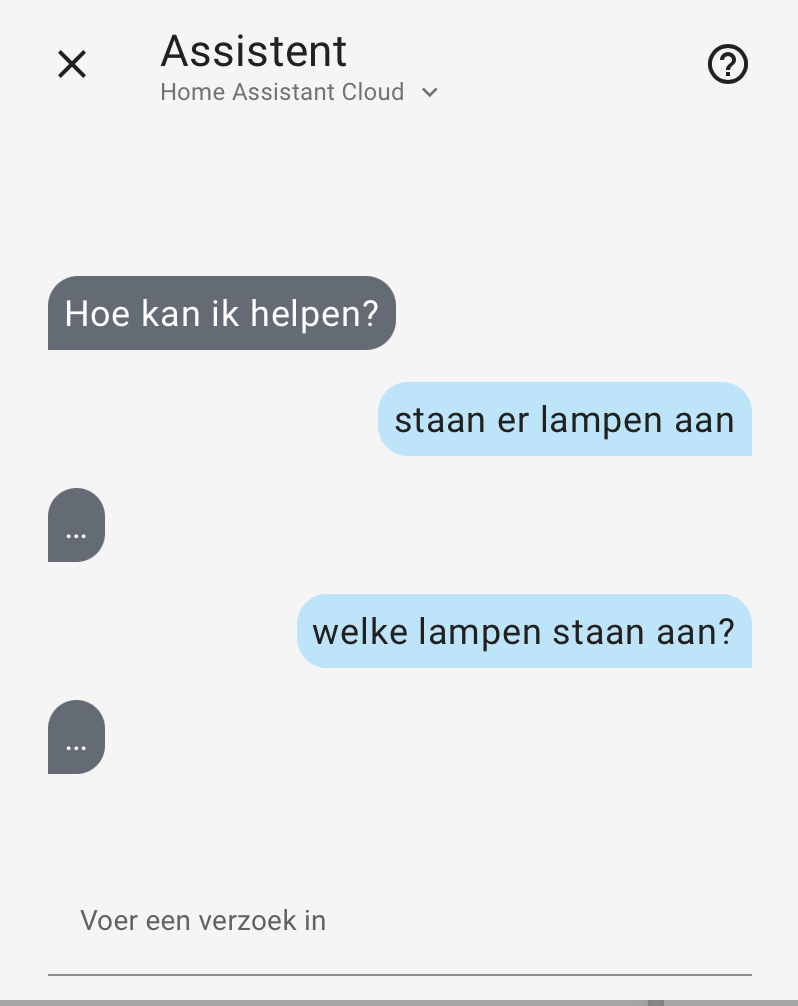
which didnt result in any response at all. (this would be an issue in itself btw)
Other than a spontaneous connection loss, and auto-restart of HA

@Mariusthvdb do you have access to you log.1 file? If you rebooted since this happened, its gone so don't bother looking for it. The log.1 file is the core log file from the previous session.
ok, I just did this using local voice (Wyoming), and it crashed again...:(
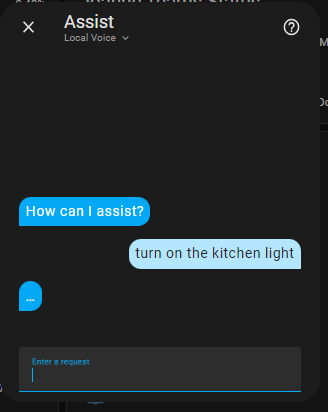
after pressing enter system become unresponsive for about 4 minutes. Then came starting up.
the last three log entries (from the log.1 file) for this time are exactly the same.
2023-04-28 08:46:08.122 ERROR (MainThread) [homeassistant.components.websocket_api.http.connection] [547913675008] FireOS Tablet from 192.168.1.163 (Mozilla/5.0 (Linux; Android 9; KFTRWI Build/PS7328.3432N; wv) AppleWebKit/537.36 (KHTML, like Gecko) Version/4.0 Chrome/108.0.5359.160 Safari/537.36): Client unable to keep up with pending messages. Reached 4096 pending messages. The system's load is too high or an integration is misbehaving. Last message was: {"id":9,"type":"event","event":{"event_type":"entity_registry_updated","data":{"action":"update","entity_id":"sensor.aea5cc95_03e1_4290_a98c_249bc878e347_0_0_e6f4_signal_strength","changes":{"options":{"cloud.alexa":{"should_expose":true},"cloud.google_assistant":{"should_expose":true}}}},"origin":"LOCAL","time_fired":"2023-04-28T14:46:08.121953+00:00","context":{"id":"01GZ4586ZSF26E4SNBMDKMARFH","parent_id":null,"user_id":null}}}
2023-04-28 08:46:08.186 ERROR (MainThread) [homeassistant.components.websocket_api.http.connection] [546630987024] [REDACTED MY NAME] from 192.168.1.103 (Mozilla/5.0 (Windows NT 10.0; Win64; x64) AppleWebKit/537.36 (KHTML, like Gecko) Chrome/112.0.0.0 Safari/537.36): Client unable to keep up with pending messages. Reached 4096 pending messages. The system's load is too high or an integration is misbehaving. Last message was: {"id":16,"type":"event","event":{"event_type":"entity_registry_updated","data":{"action":"update","entity_id":"sensor.aea5cc95_03e1_4290_a98c_249bc878e347_0_0_e6f4_signal_strength","changes":{"options":{"cloud.alexa":{"should_expose":true},"cloud.google_assistant":{"should_expose":true}}}},"origin":"LOCAL","time_fired":"2023-04-28T14:46:08.121953+00:00","context":{"id":"01GZ4586ZSF26E4SNBMDKMARFH","parent_id":null,"user_id":null}}}
2023-04-28 08:48:36.076 WARNING (MainThread) [homeassistant.helpers.entity] Updating state for sensor.calendars (<class 'custom_components.spook.sensor.HomeAssistantSpookSensorEntity'>) took 1.972 seconds. Please report it to the custom integration author.
This is now the third time this has happened, but first time with local voice as the engine and first using Chrome browser this time.
I will update the title
it seems to have something to do with connected websocket clients. FireTab and my Chrome Connection for some reason always mentioned in these errors
Similar error message from another user in beta
https://discord.com/channels/330944238910963714/427516175237382144/1101528083095375914
When you report errors, it's important that you include:
- The board you run HA on, including it's memory
- What pipeline you're targeting and how it's configured
- How many entities do you have exposed to Assist
- How you interacted with the pipeline (which you did, text in, text out)
Do you have an entity named Kitchen light and an area named kitchen light?

thank you @balloob, moving forward, I will make sure to include these details!
To answer your questions
- RPi4 4Gb
- Both HA Cloud and Wyoming, and think this photo should answer these questions, I think?
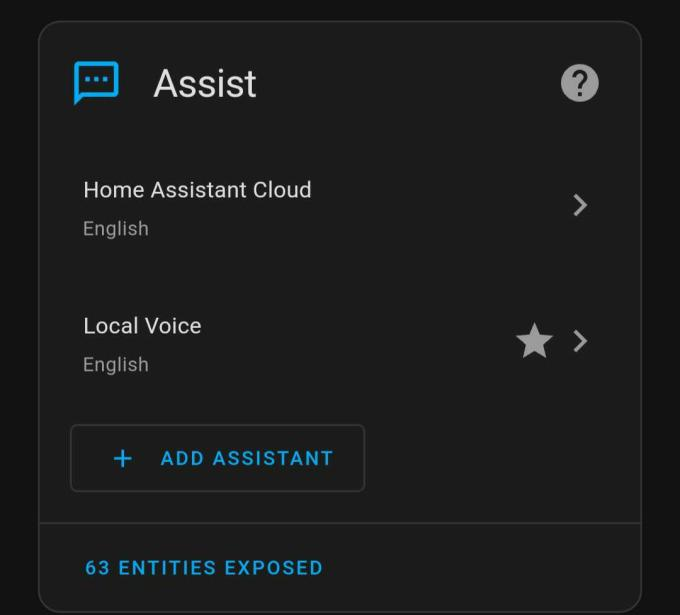
- The first time (in b0), I actually had 0 entities exposed, second time (in b1), about 80
- Text in
Interesting, I actually do NOT have a light called "Kitchen Light", but it's called "Kitchen Main Light"
Also, I should add that I've tried it a few times already and it seems to be working all the time now (in b2 and b3).
I don't know if the other user is experiencing the same.
Do you think it has something to do with "Kitchen Light" vs "Kitchen Main Light"
BTW it is in the kitchen area
Screenshot of pipelines is not enough. We need to know what services you have configured for that pipeline. Are you going out to the cloud versus Whisper/Piper add-ons, or maybe something else completely.
Are you saying that the issue resolved after you changed something? There was no in included in b2
Hi Paulus,
For the issue here, I used only these two pipelines, both cloud and local with these configs:
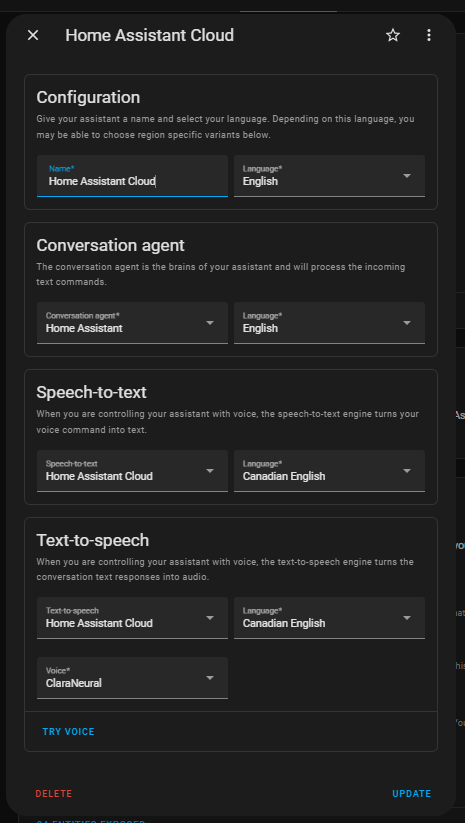
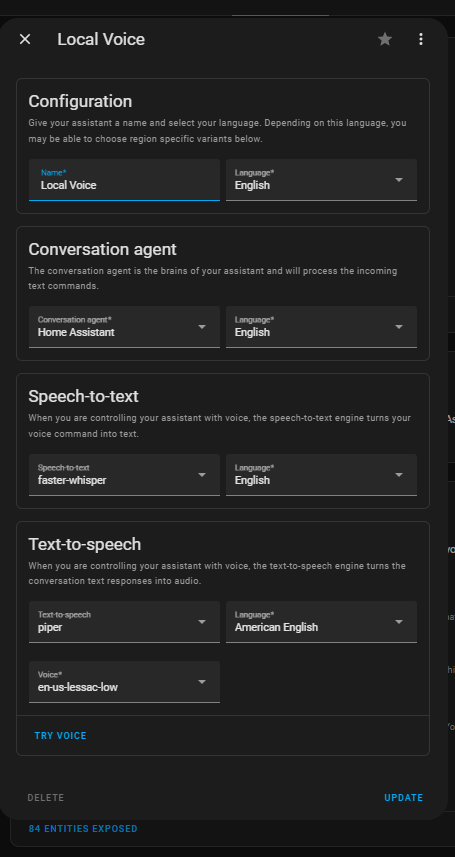
And using text input only. I changed nothing (other than update to new beta's and install Wyoming), but it does NOT seem to crash my system anymore. Both pipeline configurations (cloud and local) caused the crash previously.
However, we found a new issue (which could be related to this issue), but in the NEW issue, I'm using voice input. Please see here: https://github.com/home-assistant/core/issues/92307
Also, I should add that I've tried it a few times already and it seems to be working all the time now (in b2 and b3).
It working now may be thanks to PR https://github.com/home-assistant/core/pull/92158 That PR made sure all entity registry entries have an expose settings for the default conversation agent when it's set up. Before that PR, the entity registry items were instead updated the first time the default agent was called.

Thanks Erik for bringing that up.
I do remember that in B0 and maybe even in B1 I may have had zero entities exposed to assist. And then at some point during beta, likely because of the PR that you mentioned, entities were all of a sudden exposed to assist
Perhaps the issue was because I was using assist without any entities exposed.