
core
 core copied to clipboard
 home-assistant
Casting Dashboard shows incomplete dashboard
The problem
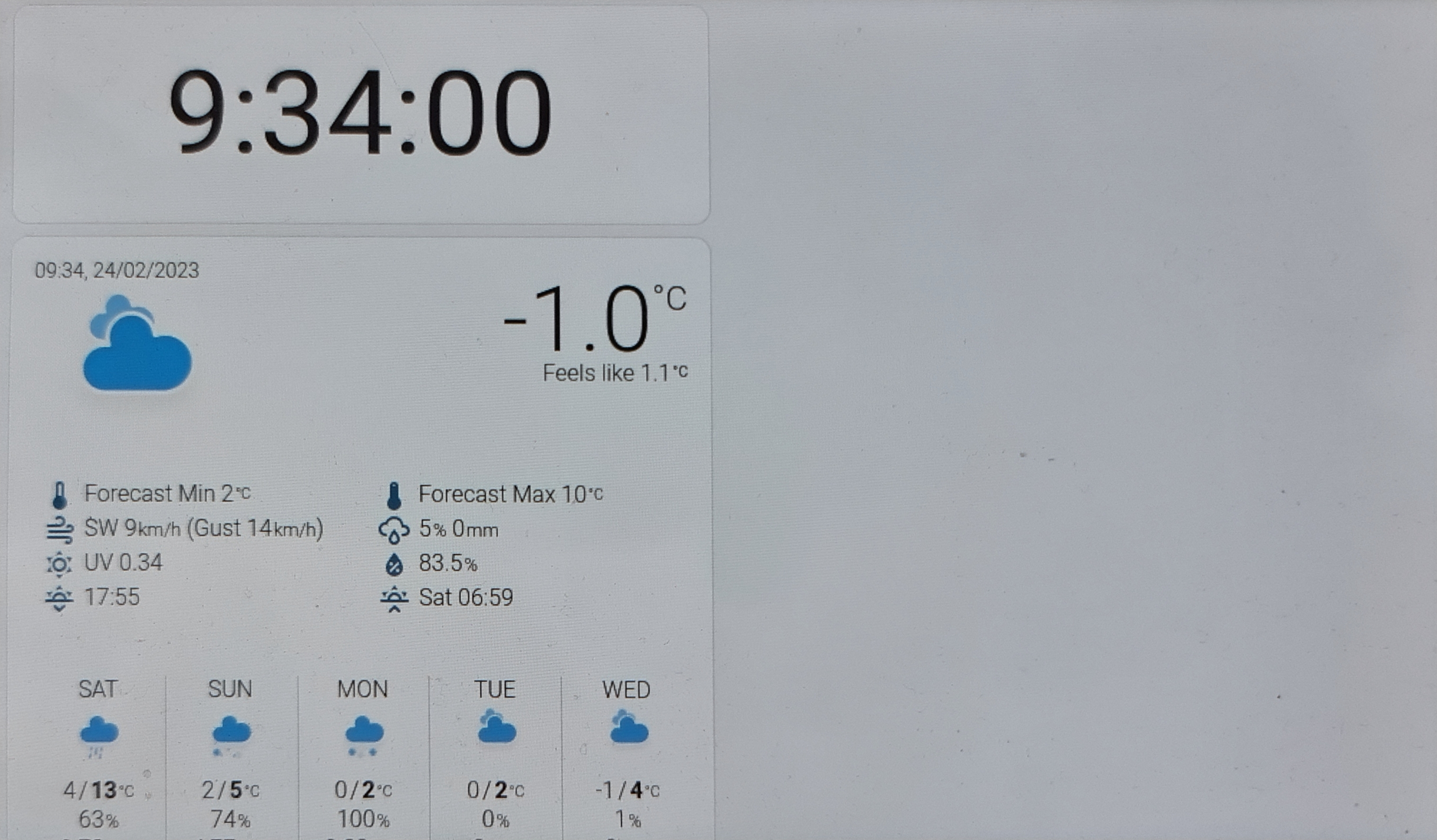
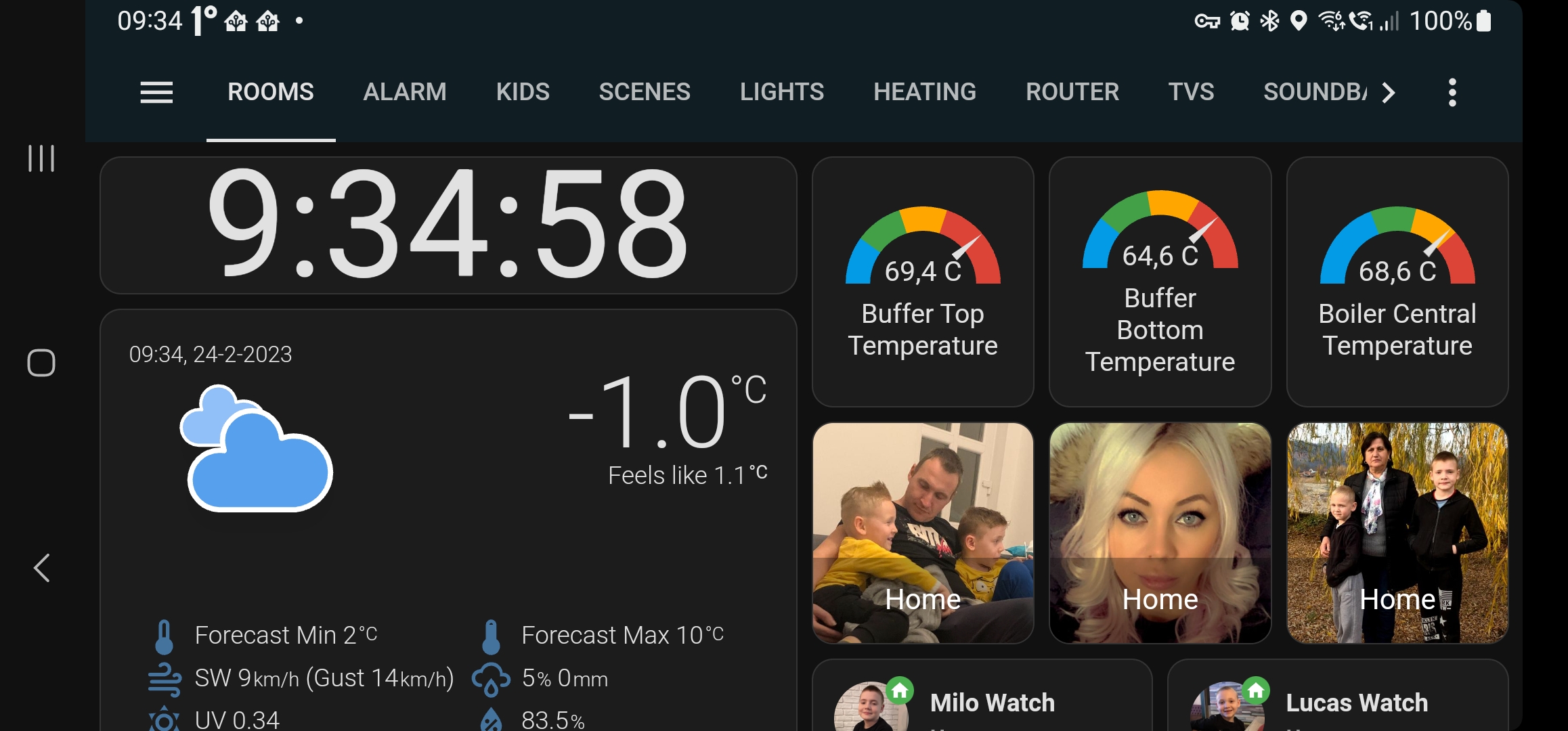
Since yesterday suddenly out of nothing if I try to cast my dashboard to my Google Hub and Google Hub Max it shows my dashboard incomplete, it shows a part of my dashboard, as weather card, clock card, but not shows any of my picture glance cards or picture entity cards, or any temperature cards. I did try with using cast.show_lovelace_view and mediaplayer.play to show the dashboard giving me same results
I am using Nabu Casa, maybe the problem is there because I get same issue if I try to use the cast dashboard option there within the web browser.
What version of Home Assistant Core has the issue?
2023.2.5
What was the last working version of Home Assistant Core?
2023.2 .5
What type of installation are you running?
Home Assistant OS
Integration causing the issue
Google Cast
Link to integration documentation on our website
https://www.home-assistant.io/integrations/cast/
Diagnostics information
Not Available
Example YAML snippet
Not Available
Anything in the logs that might be useful for us?
There are no related errors in logs
Additional information
Here are 2 pictures of how it looks on the Google Hub VS how it should look (how looks on my phone within app)

Hey there @emontnemery, mind taking a look at this issue as it has been labeled with an integration (cast) you are listed as a code owner for? Thanks!
Code owner commands
Code owners of cast can trigger bot actions by commenting:
@home-assistant closeCloses the issue.@home-assistant rename Awesome new titleRenames the issue.@home-assistant reopenReopen the issue.@home-assistant unassign castRemoves the current integration label and assignees on the issue, add the integration domain after the command.
(message by CodeOwnersMention)
cast documentation cast source (message by IssueLinks)
![home-assistant[bot] avatar](https://avatars.githubusercontent.com/in/97978?v=4 "Published by a pub.dev verified publisher")
I have 2 hubs set up, showing the same dashboard, one of them is having the same issue as described above. The other keeps working correctly. Already tried rebooting HA & Hub.
Both hubs are running the same version: SW-Version: 50.26.12.493473605 Fuchsia-Version: 9.20221010.3.176

Also having the same issue since yeasterday when casting to Nest Hub, Nest Hub Max and a Chromecast. It has been working fine for the last couple of weeks but since yeasterday it only shows some fragement of the dasboard :-(

Same here, I assume that Google made an update to the Nest hub devices and this is the result. Hope that someone will have a look into it.

Same here. Dashboards show correctly in browser but pieces are missing in chromecast now. :(

I not think is due a update of google as also chromecast devices are affected by this not only hubs....
@dm82m @joachimcarrein @mihed001 @edestecd
Do all of you also use NabuCasa as external link?
I have the same issues casting a lovelace view to a Chromecast Ultra.

I have the same issues casting a lovelace view to a Chromecast Ultra.
Do you also use NabuCasa as external link for your HA?
I am casting with a script, not sure how NabuCasa is involved:
  - service: cast.show_lovelace_view
    data:
      view_path: nest
      dashboard_path: lovelace
      entity_id: media_player.flur
I don't use nabucasa. I have a synology dns external rerouted on a specific port, but just use show_lovelase_view
If you are using lovelace it shows this note in Integration description, so it is related to NabuCasa also. I am not sure if is related just assume the problem can also be there.
Home Assistant Cast requires your Home Assistant installation to be accessible via https://. If you’re using Home Assistant Cloud, you don’t need to do anything. Otherwise you must make sure that you have configured the external_url in your configuration.
yes, the splash screen on cast when it launches the casting it says "NabuCasa"
yes, the splash screen on cast when it launches the casting it says "NabuCasa"
Yes indeed it does 👍🏻
for reference this is my hub dashboards compared, they should show the same thing

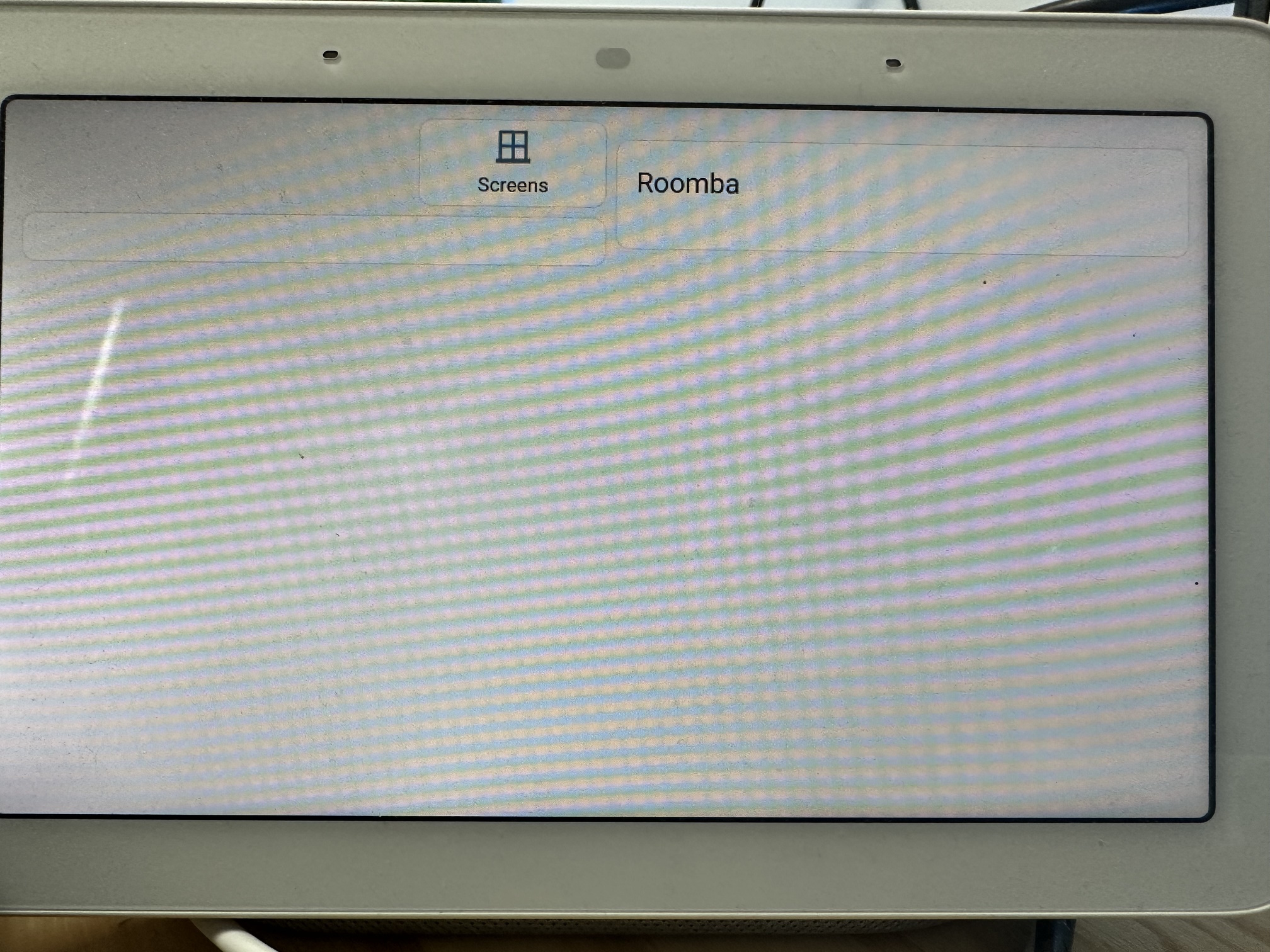
for reference this is my hub dashboards compared, they should show the same thing
Mine is similar, however I only seem to have the right hand side and the left column is missing for instance on one of them. This seems like a css/html type issue
I'm currently experiencing the same problem with 2 Nest hubs. I'm not using NabuCasa Cloud, but DuckDNS with the Nginx SSL proxy Addon to enable external access. When I visit my HA instance via that URL in a browser (Chrome, Safari) there are no issues. Also tried restarting Hubs & HA, but no luck.

Same issue here. Started sometime for me after 23rd Feb 10am EST but before 10pm EST.
I use one hub as a 24/7 dashboard that is now more than half broken. I tried casting the dashboard to my other Google Home and it is broken in the exact same way.
I have not seen it mentioned yet, but if I now touch one of the cards that still exist that would previously produce a popup dialog, no popup dialog is shown now. Toggle buttons that still show up appear to still work.
I also do not use NabuCasa Cloud, I run my own reverse proxy with SSL that has been working fine for years.
I've also restarted the hubs and HA with no luck.
Happy to help debug, troubleshoot, anything I can. I use this dashboard constantly and it is really negatively affecting my daily workflow.
Hopefully we aren't entering yet another multi-month period where casting is just plain broken and gets zero attention from HA like it was last year 😓

Same here, using cloudflare -> haproxy -> homeassistant, have been working without any issues untill today 😄

Same, I'm using nabu casa and pretty much the entire dashboard is missing apart from one element which had an error anyway and a HACS time widget!

I just had to power toggle my 2nd hub and that one is screwed too now :(
same hopes as all that it gets resolved fast
Same issue since upgrade to 2023.2.5. Across multiple dashboards and Nest devices. Usually casting via a blueprint but same issue if I cast from https://cast.home-assistant.io/
Like the other screen prints, no errors, just certain cards missing (notably gauge & entity / mushroom entity cards)

@erasmus83 can you say for sure this started as soon as you upgraded to 2023.2.5?
Can anyone confirm it still works fine on 2023.2.4?

I was using 2023.2.3 earlier today and was still experiencing this issue.
Thanks for confirming, so it seems like it is definitely either something that changed in the cast code that is hosted by Nabu Casa (the code that pops up first while casting that helps the hub find your HA dashboard, I assume this is independent of HA versioning) or something changed in the Google Home Hubs.
can confirm. Noticed the issue today in the morning (was on 2023.1.7 version), I did all the common stuff like retarting HA, Nest Hub and then finally updated HA to 2023.2.5 but the issue persists.

My Nest hub updated itself on 22/02/2023. Prior to this the display worked perfectly - but now the dashboard display in incomplete

My Google Hub Firmware info for reference on a hub that has this problem:
System firmware version: 9.20221010.3.176 Cast firmware: 1.67.330920
Downgraded 2023.2.5 to 2023.2.4 and issue still existing. Pretty sure it has no dependency to HA version. Would stick with the idea that nest firmware or even nabu Casa is the source of the issue.