

 home-assistant
OpenAI Conversation integration returning error
The problem
I am trying to use the new OpenAI Conversation integration. I am able to complete the integration flow successfully, entering a valid API key. The API key from https://platform.openai.com/account/api-keys shows that last-used was today.
However when I try to talk to OpenAI via the "assist" button from the Lovelace dashboard, I get the following error:
Sorry, I had a problem with my template: TypeError: argument of type 'NoneType' is not iterable

The following is in my HomeAssistant logs:
2023-02-06 23:51:45.935 ERROR (MainThread) [homeassistant.components.openai_conversation] Error rendering prompt: TypeError: argument of type 'NoneType' is not iterable
There doesn't seem to be any other statements logged, even when putting the integration into debug logging mode.
What version of Home Assistant Core has the issue?
core-2023.2.0
What was the last working version of Home Assistant Core?
No response
What type of installation are you running?
Home Assistant Container
Integration causing the issue
OpenAI Conversation
Link to integration documentation on our website
https://www.home-assistant.io/integrations/openai_conversation/
Diagnostics information
No response
Example YAML snippet
No response
Anything in the logs that might be useful for us?
Logger: homeassistant.components.openai_conversation
Source: components/openai_conversation/__init__.py:76
Integration: OpenAI Conversation (documentation, issues)
First occurred: 6 February 2023 at 23:26:23 (13 occurrences)
Last logged: 6 February 2023 at 23:51:45

Error rendering prompt: TypeError: argument of type 'NoneType' is not iterable
Additional information
The default assistant works fine with the Assist feature, it's only when adding the "OpenAI Conversation" integration that this issue occurs.

Hey there @balloob, mind taking a look at this issue as it has been labeled with an integration (openai_conversation) you are listed as a code owner for? Thanks!
Code owner commands
Code owners of openai_conversation can trigger bot actions by commenting:
@home-assistant closeCloses the issue.@home-assistant rename Awesome new titleChange the title of the issue.@home-assistant reopenReopen the issue.@home-assistant unassign openai_conversationRemoves the current integration label and assignees on the issue, add the integration domain after the command.
(message by CodeOwnersMention)
openai_conversation documentation openai_conversation source (message by IssueLinks)
![home-assistant[bot] avatar](https://avatars.githubusercontent.com/in/97978?v=4 "Published by a pub.dev verified publisher")
The OpenAI prompt is a Jinja2 template that we render as input, and somehow your situation is not working.
{%- for area in areas %}
  {%- set area_info = namespace(printed=false) %}
  {%- for device in area_devices(area.name) -%}
    {%- if not device_attr(device, "disabled_by") and not device_attr(device, "entry_type") %}
      {%- if not area_info.printed %}
{{ area.name }}:
        {%- set area_info.printed = true %}
      {%- endif %}
- {{ device_attr(device, "name") }}{% if device_attr(device, "model") and device_attr(device, "model") not in device_attr(device, "name") %} ({{ device_attr(device, "model") }}){% endif %}
    {%- endif %}
  {%- endfor %}
{%- endfor %}
You can test it in your template dev tools by hardcoding the areas by coping below snippet before the prompt into your dev tools. Adjust the name to an area name:
{% set areas = [namespace(name="Office")] %}
Although by looking at this, I think I found the issue. Will try a fix.

I've tried playing around with the templates you linked above, and found that most areas work, but my kitchen doesn't. For example, when I set areas to just "Office" it works fine:
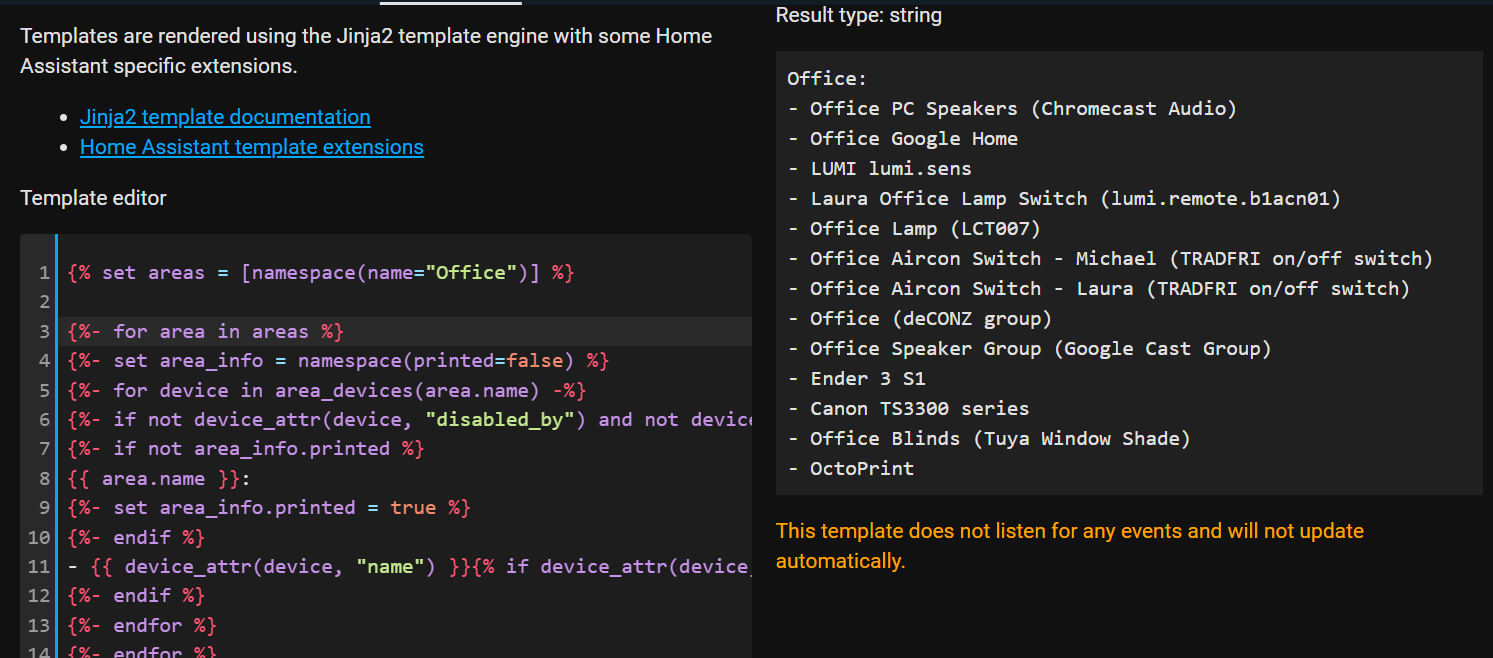
But "Kitchen" it's not happy with:

And I do have a device in the kitchen without a name, so that could indeed be the cause.
Just as final confirmation, I disabled the unnamed device and OpenAI Conversation started working fine for me.
Thanks for such a speedy fix! :)
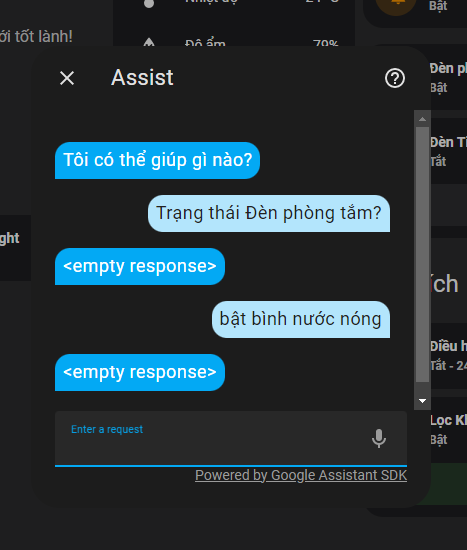
Similarly, when I installed the Google Assistant SDK, my Assistant Assist could no longer be used. Previously, it had good support for Vietnamese.

This issue is about OpenAI. Yours is about Google. Also, Home Assistant only supports a single conversation agent at the moment. So if you don't want to use Google, disable it in integrations -> Google Assistant SDK -> Configure.