

 home-assistant
Temperature entity of motion and contact sensors unavailable once value is lower than 1
The problem
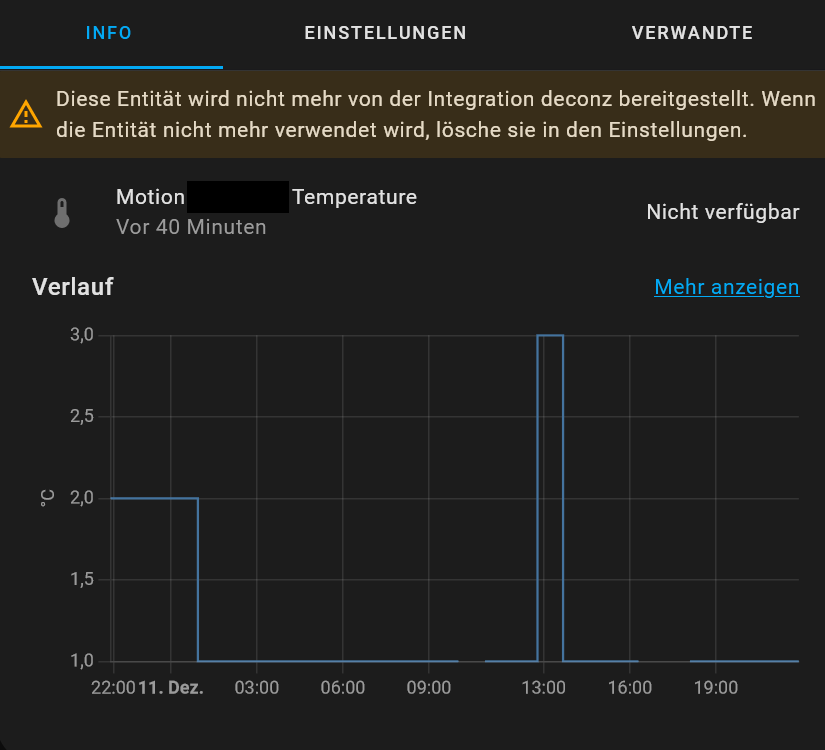
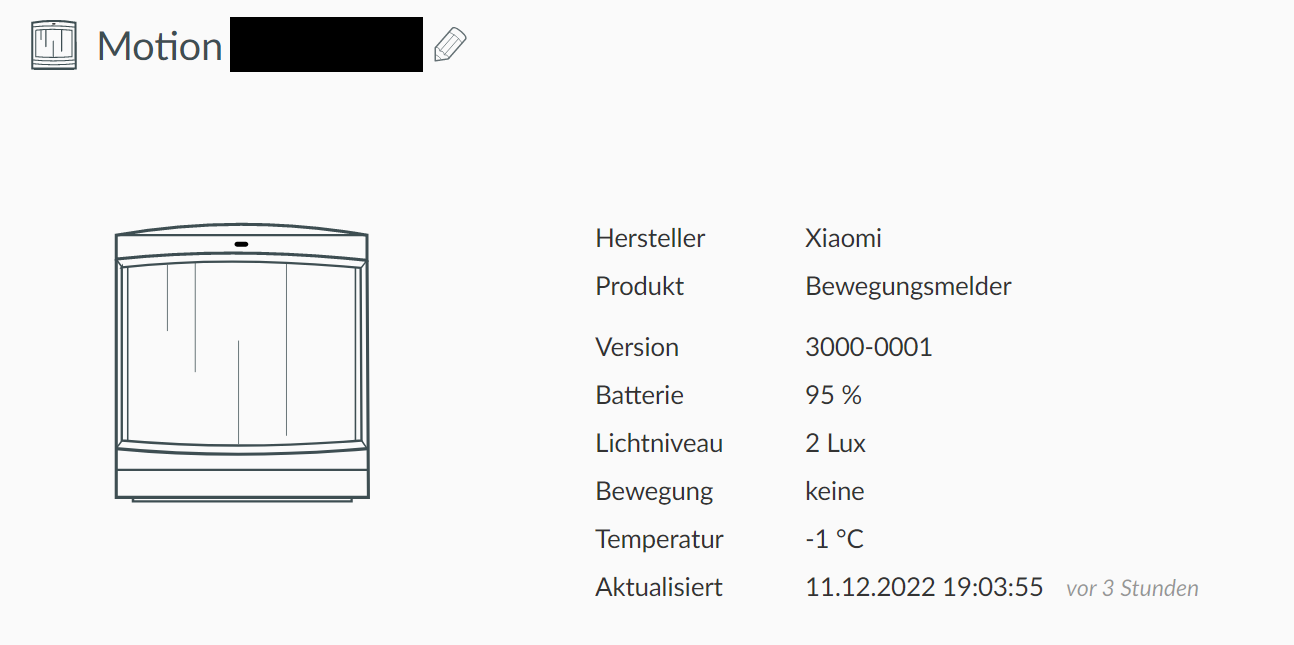
Motion sensors (lumi.sensor_motion.aq2 / RTCGQ11LM) are of state unavailable once the temperature of the sensor is reported below 1 degrees. It comes back once the temperature rises.
While the temperature itself is available and shown e. g. in Phoscon, it is not in deCONZ. This is why I assume this is a deCONZ integration error. (otherwise I would have reported this at https://github.com/dresden-elektronik/deconz-rest-plugin/issues)

What version of Home Assistant Core has the issue?
core-2022.9.7
What was the last working version of Home Assistant Core?
No response
What type of installation are you running?
Home Assistant OS
Integration causing the issue
deCONZ
Link to integration documentation on our website
https://www.home-assistant.io/integrations/deconz
Diagnostics information
No response
Example YAML snippet
No response
Anything in the logs that might be useful for us?
No response
Additional information
Two things happened during the last days:
- Temperatures went down (assumption: error has always been there)
- deCONZ has been updated to v2.19.3 (from v2.19.1) (assumption: error has been introduced with v2.19.3)
- Probably related to https://github.com/dresden-elektronik/deconz-rest-plugin/issues/6203 (don't think so, just wanted to name one of the last changes affecting specifically those devices)

Hey there @kane610, mind taking a look at this issue as it has been labeled with an integration (deconz) you are listed as a code owner for? Thanks!
Code owner commands
Code owners of deconz can trigger bot actions by commenting:
@home-assistant closeCloses the issue.@home-assistant rename Awesome new titleChange the title of the issue.@home-assistant reopenReopen the issue.@home-assistant unassign deconzRemoves the current integration label and assignees on the issue, add the integration domain after the command.
(message by CodeOwnersMention)
deconz documentation deconz source (message by IssueLinks)
![home-assistant[bot] avatar](https://avatars.githubusercontent.com/in/97978?v=4 "Published by a pub.dev verified publisher")
Can you first upgrade to the latest home assistant and if that doesn't help, enable debug logging per the instructions in the integration documentation

Can you first upgrade to the latest home assistant and if that doesn't help, enable debug logging per the instructions in the integration documentation
I can, but it will take some time, probably in two weeks. Is there any known change in the newer HA versions related to this?
Can you first upgrade to the latest home assistant and if that doesn't help, enable debug logging per the instructions in the integration documentation
I can, but it will take some time, probably in two weeks. Is there any known change in the newer HA versions related to this?
There are changes to sensor implementation but they should really be unnoticed. But it's expected to report issues on what version is currently offered. You're the only one reporting such an issue right now so it's probably not the integration. But the logs can help with that.
Excactly same behavior for contact sensors too (interestingly it is not unavailable but unknown when/once below 1 °):
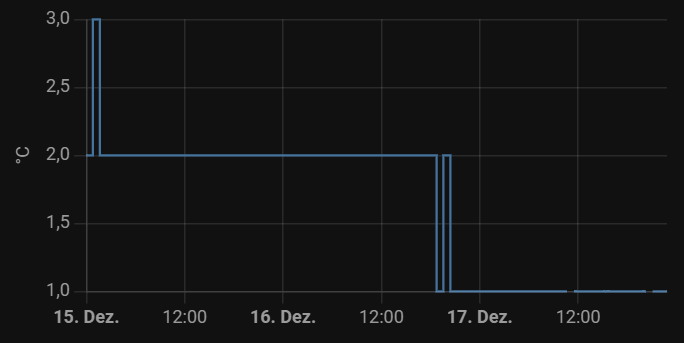
MCCGQ11LM (lumi.sensor_magnet.aq2)
Renamed issue accordingly.
I wrote up a test to validate it working with negative temperatures, which it does. Without logs I can't proceed here.
async def test_negative_temperature_values(hass, aioclient_mock):
    """Test sensor with negative temperature."""
    data = {
        "sensors": {
            "1": {
                "config": {
                    "battery": None,
                    "offset": 0,
                    "on": True,
                    "reachable": True,
                },
                "ep": 1,
                "etag": "1220e5d026493b6e86207993703a8a71",
                "manufacturername": "LUMI",
                "modelid": "lumi.weather",
                "name": "Mi temperature 1",
                "state": {
                    "lastupdated": "2019-05-05T14:39:00",
                    "temperature": -2182,
                },
                "swversion": "20161129",
                "type": "ZHATemperature",
                "uniqueid": "00:15:8d:00:02:45:dc:53-01-0402",
            }
        }
    }
    with patch.dict(DECONZ_WEB_REQUEST, data):
        await setup_deconz_integration(hass, aioclient_mock)

    assert hass.states.get("sensor.mi_temperature_1").state == "-21.8"
Currently I don't see this, as temperatures are high for quite some time.
When they go down again in the next weeks: what kind of logs exactly are needed?
Debug logging for the deconz integration, instructions are in the integration documentation.
There hasn't been any activity on this issue recently. Due to the high number of incoming GitHub notifications, we have to clean some of the old issues, as many of them have already been resolved with the latest updates. Please make sure to update to the latest Home Assistant version and check if that solves the issue. Let us know if that works for you by adding a comment 👍 This issue has now been marked as stale and will be closed if no further activity occurs. Thank you for your contributions.
![issue-triage-workflows[bot] avatar](https://avatars.githubusercontent.com/u/13844975?v=4 "Published by a pub.dev verified publisher")
Temperatures still not low enough to see this behavior again and provide logs.
"Finally" it got cold enough to see this issue again. Will provide logs asap.
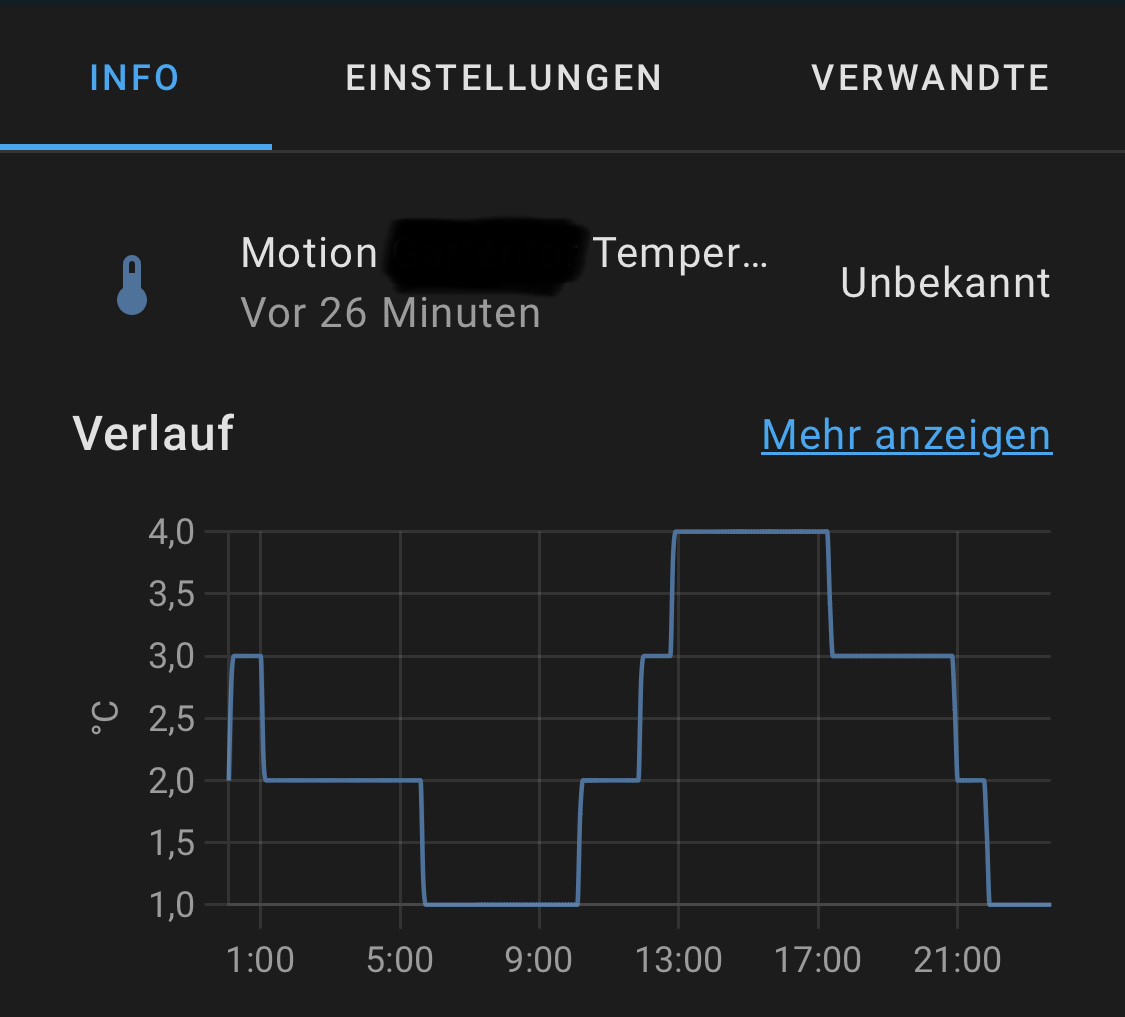
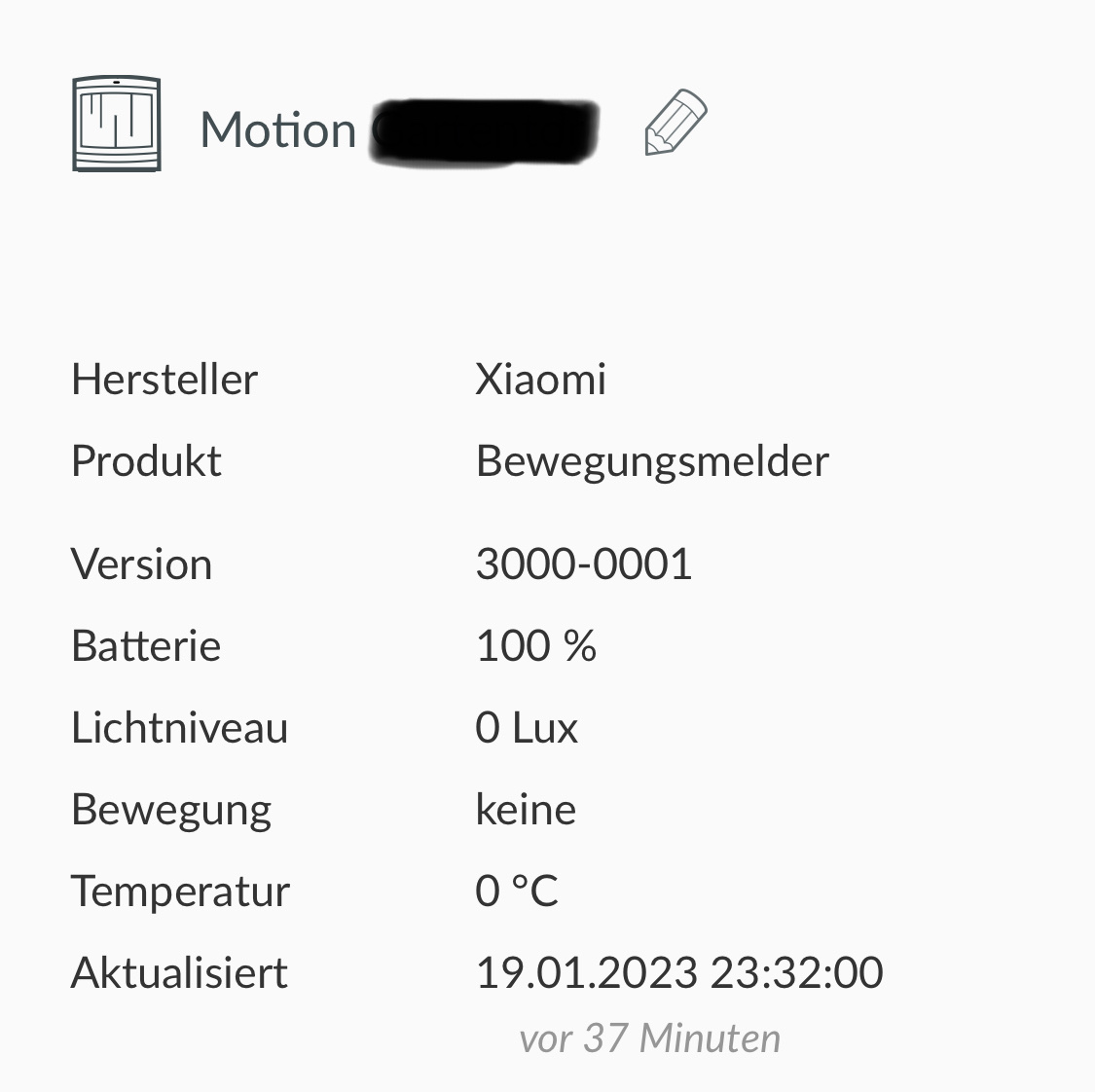
Yesterday I saw this plenty of times as temperatures went down and up:
22.01 07:52 unavailable ❌ 22.01 08:43 available again ✔ 22.01 09:38 unavailable ❌ 22.01 10:32 available again ✔ 22.01 20:31 unavailable ❌ 22.01 21:24 available again ✔
Interestingly, the graph falsified my theory it is because of a temperature limitation ("value lower than 1"):
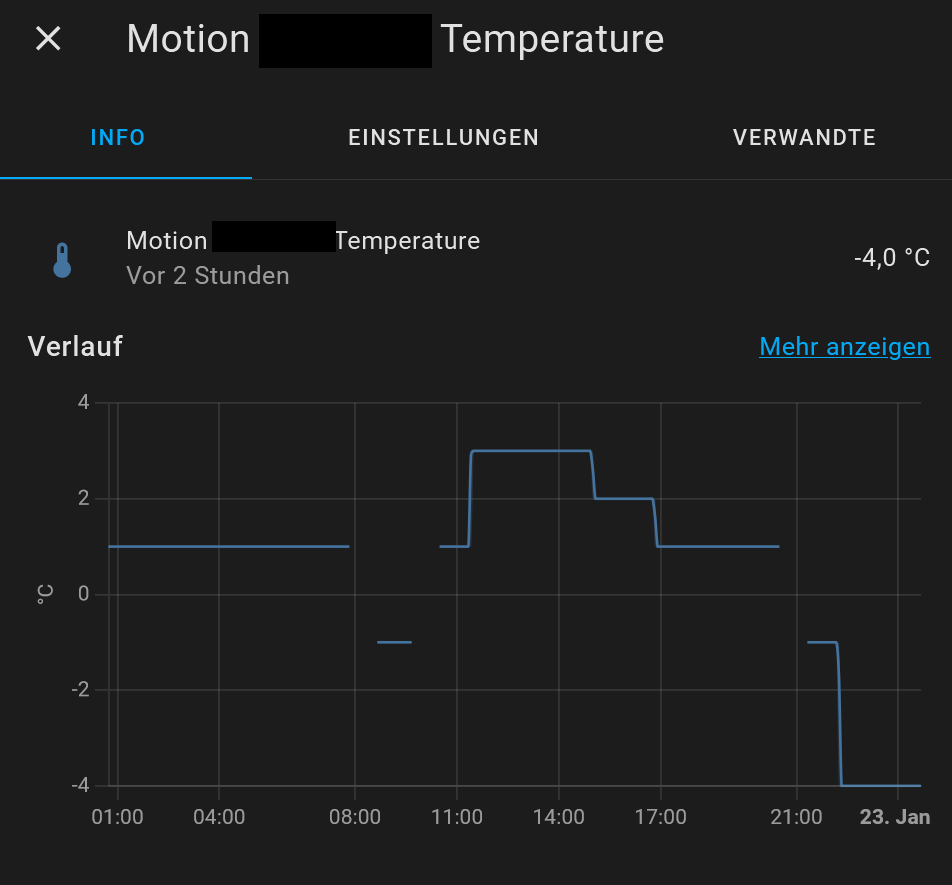
For now I decided to simply ignore the state of this entity.
While I think the issue is clearly based on temperature, I'm still wondering why the state in deCONZ/Phoscon is just fine but HA integration renders unavailable.
Questions regarding debugging:
-
As https://www.home-assistant.io/integrations/deconz#debugging-integration needs a restart of HA which I want to avoid currently, is using the UI for debugging also an option? Taking bout this one:
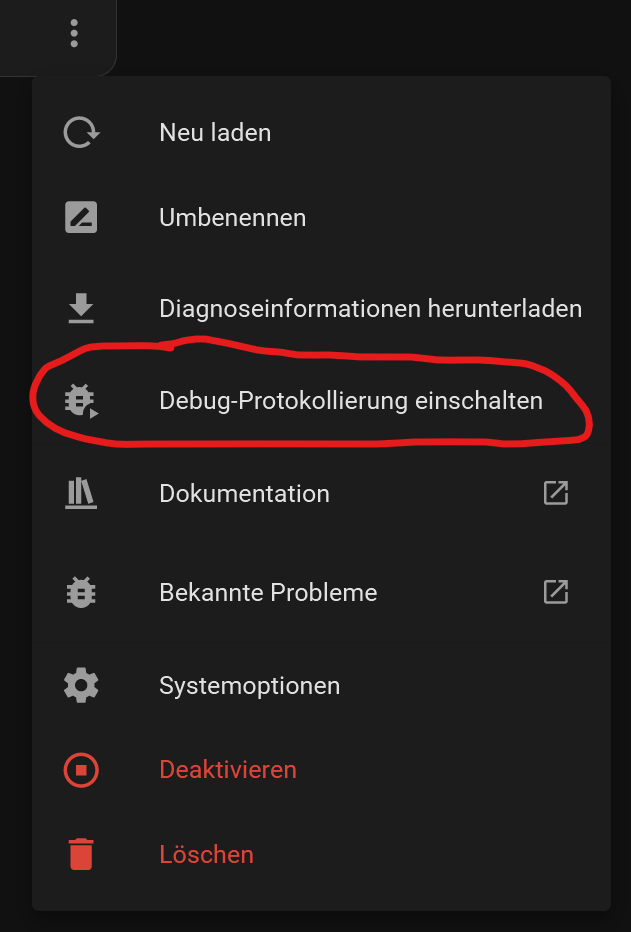
-
As I used that for only 5 seconds and got a LOG file of 33 MByte, taking into account I don't know when the issue happens and I therefore would need to keep debug mode enabled constantly until it happens again, I fear producing a MASSIVELY HUGE log file - which on the other hand one needs to parse. Is this really the most efficient way to go?
There hasn't been any activity on this issue recently. Due to the high number of incoming GitHub notifications, we have to clean some of the old issues, as many of them have already been resolved with the latest updates. Please make sure to update to the latest Home Assistant version and check if that solves the issue. Let us know if that works for you by adding a comment 👍 This issue has now been marked as stale and will be closed if no further activity occurs. Thank you for your contributions.
Debug logging is working - but extremely exhaustive and as this issue occurs only every few days or even weeks (and the debug log for deCONZ just explodes after few hours), it's just impossible to catch logs on a real-world environment. Putting the sensors manually at a cold environment maybe would help to provoke the issue.
There hasn't been any activity on this issue recently. Due to the high number of incoming GitHub notifications, we have to clean some of the old issues, as many of them have already been resolved with the latest updates. Please make sure to update to the latest Home Assistant version and check if that solves the issue. Let us know if that works for you by adding a comment 👍 This issue has now been marked as stale and will be closed if no further activity occurs. Thank you for your contributions.
Due to lack of flexibility in terms of debug logging as described above, logs can't be expected to be provided for this issue as of now.
There hasn't been any activity on this issue recently. Due to the high number of incoming GitHub notifications, we have to clean some of the old issues, as many of them have already been resolved with the latest updates. Please make sure to update to the latest Home Assistant version and check if that solves the issue. Let us know if that works for you by adding a comment 👍 This issue has now been marked as stale and will be closed if no further activity occurs. Thank you for your contributions.
Only if HA provides a service to start and stop debug logging (for single targets/integrations). Next to this there seems to be nothing which could get this going:
https://community.home-assistant.io/t/add-services-to-start-stop-debug-logging-of-integrations/527021
Oops. Just wanted to reply that there is a service to change debug logging for an integration without reloading.
Oops. Just wanted to reply that there is a service to change debug logging for an integration without reloading.
Which one? Where's more information on that service?
Oops. Just wanted to reply that there is a service to change debug logging for an integration without reloading.
Which one? Where's more information on that service?
https://www.home-assistant.io/integrations/logger/
Perfect. That will solve the log leak for at least one important other issue I'm taking care of - and maybe even this one here in the next winter time.
➡ https://www.home-assistant.io/integrations/logger/#service-set_level