

 home-assistant
ZHA connecting issue [0x21F2:1:0x0006]: async_initialize: all attempts have failed, [0x21F2:1:0x0008]: async_initialize: all attempts have failed
The problem
After updating to HA 2022.10 some Zigbee sensors (battery) stopped working through ZHA. I've tried restarting, rebooting, but both didn't help. After reconnecting (using the reconnect button on the devices), the devices were recognized by ZHA and worked for a short time, but the next day all connections were lost again.
Running Supervisor 2022.10.5 and OS 9.2 at the moment ZHA coordinator: Slaesh stick with latest Z-Stack 3.x.0
working devices: -1x Aquara door/window sensor (directly connected to coordinator) -Heiman CO-sensor-EM -IKEA TRADFRI Driver 10W -2x IKEA USB Extender
devices not working: -1x Aquara door/window sensor (coordinated trough router) -several IKEA Tradfri remotes -4x Heiman/Trust (klikaanklikuit) smokesensor-EM
Error log:
Logger: homeassistant.components.zha.core.channels.base Source: components/zha/core/channels/base.py:486 Integration: Zigbee Home Automation (documentation, issues) First occurred: 13:48:53 (2 occurrences) Last logged: 13:48:53
[0x21F2:1:0x0006]: async_initialize: all attempts have failed: [DeliveryError('Request failed after 5 attempts: <Status.NWK_NO_ROUTE: 205>'), DeliveryError('Request failed after 5 attempts: <Status.NWK_NO_ROUTE: 205>'), DeliveryError('Request failed after 5 attempts: <Status.NWK_NO_ROUTE: 205>'), DeliveryError('Request failed after 5 attempts: <Status.NWK_NO_ROUTE: 205>')] [0x21F2:1:0x0008]: async_initialize: all attempts have failed: [DeliveryError('Request failed after 5 attempts: <Status.NWK_NO_ROUTE: 205>'), DeliveryError('Request failed after 5 attempts: <Status.NWK_NO_ROUTE: 205>'), DeliveryError('Request failed after 5 attempts: <Status.NWK_NO_ROUTE: 205>'), DeliveryError('Request failed after 5 attempts: <Status.NWK_NO_ROUTE: 205>')]
What version of Home Assistant Core has the issue?
2022.10.5
What was the last working version of Home Assistant Core?
2022.9.x
What type of installation are you running?
Home Assistant OS
Integration causing the issue
ZHA
Link to integration documentation on our website
https://www.home-assistant.io/integrations/zha
Diagnostics information
config_entry-zha-232c93cbd84ce4132f406f7574a5cf67.json.txt zha-232c93cbd84ce4132f406f7574a5cf67-IKEA of Sweden TRADFRI remote control-671d803f6a70f11c6b0a87f9957fe43f.json.txt zha-232c93cbd84ce4132f406f7574a5cf67-HEIMAN SmokeSensor-EM-85f1050850e9f595fcbaf9740962905e.json.txt zha-232c93cbd84ce4132f406f7574a5cf67-LUMI lumi.sensor_magnet.aq2-f5e0340f62b06f4ca856d394612180ef.json.txt
Example YAML snippet
No response
Anything in the logs that might be useful for us?
Logger: homeassistant.components.zha.core.channels.base
Source: components/zha/core/channels/base.py:486
Integration: Zigbee Home Automation ([documentation](https://www.home-assistant.io/integrations/zha), [issues](https://github.com/home-assistant/home-assistant/issues?q=is%3Aissue+is%3Aopen+label%3A%22integration%3A+zha%22))
First occurred: 13:48:53 (2 occurrences)
Last logged: 13:48:53

[0x21F2:1:0x0006]: async_initialize: all attempts have failed: [DeliveryError('Request failed after 5 attempts: <Status.NWK_NO_ROUTE: 205>'), DeliveryError('Request failed after 5 attempts: <Status.NWK_NO_ROUTE: 205>'), DeliveryError('Request failed after 5 attempts: <Status.NWK_NO_ROUTE: 205>'), DeliveryError('Request failed after 5 attempts: <Status.NWK_NO_ROUTE: 205>')]
[0x21F2:1:0x0008]: async_initialize: all attempts have failed: [DeliveryError('Request failed after 5 attempts: <Status.NWK_NO_ROUTE: 205>'), DeliveryError('Request failed after 5 attempts: <Status.NWK_NO_ROUTE: 205>'), DeliveryError('Request failed after 5 attempts: <Status.NWK_NO_ROUTE: 205>'), DeliveryError('Request failed after 5 attempts: <Status.NWK_NO_ROUTE: 205>')]
Additional information
No response

Hey there @dmulcahey, @adminiuga, @puddly, mind taking a look at this issue as it has been labeled with an integration (zha) you are listed as a code owner for? Thanks!
Code owner commands
Code owners of zha can trigger bot actions by commenting:
@home-assistant closeCloses the issue.@home-assistant rename Awesome new titleChange the title of the issue.@home-assistant unassign zhaRemoves the current integration label and assignees on the issue, add the integration domain after the command.
(message by CodeOwnersMention)
zha documentation zha source (message by IssueLinks)
![home-assistant[bot] avatar](https://avatars.githubusercontent.com/in/97978?v=4 "Published by a pub.dev verified publisher")
I also experience intermittent zha connectivity issues on most devices after upgrading to 2022.10.5 and OS 9.2. Running Home Assistant OS on a RPi4 with ssd and a Electrolama zig-a-zig-ah! (zzh!). Get the same DeliveryError in my logs. When first upgrading most devices, not all, were out for days but two days ago they came back working for about 1 day. Then this morning they stopped working again…

Same here after update to: Home Assistant 2022.10.5 Supervisor 2022.10.0 Operating System 9.3 Frontend 20221010.0 - latest
`Logger: homeassistant.components.zha.core.channels.base Source: components/zha/core/channels/base.py:486 Integration: Zigbee Home Automation (documentation, issues) First occurred: 1:43:37 PM (11 occurrences) Last logged: 1:47:12 PM
[0x94B5:1:0x0002]: async_initialize: all attempts have failed: [DeliveryError('Failed to deliver packet: <TXStatus.NWK_ROUTE_DISCOVERY_FAILED: 208>'), DeliveryError('Failed to deliver packet: <TXStatus.NWK_ROUTE_DISCOVERY_FAILED: 208>'), DeliveryError('Failed to deliver packet: <TXStatus.NWK_ROUTE_DISCOVERY_FAILED: 208>'), DeliveryError('Failed to deliver packet: <TXStatus.NWK_ROUTE_DISCOVERY_FAILED: 208>')] [0x6053:1:0x0008]: async_initialize: all attempts have failed: [DeliveryError('Failed to deliver packet: <TXStatus.NWK_ROUTE_DISCOVERY_FAILED: 208>'), DeliveryError('Failed to deliver packet: <TXStatus.NWK_ROUTE_DISCOVERY_FAILED: 208>'), DeliveryError('Failed to deliver packet: <TXStatus.NWK_ROUTE_DISCOVERY_FAILED: 208>'), DeliveryError('Failed to deliver packet: <TXStatus.NWK_ROUTE_DISCOVERY_FAILED: 208>')] [0xF7D7:1:0x0300]: async_initialize: all attempts have failed: [DeliveryError('Failed to deliver packet: <TXStatus.NWK_ROUTE_DISCOVERY_FAILED: 208>'), DeliveryError('Failed to deliver packet: <TXStatus.NWK_ROUTE_DISCOVERY_FAILED: 208>'), DeliveryError('Failed to deliver packet: <TXStatus.NWK_ROUTE_DISCOVERY_FAILED: 208>'), DeliveryError('Failed to deliver packet: <TXStatus.NWK_ROUTE_DISCOVERY_FAILED: 208>')] [0x6053:1:0x0006]: async_initialize: all attempts have failed: [DeliveryError('Failed to deliver packet: <TXStatus.NWK_ROUTE_DISCOVERY_FAILED: 208>'), DeliveryError('Failed to deliver packet: <TXStatus.NWK_ROUTE_DISCOVERY_FAILED: 208>'), DeliveryError('Failed to deliver packet: <TXStatus.NWK_ROUTE_DISCOVERY_FAILED: 208>'), DeliveryError('Failed to deliver packet: <TXStatus.NWK_ROUTE_DISCOVERY_FAILED: 208>')] [0xF7D7:1:0x1000]: Couldn't get list of groups: Failed to deliver packet: <TXStatus.NWK_ROUTE_DISCOVERY_FAILED: 208>`

@imist is your coordinator on an extension cable? SSD causes bad rf interference for the coordinator.
I think there is a new firmware being worked on for the TI coords by the z2m folks with a larger routing table. I wonder if that will help w/ these issues...
@roelvdgun @jverlaan how many devices are on your zigbee networks?

@David,
Only 13 directly to the Conbee II and 33 via the Hue bridge (also Zigbee
via another channel)
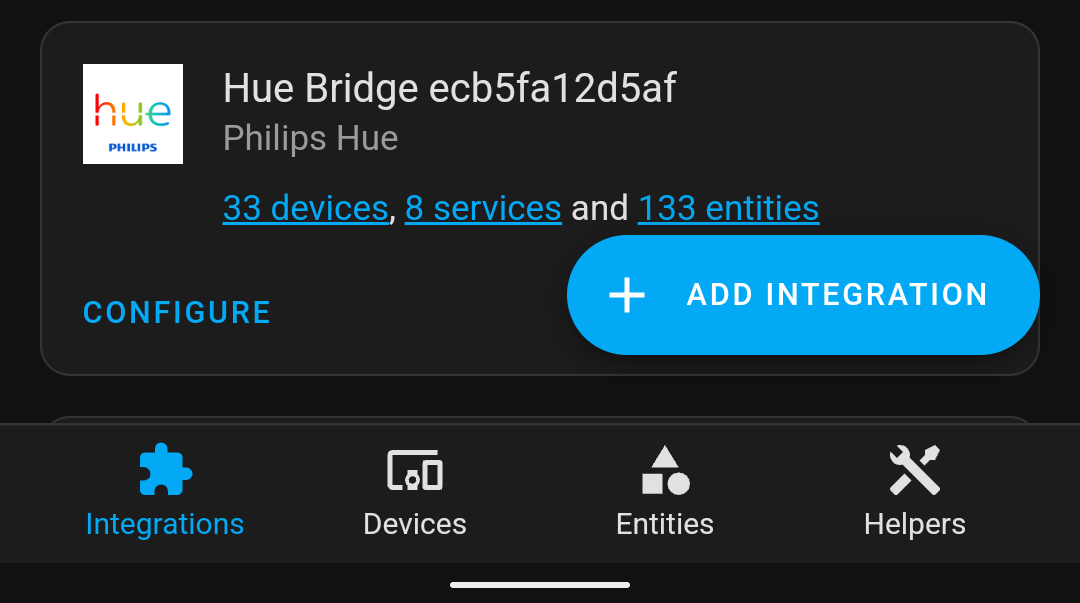

Op za 5 nov. 2022 13:27 schreef David F. Mulcahey @.***
:
@imist https://github.com/imist is your coordinator on an extension cable? SSD causes bad rf interference for the coordinator.
I think there is a new firmware being worked on for the TI coords by the z2m folks with a larger routing table. I wonder if that will help w/ these issues...
@roelvdgun https://github.com/roelvdgun @jverlaan https://github.com/jverlaan how many devices are on your zigbee networks?
— Reply to this email directly, view it on GitHub https://github.com/home-assistant/core/issues/81018#issuecomment-1304537249, or unsubscribe https://github.com/notifications/unsubscribe-auth/AQ6POJV7F2ABARCV2FTN3JDWGZHBRANCNFSM6AAAAAARO5YCWQ . You are receiving this because you were mentioned.Message ID: @.***>
@dmulcahey Yes, been using extension cable for a couple of years (first with Conbee II/deConz and now with zzh!/ZHA).
I seemed to fix my problems a couple of days ago by disconnecting the usb-cable and thus power reset the zzh!. That repaired my network somehow. Now I only have intermittent issues with 2 Aqara Motion Sensors that only works when they are in the mood for some reason. But I guess that's another story...
@imist is your coordinator on an extension cable? SSD causes bad rf interference for the coordinator.
I think there is a new firmware being worked on for the TI coords by the z2m folks with a larger routing table. I wonder if that will help w/ these issues...
@roelvdgun @jverlaan how many devices are on your zigbee networks?
I've got about 15 devices: -4 smoke -1 carbon sensor -4 ikea remotes -2 ikea usb extenders -2 aqara window sensors -1 ikea led driver
The slaesh stick is on a 0,5m USB cable
There is also a seperate HUE network running with about 45-50 devices
The network was without any error before 2022.10 Since OS 9.3+ Hass 2022.11.1 some remotes, 1 smoke sensor and the aqara window sensors seems to be working again after I reconnected them
EDIT: thought everything was working again, but just saw that the smoke detectors are missing the connection again
I did a reboot of de slaesh stick (detached the usb and plugged it in again) somewhere before the update (after I red the message of imist) that worked for half of the devices.
I upgraded to 2022.11.2 and now seeing this issue in my logs, I have about 50 devices, via the built in Zigbee on home assistant yellow running ZHA. The co-ordinator is a Conbee II and I have a lot of smart lights and 4 repeaters/smart plugs. A lot of Aqara devices dropped off my network when I upgraded the hardware and replacing them with sonoff has cured the problem.
The log: `Logger: homeassistant.components.zha.core.channels.base Source: components/zha/core/channels/base.py:486 Integration: Zigbee Home Automation (documentation, issues) First occurred: 12 November 2022 at 16:24:30 (4 occurrences) Last logged: 12 November 2022 at 16:26:22
[0xd873:1:0x0001]: async_initialize: all attempts have failed: [DeliveryError('Failed to deliver message: <EmberStatus.DELIVERY_FAILED: 102>'), DeliveryError('Failed to deliver message: <EmberStatus.DELIVERY_FAILED: 102>'), DeliveryError('Failed to deliver message: <EmberStatus.DELIVERY_FAILED: 102>'), DeliveryError('Failed to deliver message: <EmberStatus.DELIVERY_FAILED: 102>')] [0xd873:1:0x0500]: async_initialize: all attempts have failed: [DeliveryError('Failed to deliver message: <EmberStatus.DELIVERY_FAILED: 102>'), DeliveryError('Failed to deliver message: <EmberStatus.DELIVERY_FAILED: 102>'), DeliveryError('Failed to deliver message: <EmberStatus.DELIVERY_FAILED: 102>'), DeliveryError('Failed to deliver message: <EmberStatus.DELIVERY_FAILED: 102>')]`

I am getting the same error on 2023.1, hardware is Home Assistant Yellow. It happened first in December updates, then it worked for some time, and now after an update I can't control any of Zigbee devices again. Using mostly Tuya and a couple of Sonoff modules. Same "EmberStatus.DELIVERY_FAILED: 102" errors, repeating multiple times.
Fortunately I still have hardware switches that work locally :)

@lukacu Open a new issue and fill out the issue template. This one hasn't seen activity in two months and is likely unrelated to your problem.
