panel

panel copied to clipboard
 holoviz
Panel in VS Code notebook: Bokeh theming doesn't work
ALL software version info
Windows 10 VS Code 1.68.0 VS Code Jupyter Extension v2022.5.1001601848 Python 3.10.4
bokeh                     2.4.3
jupyter-bokeh             3.0.4
ipywidgets                7.7.0
holoviews                 1.14.9
panel                     0.13.1
Description of expected behavior and the observed behavior
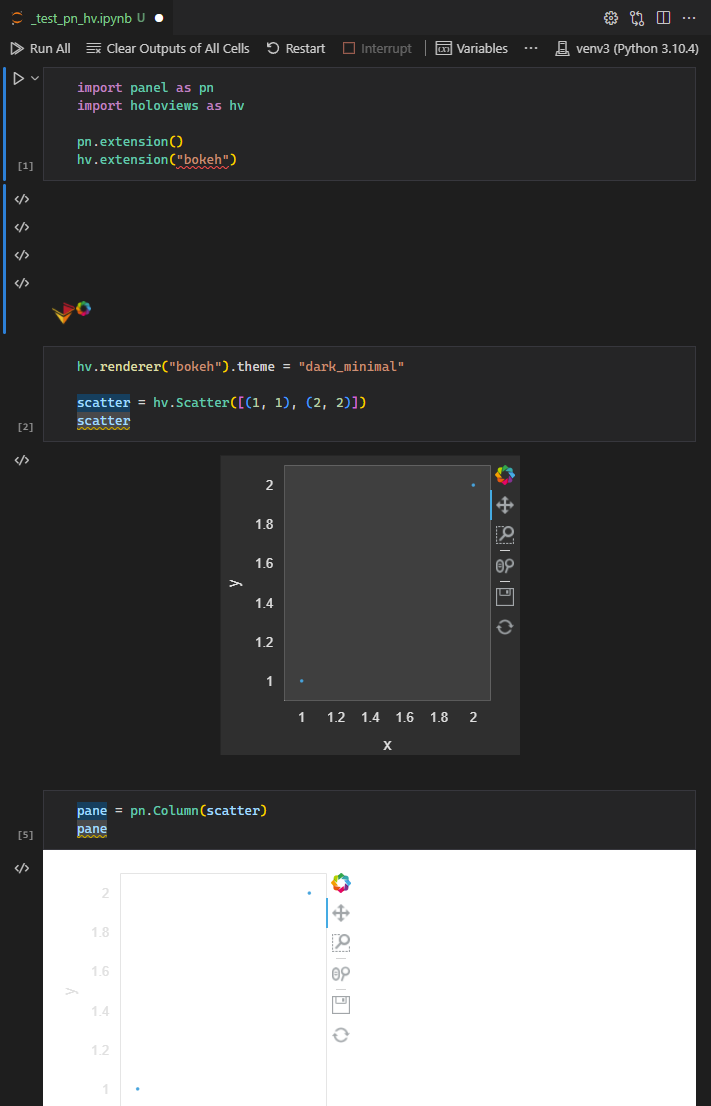
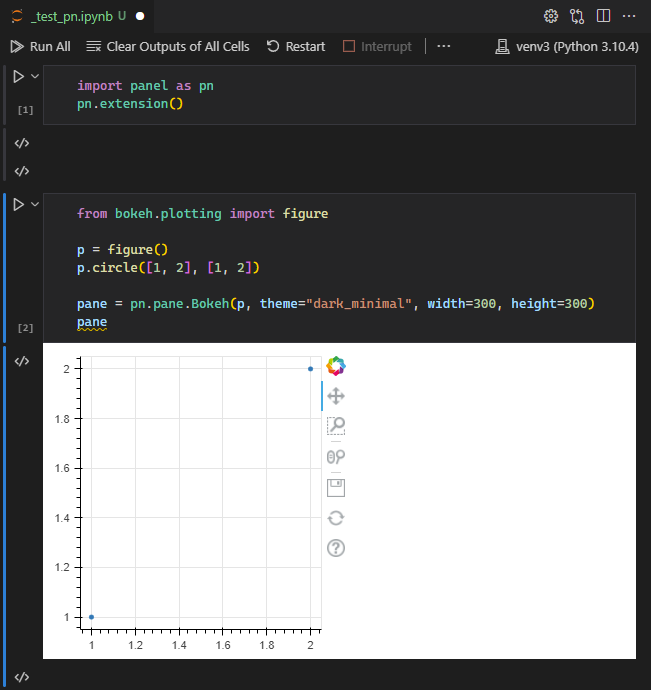
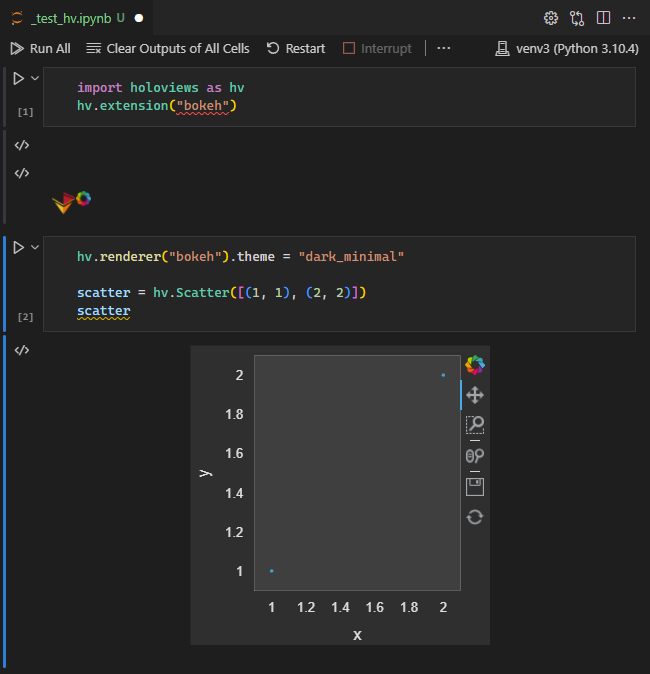
Panel Bokeh theming doesn't work in VS Code. It does work in JupyterLab. HoloViews Bokeh theming does work.
I tried many variations and combinations, I couldn't get Bokeh theming to work when going through Panel in VS Code.
Complete, minimal, self-contained example code that reproduces the issue
# cell 1
import panel as pn
pn.extension()

# cell 2
from bokeh.plotting import figure
p = figure()
p.circle([1, 2], [1, 2])
pane = pn.pane.Bokeh(p, theme="dark_minimal", width=300, height=300)
pane
Screenshots or screencasts of the bug in action
Panel Bokeh theming doesn't work:
HoloViews Bokeh theming does work:
Using both Panel and HoloViews in the same notebook. hv theming is ignored when passing a hv to Panel (works in JupyterLab):