

 holoviz
Documentation about custom theming a template is unclear
I have an app inside a FastGridTemplate and I plot some images with a colorbar:
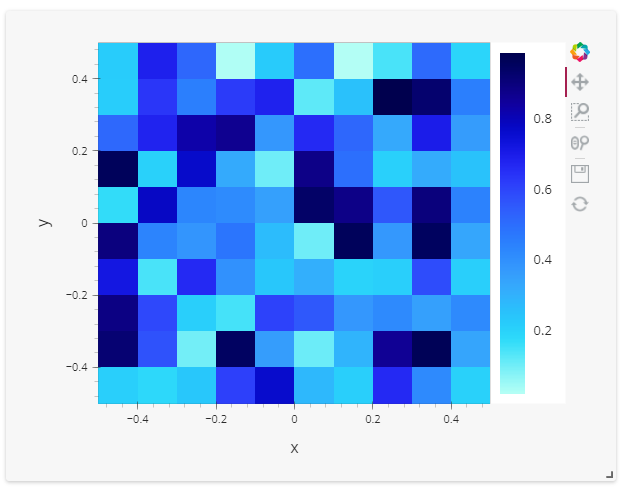 However I would like to change the background alpha of the colorbar
I tried to follow the doc : https://panel.holoviz.org/user_guide/Templates.html#theming However there are a lot of things unclear to me First in the doc a DarkTheme class is defined but in the next cell the DarkTheme class from panel is imported. What the point of defining a class if it's not to use it?
Then my goal is to theme a FastGridTemplate so I tried to replace MaterialTemplate by FastGridTemplate but I got the following error:
---------------------------------------------------------------------------
AttributeError                            Traceback (most recent call last)
/tmp/ipykernel_105/3636406894.py in <module>
     13     _template = pn.template.FastGridTemplate
     14
---> 15 dark_fast = pn.template.FastGridTemplate(title='Fast Template', theme=DarkTheme)
     16
     17 dark_fast.sidebar.append(freq)

~/panel/template/fast/base.py in __init__(self, **params)
     86         theme = self._get_theme()
     87         if "background_color" not in params:
---> 88             self.background_color = theme.style.background_color
     89         if "accent_base_color" not in params:
     90             self.accent_base_color = theme.style.accent_base_color

AttributeError: 'FastDarkTheme' object has no attribute 'style'
Soafter so code digging I end up with something like this:
import param
import numpy as np
import panel as pn
import numpy as np
import holoviews as hv
from panel.template.theme import Theme
from bokeh.themes import Theme as BkTheme
from panel.template.fast.theme import DEFAULT_STYLE, DARK_STYLE

custom_default_json_theme = DEFAULT_STYLE.create_bokeh_theme()
custom_default_json_theme["attrs"]["ColorBar"]["background_fill_alpha"] = 0

class CustomDefaultTheme(Theme):
    """
    Custom Theme
    """

    bokeh_theme = param.ClassSelector(class_=(BkTheme, str), default=BkTheme(json=custom_default_json_theme))

class CustomDefaultFastTheme(CustomDefaultTheme):

    # css = param.Filename() Here we could declare some custom CSS to apply

    # This tells Panel to use this implementation
    _template = pn.template.FastGridTemplate
    style = DEFAULT_STYLE
It does what i want but now I would like to be able to define a Default and Dark theme to switch with the toggle_theme button. Is it possible?

Finally after more digging, I found a work around to achieve what i wanted: I forced panel FastGrid themes to be abstract then my Custom themes take priority (actually they are the only usabled)
pn.template.fast.grid.FastGridDefaultTheme._FastGridDefaultTheme__abstract = True
pn.template.fast.grid.FastGridDarkTheme._FastGridDarkTheme__abstract = True
import param
import numpy as np
import panel as pn
import numpy as np
import holoviews as hv
from panel.template.theme import Theme
from bokeh.themes import Theme as BkTheme
from panel.template import DarkTheme, DefaultTheme
from panel.template.fast.theme import DEFAULT_STYLE, DARK_STYLE

custom_default_json_theme = DEFAULT_STYLE.create_bokeh_theme()
custom_default_json_theme["attrs"]["ColorBar"]["background_fill_alpha"] = 0
custom_dark_json_theme = DARK_STYLE.create_bokeh_theme()
custom_dark_json_theme["attrs"]["ColorBar"]["background_fill_alpha"] = 0

class CustomDefaultTheme(DefaultTheme):
    """
    Custom Theme
    """

    bokeh_theme = param.ClassSelector(class_=(BkTheme, str), default=BkTheme(json=custom_default_json_theme))

class CustomDarkTheme(DarkTheme):
    """
    Custom Theme
    """

    bokeh_theme = param.ClassSelector(class_=(BkTheme, str), default=BkTheme(json=custom_dark_json_theme))

class CustomDefaultFastTheme(CustomDefaultTheme):

    # css = param.Filename() Here we could declare some custom CSS to apply

    # This tells Panel to use this implementation
    _template = pn.template.FastGridTemplate
    style = DEFAULT_STYLE

class CustomDarkFastTheme(CustomDarkTheme):

    # css = param.Filename() Here we could declare some custom CSS to apply

    # This tells Panel to use this implementation
    _template = pn.template.FastGridTemplate
    style = DARK_STYLE


pn.template.fast.grid.FastGridDefaultTheme._FastGridDefaultTheme__abstract = True
pn.template.fast.grid.FastGridDarkTheme._FastGridDarkTheme__abstract = True

template = pn.template.FastGridTemplate()

def img():
    return hv.Image(np.random.rand(10,10))

template.main[:5, :] = pn.pane.HoloViews(hv.DynamicMap(img).opts(colorbar=True), sizing_mode="stretch_both")
template.servable()