

 holoviz
Standardize gallery examples
As users contribute more examples to the gallery it's becoming clear that we need to standardize the format these examples take. I'd propose the following structure:
Header
- Title
- Description
- Author
- Tags?
- License?
- ?
Code
The actual code section of a gallery example can be a single cell with code comments or slowly building up the code across multiple cells. I think both have their place depending on the concepts being delivered.
Output
The final output of the example should always be in the last cell of the notebook. This makes it possible for us to append an iframe of the running app in the website build.
Cc: @MarcSkovMadsen

Would it make sense to add a template to the repo or even provide a CLI to generate the template?
I would be creating a cli one Day. At least in my own code and for my own use.
The example notebook template could be one thing.
Another would be for generating the 3 files involved in a new pane, widget or layout based on a bokeh model. Maybe even including test files. And basic tests.
A third thing is a new parameterized class. Maybe split in three: a model, a component and an app. And then with test files.
A fourth thing would be for converting a WebComponent into a true Panel Component based on a bokeh model.

@MarcSkovMadsen I've seen your updated notebooks, thanks for making those changes but I'd like to make the suggestion of making the header more compact, i.e. having a single cell with roughly this formatting:
## ECharts Webcomponent example

**Description**: This example demonstrates blah, blah, blah, blah, ....
**Author**: Marc Skov Madsen
**Tags**: ECharts, WebComponent
**License**: BSD-3
@jbednar Any other suggestions?
I like the suggestions. But I would suggest a small change. I think you should give the WHY (i.e. description) a little bit more space. This is where you sell why its worth spending time on this notebook (or not).
ECharts Webcomponent example
This example demonstrates blah, blah, blah, blah, ....
Author: Marc Skov Madsen Tags: ECharts, WebComponent License: BSD-3
And I think together with the standard description you should link to one or two example notebooks that are satisfying and can be used as inspiration.
But I would suggest a small change. I think you should give the WHY (i.e. description) a little bit more space.
Sounds good!
I have added in an image as a part of the description as it says more than a thousand words and works well if you are to communicate via demos, screenshots, videos etc.
I've actually considered if the image should be a small .gif video of the end product?
I have added in an image as a part of the description as it says more than a thousand words and works well if you are to communicate via demos, screenshots, videos etc.
My weak preference is not to include screenshots/images or videos where it isn't absolutely necessary.
I've actually considered if the image should be a small .gif video of the end product?
Again, the idea behind gallery examples is that we will deploy them and the deployed example will be iframed and appended to the page so users can try them out interactively. I don't think images or gifs add anything at that point.
Would it make sense to prepend the iframes then. The question is really the purpose of the gallery examples.
Is it to showcase what is possible? To demonstrate you can create awesome things? To provide learning material? To showcase what the community is capable of creating? To somehow “sell” Panel as a product?
I think all of the above but it depends on which category they are in. The examples in the "demos" section are most definitely for showcasing, and demonstrating the awesome things you can build, the remaining sections are almost all meant as teaching material in some form. Expanding or reorganizing the categories is something I'm very open to, the current categories are just what I came up with fairly early on.
I think it's all of those things, as each one leads inexorably to the other because of how we build our websites from notebooks; each example is both a how-to and a demo of what's possible.
I like how we iframe things in, but I'd like the gallery examples always to provide a user-visible link to the separate running app (maybe it always does already). It's important to see what the actual full app looks like and how it works when rendered properly, and the iframed version doesn't always format properly in such a small space:
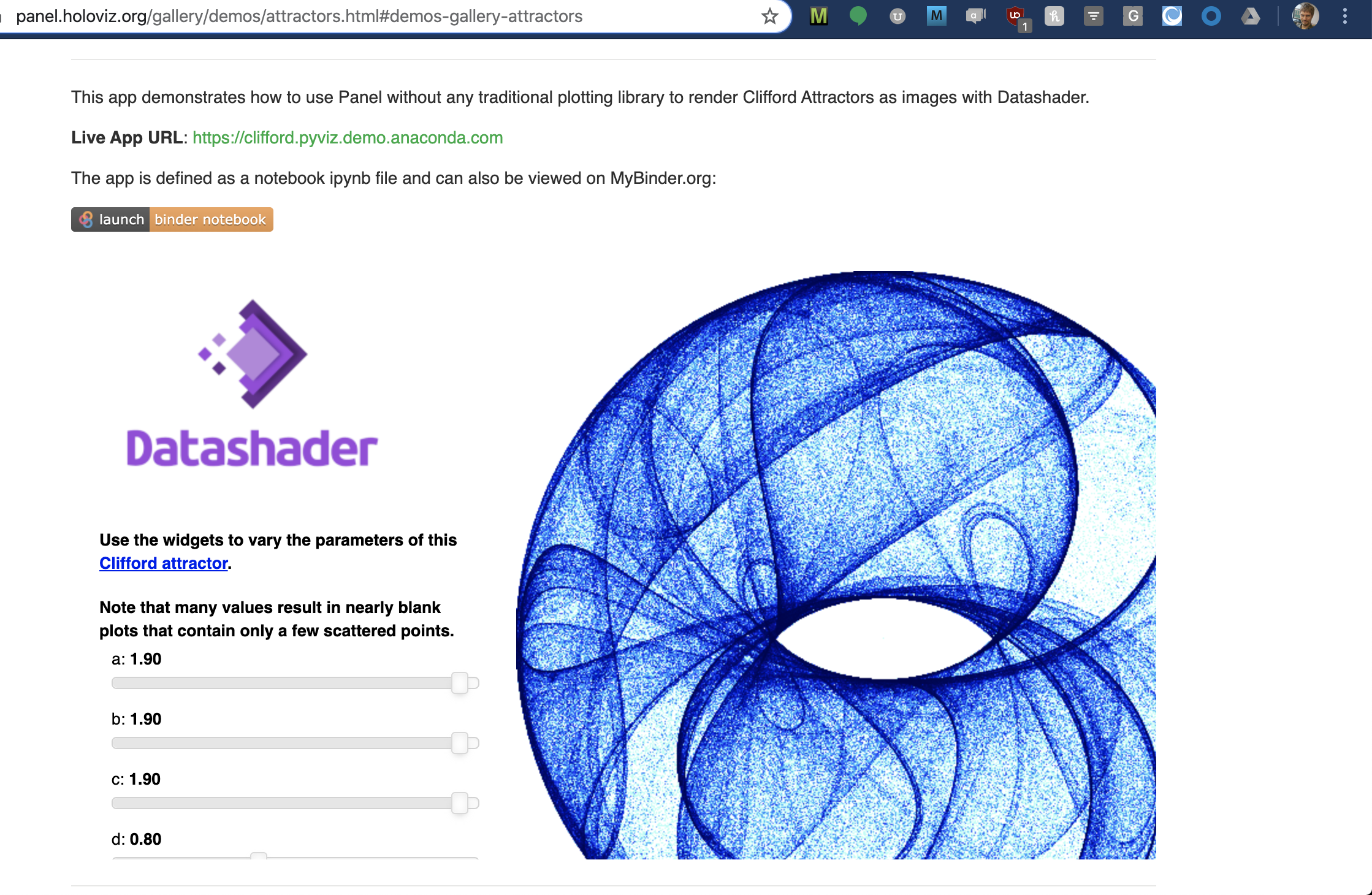
Also, I'd like a way to link to the full-page app even if it's just HTML:
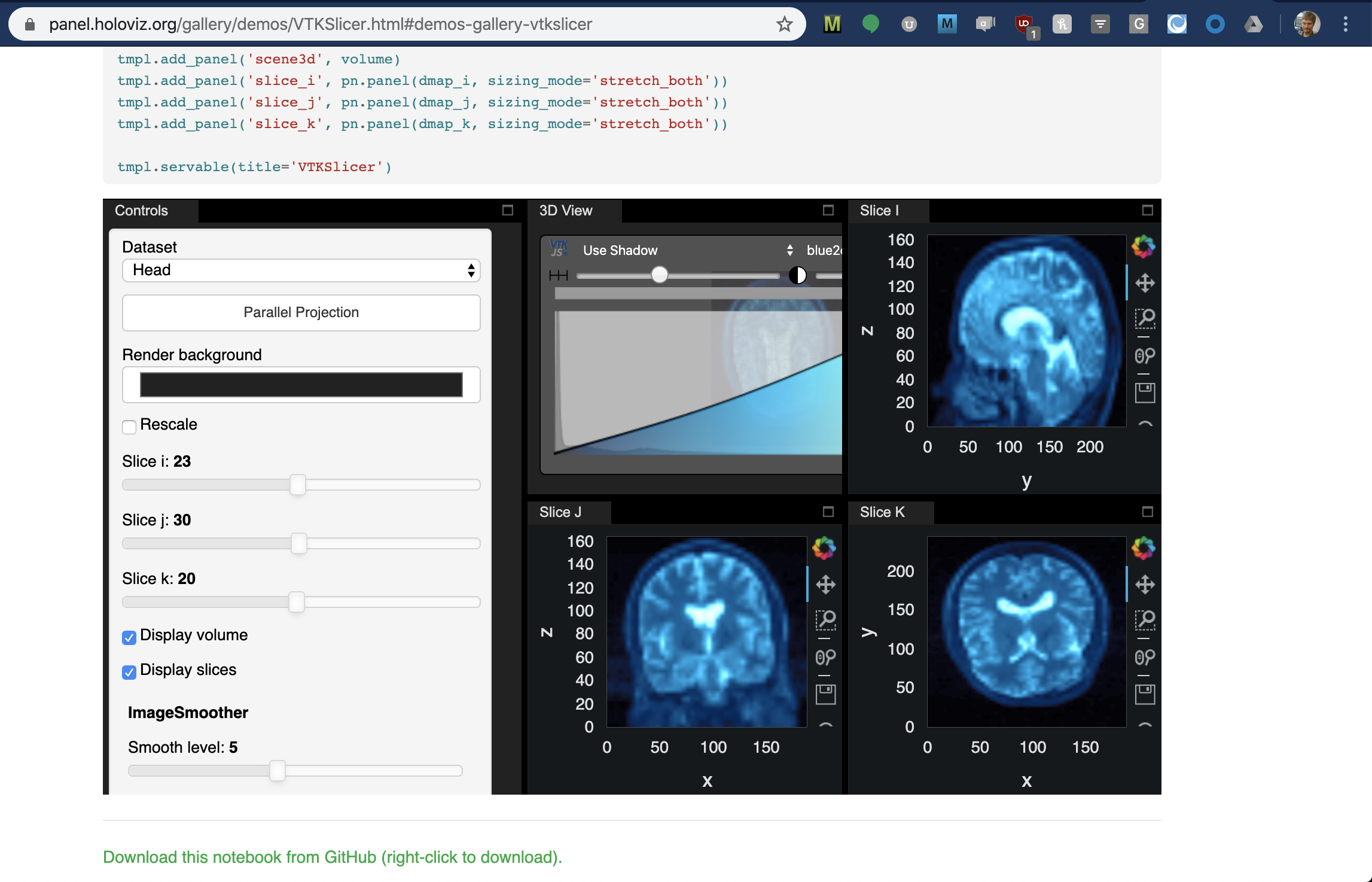

To me having a running version where i can get a sense of the look and feel is very important.
I want to know if
- I can get the functionality i need?
- If the feel is good. Is it fast and reactive?
- Can I create something that looks nice? Maybe not the same as developed by front end developers and designers. But somehow fresh and modern still.
I would actually evaluate that first and then look at the code.
Right now my colleagues and "customers" are actually looking to Panel to provide them something that performs, looks and feels better than Tableau. But something close to the domain experts like analysts and traders.
To me Panel is somewhere in between a BI tool and a modern front end framework.
Much more powerfull than a BI tool as its code and leverages Python.
But you cant do all the things you can do in a modern front end framework without integrating it with Panel.
But Panel should provide a powerfull, fast and frictionless experience for the users who
- would like to explore and understand their data or model.
- build awesome data driven or analytics apps.
It should be the best choice for that. I believe it can become that.
- Is close I believe.
- is already possible. But it requires knowing how. You can easily develop Panel apps that are slow and not responsive. So some more guidance and documentation would be usefull.
- You can with the Template. But examples are needed. Users dont know how to create it and/ or it just takes a long time to get right.