
hvplot

hvplot copied to clipboard
 holoviz
Area chart legend is in reverse order of chart sections.
It would be nice if the order of the legend matched the order of the stacked sections. I tried to find an easy way to reverse the legend, but couldn't find one. Thanks!
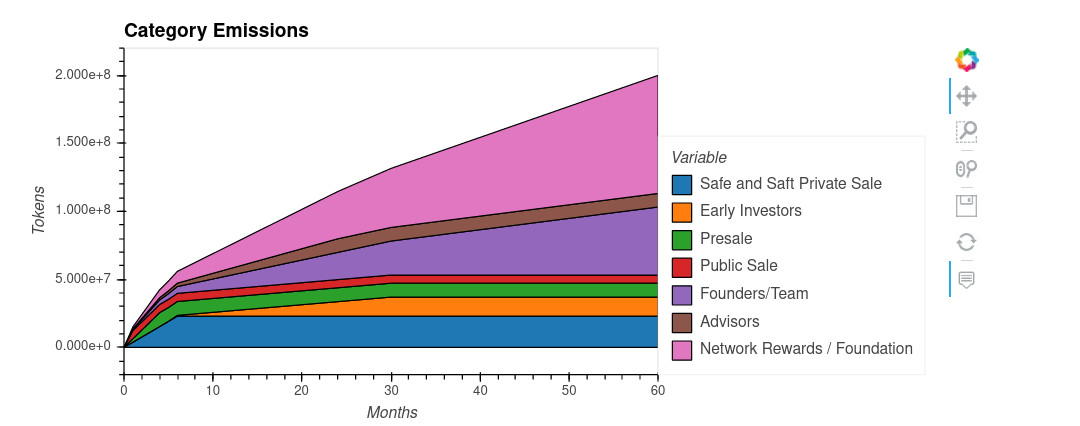

Here is a working example of the above. I would like the legend to match the order of the columns, rather than being strictly alphabetical. Any hints would be appreciated. Thanks all.
import numpy as np
import pandas as pd
import hvplot.pandas

data = pd.DataFrame(np.exp(np.random.randn(100,3)/10),columns=['C', 'B', 'A']).cumprod()
chart = data.hvplot.area()
chart
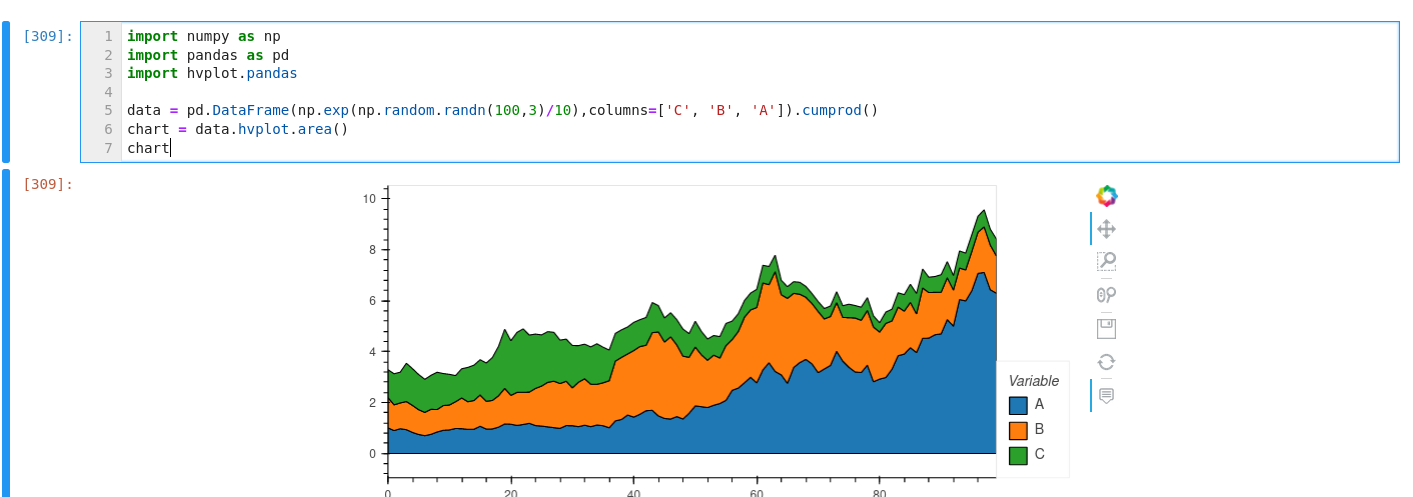
I've tried all of the following:
import numpy as np
import pandas as pd
import hvplot.pandas

data = pd.DataFrame(np.exp(np.random.randn(100,3)/10),columns=['C', 'B', 'A']).cumprod()
chart = data.hvplot.area(clabel=['C','B','A'])
chart.redim.values(Variable=['C','B','A'])
chart.redim.values(Baseline=['C','B','A'])
chart.redim.values(value=['C','B','A'])
chart
As a workaround, you can use this:
def hook(plot, element):
    legend = plot.handles["plot"].legend
    legend.items = legend.items[::-1]

chart.opts(hooks=[hook])
