

 holoviz
Specifying `widgets` or `widget_location` changes return type from holoviews to panel
ALL software version info
hvplot 0.6 holoviews 1.13.5 bokeh 2.2.3
Description of expected behavior and the observed behavior
using default widgets seems to return a holoviews.core.spaces.DynamicMap, but specifying keywords widget_location or widgets returns panel.layout.base.Column (or Row). This leads to confusing errors when trying to compose elements or link streams. I imagine there are workarounds to get at the DynamicMap embedded within the panel layout, but I'm having trouble figuring it out.
Complete, minimal, self-contained example code that reproduces the issue
#minimal reproducible example
import xarray as xr
import hvplot.xarray
import holoviews as hv
from holoviews.streams import RangeXY

air_ds = xr.tutorial.open_dataset('air_temperature').load()
air = air_ds.air
print(type(air.hvplot.image()))
print(type(air.hvplot.image(widget_location='bottom')))
# <class 'holoviews.core.spaces.DynamicMap'>
# <class 'panel.layout.base.Column'>
bug1 composing elements
img = air.hvplot.image(widget_location='bottom')
point = hv.Points([(260, 40)])
img * point
---------------------------------------------------------------------------
TypeError                                 Traceback (most recent call last)
<ipython-input-13-b3246ce2d54e> in <module>
      2 img = air.hvplot.image(widget_location='bottom')
      3 point = hv.Points([(260, 40)])
----> 4 img * point

TypeError: unsupported operand type(s) for *: 'Column' and 'Points'
bug2 adding a stream
# bug 2 adding stream
img = air.hvplot.image(widget_location='bottom')
range_xy_stream = RangeXY(source=img)
img
/srv/conda/envs/notebook/lib/python3.8/site-packages/holoviews/plotting/plot.py in <listcomp>(.0)
    953             streams = [
    954                 s for src, streams in registry for s in streams
--> 955                 if src is source or (src._plot_id is not None and
    956                                      src._plot_id == source._plot_id)]
    957             cb_classes |= {(callbacks[type(stream)], stream) for stream in streams

AttributeError: 'Column' object has no attribute '_plot_id'
@jbednar or @philippjfr , it would be great to have an example of how to work around these issues by accessing the DynamicMap wrapped in panel.

Looks like hvPlot is using Panel to provide an individual laid-out object with the widget in the right place, which should be documented somewhere if not already. In any case, you can drop back to specifying widget_location globally at the HoloViews level, so that you consistently get hv objects to work with instead:
import xarray as xr
import hvplot.xarray
import holoviews as hv
from holoviews.streams import RangeXY

hv.output(widget_location='bottom')

air_ds = xr.tutorial.open_dataset('air_temperature').load()
air_ds.air.hvplot.image()

The HoloViews output option doesn't take effect until the object gets rendered, so it will apply to all objects rendered until the option changes. The hvPlot version is tied to that specific object, but it does force that object to be a Panel object and not HoloViews, as you've observed. We'd probably need to add some lazy hv.output option storage on HoloViews objects to avoid having hvPlot do this...

BTW, it's easy to access the underlying DynamicMap if you want, but that will bypass the Panel machinery that's putting the widgets at the bottom:
img = air_ds.air.hvplot.image(widget_location='bottom')
print(img)
dm = img[0].object

point = hv.Points([(260, 40)])
dm * point
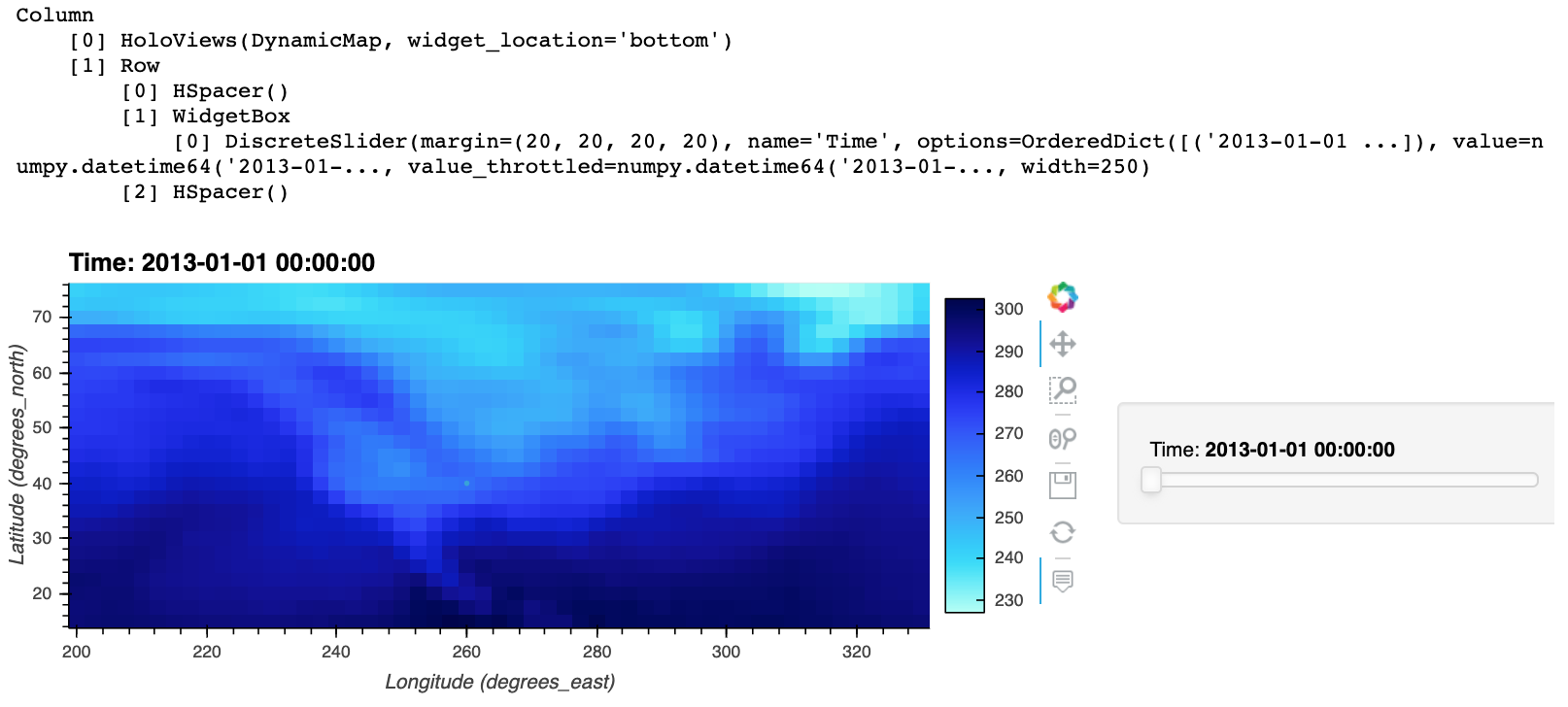
Well, ok, if you really do want to do it by indexing down to the DynamicMap, you can; you just have to go back and update the Panel object when you're done:
img = air_ds.air.hvplot.image(widget_location='bottom')
dm = img[0].object

point = hv.Points([(260, 40)])
img[0].object = dm * point
img
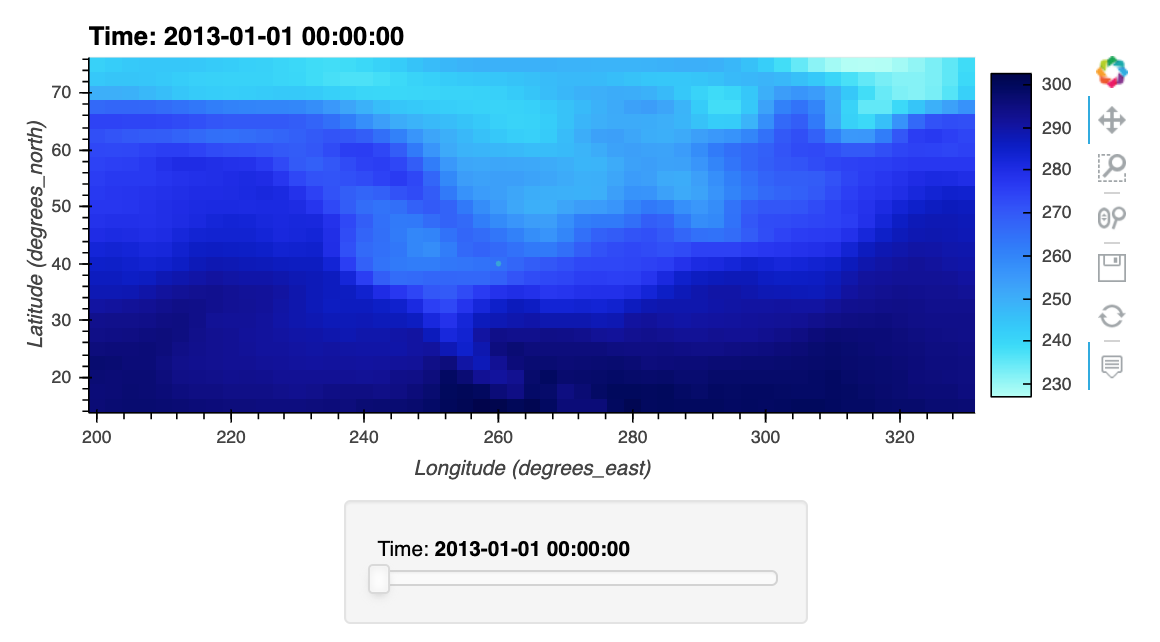
But I'd suggest the hv.output approach anyway; seems much less hassle unless you need to control the widget location per object!
And on third thought, even if you did need to control it per object, I'd do that at the Panel level, since that's ultimately what's in charge of widgets and layouts:
import xarray as xr
import hvplot.xarray
import holoviews as hv
from holoviews.streams import RangeXY

air_ds = xr.tutorial.open_dataset('air_temperature').load()
img1 = air_ds.air.hvplot.image()
point = hv.Points([(260, 40)])

img2 = img1 * point

import panel as pn
pn.Column(pn.panel(img1, widget_location='top'),
          pn.panel(img2, widget_location='bottom'))

Surely one of those options will work for you. :-)
Thanks @jbednar ! These are all great solutions. FWIW my docs journey first took me here https://hvplot.holoviz.org/user_guide/Widgets.html, but I never read into the link at the bottom to this helpful page https://panel.holoviz.org/reference/panes/HoloViews.html. So what I ended up trying was almost but not quite your solution 2: img[0] * point rather than the correct img[0].object * point
This is still the case:
- [ ] Document that the return type is a Panel object when one of the widgets options is set
hvPlot handles these options ["widgets", "widget_location", "widget_layout", "widget_type"] by passing them to pn.panel(), these are parameters of the HoloViews pane.
    widget_location = param.ObjectSelector(default='right_top', objects=[
        'left', 'bottom', 'right', 'top', 'top_left', 'top_right',
        'bottom_left', 'bottom_right', 'left_top', 'left_bottom',
        'right_top', 'right_bottom'], doc="""
        The layout of the plot and the widgets. The value refers to the
        position of the widgets relative to the plot.""")

    widget_layout = param.ObjectSelector(
        objects=[WidgetBox, Row, Column], constant=True, default=WidgetBox, doc="""
        The layout object to display the widgets in.""")

    widget_type = param.ObjectSelector(default='individual',
                                       objects=['individual', 'scrubber'], doc=""")
        Whether to generate individual widgets for each dimension or
        on global scrubber.""")

    widgets = param.Dict(default={}, doc="""
        A mapping from dimension name to a widget instance which will
        be used to override the default widgets.""")
@jlstevens do you think there would be a way to have HoloViews support these options?

Yes we have discussed in the past to make renderer/output options another options group to let users control these settings more easily.

This issue has been mentioned on HoloViz Discourse. There might be relevant details there:
https://discourse.holoviz.org/t/setting-additional-options-when-layout-is-generated/8601/6
