

 ho-dev
[BUG] League Data not shown, fetching data from League Data tab loops and doesn't fetch data.
Describe the bug League data not shown. When I click the red download data symbol button (see first image) to import league data I get the notification that it might take long. After I acknowledge and go on I get the message in red "Promotion League Data not available. Currently processing, please wait...." (shown in the second image). However after 40 minutes no data and refreshing arrows keep indicating that it is processing data. Don't think that it does fetch data and loops. It seems the application is not able to fetch the data.
I also have problems importing league data via regular download option, which I will report seperately, but it might be the same problem and connected to this bug.
To Reproduce Steps to reproduce the behavior:
- Go to 'League Data'
- Click on 'red download data symbol' [note: I do this because no league data is shown]
- It loops without ending.
Screenshots

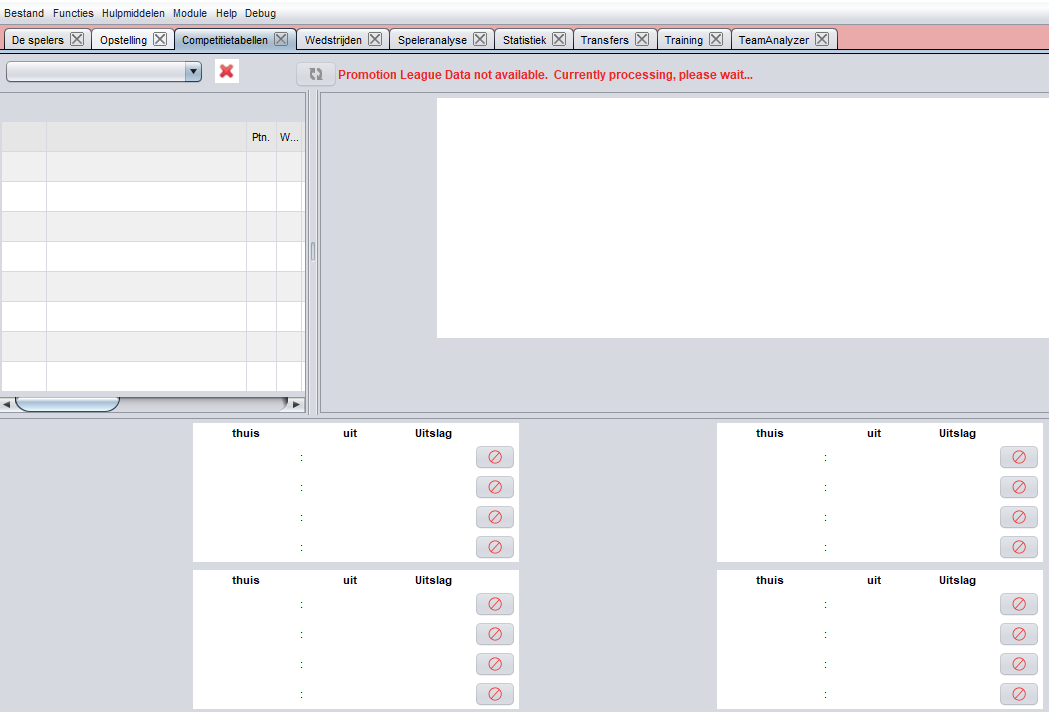
Platform information:
- OS: Windows 10
- Version 6.0 DEV (r250)
Additional context I also had this problem in HO 5.2. I did a clean install with that version, prior to updating to 6.0. In 3.0 all data, also previous league data was shown. Leagues 56 untill 69 are shown.

Hey, thanks for opening your first issue! 🙂 Be sure to check out the wiki and the HT forum for support.
![github-actions[bot] avatar](https://avatars.githubusercontent.com/in/15368?v=4 "Published by a pub.dev verified publisher")
@akasolace Nice to see you back here. Do you know the use case of this promotion function? if i remember correctly, this is working with an extra web service - could it be that this connection is broken?
can we implement this use case without the usage of extra web services?

@wsbrenk yes the code on AnvilServer might need to be updated. I don't see how to efficiently implement this without a web server. I would personally recommend to get the data from Hattid (I am sure he would agree to give us endpoints) along with league info but I know you are not a fan of this.

In #1413 you fixed the (current) League Data so that it can be accessed.
When I open that League Data tab I could see all league data matches and next to each match there was also a ‘red download icon’ like the one described in this bug. I used the symbol next to the match and that one worked and finishes correctly. Indicated by a new symbol. Maybe this gives a clue how to fix the problem?
Note: I tested this with a match of my own. Haven’t tried using this manual option for a different match from the league that did not include my team.
chpp seems to provide no feature to get the league level unit ids of the level above your own or even of your own country.
so i don't see any possibility to do this job in HO itself.