

 henrybetts
Hi - I'm trying this awesome tool, but have a problem
I'm trying to fix a Ableton 11 live set, but I get the following error - can you help? While not "green" when it comes to IT, python is not in my basket of tools :) The .als-file is in the same dir as the .py script Thanks!
py ableton_retime.py --current-bpm 120 --target-bpm 136 "LoveBugget Mathieas Mastering 90 Tempo Change test.als" "LoveBugget Mathieas Mastering 90 Tempo CHANGED test.als File "ableton_retime.py", line 8 ^ SyntaxError: invalid syntax

Hi, which version of Python are you using? You can find out with python --version.
The syntax error sounds like you may be using python 2, which isn't supported. Depending on your system, you may already have python3 installed, but you may need to call it explicitly like python3 ableton_retime.py ...

I went for version 3.x when I downloaded it, but will check when I come home and report back Thanks !
Hi,
Python3.7 should be fine. 3.0 may be too old though.
How did you download the ableton_retime.py script? It sounds like it has corrupted somehow - I can't think of another reason why there would be a syntax error on that line.
If you haven't already, try downloading the entire project as a zip, or clone it with the command git clone https://github.com/henrybetts/ableton-retime.git
Thanks! That was it - the download must've been corrupt Thanks again for this.
I just tested in the studio - seems to have done it's job! It's a large project, recorded without click - we're "deep in" but then they wanted the c-piece tighter, and said that that was recorded to click at 136 bpm.....AndI just had the project at 120, since it wasn't important - until it was This will save an ungodly amount of time :) I can't thank you enough!
Idea : Would it be possible to create a simple gui for it, and make it a "proper"-executeable? I doesn't even need a "file-"menu - it could be made like a "drag and drop" app only, and default output would be the same dir as the source, but with something added in the filename like "-BPM Changed" or similar. Cheers!
I think if there was enough demand for it, then the way to go would probably be to create a web-based version of the script. That way, people wouldn't have to install anything, and it would take the headache out of dealing with multiple platforms/operating systems.
Hi, I really want to use this, but im a complete dummy.
would anyone be willing to give me a step by step?
ive installed python, launched idle, opened the python script, but im not sure exactly what variables of the code to change in order to do this. I just keep getting syntax errors

I will Venmo you 20 dollars if you just FaceTime me and walk me through it, pls kind folks , im just a little dummy
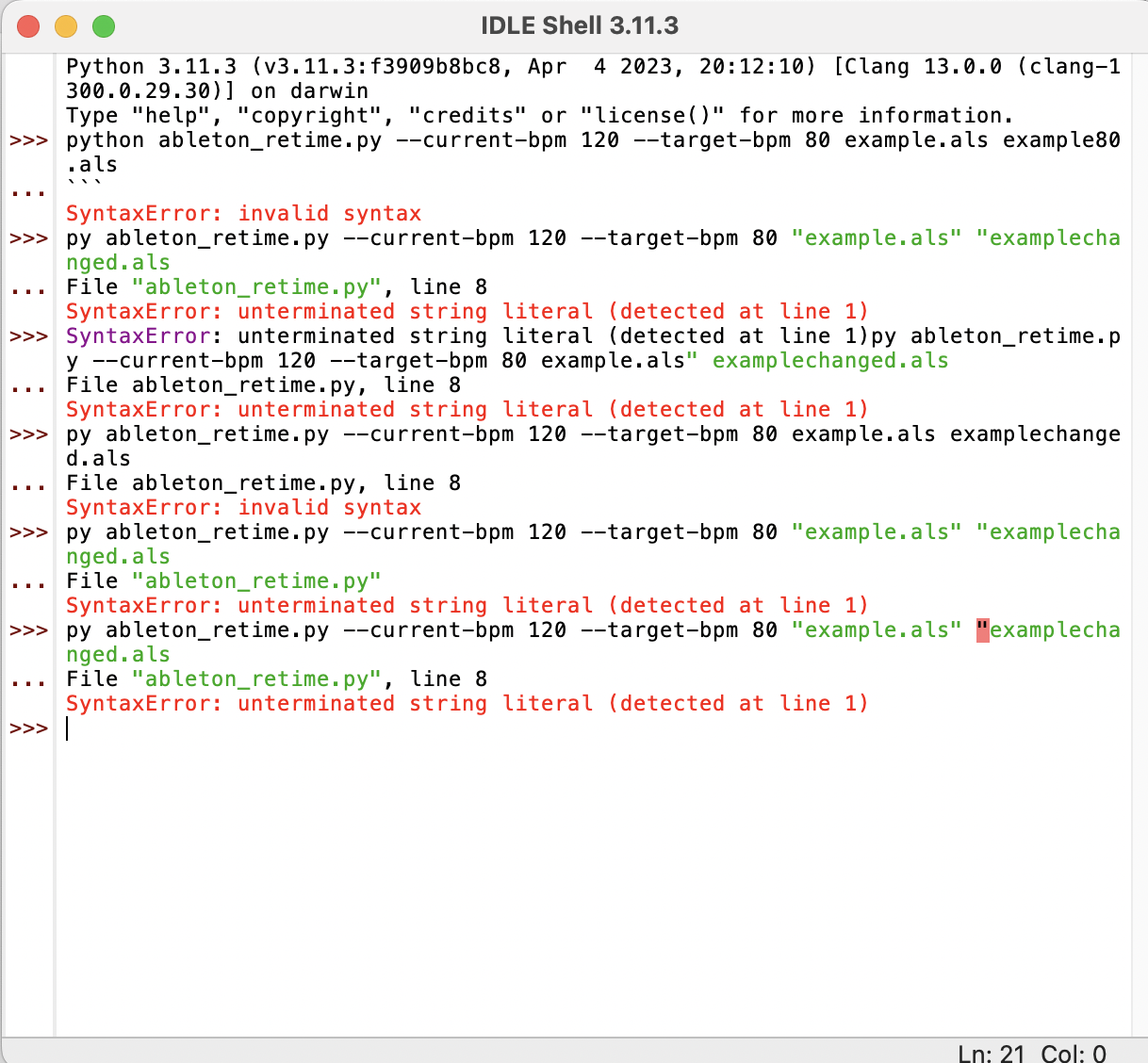 here's some of the errors I've accumulated
@wonderfulcolor It looks like you're trying to run the script from a Python shell, but instead you want to run it from a standard terminal. Just search for the "Terminal" app on your system, and then enter the same command.