

 helm
helm
How to use a different path for Monocular
The default path for ui is / and api is /api/. How to change the default path like /monocular/ and /monocular/api/?
I just change the ingress settings but it didn't work.
ingress config: [root@k8s-192-168-0-52-kube01 nginx]# kubectl get ing viable-ferrit-monocular-helm -o yaml apiVersion: extensions/v1beta1 kind: Ingress metadata: annotations: nginx.ingress.kubernetes.io/rewrite-target: / nginx.ingress.kubernetes.io/ssl-redirect: "false" creationTimestamp: 2018-03-29T09:14:42Z generation: 1 labels: app: viable-ferrit-monocular-helm chart: monocular-helm-0.5.0 heritage: Tiller release: viable-ferrit name: viable-ferrit-monocular-helm namespace: default resourceVersion: "1797023" selfLink: /apis/extensions/v1beta1/namespaces/default/ingresses/viable-ferrit-monocular-helm uid: 9d9e6191-3331-11e8-b9cf-0050568b5050 spec: rules:
- http:
paths:
- backend: serviceName: viable-ferrit-monocular-helm-ui servicePort: 80 path: /monocular/
- backend: serviceName: viable-ferrit-monocular-helm-api servicePort: 80 path: /monocular/api/ status: loadBalancer: ingress:
- ip: 192.168.0.53
- ip: 192.168.0.54 [root@k8s-192-168-0-52-kube01 nginx]#
values.yaml: api: replicaCount: 1 image: repository: bitnami/monocular-api tag: v0.6.1 pullPolicy: Always service: name: monocular-api type: NodePort externalPort: 80 internalPort: 8081 annotations: {} resources: limits: cpu: 100m memory: 128Mi requests: cpu: 100m memory: 128Mi livenessProbe: initialDelaySeconds: 180 auth: signingKey: github: clientID: clientSecret: config: repos: - name: incubator url: https://kubernetes-charts-incubator.storage.googleapis.com source: https://github.com/kubernetes/charts/tree/master/incubator cors: allowed_origins: - "" allowed_headers: - "content-type" - "x-xsrf-token" releasesEnabled: true tillerNamespace: kube-system cacheRefreshInterval: 3600 ui: replicaCount: 1 image: repository: bitnami/monocular-ui tag: v0.6.1 pullPolicy: Always service: name: monocular-ui type: NodePort externalPort: 80 internalPort: 8080 annotations: {} resources: limits: cpu: 100m memory: 128Mi requests: cpu: 100m memory: 128Mi googleAnalyticsId: UA-XXXXXX-X appName: Monocular backendHostname: /api
prerender: replicaCount: 1 image: repository: migmartri/prerender tag: latest pullPolicy: Always cacheEnabled: true service: name: prerender type: NodePort externalPort: 80 internalPort: 3000 resources: requests: cpu: 100m memory: 128Mi
ingress: enabled: true hosts:
annotations: nginx.ingress.kubernetes.io/ssl-redirect: "false" nginx.ingress.kubernetes.io/rewrite-target: /

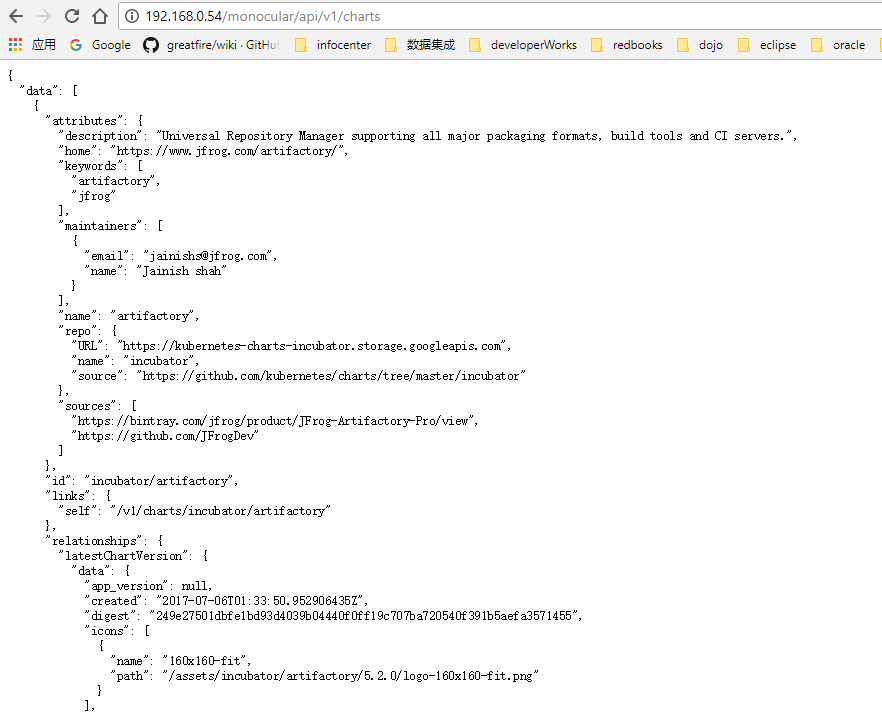
Hmm @shenxg13 this looks it should work. Can you try removing the trailing slashes at the end of the paths (/monocular/api/ -> /monocular/api). Not sure if that will make any difference. It would be useful to see the generated vhost (debug the nginx ingress controller configuration).

`
location ~* ^/monocular/(?
        if ($scheme = https) {
        more_set_headers                        "Strict-Transport-Security: max-age=15724800; includeSubDomains;";
        }

        port_in_redirect off;

        set $proxy_upstream_name "default-viable-ferrit-monocular-helm-ui-80";

        set $namespace      "default";
        set $ingress_name   "viable-ferrit-monocular-helm";
        set $service_name   "";

        client_max_body_size                    "1m";

        proxy_set_header Host                   $best_http_host;

        # Pass the extracted client certificate to the backend

        proxy_set_header ssl-client-cert        "";
        proxy_set_header ssl-client-verify      "";
        proxy_set_header ssl-client-dn          "";

        # Allow websocket connections
        proxy_set_header                        Upgrade           $http_upgrade;

        proxy_set_header                        Connection        $connection_upgrade;

        proxy_set_header X-Real-IP              $the_real_ip;

        proxy_set_header X-Forwarded-For        $the_real_ip;

        proxy_set_header X-Forwarded-Host       $best_http_host;
        proxy_set_header X-Forwarded-Port       $pass_port;
        proxy_set_header X-Forwarded-Proto      $pass_access_scheme;
        proxy_set_header X-Original-URI         $request_uri;
        proxy_set_header X-Scheme               $pass_access_scheme;

        # Pass the original X-Forwarded-For
        proxy_set_header X-Original-Forwarded-For $http_x_forwarded_for;

        # mitigate HTTPoxy Vulnerability
        # https://www.nginx.com/blog/mitigating-the-httpoxy-vulnerability-with-nginx/
        proxy_set_header Proxy                  "";

        # Custom headers to proxied server

        proxy_connect_timeout                   5s;
        proxy_send_timeout                      60s;
        proxy_read_timeout                      60s;

        proxy_buffering                         "off";
        proxy_buffer_size                       "4k";
        proxy_buffers                           4 "4k";
        proxy_request_buffering                 "on";

        proxy_http_version                      1.1;

        proxy_cookie_domain                     off;
        proxy_cookie_path                       off;

        # In case of errors try the next upstream server before returning an error
        proxy_next_upstream                     error timeout invalid_header http_502 http_503 http_504;

    rewrite /monocular/(.*) /$1 break;
    rewrite /monocular/ / break;
    proxy_pass http://default-viable-ferrit-monocular-helm-ui-80;


        proxy_redirect                          off;

    }
`
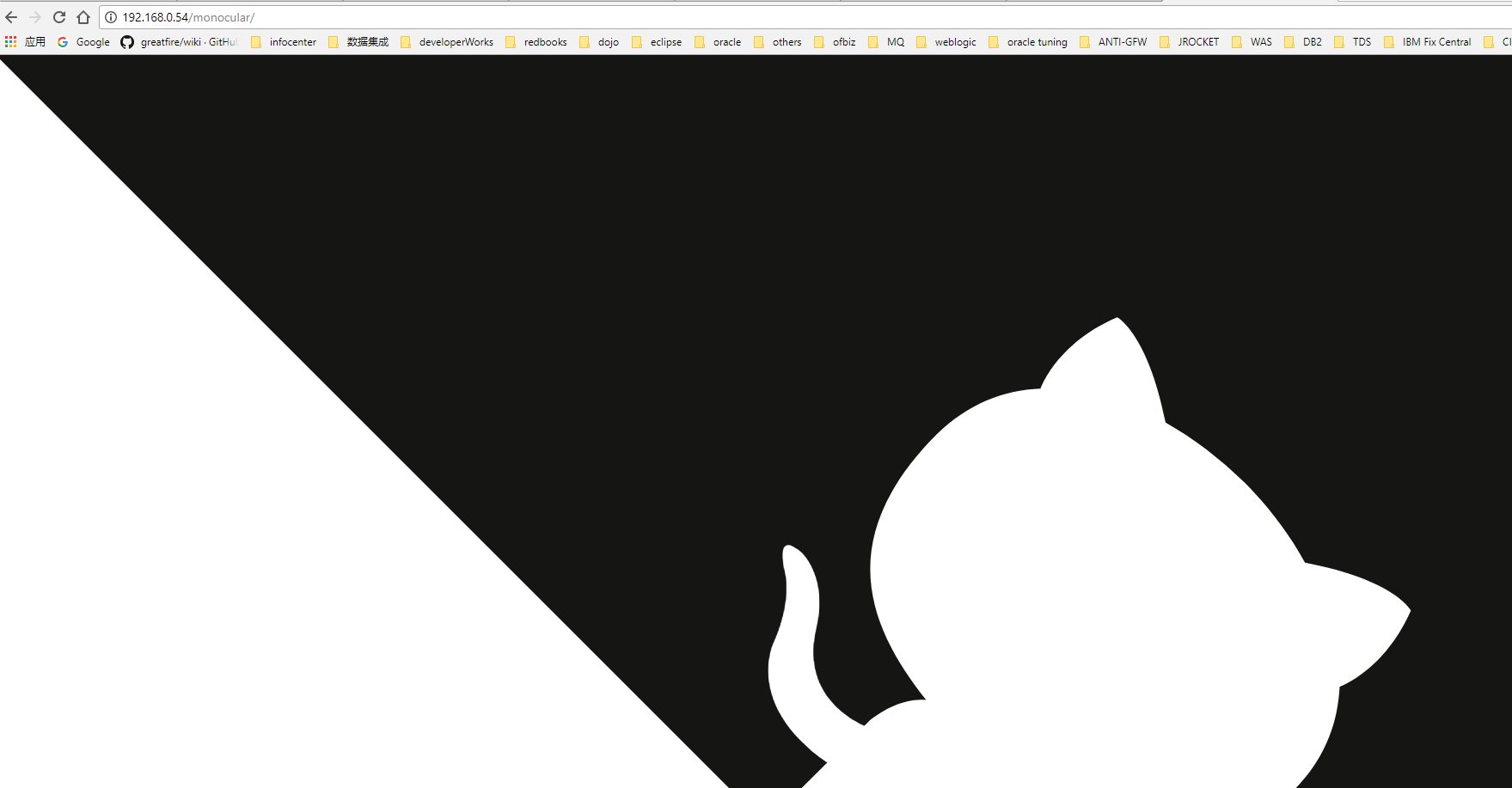
When I use http://192.168.0.54/monocular/, I just got:
10.16.86.0 - - [29/Mar/2018:10:25:31 +0000] "GET / HTTP/1.1" 200 2037 "-" "Mozilla/5.0 (Windows NT 10.0; Win64; x64) AppleWebKit/537.36 (KHTML, like Gecko) Chrome/65.0.3325.181 Safari/537.36"
When I use http://192.168.0.54:33309/, I got:
10.16.86.0 - - [29/Mar/2018:10:26:19 +0000] "GET / HTTP/1.1" 200 2037 "-" "Mozilla/5.0 (Windows NT 10.0; Win64; x64) AppleWebKit/537.36 (KHTML, like Gecko) Chrome/65.0.3325.181 Safari/537.36" 10.16.86.0 - - [29/Mar/2018:10:26:19 +0000] "GET /assets/css/github-markdown.css HTTP/1.1" 200 4412 "http://192.168.0.54:33309/" "Mozilla/5.0 (Windows NT 10.0; Win64; x64) AppleWebKit/537.36 (KHTML, like Gecko) Chrome/65.0.3325.181 Safari/537.36" 10.16.86.0 - - [29/Mar/2018:10:26:19 +0000] "GET /assets/js/overrides.js HTTP/1.1" 200 161 "http://192.168.0.54:33309/" "Mozilla/5.0 (Windows NT 10.0; Win64; x64) AppleWebKit/537.36 (KHTML, like Gecko) Chrome/65.0.3325.181 Safari/537.36" 10.16.86.0 - - [29/Mar/2018:10:26:19 +0000] "GET /styles.53759c410779f4a087ae.bundle.css HTTP/1.1" 200 8452 "http://192.168.0.54:33309/" "Mozilla/5.0 (Windows NT 10.0; Win64; x64) AppleWebKit/537.36 (KHTML, like Gecko) Chrome/65.0.3325.181 Safari/537.36" 10.16.86.0 - - [29/Mar/2018:10:26:19 +0000] "GET /inline.6681fb74cef381b646aa.bundle.js HTTP/1.1" 200 1447 "http://192.168.0.54:33309/" "Mozilla/5.0 (Windows NT 10.0; Win64; x64) AppleWebKit/537.36 (KHTML, like Gecko) Chrome/65.0.3325.181 Safari/537.36" 10.16.86.0 - - [29/Mar/2018:10:26:19 +0000] "GET /polyfills.86723bf50f771fb0d1a9.bundle.js HTTP/1.1" 200 136055 "http://192.168.0.54:33309/" "Mozilla/5.0 (Windows NT 10.0; Win64; x64) AppleWebKit/537.36 (KHTML, like Gecko) Chrome/65.0.3325.181 Safari/537.36" 10.16.86.0 - - [29/Mar/2018:10:26:19 +0000] "GET /vendor.be7b2a3ce592e457b68c.bundle.js HTTP/1.1" 200 1333051 "http://192.168.0.54:33309/" "Mozilla/5.0 (Windows NT 10.0; Win64; x64) AppleWebKit/537.36 (KHTML, like Gecko) Chrome/65.0.3325.181 Safari/537.36" 10.16.86.0 - - [29/Mar/2018:10:26:19 +0000] "GET /main.15b3fbb69a08a7587db9.bundle.js HTTP/1.1" 200 1659266 "http://192.168.0.54:33309/" "Mozilla/5.0 (Windows NT 10.0; Win64; x64) AppleWebKit/537.36 (KHTML, like Gecko) Chrome/65.0.3325.181 Safari/537.36" 10.16.86.0 - - [29/Mar/2018:10:26:20 +0000] "GET /api/v1/charts HTTP/1.1" 200 2037 "http://192.168.0.54:33309/" "Mozilla/5.0 (Windows NT 10.0; Win64; x64) AppleWebKit/537.36 (KHTML, like Gecko) Chrome/65.0.3325.181 Safari/537.36" 10.16.86.0 - - [29/Mar/2018:10:26:20 +0000] "GET /api/auth/verify HTTP/1.1" 200 2037 "http://192.168.0.54:33309/" "Mozilla/5.0 (Windows NT 10.0; Win64; x64) AppleWebKit/537.36 (KHTML, like Gecko) Chrome/65.0.3325.181 Safari/537.36" 10.16.86.0 - - [29/Mar/2018:10:26:20 +0000] "GET /assets/icons/menu.svg HTTP/1.1" 200 215 "http://192.168.0.54:33309/" "Mozilla/5.0 (Windows NT 10.0; Win64; x64) AppleWebKit/537.36 (KHTML, like Gecko) Chrome/65.0.3325.181 Safari/537.36" 10.16.86.0 - - [29/Mar/2018:10:26:20 +0000] "GET /assets/images/hearth.svg HTTP/1.1" 200 634 "http://192.168.0.54:33309/" "Mozilla/5.0 (Windows NT 10.0; Win64; x64) AppleWebKit/537.36 (KHTML, like Gecko) Chrome/65.0.3325.181 Safari/537.36" 10.16.86.0 - - [29/Mar/2018:10:26:20 +0000] "GET /assets/images/favicon-32x32.png HTTP/1.1" 200 1702 "http://192.168.0.54:33309/" "Mozilla/5.0 (Windows NT 10.0; Win64; x64) AppleWebKit/537.36 (KHTML, like Gecko) Chrome/65.0.3325.181 Safari/537.36" 10.16.86.0 - - [29/Mar/2018:10:26:20 +0000] "GET /assets/images/favicon-16x16.png HTTP/1.1" 200 683 "http://192.168.0.54:33309/" "Mozilla/5.0 (Windows NT 10.0; Win64; x64) AppleWebKit/537.36 (KHTML, like Gecko) Chrome/65.0.3325.181 Safari/537.36"
@shenxg13 so from the looks of it, the API works fine, the issue is the UI. Can you check the Network tab in your browser's JS console to see what paths it's requesting. It's likely that the UI is not expecting to be mounted at /monocular and is not using relative URLs. Could be related to https://github.com/kubernetes-helm/monocular/issues/242.
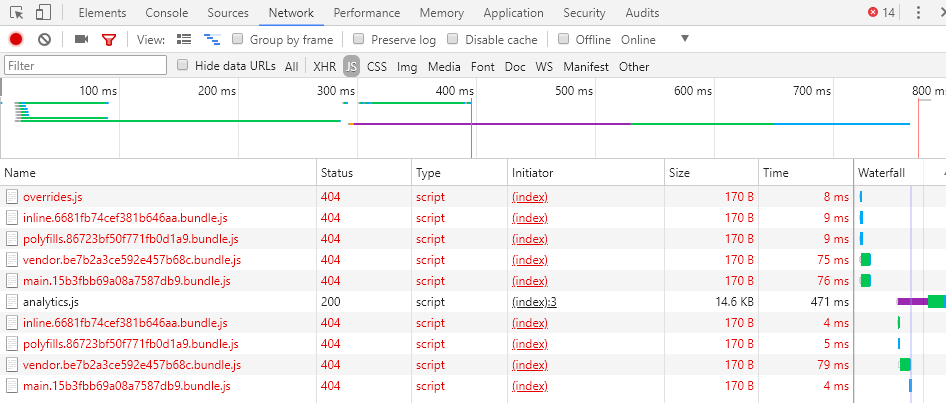
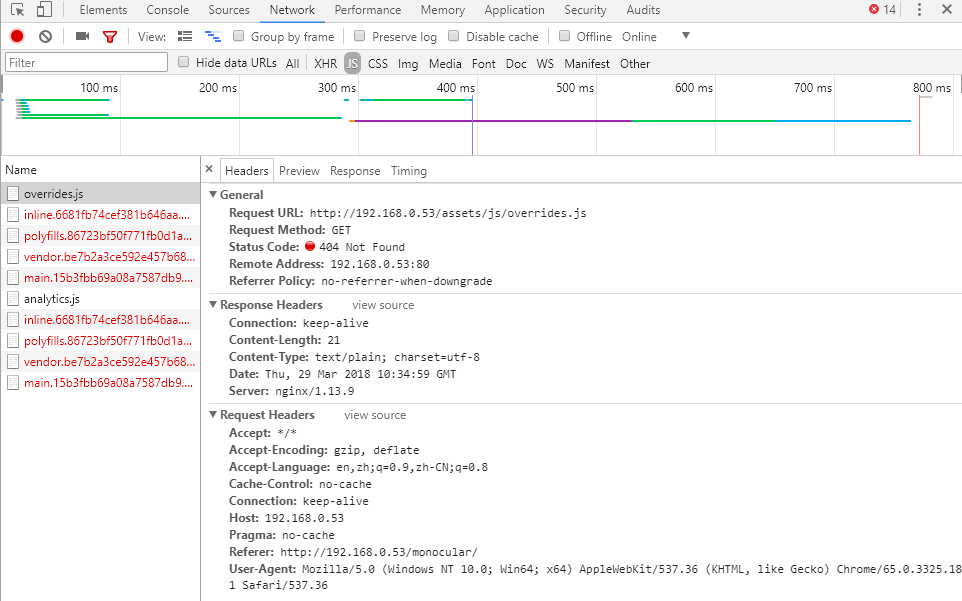
@shenxg13 looks like the UI is not correctly adding the /monocular subpath to those requests, we'll probably need to update the URLs to be relative. In the meantime, are you able to use a subdomain instead of a path?
Hello , I've got the same trouble with path /monocular/ Do you plan to have URLs relative soon ?
