

 helion3
Read-Only, ocultar checkboxes
Hi, I'm trying to simulate the read-only state by hiding the checkboxes controls. I can't find a way to hide them so I recreate the component again, with the option selection.mode='tree', "but" the recreation is not clean, not all nodes are recreated and show the checkbox. I have created a gif to show it:
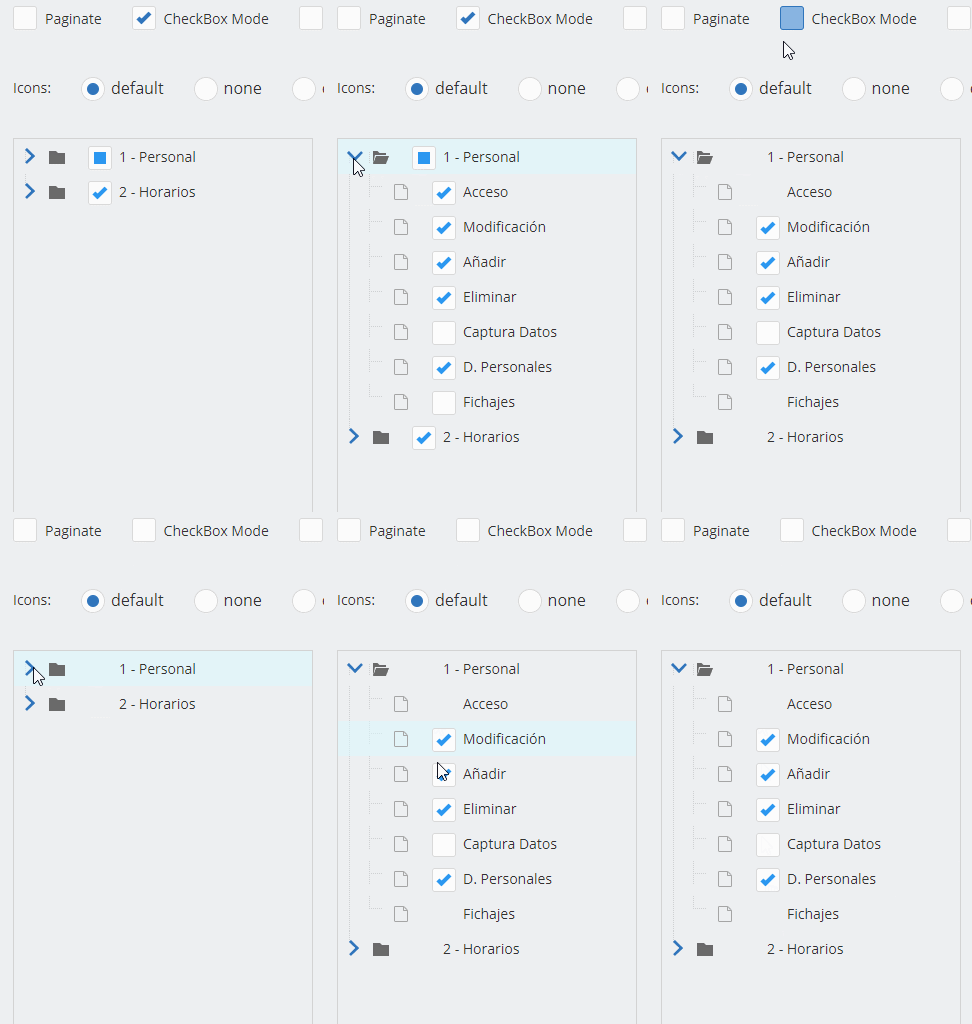
How could I do it? What am I doing wrong?
Any help would be welcome. Thank you.

I really can't say, this isn't the intended use or how this feature would work if there was built-in support for hiding checkboxes. Re-creating the component is dangerous as it can lead to memory leaks, poor performance, or failures as that's not an expected use.
The DOM library was designed to update when appropriate state information changes in the tree. You might instead try flipping the state.selectable value for the nodes you want to be "readonly", or even try state.hidden. In order to hide the checkbox entirely on specific nodes there would need to be a new state property to read from and the DOM library would need to be updated to read that. That's not a feature I see be useful to most users, so for the time being, I won't add that logic natively.

Hello, thank you for taking the time to answer me. Yes, I realise that the control is designed in a different way. The features I need in this kind of control are to customize the element renderer and I won't get it if I don't create another view, another dom. I've seen some examples from other users, (now I remember a user who made a "table/list" type renderer) but they haven't shared it. As my JS knowledge is very limited I'll try to do some more tests, following your advice in the previous post and if they don't work I'll keep working.
Thanks Mike.