

 harvester
[FEATURE] Support option for guest VM UEFI boot in terraform resource
Customer reports currently the option to enable UEFI boot for guest VMs is not exposed in the terraform provider, but is available through the UI. Customer would like to see option available in both places.

Pre Ready-For-Testing Checklist
~* [ ] If labeled: require/HEP Has the Harvester Enhancement Proposal PR submitted? The HEP PR is at:~
- [x] Where is the reproduce steps/test steps documented? The reproduce steps/test steps are at: https://github.com/harvester/terraform-provider-harvester/pull/49
~* [ ] Is there a workaround for the issue? If so, where is it documented? The workaround is at:~
~* [ ] Have the backend code been merged (harvester, harvester-installer, etc) (including backport-needed/*)?
The PR is at:~
~* [ ] If labeled: area/ui Has the UI issue filed or ready to be merged? The UI issue/PR is at:~
~* [ ] If labeled: require/doc, require/knowledge-base Has the necessary document PR submitted or merged? The documentation/KB PR is at:~
~* [ ] If NOT labeled: not-require/test-plan Has the e2e test plan been merged? Have QAs agreed on the automation test case? If only test case skeleton w/o implementation, have you created an implementation issue?~
~* [ ] If the fix introduces the code for backward compatibility Has a separate issue been filed with the label release/obsolete-compatibility?~

@masteryyh I've been working to validate these changes.
My test setup:
- Harvester (Master 47a3af23):
- QEMU/KVM 9core 32Gi Memory 300Gi Disk
- terraform-provider-harvester (Master) (66a6a01cb8e469d1cab951d666220b6e61deab1c)
-
docker pull rancher/terraform-provider-harvester:master-head-amd64 -
docker run -itd --name terraform-provider-harvester-master-head rancher/terraform-provider-harvester:master-head-amd64 bash - (copying Harvester 47a3af23 Kubeconfig over)
docker cp ~/Downloads/local\(7\).yaml terraform-provider-harvester-master-head:/tmp/kubeconfig - terraform version (that's included in the docker image) -
v1.1.5
-
Then building out a base.tf:
terraform {
  required_providers {
    harvester = {
      source = "harvester/harvester"
      version = "0.0.0-master"
    }
  }
}

provider "harvester" {
  kubeconfig = "/tmp/kubeconfig"
}
Running terraform init which provides:
37075a1b8b14:/data/test_2754 # terraform init

Initializing the backend...

Initializing provider plugins...
- Finding harvester/harvester versions matching "0.0.0-master"...
- Installing harvester/harvester v0.0.0-master...
- Installed harvester/harvester v0.0.0-master (unauthenticated)

Terraform has created a lock file .terraform.lock.hcl to record the provider
selections it made above. Include this file in your version control repository
so that Terraform can guarantee to make the same selections by default when
you run "terraform init" in the future.

Terraform has been successfully initialized!

You may now begin working with Terraform. Try running "terraform plan" to see
any changes that are required for your infrastructure. All Terraform commands
should now work.

If you ever set or change modules or backend configuration for Terraform,
rerun this command to reinitialize your working directory. If you forget, other
commands will detect it and remind you to do so if necessary.
Then additionally logging onto Harvester, ensuring the Settings for default network interface is setup.
Building an image.tf, applying. Building a network.tf and applying. Then building a virtual_machine.tf and applying. Based around: https://github.com/harvester/terraform-provider-harvester/pull/49#issue-1374093369
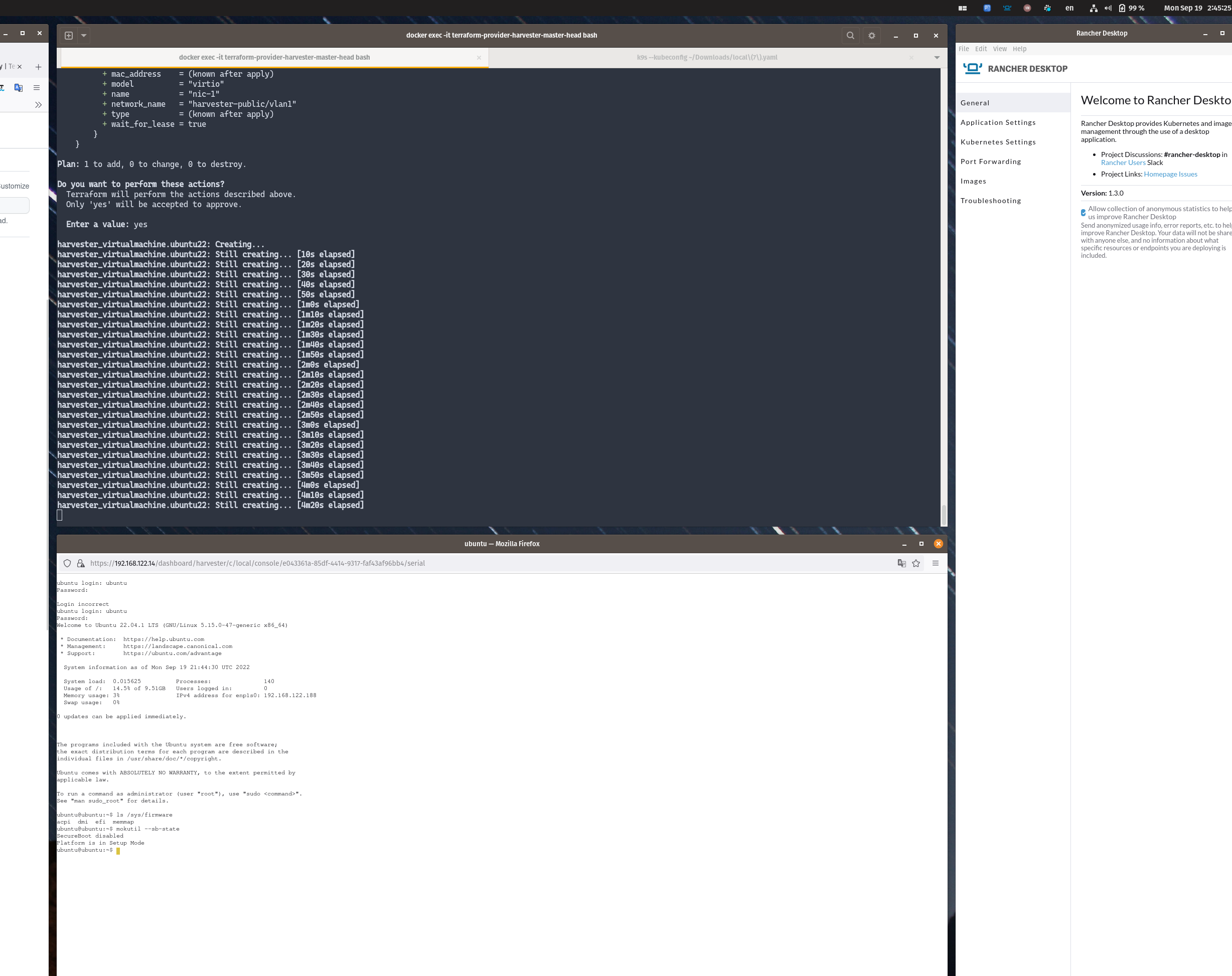
I have however noticed that the Virtual Machine will create but the Terraform with have a context deadline exceeded:
harvester_virtualmachine.ubuntu22: Still creating... [19m40s elapsed]
harvester_virtualmachine.ubuntu22: Still creating... [19m50s elapsed]
╷
│ Error: context deadline exceeded
│
│   with harvester_virtualmachine.ubuntu22,
│   on virtualmachine.tf line 1, in resource "harvester_virtualmachine" "ubuntu22":
│    1: resource "harvester_virtualmachine" "ubuntu22" {
│
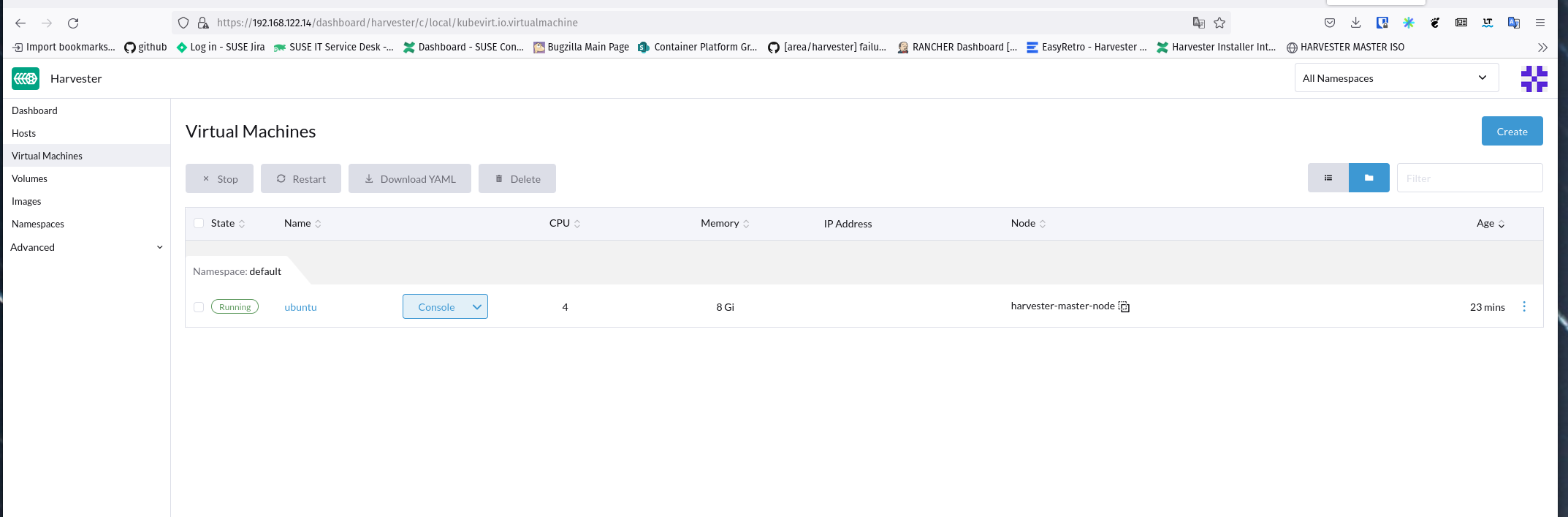
The Virtual Machine never acquires an IP Address. I can validate that SecureBoot is disabled via the serial console:
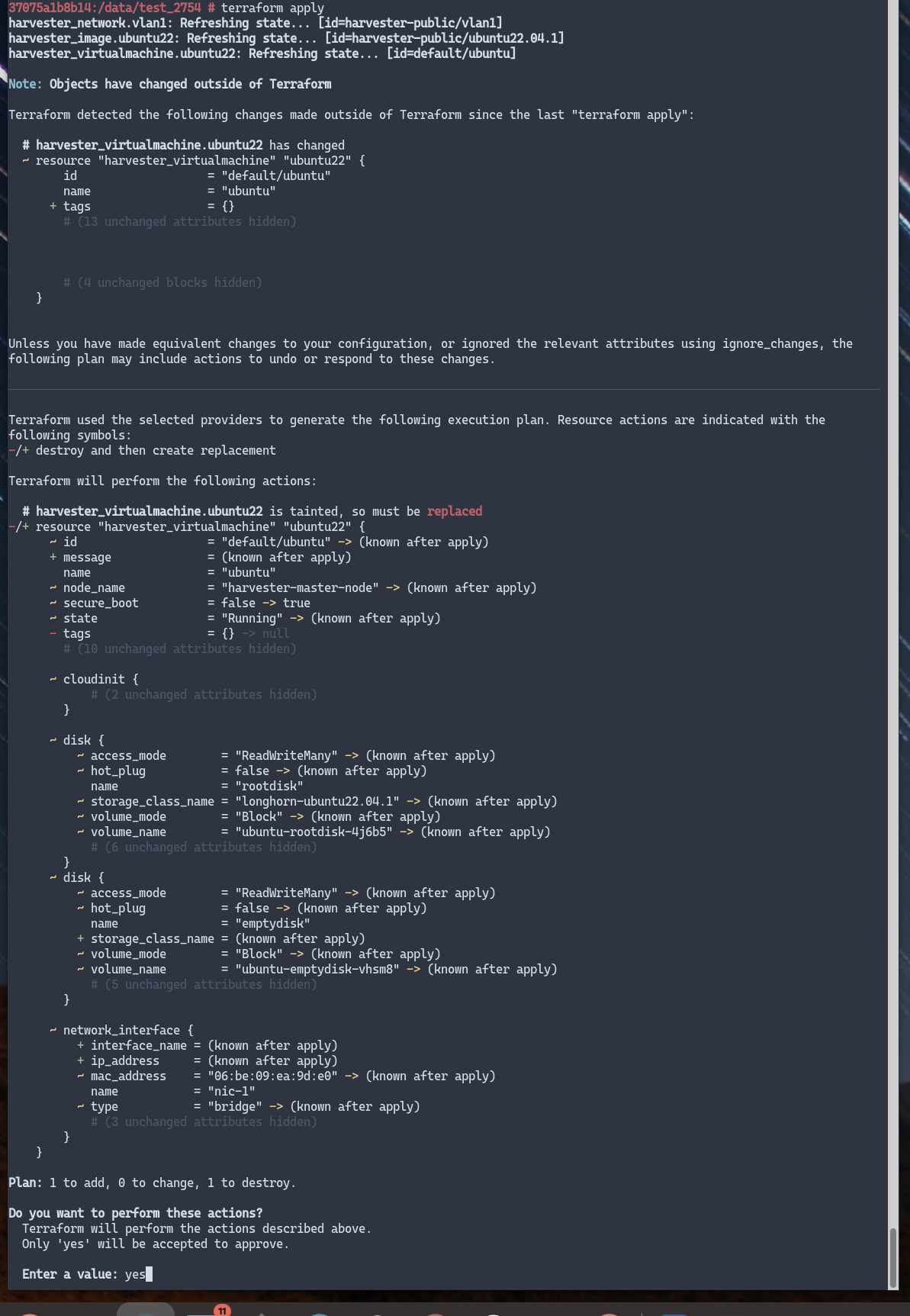
But then running terraform apply after updating virtualmachine.tf from secure_boot = false to secure_boot = true there is this error (Step 6: https://github.com/harvester/terraform-provider-harvester/pull/49#issue-1374093369 ):
Do you want to perform these actions?
  Terraform will perform the actions described above.
  Only 'yes' will be accepted to approve.

  Enter a value: yes

harvester_virtualmachine.ubuntu22: Destroying... [id=default/ubuntu]
harvester_virtualmachine.ubuntu22: Destruction complete after 8s
harvester_virtualmachine.ubuntu22: Creating...
╷
│ Error: admission webhook "virtualmachine-validator.kubevirt.io" denied the request: spec.template.spec.domain has EFI SecureBoot enabled. SecureBoot requires SMM, which is currently disabled.
│
│   with harvester_virtualmachine.ubuntu22,
│   on virtualmachine.tf line 1, in resource "harvester_virtualmachine" "ubuntu22":
│    1: resource "harvester_virtualmachine" "ubuntu22" {
│
╵
supportbundle_b37cca21-4e60-414b-8c1f-3a0360e15781_2022-09-19T22-14-38Z.zip
Validation: Fail

@masteryyh Upon testing on Harvester v1.0.3, both on bare-metal and virtualized I am seeing similar things.
Removing:
wait_for_lease = true from: https://github.com/harvester/terraform-provider-harvester/pull/49 - allows the terraform apply to succeed.
I also manually on the bare-metal instance I have for v1.0.3, used for network_name = "default/base-vlan" since I had a vlan.
But trying to change to secure_boot from false to true I see:
Terraform will perform the following actions:

  # harvester_virtualmachine.ubuntu22 will be updated in-place
  ~ resource "harvester_virtualmachine" "ubuntu22" {
        id                   = "default/ubuntu"
        name                 = "ubuntu"
      ~ secure_boot          = false -> true
        tags                 = {}
        # (12 unchanged attributes hidden)

      ~ cloudinit {
          - network_data_secret_name = "ubuntu-0c2oa" -> null
          + user_data                = <<-EOT
                #cloud-config
                user: ubuntu
                password: root
                chpasswd:
                  expire: false
                ssh_pwauth: true
            EOT
          - user_data_secret_name    = "ubuntu-0c2oa" -> null
            # (1 unchanged attribute hidden)
        }

      ~ disk {
          ~ auto_delete        = false -> true
            name               = "rootdisk"
            # (10 unchanged attributes hidden)
        }
      ~ disk {
          ~ auto_delete        = false -> true
          ~ boot_order         = 2 -> 0
            name               = "emptydisk"
            # (8 unchanged attributes hidden)
        }

        # (1 unchanged block hidden)
    }

Plan: 0 to add, 1 to change, 0 to destroy.

Do you want to perform these actions?
  Terraform will perform the actions described above.
  Only 'yes' will be accepted to approve.

  Enter a value: yes

harvester_virtualmachine.ubuntu22: Modifying... [id=default/ubuntu]
╷
│ Error: admission webhook "virtualmachine-validator.kubevirt.io" denied the request: spec.template.spec.domain has EFI SecureBoot enabled. SecureBoot requires SMM, which is currently disabled.
│
│   with harvester_virtualmachine.ubuntu22,
│   on virtualmachine.tf line 1, in resource "harvester_virtualmachine" "ubuntu22":
│    1: resource "harvester_virtualmachine" "ubuntu22" {
│
╵
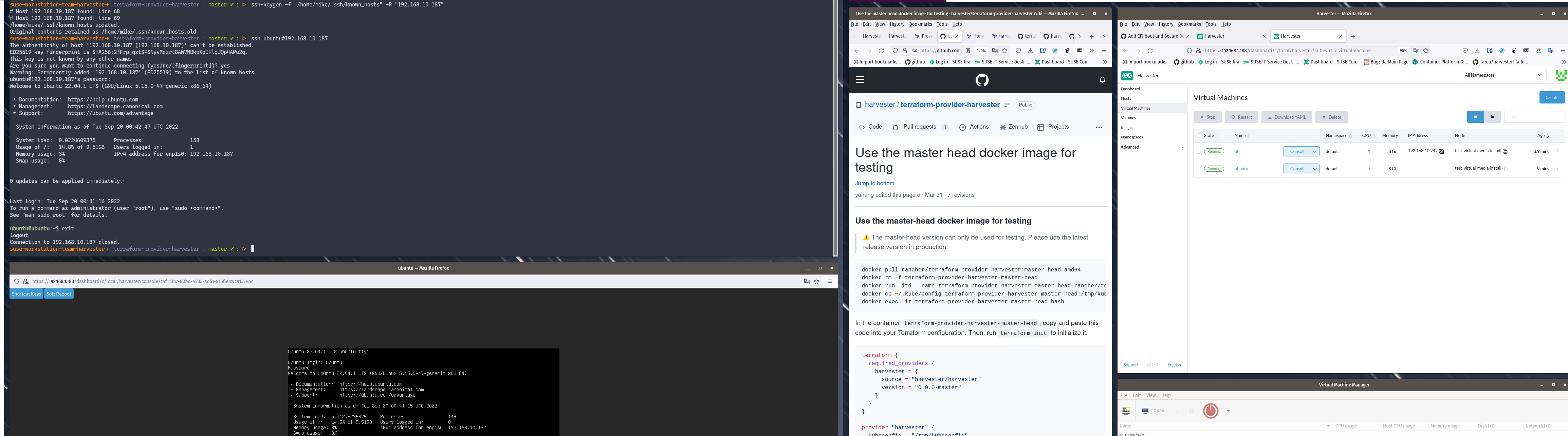
Also, the ubuntu VM that's created, it's IPv4 address never shows under the IP Address column in the dashboard.
Yet another VM built in the same namespace it's IPv4 address shows, using the same network.
I additionally had modified the image to exist in the default namespace:
resource "harvester_image" "ubuntu22" {
  name      = "ubuntu22.04.1"
  namespace = "default"

  display_name = "ubuntu22.04.1"
  source_type  = "download"
  url          = "http://cloud-images.ubuntu.com/jammy/current/jammy-server-cloudimg-amd64.img"
}
and the virtualmachine.tf file of:
44ea8d84bbd8:/data # cat virtualmachine.tf
resource "harvester_virtualmachine" "ubuntu22" {
  name                 = "ubuntu"
  namespace            = "default"
  restart_after_update = true

  description = "test raw image"

  cpu    = 4
  memory = "8Gi"

  efi = true
  secure_boot = true

  run_strategy = "RerunOnFailure"
  hostname     = "ubuntu"
  machine_type = "q35"

  ssh_keys = []

  network_interface {
    name           = "nic-1"
    network_name   = "default/base-vlan"
  }

  disk {
    name       = "rootdisk"
    type       = "disk"
    size       = "10Gi"
    bus        = "virtio"
    boot_order = 1

    image       = harvester_image.ubuntu22.id
    auto_delete = true
  }

  disk {
    name        = "emptydisk"
    type        = "disk"
    size        = "20Gi"
    bus         = "virtio"
    auto_delete = true
  }

  cloudinit {
    user_data    = <<-EOF
      #cloud-config
      user: ubuntu
      password: root
      chpasswd:
        expire: false
      ssh_pwauth: true
      EOF
    network_data = ""
  }
}
I also did not see the user_data within the cloudinit exist in the VM. I manually added that after it was created and restarted the VM.
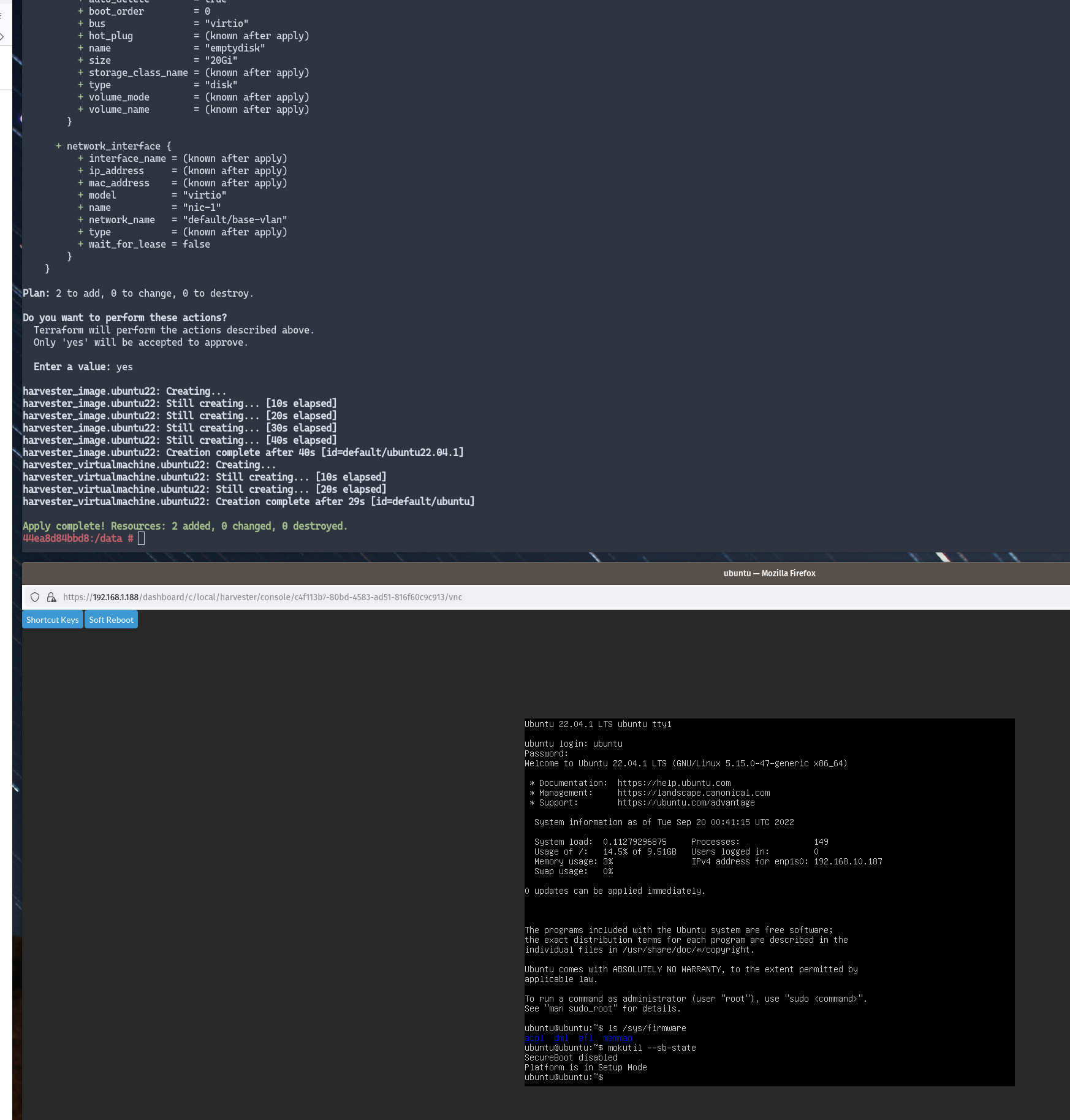 supportbundle_78f1bfb3-24f8-402e-b057-acb49ec312f2_2022-09-20T00-54-02Z.zip
Validation: Fail
@irishgordo
Also, the ubuntu VM that's created, it's IPv4 address never shows under the IP Address column in the dashboard. Yet another VM built in the same namespace it's IPv4 address shows, using the same network.
need add qemu-guest-agent to cloudinit. need it to report IP.
I will add a description to the wait_for_lease field (in non-management network, this feature need install and start qemu-guest-agent)
I also did not see the user_data within the cloudinit exist in the VM.
Just a UI display issue, has been enhanced in master
refer to https://github.com/harvester/harvester/issues/2745#issuecomment-1240742297

@irishgordo Thanks. @masteryyh
Error: admission webhook "virtualmachine-validator.kubevirt.io" denied the request: spec.template.spec.domain has EFI SecureBoot enabled. SecureBoot requires SMM, which is currently disabled.
Need enable SMM if enable SecureBoot , for example:
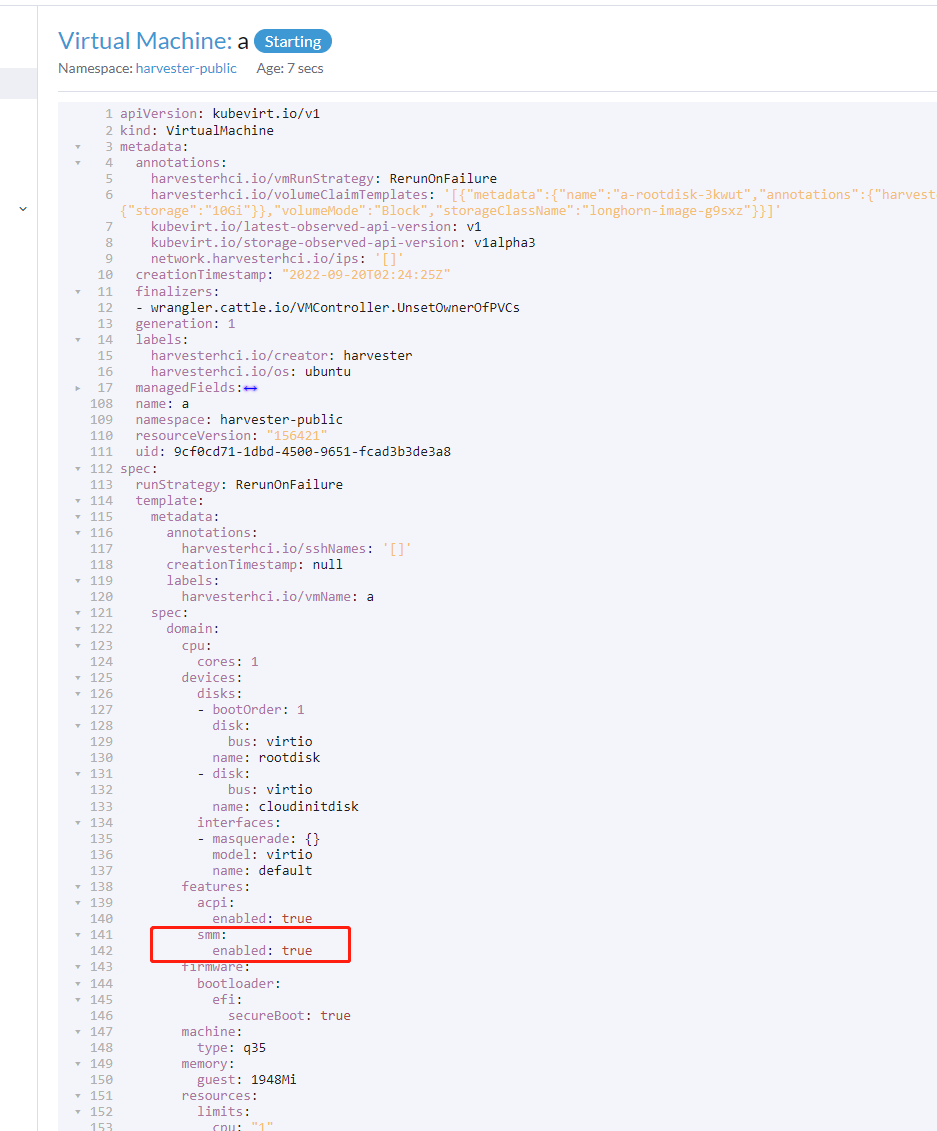
@futuretea @irishgordo it's a bug which I missed somehow, SMM should be enabled when setting secure_boot = true, I will submit a PR to fix it, thanks.

@irishgordo Can you please indicate the final test result status in the comment? e.g. Validation - PASS

@masteryyh & @futuretea thanks for digging into that :smile: - I can re-validate when the PR for the fix gets merged in to harvester/terraform-provider-harvester
@khushboo-rancher - it looks like now from the feedback that the first validation preformed earlier was a:
Validation - FAIL
Since it didn't pass the testing steps as outlined for the feature set:
https://github.com/harvester/terraform-provider-harvester/pull/49
But I was also validating my setup for the test was correct.
I've updated the prior comments to include that result :smile:
Thanks for those edits @masteryyh !
With those merged in and pulling the latest from docker pull rancher/terraform-provider-harvester:master-head-amd64
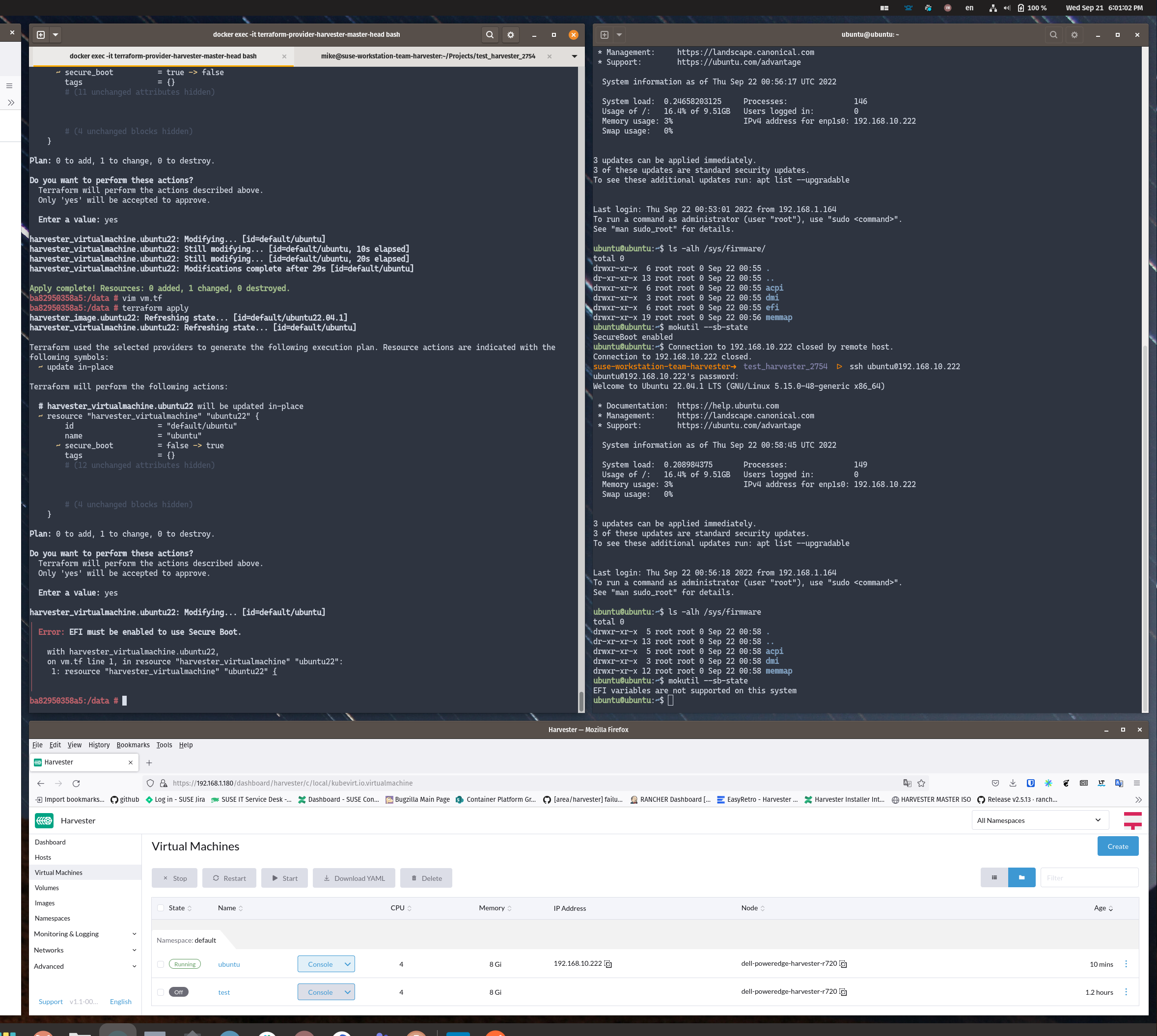
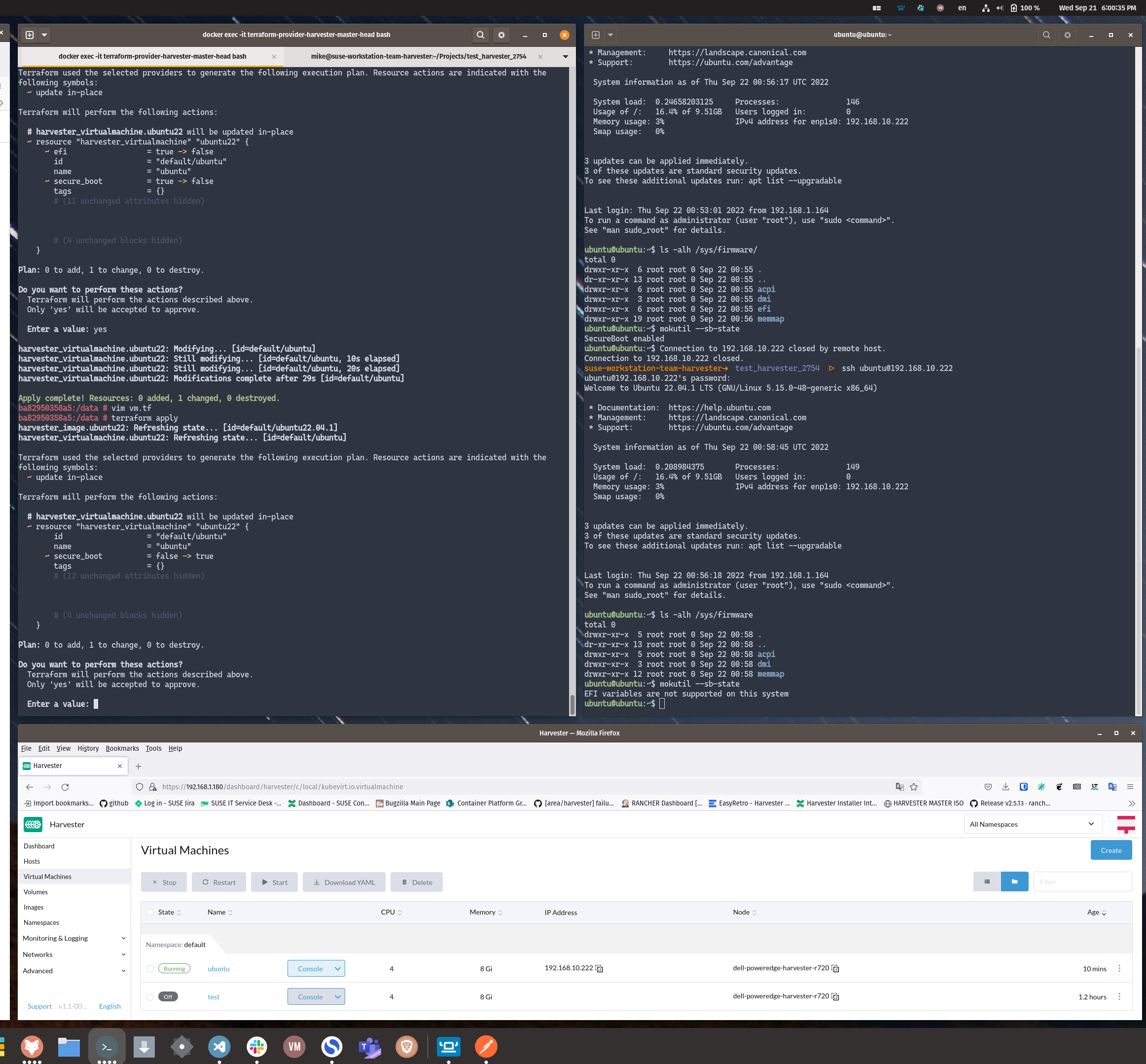
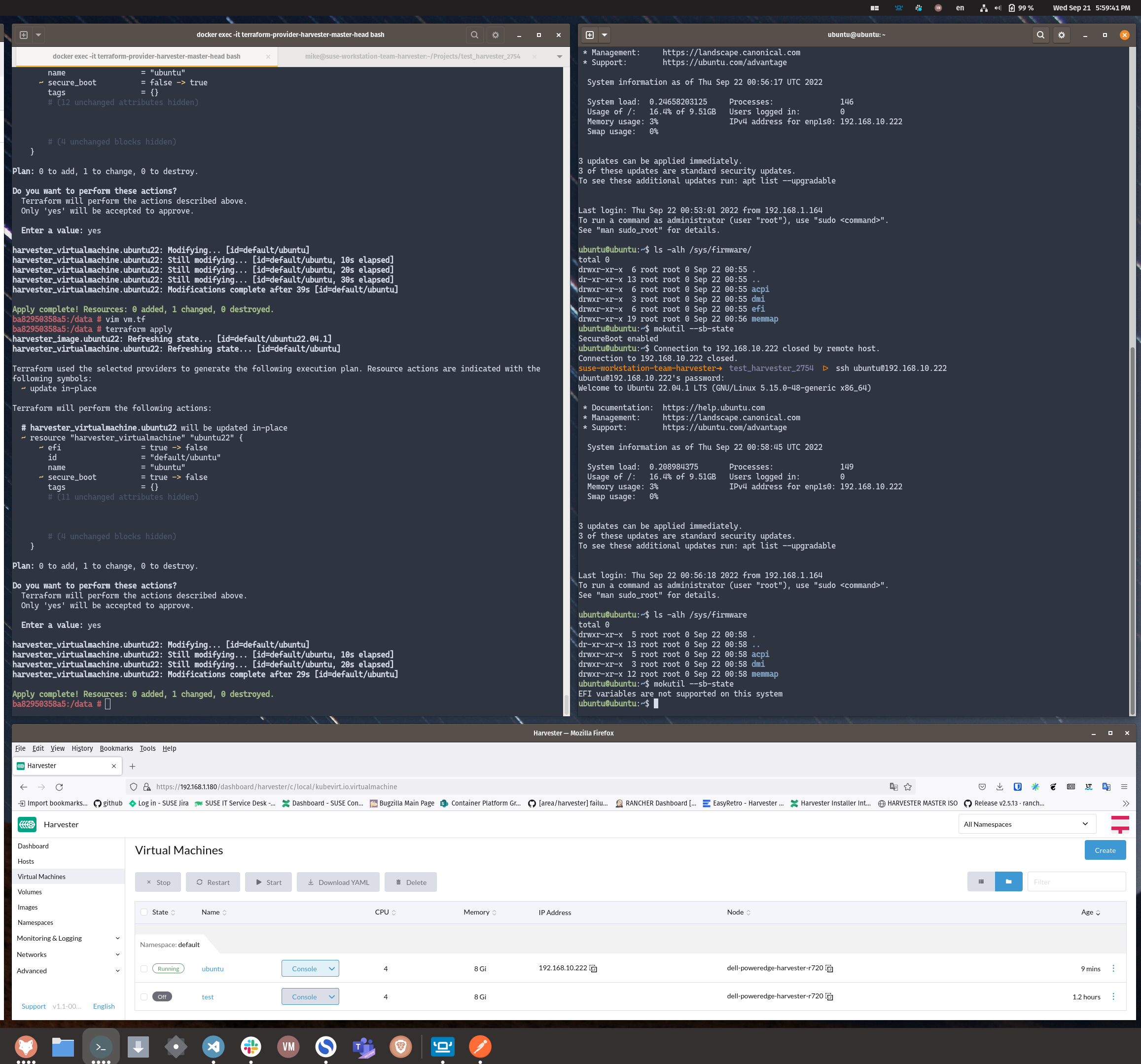
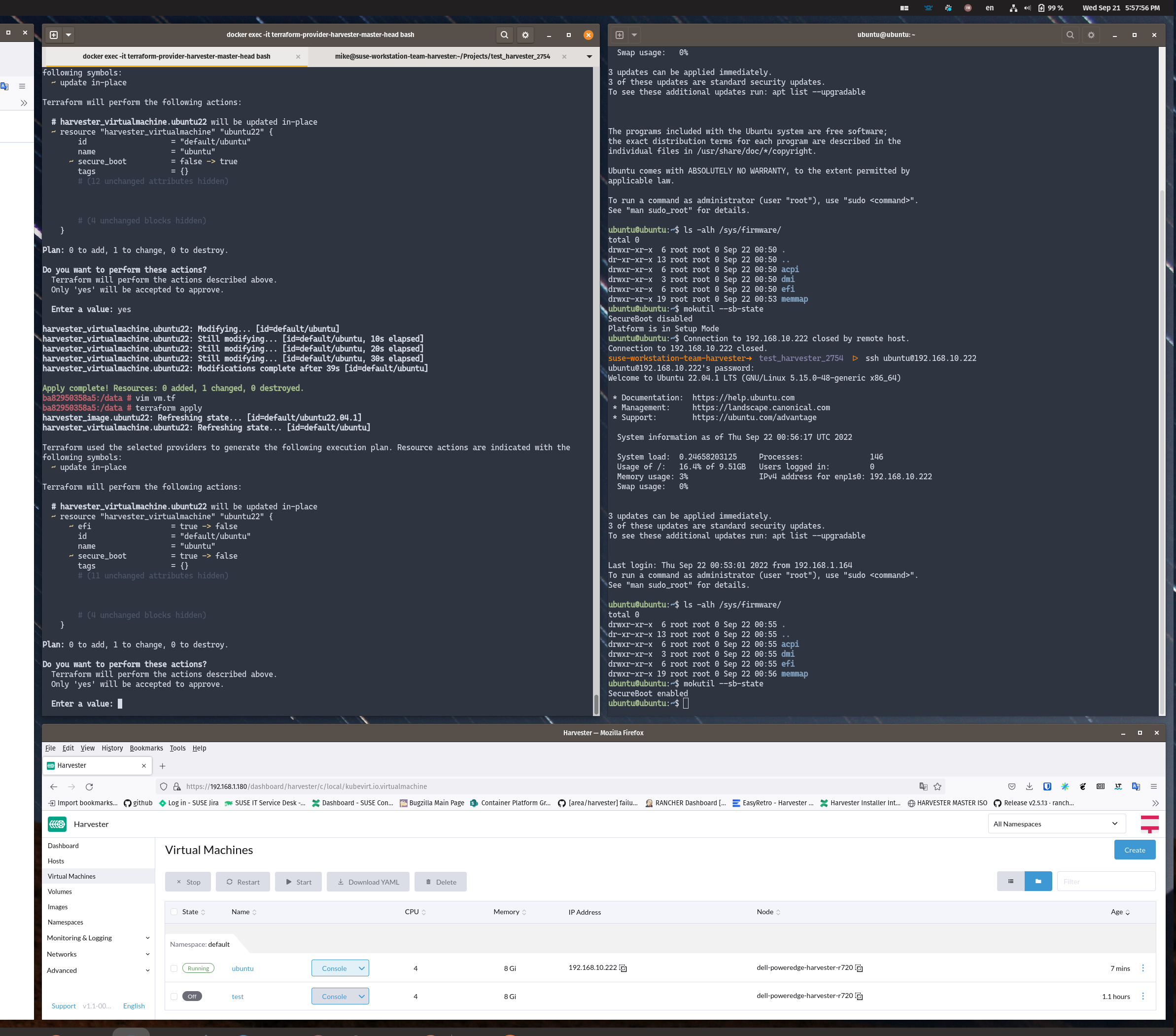
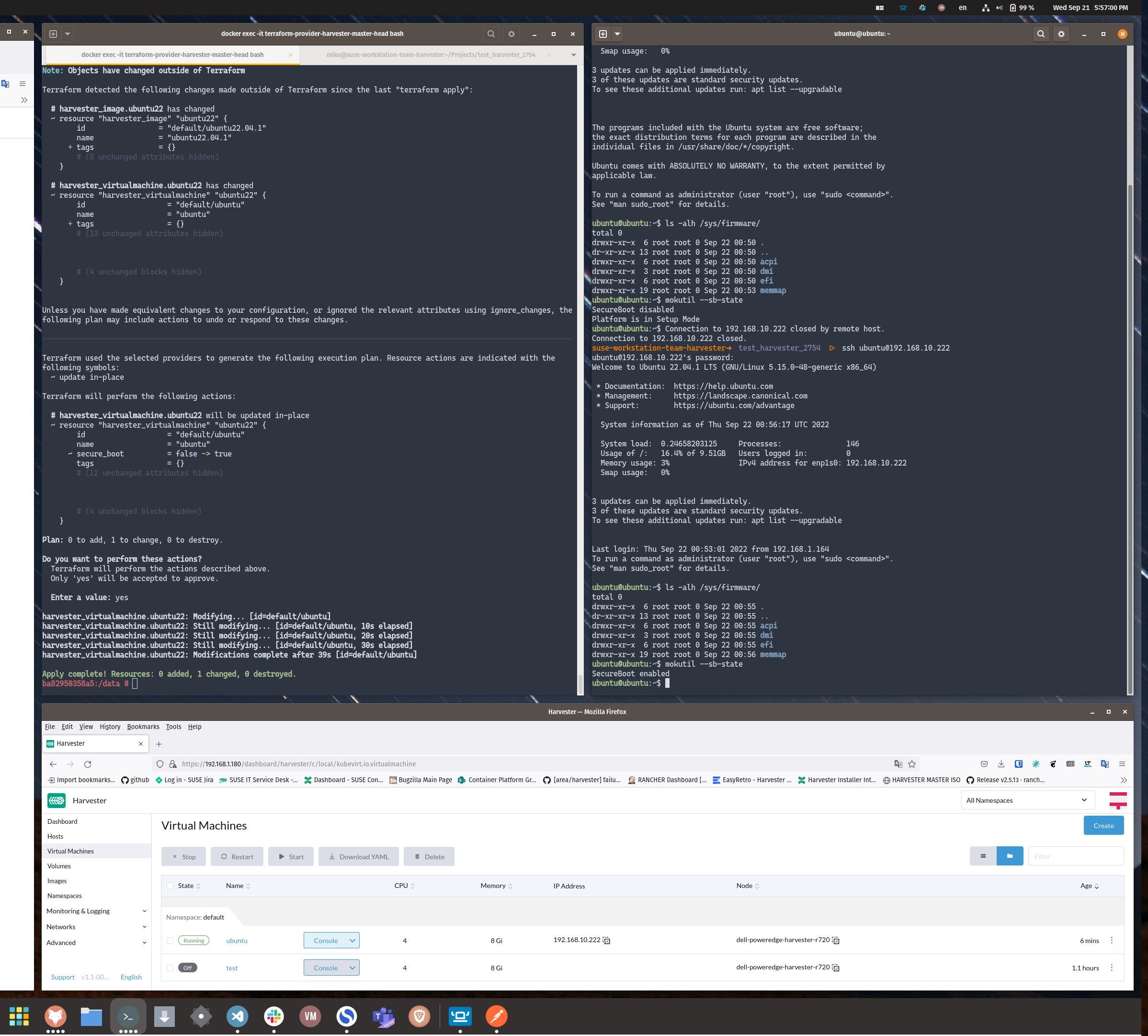
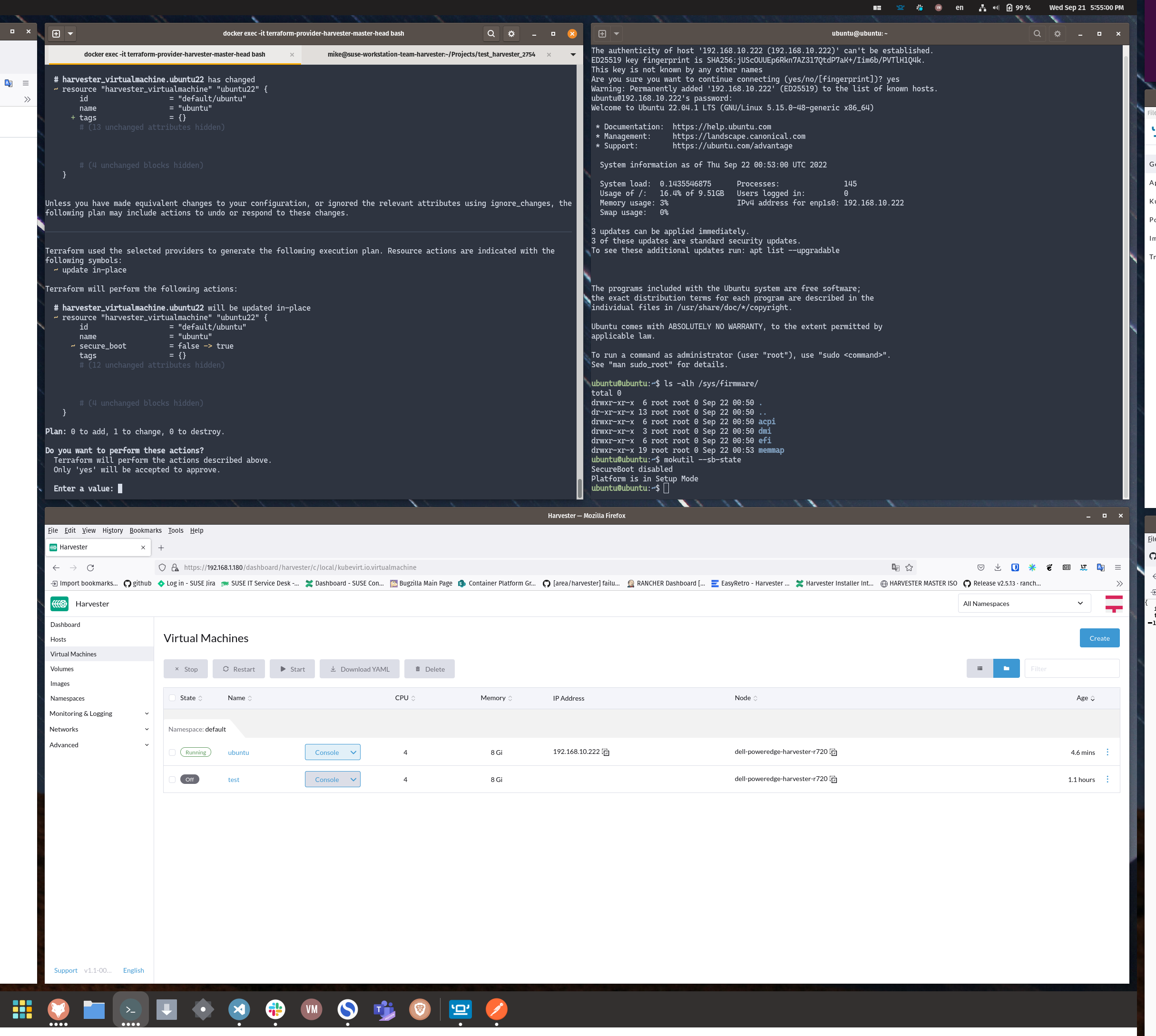
I was able to follow along with the test plan and validate that this all looks good :smile: .
Validation - Passed
This was tested on:
- Harvester ( v1.1-008b5d50-head ), Dell PowerEdge R720
- Docker API (dockerd [moby]) provided by Rancher Desktop v1.3.0
I've attached all the supporting screenshots here of the test-artifact validation :smile: :
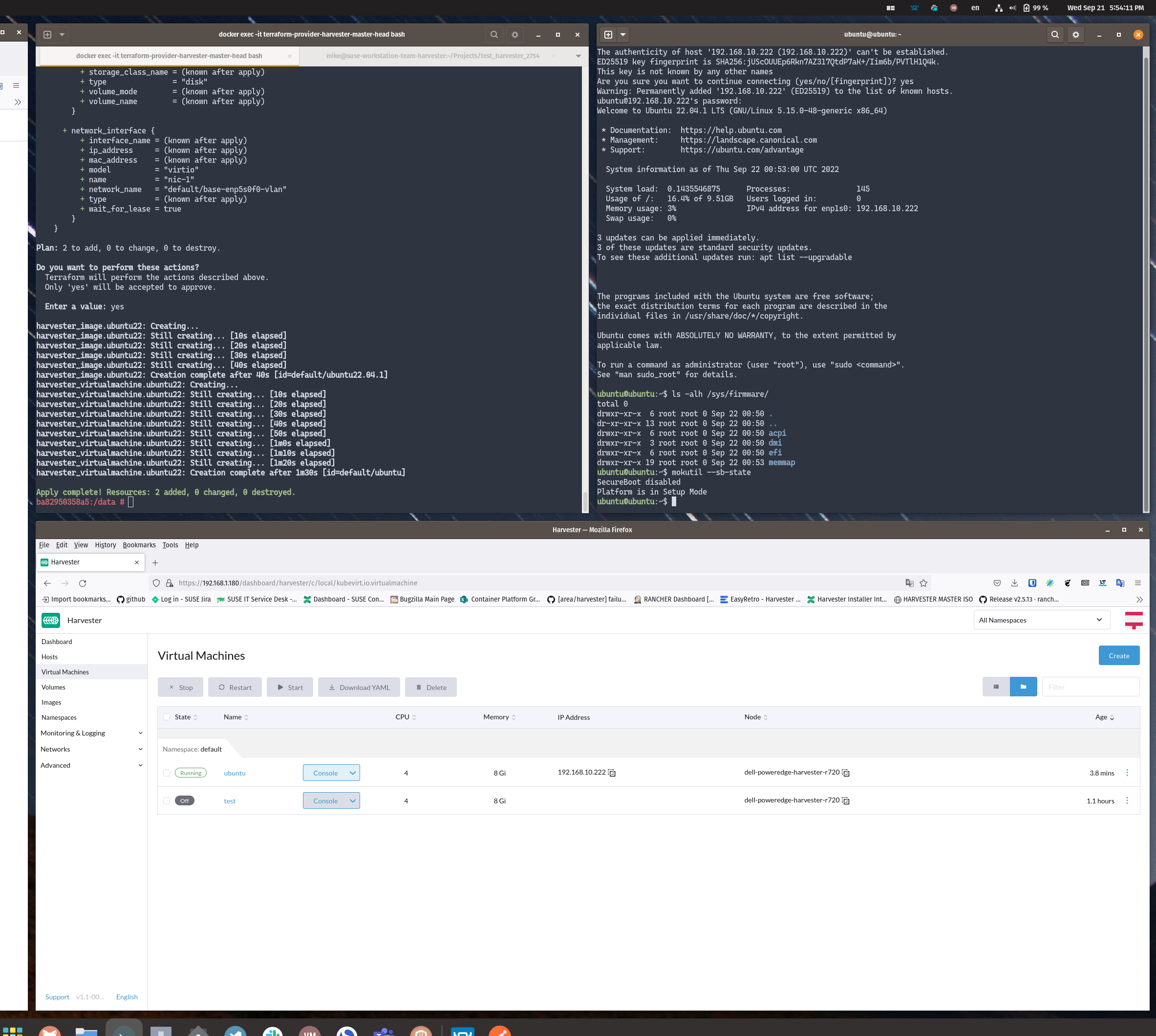
This looks great to me! Thanks again @futuretea & @masteryyh - I'll go ahead and close this out. Exciting to see this addition to the terraform-provider-harvester :smile: !