

 hardcodet
Context menu does not react to toggling of High Contrast mode
The context menu does not react to toggling of the High Contrast mode in Windows. It will either keep the style at the time of icon creation, or it'll have a mix of both styles (see below). Other WPF context menus react correctly and appear in the new style upon their next invocation.
Repro 1, toggling HCM on:
- Prerequisite: HCM is off.
- Start the application that creates the icon
- Enable HCM in Settings.
- Right-click the app notify icon.
Expected: The context menu adopts the new style.
Actual: The background of the menu items is still grey (default style), but the font is white (high contrast text colour) and the width of the menu is that of the high-contrast variant.

If you've already opened the context menu at least once while the normal theme was still active, the context menu will keep the old style entirely.

Repro 2, toggling HCM off:
- Prerequisite: HCM is on.
- Start the application.
- Disable HCM.
- Right-click the app notify icon.
Expected: The context menu adopts the new style.
Actual: The context menu still has the high-contrast theme.
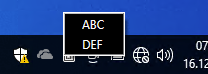
Version: 1.1.0 Runtime: .NET 6.0 OS: Windows 10 22H2

This is a bit of a pickle, other context menus have a "root" into their main window. This is probably why these do react. The context menu that you specify here yourself, as notify icon WPF doesn't bring one, doesn't have a root into a window and might therefore not react.
I do not have a clue what the actual reason is, and if this can be fixed or how. You are more than welcome to have a look if you can find something, and provide a proposal for a fix as a pull-request.
And maybe @punker76 has an idea?

We discovered that we have to call the method FrameworkElement.UpdateDefaultStyle for Elements that have no "root".
https://github.com/dotnet/wpf/blob/v6.0.12/src/Microsoft.DotNet.Wpf/src/PresentationFramework/System/Windows/Generated/FrameworkElement.cs#L124-L129
Elements that arent connected to the tree do not receive theme change notifications. We leave it upto the app author to listen for such changes and invoke this method on elements that they know that arent connected to the tree. This method will update the DefaultStyle for the subtree starting at the current instance.
We call this on the TaskBarIcon control when the UserPreferenceChanged event is invoked.
Unfortunately we discovered another problem.
When we set the ToolTipText property of the control, the Style sporadically doesn't apply correctly.

This can be reproduced with the following sample code. (The icon is important because without an icon there's also no tooltip)
public partial class App
{
    private TaskbarIcon? _taskbarIcon;

    protected override void OnStartup(StartupEventArgs e)
    {
        base.OnStartup(e);

        _taskbarIcon = new TaskbarIcon
                       {
                           Icon = Resource.Icon1,
                           ToolTipText = "ToolTipText",
                           ContextMenu = new ContextMenu { Items = { new MenuItem { Header = "MenuItem" } } }
                       };

        SystemEvents.UserPreferenceChanged += SystemEventsOnUserPreferenceChanged;
    }

    private void SystemEventsOnUserPreferenceChanged(object sender, UserPreferenceChangedEventArgs e)
    {
        if (e.Category is UserPreferenceCategory.Color or UserPreferenceCategory.VisualStyle)
        {
            _taskbarIcon.UpdateDefaultStyle();
        }
    }
}

Because we're not entirely sure how to properly listen for theme changes in WPF (the UserPreferenceChanged callback seemed like a sensible option), we've asked for advice in the WPF repo: https://github.com/dotnet/wpf/discussions/7384

