
tootmage
 tootmage copied to clipboard
 halcy
halcy
multicolumn terminal mastodon client for shitty nerds
tootmage
multicolumn terminal mastodon client for shitty nerds.
currently in an extremely alpha here-be-dragons state. code contributions, suggestions, issues and such now welcome.
setup.py forthcoming At Some Point (write me one, please!). Needs prompt-toolkit, mastodon.py from github (1.2.0 will work badly, 1.2.1 will be fine when I getaround to releasing it) and possibly a bunch of other stuff.
termwrap is an improved version of ansiwrap (https://github.com/jonathaneunice/ansiwrap) that works with unicode.
setup:
- you will be prompted for login stuff on first run
- DO NOT SHARE THE CONTENTS OF THE .secret FILES WITH ANYONE
- you can change various things in settings.py. looking at it is recommended
- by default, notification via notify-send and aplay is attempted - turn that off if you don't need / want it (boop sound graciously provided by @[email protected])
- there are currently two themes - one that uses RGB colours and unicode ("datawitch"), one that uses none of that ("helvetica standard").
basic operation:
- You can change the active column using either control+pageup/down or alt+arrowup/down
- You can scroll the active column with pageup/down
- Enter commands to do stuff - basic line editing and history are available.
- The commands available are essentially all the functions in Mastodon.py (Compare http://mastodonpy.readthedocs.io/en/latest/), plus some extra, documented below.
- Commands are autocompleted either when you hit tab, or when they are executed (hit enter). You can enter commands in shortened form, i.e. enter s-p instead of status_post, or just "r" for "status_reply". Use tab autompletion to discover many more shortcuts.
- You can autocomplete usernames by entering the start of the username (starting with an @) and pressing tab.
- You can refer to entries in columns while typing your command by entering ".columnnumber.resultnumber". You can refer to the entries of the active column using "#resultnumber"
- To view a toot, enter ".columnnumber.resultnumber" or #resultnumber" with no further commands - this also expands CWs.
- You can actually straight up enter python commands - prefix them with ;
- If the full version of the entered command starts with "status", the first "." in the first toot parameter is optional
additional commands:
- "toot text" (short t): posts a toot. text is automatically quoted (quotes are escaped)
- "status_boost toot" (short b): synonym for status_reblog
- "status_reply toot text" (short r): does magic to automatically prepend the correct mentions to your post and maintain CWs and such. Also auto-quotes.
- "status_view toot number": (short v): runs a function (specified in the settings) with the url of the toot as parameter. optionally pass a number as the second parameter to view a numbered url in a toot. the default settings just open firefox, but you could also e.g. make the command put the URL in a HTML file that you can then look at in your browser
- "status_expand toot" (short x): expands a conversation
- "quit": does that
things that are bad still and/or known bugs
- visibility is not retained in replies
- can't scroll horizontally yet - hope your screen is wide enough (overflow gets cut off on the right)
- currently no easy way to specify CW, visibility, attach media - have to use the full status_post command to do it
- everything is a bit user-unfriendly, error output is terrible
- documentation is bad
- resizing temporarily breaks screen
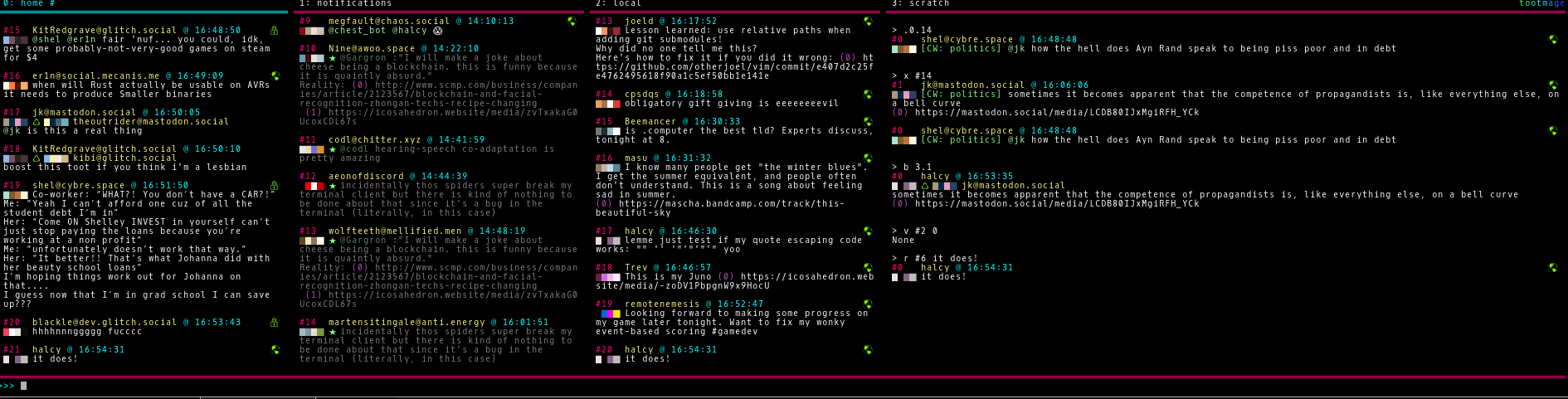
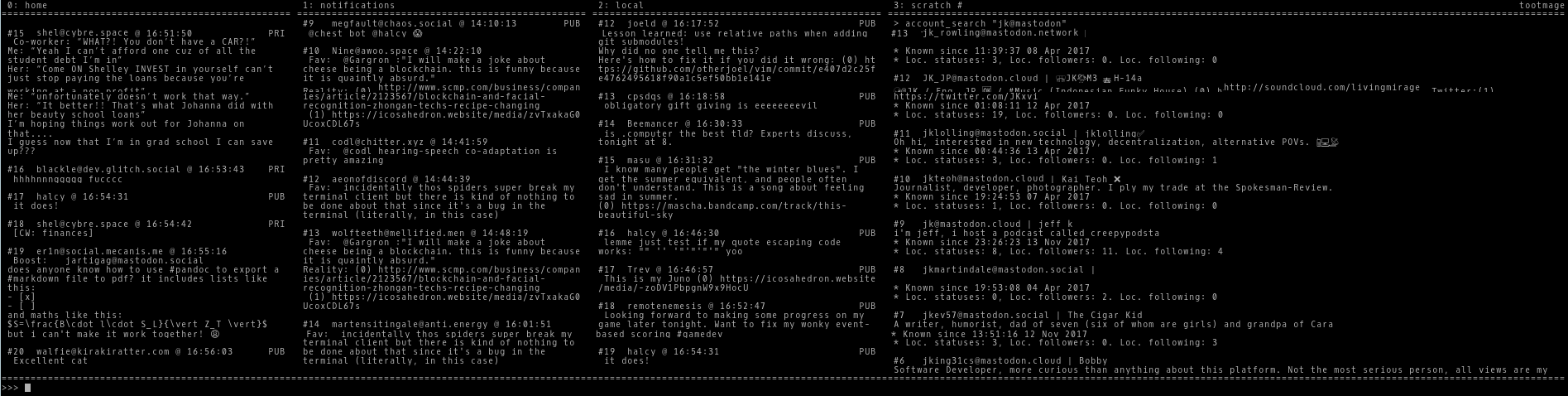
screenshots:
 halcy
halcy