

 hajkmap
Can't save text field in Edit
This needs more investigation, but to reproduce, try:
-
Setup a new WFS-T layer. Mine looks like this:
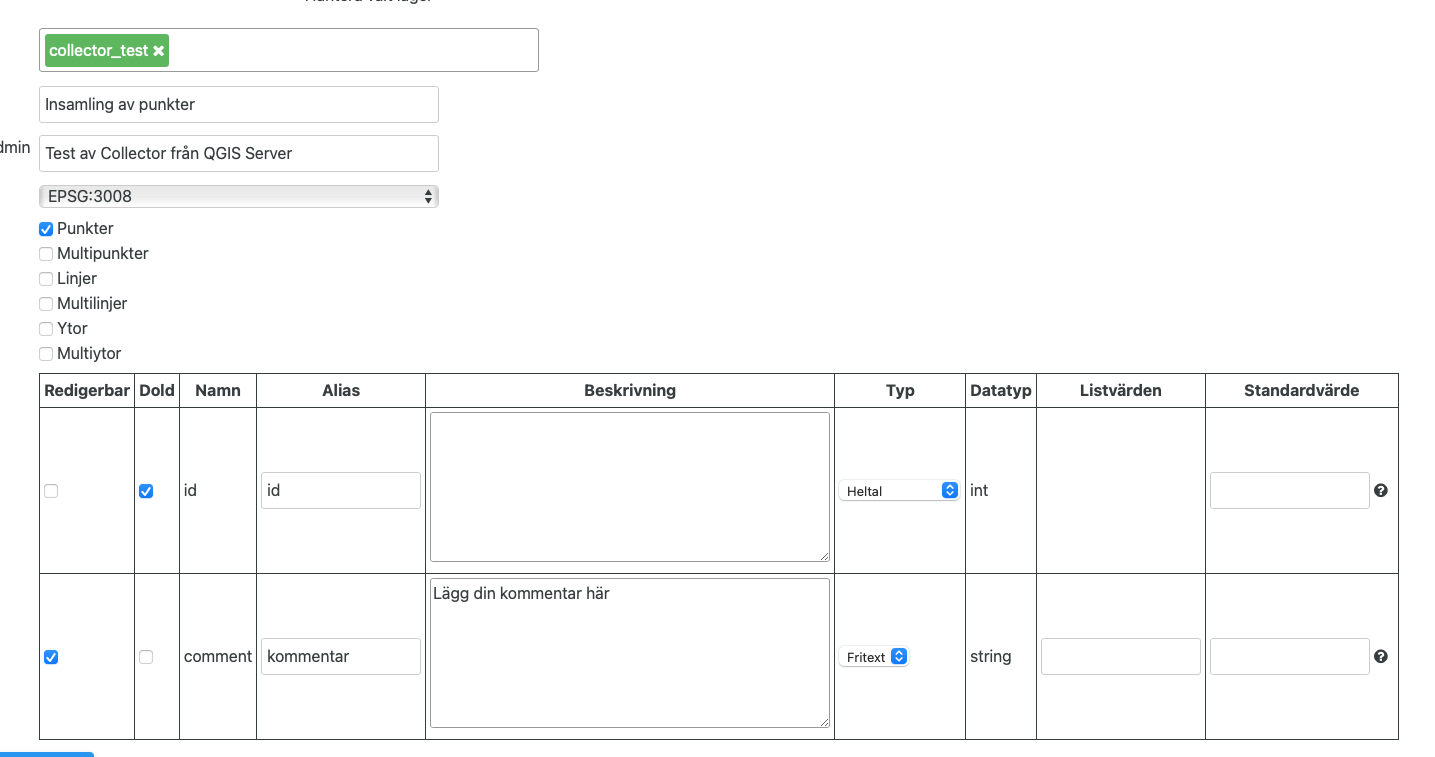
-
Add it to a map.
-
Try adding a point. First without supplying any data in the text field.
-
This saves the geometry correctly in the database.
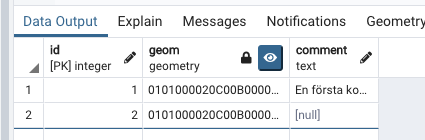
-
No try adding another geometry with a text value this time. It will fail, something like this:
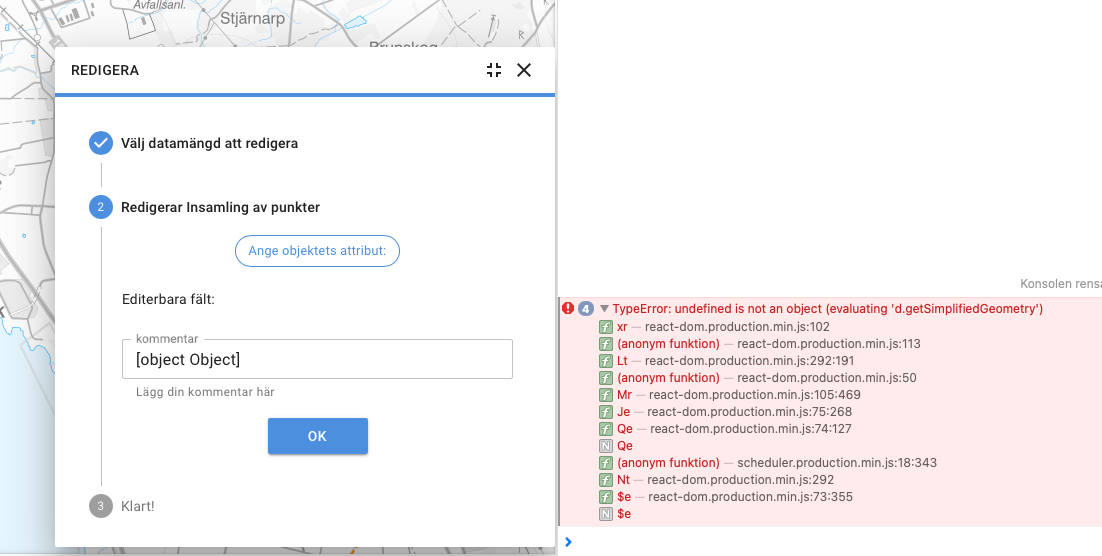
-
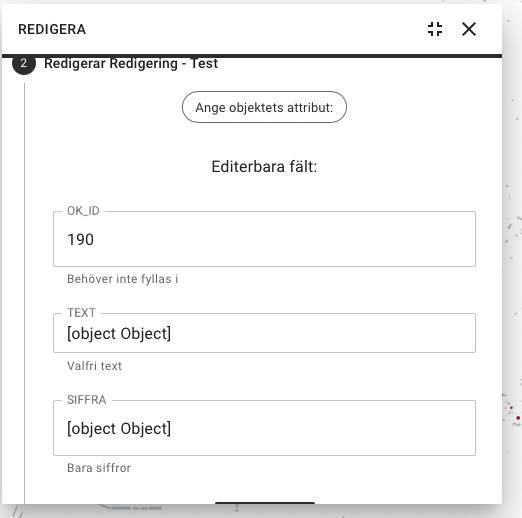
You can also get the same error if you try to edit the previously added geometry. In addition, you will get
Object [object]as the text field's value: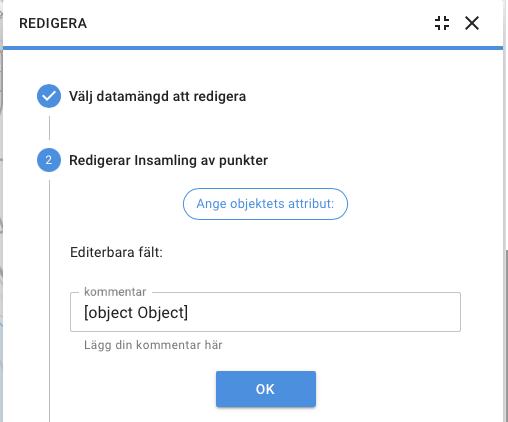

Hi, can you send the config you used for the layer and the plugin? I've still not been able to reproduce this so difficult for me to debug/fix. Am I correct that you use QGIS Server?

@hitomin21 we now have a public test instance of Hajk at https://hajk.orebro.se/ so that you can try and recreate the issue Jacob described. The edit tool is enabled and configured to a test table in our oracle database. If something doesn´t work or if you would like to see some other setup to test against feel free to contact me.

I can confirm that the test instance works well and can easily be used as a remote backend even when working locally. Just change you appConfig.json to include this:
  "mapserviceBase": " https://hajk.orebro.se/api/v1/",
  "defaultMap": "map_1",
Well done @WCarlsson!
Hi,
We are trying to solve this bug #987 but we are wondering If It has something to do with resetView(new-client, plugins, edit.js)?
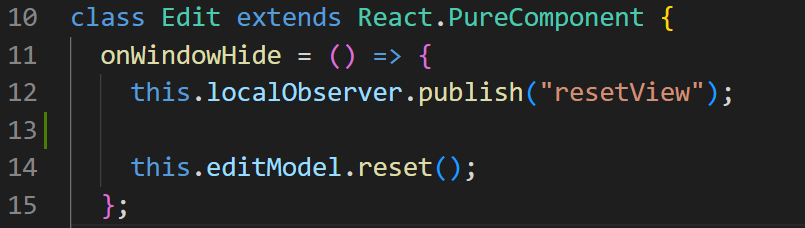 Any tips or recommendations?
Thank you :)
Any tips or recommendations?
Thank you :)

I'm not sure about it, but you can test it easily by e.g. commenting out the part of code (line 12?) that you suspect affects this and see if it really does. 😄