
seafile-client
 seafile-client copied to clipboard
 haiwen
Feature request: More status info for currently syncing libraries
Hi,
would it be possible to add a more verbose information to the "rightclick on library" -> "Show details" window related to the "Status" output?
Some ideas:
- sub folders currently synced
- specific file currently synced
- sync speed of the file which is currently synced
- files already synced
- files still to sync
- sub folders already synced
- sub folders still to sync

You can find the file syncing status in File Explorer or Finder overlay icons. With regards to speed, you can already find it in the system tray icon.

@killing Thx for your reply.
You can find the file syncing status in File Explorer or Finder overlay icons.
Although I use the Linux client (which has only sync indicators for the library, not for the files and folders in the libraries) this is not really what I mean. I've updated my initial request a little bit. Let me explain some use cases for what I mean:
- Imagine you have to sync a lot of libraries after reinstalling a system. Currently the Seafile Client just tells me that syncs are in progress but not what exactly is in progress and how much is left until all jobs are done. This can be very helpful to tell people how long they should keep their system running to complete the initial sync.
- I use a certain library to archive data to my server by cut&pasting the local data I want to move into the synced local folder of the library. After the sync is complete I use the move option in Seahub to move the data into an archive library. Currently I have to wait until the whole sync process is completed although maybe 2/10 folders I want to archive are already completely online and "ready to move". It happened several times that I moved a folder which didn't contain all data yet. So I have to wait until all "jobs" are done which is not very effective in daily workflow.
With regards to speed, you can already find it in the system tray icon.
Do you mean the up/down info in the left downer corner of the client GUI? I know but this seems a little bit unspecific without further infromation especially if more than one library are in a sync process: If this info would show also what exactly is processed this would be much more helpful.
+1
I'm having exactly the same problem. https://forum.seafile.com/t/knowing-what-files-seafile-is-syncing-sync-client/13795
The seadrive client have a little screen that allows us to easily identify what is being done !
I'm using windows, and the icons in file explorer seems to be WRONG.
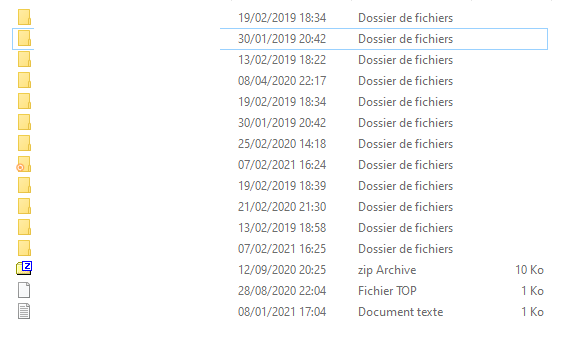
Can you tell me what is syncing ? Apparently one folder.
If I go to this folder:
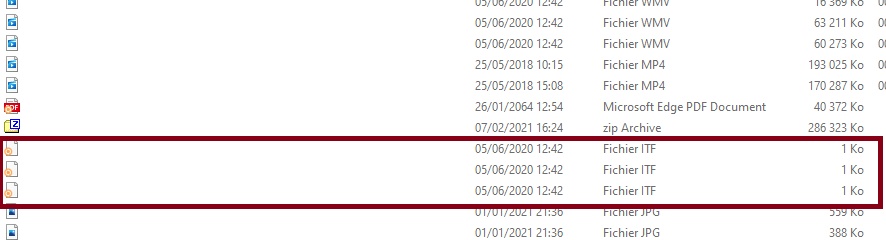
It shows me that 4 files are apparently syncing. 4 of them are 1ko files, and syncing progress is currently running for HOURS, and still not done. But the overall % progression is going up in the client.
So it's doing something, but I can't tell what !
That's a very poor experience that made me switch to Seadrive instead. But Seadrive is not designed for my usage. (which is syncing)
PLEASE consider this issue.
This is not the first time: https://github.com/haiwen/seafile-client/issues/1204 https://github.com/haiwen/seafile-client/issues/917

So there are two requests actually:
- You want to know which files are being uploaded.
- The overlay icons are confusing for uploads
Seafile sync client uploads files in batches. And all files are chunked into blocks and uploaded together. So for now it's not possible to tell which files are uploading, as the client only knows which blocks are uploading. For example, when there are 100 files are in the current upload batch, we cannot tell which 3 files are currently uploading. This may be improved in the future.
The overlay icons are set to syncing for all files in the current upload batch. So it's not very accurate. And some icons cannot be shown due to conflict with other syncing software like OneDrive. Explorer can only register 15 icons and every syncing software takes a few positions.