

 hahagu
Some input on design
First of all thanks so much for your work! Thumbnail Generator is a nesesary and very usefull tool in order to manage easily big asset libraries as i do for my work.
I have some thoughts on the design which would make the generated preview feel more in tune with Windows 11 design language and at the same time give more space for the thumbnail image. My suggestions are:
- Include a small offset of same width on the preview image, on the top and the sides and keep the rounded corners in the thumbnail
- Generate a smaller more transparent shadow just above the front cover folder in order for the thumbnail to be clearer
- Another alternative is the option to remove completely the front cover but keep the small offset and round corner in order to maximize the view of the thumbnail
Please see the image below that gathers my thoughts visually:

I can also send you the PSD file if you like.
PS: I agree with the comments that its important to have an option to generate thumbnails based only in the folder.image inside each folder to respect the already made folder structrure that users might had from previous Windows versions.
Thank you!

I see the idea, but for me the borderless design is more in line with the windows 11 design language of trying to hide borders.
Alternative idea: keep the closed folder view and the paper that indicate a populated folder and change the top folder to have the thumbnail on it (like its printed to the front page of a closed folder)

The borderless design seems to be what Windows 11 design language is aiming for, yes.
This is not that hard to implement. However, this will make the UI more cluttered, and I do want to keep the UI easy and clean to use. I guess it's a consideration to make.

Here are some more visual thoughts and variations with a borderless design as you mentioned above.
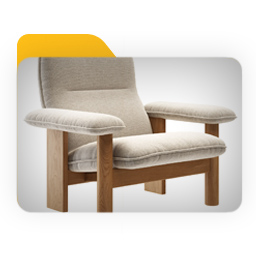


Hey! Microsoft is bringing back the folder thumbnail preview on Windows 11 with with latest insider build (22557)
Check Out this Video: (8:20 min) https://www.youtube.com/watch?v=kTBP-j_fYGE&t=500s
Check out the new design from the screenshot from the video above:

Hey! Microsoft is bringing back the folder thumbnail preview on Windows 11 with with latest insider build (22557) Check Out this Video: (8:20 min) https://www.youtube.com/watch?v=kTBP-j_fYGE&t=500s Check out the new design from the screenshot from the video above:
Oh, that's nice. Would've been nicer if they released the feature before I got to making this tool haha But I guess that's Microsoft for me..
Anyways, I guess this tool is useless now! Or, at least, for "thumbnail viewing" usage. Maybe it's still usable for customization of thumbnails.
Also, sorry for not releasing/making the next version. I have been very busy with some work, so I haven't found the time nor the motivation to make the next version. It certainly is in progress though, just a slow one 😅
Anyways, thanks for telling me!
From the screenshot i can tell that the preview shows only half of the content. Your app could improve on that by revealing more of the thumbnail i think. Sure the tool will not be useless if its improving the visibility of the thumbnail image i think!
I like the idea of removing the front cover completely but keeping the small offset and round corner in order to maximize the view of the thumbnail. Any way of doing this now?
