

 hackforla
Adjust zoom levels on click when either zip or polygon draw is selected
Overview
We need to ensure that the camera zooms in and out properly based on the area of the selected region on both the zip select tool and polygon draw tool.
Details
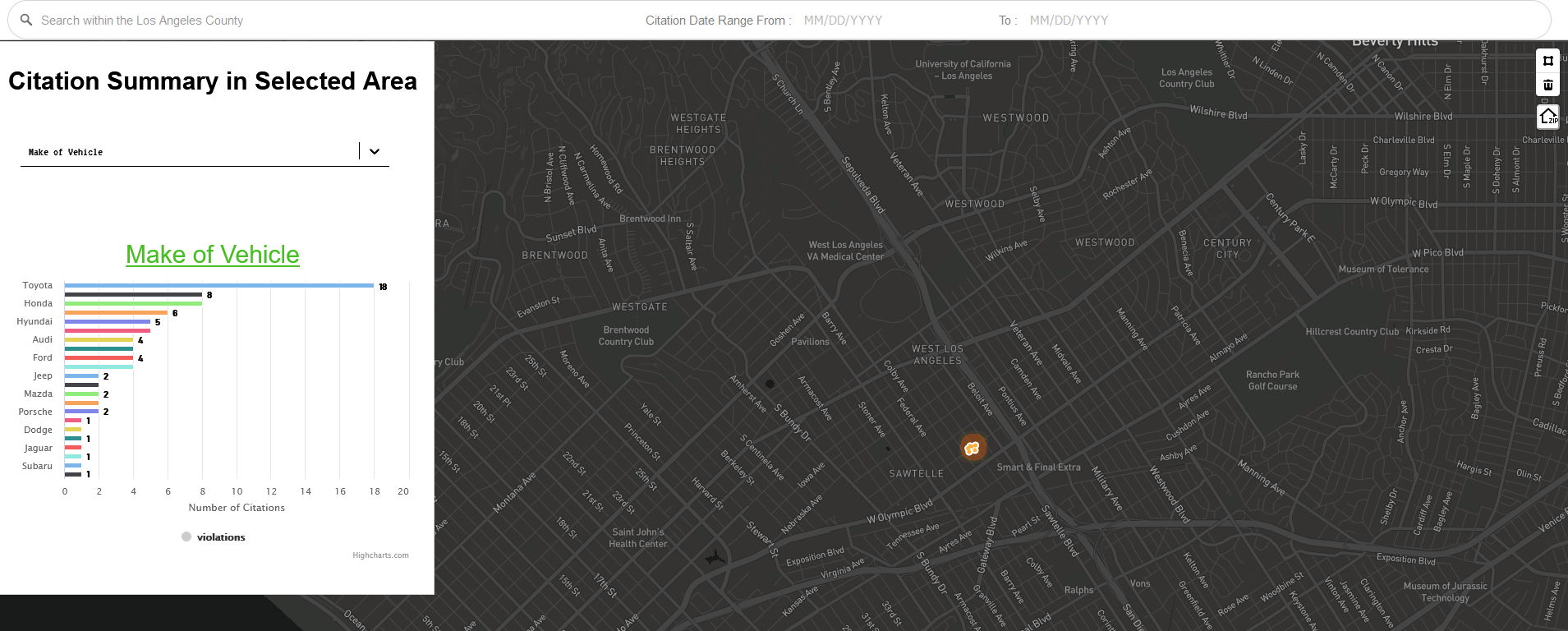
When using the zip select tool and polygon draw tool, the camera will move and adjust the zoom level when clicking a region. Currently, there are three hard-coded zoom levels that the camera adjusts to. Modify the code so the zoom level is dynamic based on the area of the region, regardless if the region is big or small.
Example: For a very small area drawn in the polygon tool, it's using the current lowest zoom level (13) instead of adjusting the camera to the size of the drawn area
Click to see image
Action Items
- [ ] Understand how camera movement and zoom works on zip select and polygon draw tool
- [ ] Modify the code so the zoom levels adjust to big and small areas alike

@DCH-CH, do you have any updates on this issue? Things like:
- Progress: "What is the current status of your project? What have you completed and what is left to do?"
- Blockers: "Difficulties or errors encountered."
- Availability: "How much time will you have this week to work on this issue?"
- ETA: "When do you expect this issue to be completed?"
- Pictures (if necessary): "Add any pictures that will help illustrate what you are working on."
It would be great to have weekly updates on this issue thread as you continue to work through it.
