
OnBoard
 OnBoard copied to clipboard
 hackclub
finnboard
Submission Checklist:
-
[x ] I am a current high school, middle school, or home schooled student.
- [x ] I am 18 or under
- [x ] I have filled out the verification form
-
[ x] I have joined the
#electronicschannel on Slack -
[x ] I made this board from scratch, even if I followed a tutorial
-
[x ] I have followed the directions in README.md
- [ x] Created a folder under
onboard/projects - [x ] Filled out
TEMPLATE.mdasREADME.mdinside your project folder - [ x] Uploaded
gerber.zipandschematic.pdfinside your project folder - [ x] Created a folder called
srcand uploaded design files - [ x] Uploaded screenshot of PCB order called
cart.pngwith all costs included - [x ] I am ordering the smallest batch size (ie. JLCPCB's smallest order is for 5 boards)
- [x ] If outside the US I've checked that I can afford the customs charges in my country (which isn't covered by the grant)
- [ x] Created a folder under
-
[x] (Optional) This project is from a tutorial[^1].
-
[ ] (Optional) I'm in a FIRST (FRC, FTC, FLL, etc.) team. The number is: ____
[^1]: Projects from a tutorial are 100% fine! We just want to ask so we can count how people are using tutorials.

Hi, I'm Orpheus Leap! Here to help you review your PR.
projects/finnboard:
Required files
| ✅ | README.md | A description of your project |
| ✅ | cart.png | 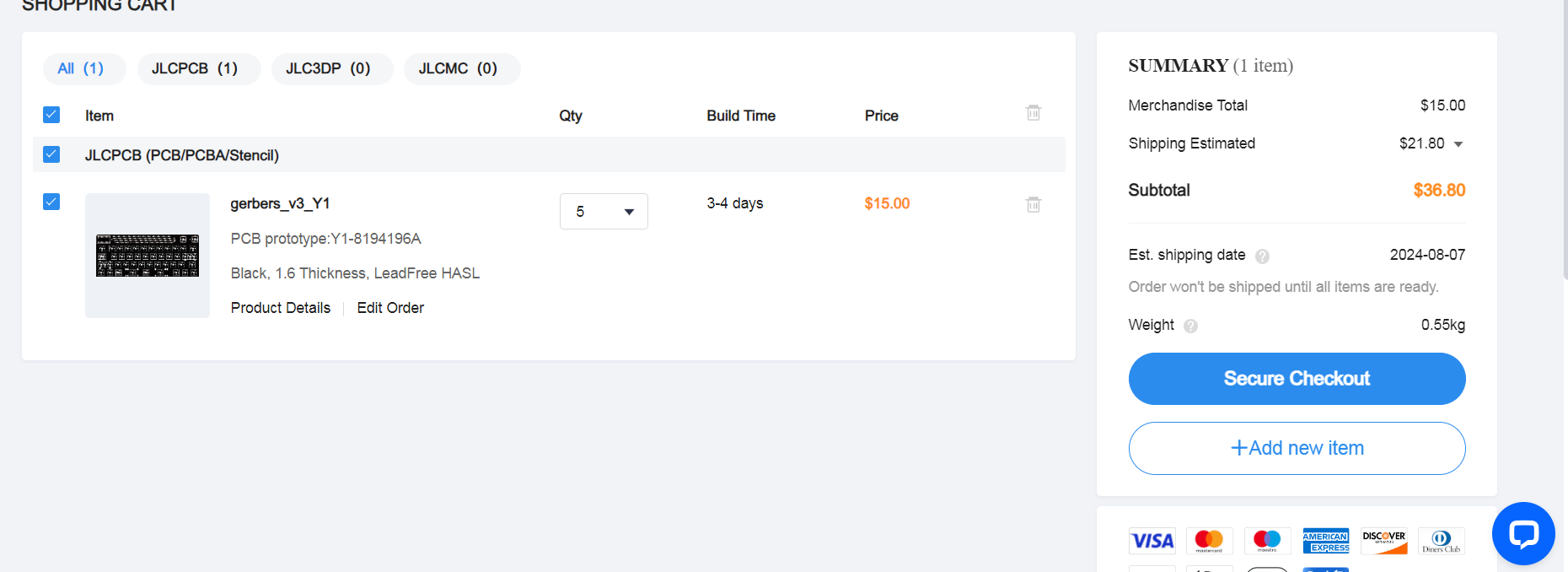 |
❌❌❌Cannot find a Gerber File. Please export a gerber from your PCB Design software and name it exactly "gerber.zip". Happy OnBoarding! This bot is a simpler helper for common submission types. If there's an error with this, please point it out and someone from the OnBoard team will look at it manually.

Hey @finnsblog
Thanks for submitting your PCB pull request for OnBoard! However, it looks like you took a picture of the cart ordering process instead of completing the checkout process. For us to have the full picture of pricing and the PCB your ordering, please follow the steps in this guide here or here:
- Click "Secure Checkout": After adding your PCB to the cart
- Enter your shipping information and add a coupon code if you have one, then click "Submit Order", do not add any payment options
- Close that tab and open a new one to jlcpcb.com, then click "Order History" and take a screenshot. It should show all the details of your order.
Please take a screenshot of your unpaid order instead of a picture of your cart, and upload it as cart.png. This will allow us to spot any mistakes and give you ways to reduce the cost or customs fee. Congrats on making the PCB!
Also it seems that you haven't uploaded your gerber and Schematic so please do that.

Hey @finnsblog
Let me know if you need any help, my slack handle is @blaze
Hi, if you need any assistance, please don't hesitate to ask here or in #electronics on Slack. This pull request is being marked as 'Stalled' for now and will be closed in 3 days if there is no activity.
Hi @finnsblog!
Please feel free to ask for help if you need any here or #electronics on Slack. I'm closing this for cleanup right now, but if you update your PR with the requested changes, please open up a new PR and link the old one!
