

 h2oai
h2oai
Add format mask to table columns
It would be nice to be able to format columns in a table, for example I would want to show limit balance as money here. I could do that in python but then I lose the ability to sort correctly as the value is a string now so we end up with: 1, 11, 100, 2, etc.
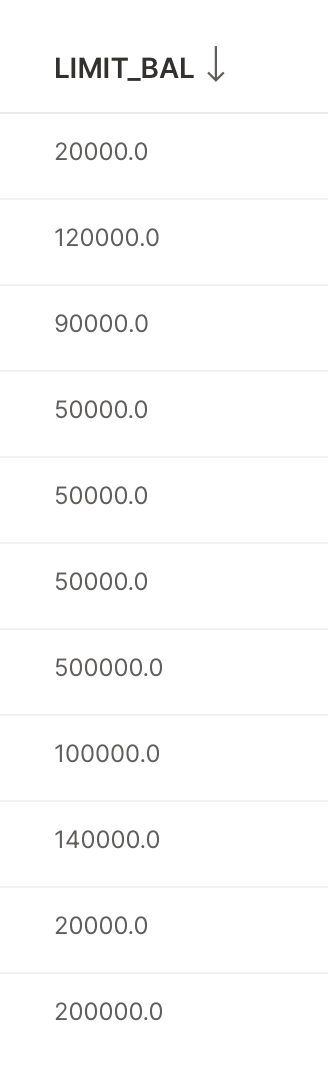
Maybe there is a better way to do this, but I can see people wanting to keep numeric / date datatype while also not losing sort-ability

but then I lose the ability to sort correctly
What sorting do you mean? At python side or within table? If table, you can set data_type on table column to number which should allow you to sort correctly.

We need to support a format attribute similar to how the intl formatting is used in other cards. This way, the table's data can contain raw values, and the frontend can sort on the raw values while displaying formatted values. It's way more complicated (and sometimes impossible) to have Python provide formatted values and then sort correctly on the frontend.
In general we need a better/consistent story for all cards to use underlying formatting wherever possible.

We are interested in having a table column that can sort numbers as expected from smallest to largest, but formatting those numbers as money, percents, etc. Any suggestions?
If the column data_type is number but you provide a formatted number (a string) then nothing happens when you try to sort.
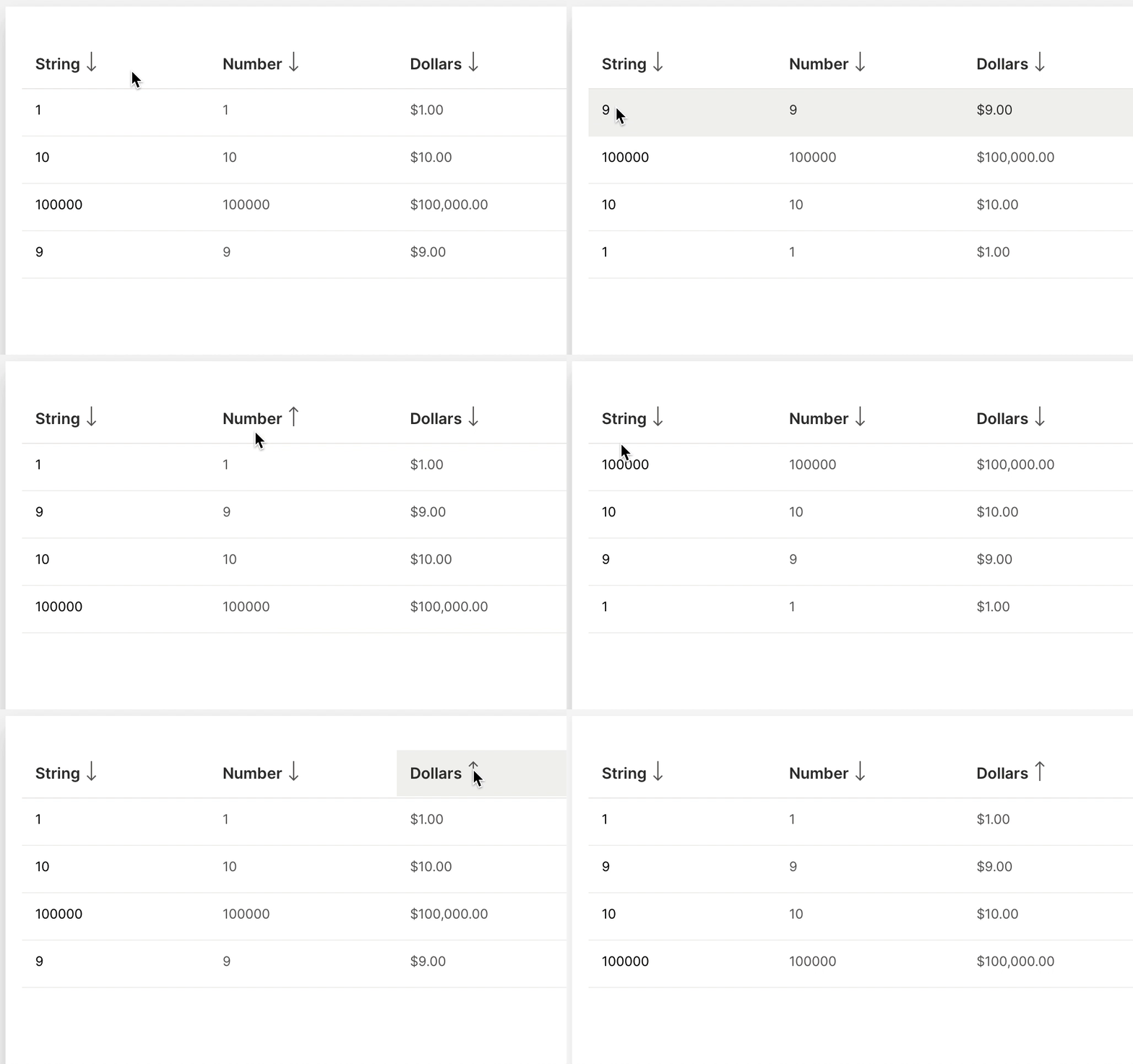
Example from Wave 0.18.0
from h2o_wave import main, app, Q, ui


@app('/')
async def serve(q: Q):

    q.page["table"] = ui.form_card(
        box="1 1 -1 -1",
        items=[
            ui.table(
                name="my_table",
                columns=[
                    ui.table_column(name="col1", label="String", sortable=True, data_type="string"),
                    ui.table_column(name="col2", label="Number", sortable=True, data_type="number"),
                    ui.table_column(name="col3", label="Dollars", sortable=True, data_type="number"),
                ],
                rows=[
                    ui.table_row("1", ["1", "1", "$1.00"]),
                    ui.table_row("10", ["10", "10", "$10.00"]),
                    ui.table_row("9", ["9", "9", "$9.00"]),
                    ui.table_row("100000", ["100000", "100000", "$100,000.00"])
                ]
            )
        ]
    )

    await q.page.save()
This makes sense. @lo5 's comment above is the solution. We need to provide something similar to
ui.wide_bar_stat_card(
    box='1 1 2 1',
    title=fake.cryptocurrency_name(),
    value='=${{intl foo minimum_fraction_digits=2 maximum_fraction_digits=2}}', # This
    aux_value='={{intl bar style="percent" minimum_fraction_digits=2 maximum_fraction_digits=2}}', # This
    plot_color='$red',
    progress=pc,
    data=dict(foo=val, bar=pc),
)
but for table