

 gwaldron
2D Map cannot display normally use code
this is my earth file
<Map name="2D" type="projected" version=2.0>
<options>
      <terrain driver="rex"/>
      <profile>eqc-wgs84</profile>
</options>
	<GDALImage name="world">
	<url>../data/world.tif</url>
	</GDALImage>
</Map>
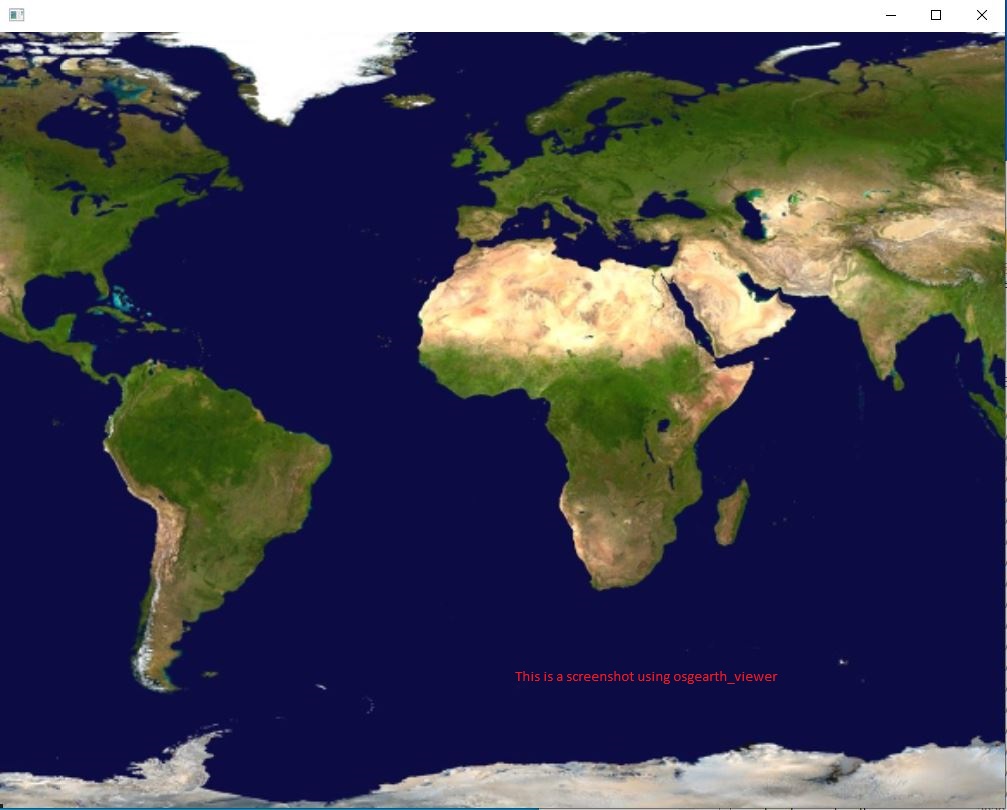
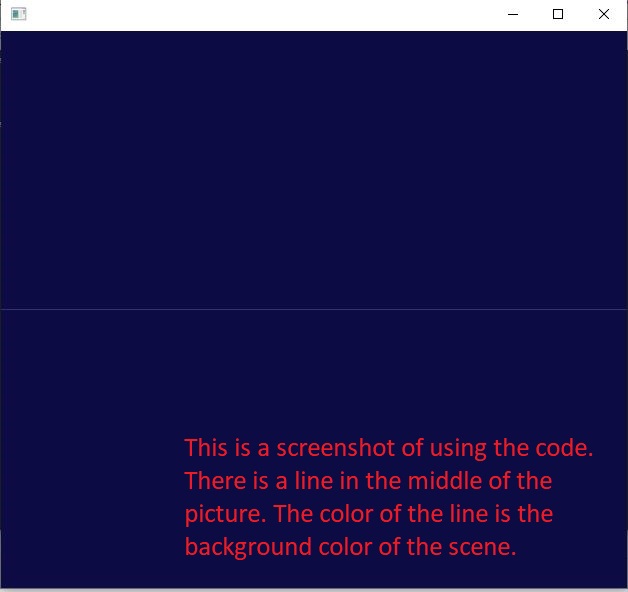
when I use osgearth_viewer load this earth file,it display normally,but when I use code load this earth file, the image cannot dispaly in screen. Nothing on the screen。 my code is
int main()
{
	osgEarth::initialize();
	osg::ref_ptr<osgViewer::Viewer> viewer = new osgViewer::Viewer();
	osg::ref_ptr<osg::Node> node = osgDB::readNodeFile("E:/buildProject/3.1osgEarthBin/tests/2DImageEarth.earth");
	viewer->setSceneData(node);
	viewer->setCameraManipulator(new osgEarth::Util::EarthManipulator);
	return viewer->run();
}
I think the manipulator caused the problem, but I don’t know how to use it correctly.

This works for me in osgEarth 3.2.
Please post the output of osgearth_version --caps

E:\buildProject\3.1osgEarthBin\bin>osgearth_version.exe --caps [osgEarth] [Capabilities] Capabilities: [osgEarth] [Capabilities] osgEarth Version: 3.1.0 build 100 [osgEarth] [Capabilities] OSG Version: 3.6.5 [osgEarth] [Capabilities] GDAL Version: 2.4.4 [osgEarth] [Capabilities] GEOS Version: 3.5.2 [osgEarth] [Capabilities] GPU Vendor: NVIDIA Corporation [osgEarth] [Capabilities] GPU Renderer: NVIDIA GeForce GTX 1660 SUPER/PCIe/SSE2 [osgEarth] [Capabilities] GL/Driver Version: 4.6.0 NVIDIA 496.13 [osgEarth] [Capabilities] GL Core Profile: no
If I use TrackballManipulator, I press the space key and then use the mouse to adjust the angle of view. The image can be displayed in the scene. When I use the EarthManipulator, I can’t see the image no matter how I adjust it with the mouse. Therefore, I guess it’s a problem that I use Earthmanipulator in code. How can I make the image display normally with EarthManipulator?
I can't reproduce the problem but I did notice you created 2 earth manipulators in your example.
I seem to know the reason. Use the code to load the erath file. The initial position of the camera is as follows. eye: x = 0 y = -0.00174533 z = 0.999998 center: x = 0 y = 0 z = 0 up: x = 0 y = 0.999998 z = 0.00174533
Why osgearth_viewer can calculate the correct camera position?
I use osgearth3.2 load earth file normally too