

 gwaldron
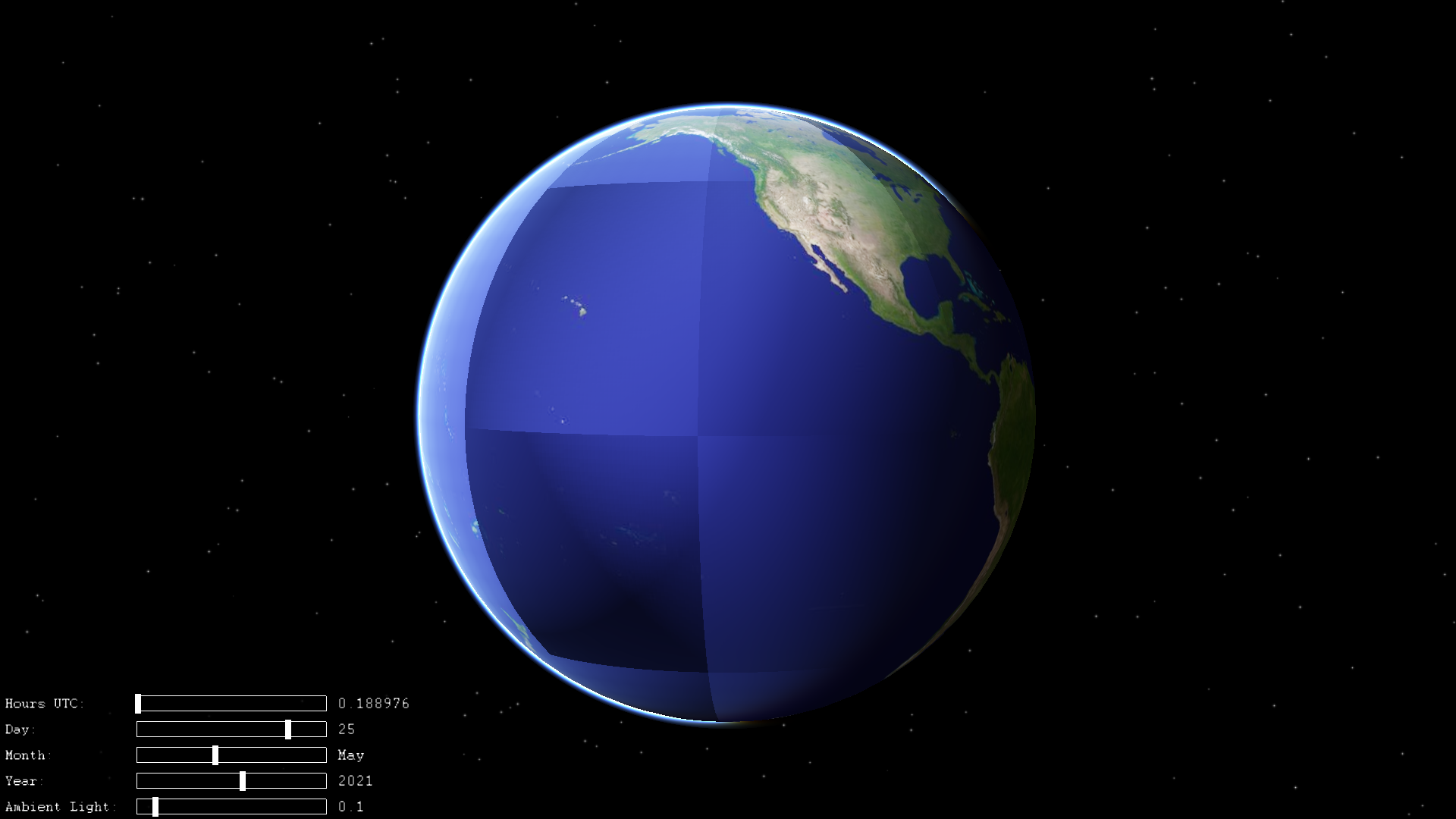
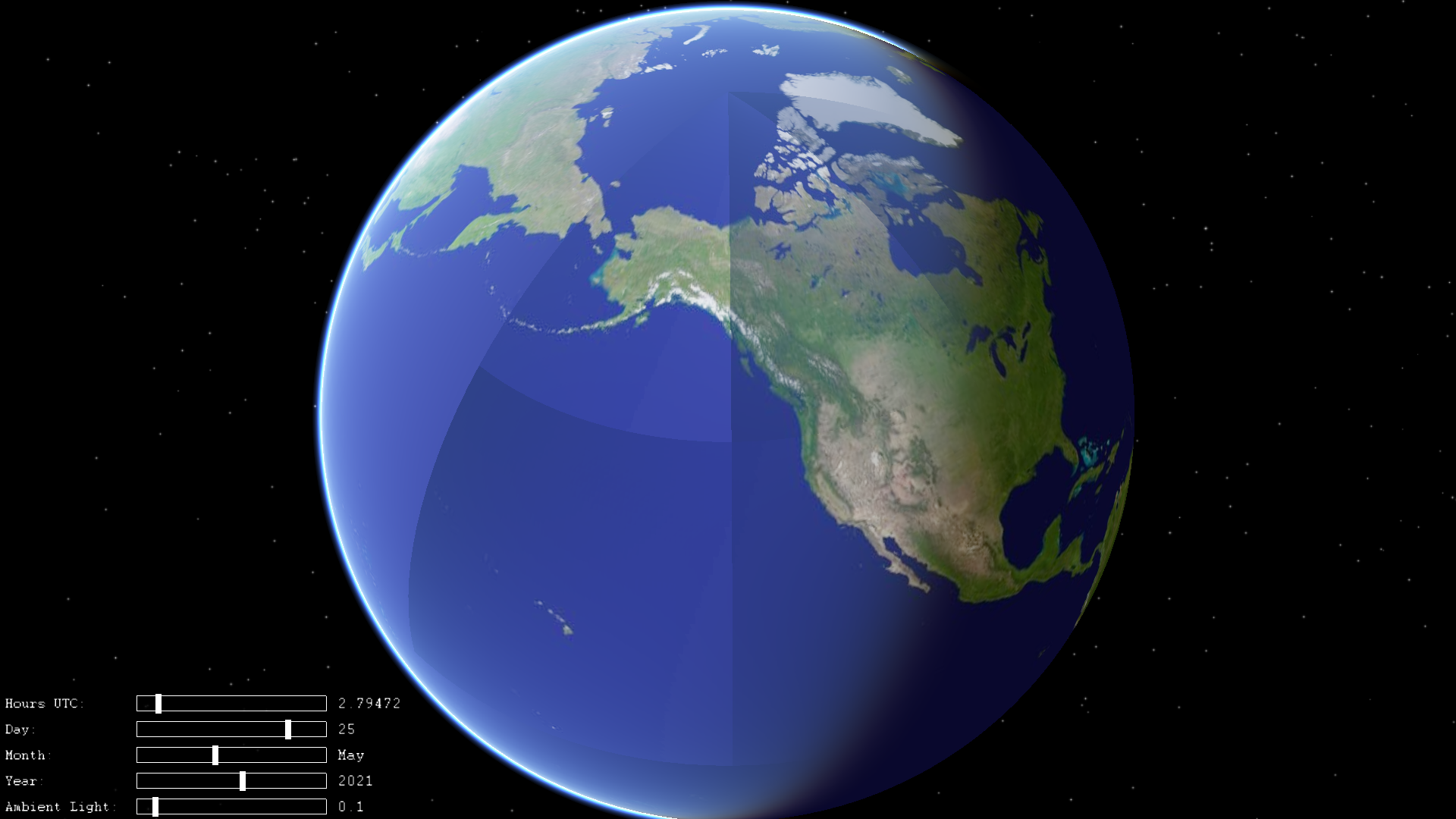
skynode :The calculation of illumination on the earth's surface is incorrect
The terrain elements involved in the lighting calculation do not match the actual LOD elements, resulting in obvious tile contour in the lighting calculation


osgEarth Version:Latest master.Compiled under windows10-x64(This problem exists in oe3.1 and the latest version, but oe3.1 is more serious) .
- Test Demo: All demos(It's not all the places that are illuminated by light, it's just part of it)
- screenshot is as follows
@version 3.1
@Latest master
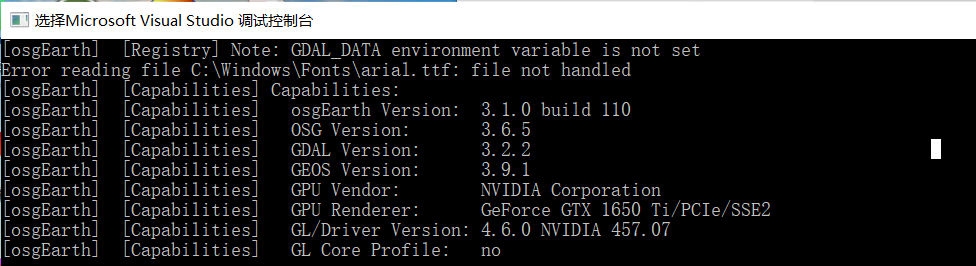
Cannot reproduce; please post an earth file, command line, and the output of osgearth_version --caps. Thanks
- the result of "osgearth_version.exe --caps"
 2. test demo at "Tool osgearth_viewer" by add the following code at the beginning.
```
if (argc < 2)
{
argc = 3;
argv[1] = "--sky";
argv[2] = "simple.earth";
}
2. test demo at "Tool osgearth_viewer" by add the following code at the beginning.
```
if (argc < 2)
{
argc = 3;
argv[1] = "--sky";
argv[2] = "simple.earth";
}
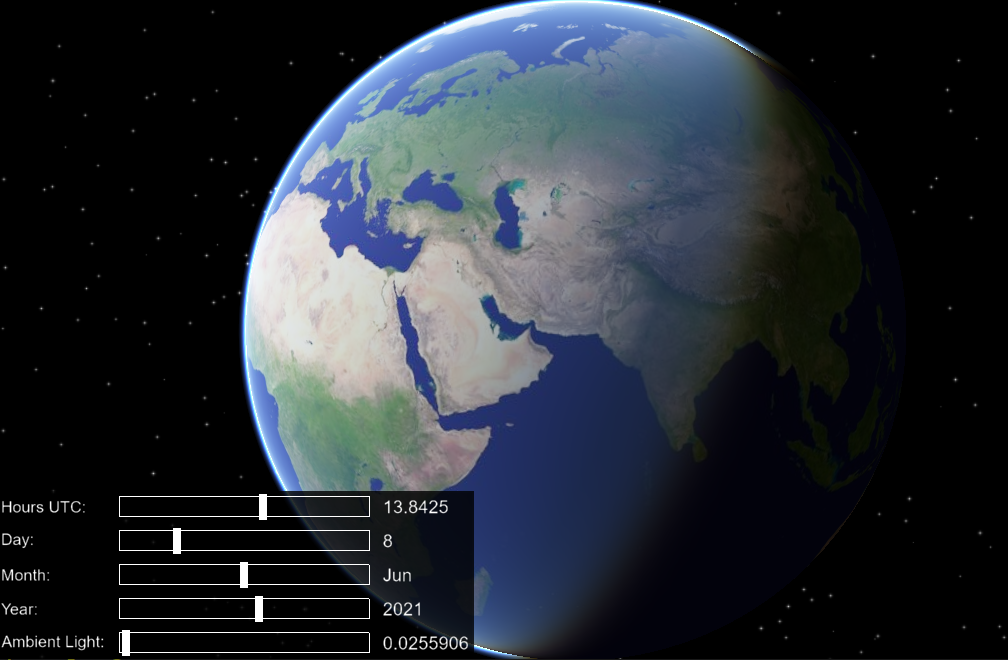
I'm actually having the same issue since 3.1. Even with current master, just osgearth_viewer simple.earth --screen 0 --sky:
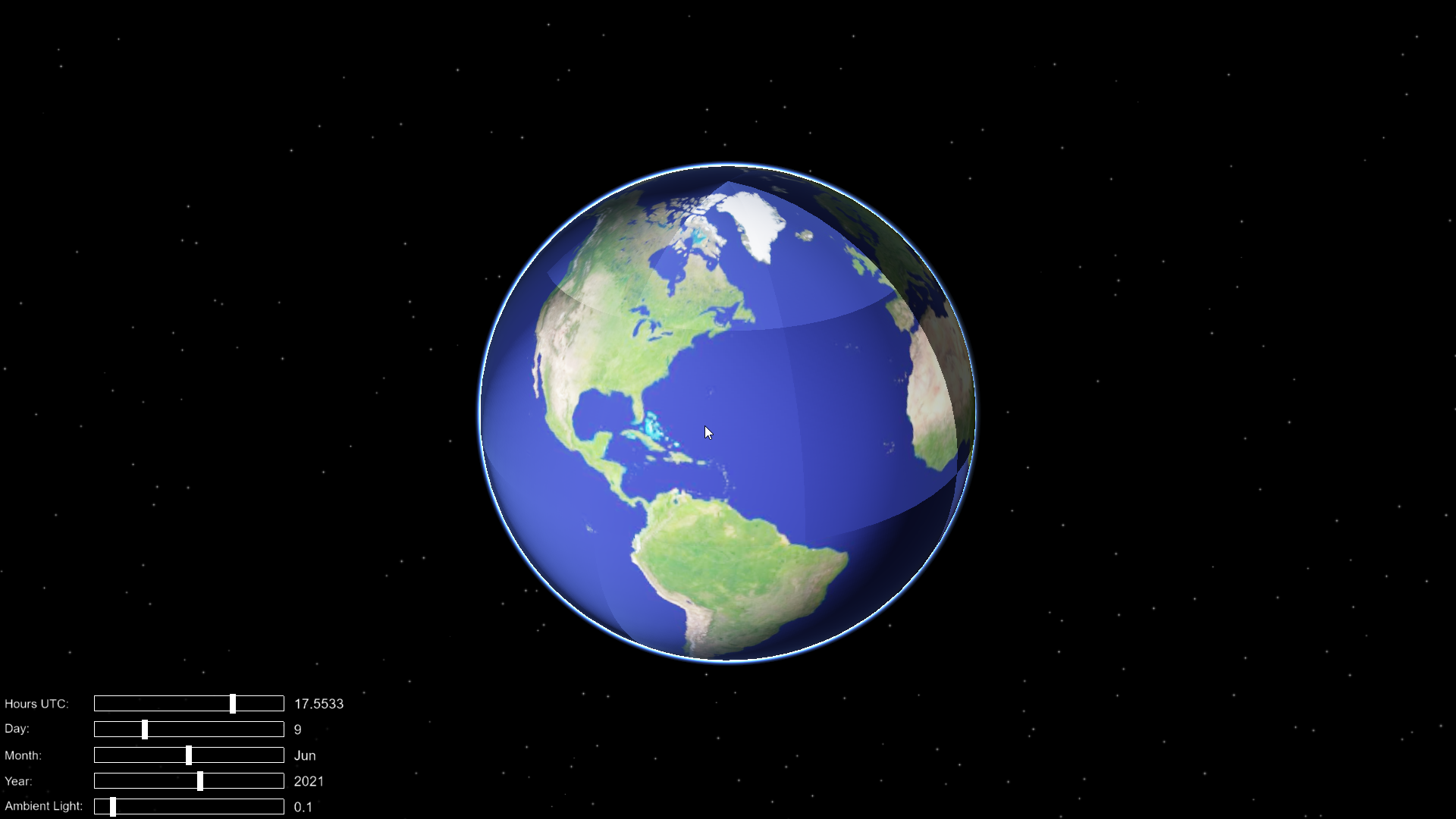 Here is
 osgearth_version --caps:
[osgEarth]  [Capabilities] Capabilities:
[osgEarth]  [Capabilities]   osgEarth Version:  3.1.0 build 101
[osgEarth]  [Capabilities]   OSG Version:       3.6.5
[osgEarth]  [Capabilities]   GDAL Version:      2.4.1
[osgEarth]  [Capabilities]   GEOS Version:      3.6.3
[osgEarth]  [Capabilities]   GPU Vendor:        NVIDIA Corporation
[osgEarth]  [Capabilities]   GPU Renderer:      NVIDIA GeForce RTX 2060 SUPER/PCIe/SSE2
[osgEarth]  [Capabilities]   GL/Driver Version: 4.6.0 NVIDIA 466.27
[osgEarth]  [Capabilities]   GL Core Profile:   no
And actually, in another environment, it was like this but now it's ok. I don't know what changed, but something affecting this behavior. I'll try to check tommorow in another environment.

Sorry, previous screen and --caps was on 3.1, here is how it looks on master:
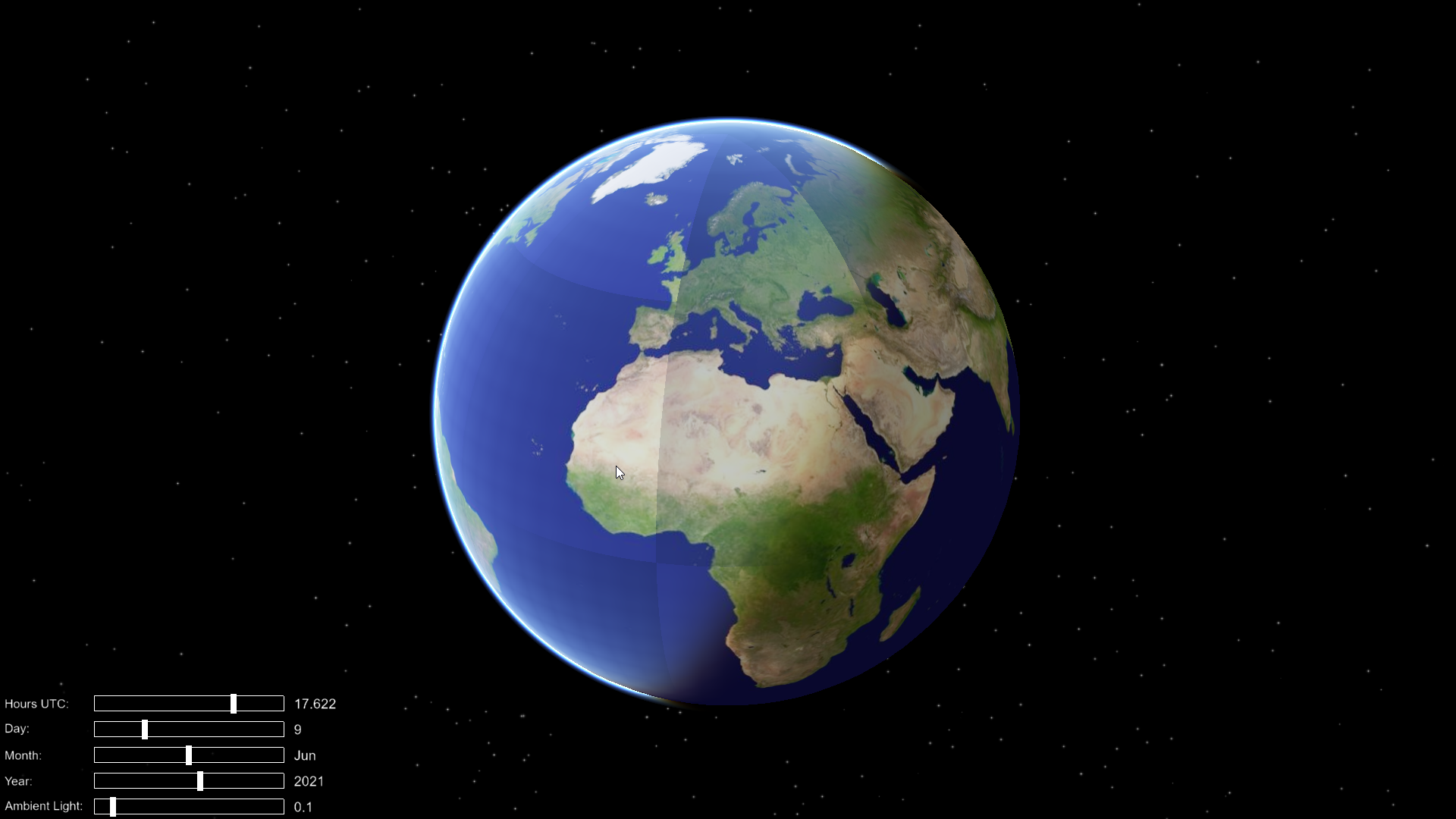
[osgEarth]  [Capabilities] Capabilities:
[osgEarth]  [Capabilities]   osgEarth Version:  3.1.0 build 111
[osgEarth]  [Capabilities]   OSG Version:       3.6.5
[osgEarth]  [Capabilities]   GDAL Version:      2.4.1
[osgEarth]  [Capabilities]   GEOS Version:      3.6.3
[osgEarth]  [Capabilities]   GPU Vendor:        NVIDIA Corporation
[osgEarth]  [Capabilities]   GPU Renderer:      NVIDIA GeForce RTX 2060 SUPER/PCIe/SSE2
[osgEarth]  [Capabilities]   GL/Driver Version: 4.6.0 NVIDIA 466.27
[osgEarth]  [Capabilities]   GL Core Profile:   no
Some interesting observations on my another environment with osgearth 3.1 (probably I will repeat it on master later):
- If I add some elevation layers to simple.earth, the effect will disappear, but only on the hemisphere on which the layer is located. If I add one more elevation layer on another hemisphere, effect will disappear completely. For layers I used data/terrain/mt_rainier_90.tif and mt_fuji_90.tif
- If I add ContourMap and image layer on whole globe (world.tif) effect will completely disappear even with 1 elevation layer.
I will check it later with master.
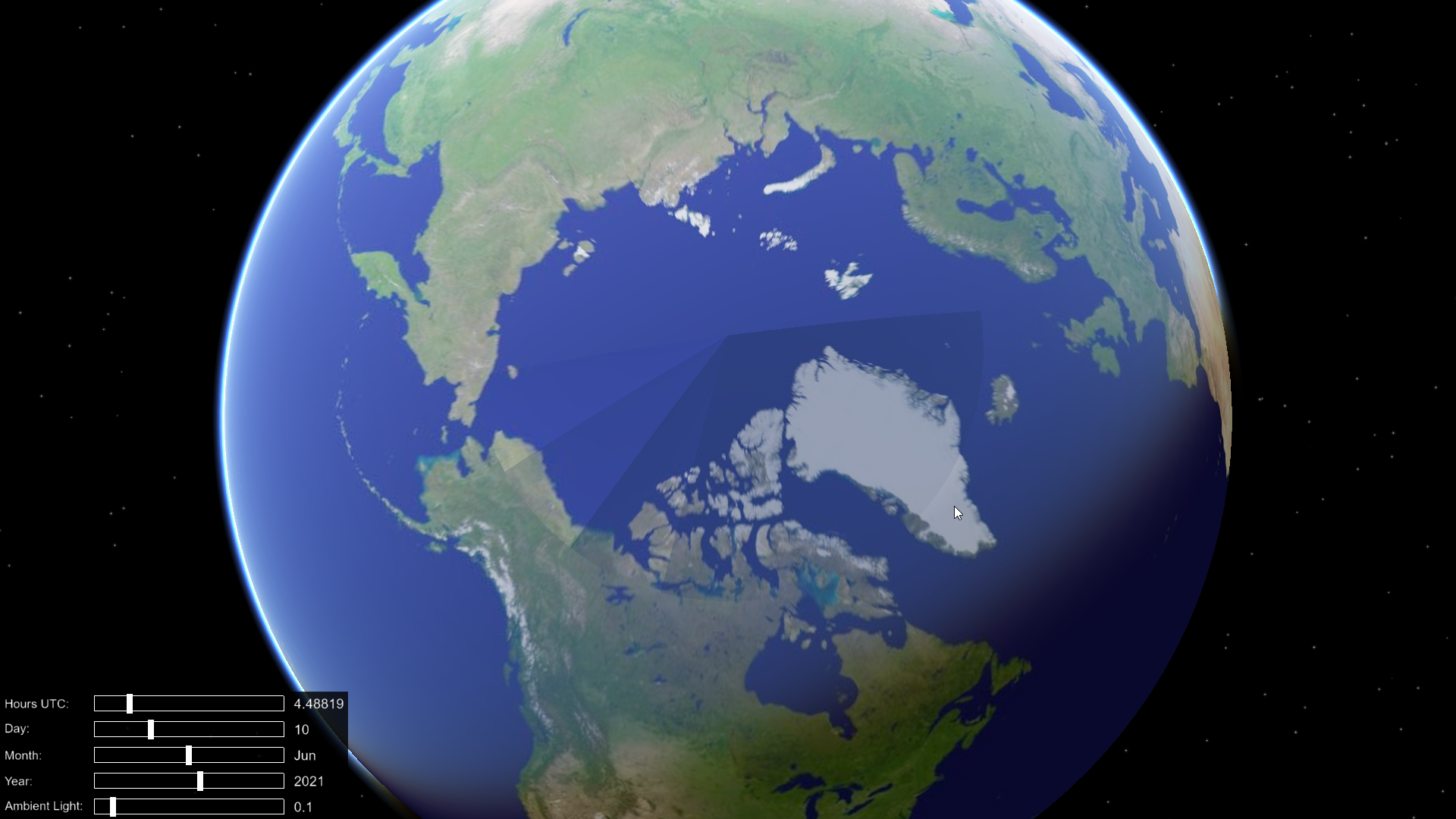
Update: confirmed on master. Here is results (i will try to show the same pole, so it's more obvious about hemispheres):
- 1 elevation layer (fuji):
<map>
    <GDALImage name="World GeoTIFF">
        <url>../data/world.tif</url>
    </GDALImage>
    <GDALElevation name="e1">
        <url>../data/terrain/mt_fuji_90m.tif</url>
    </GDALElevation>
</map>
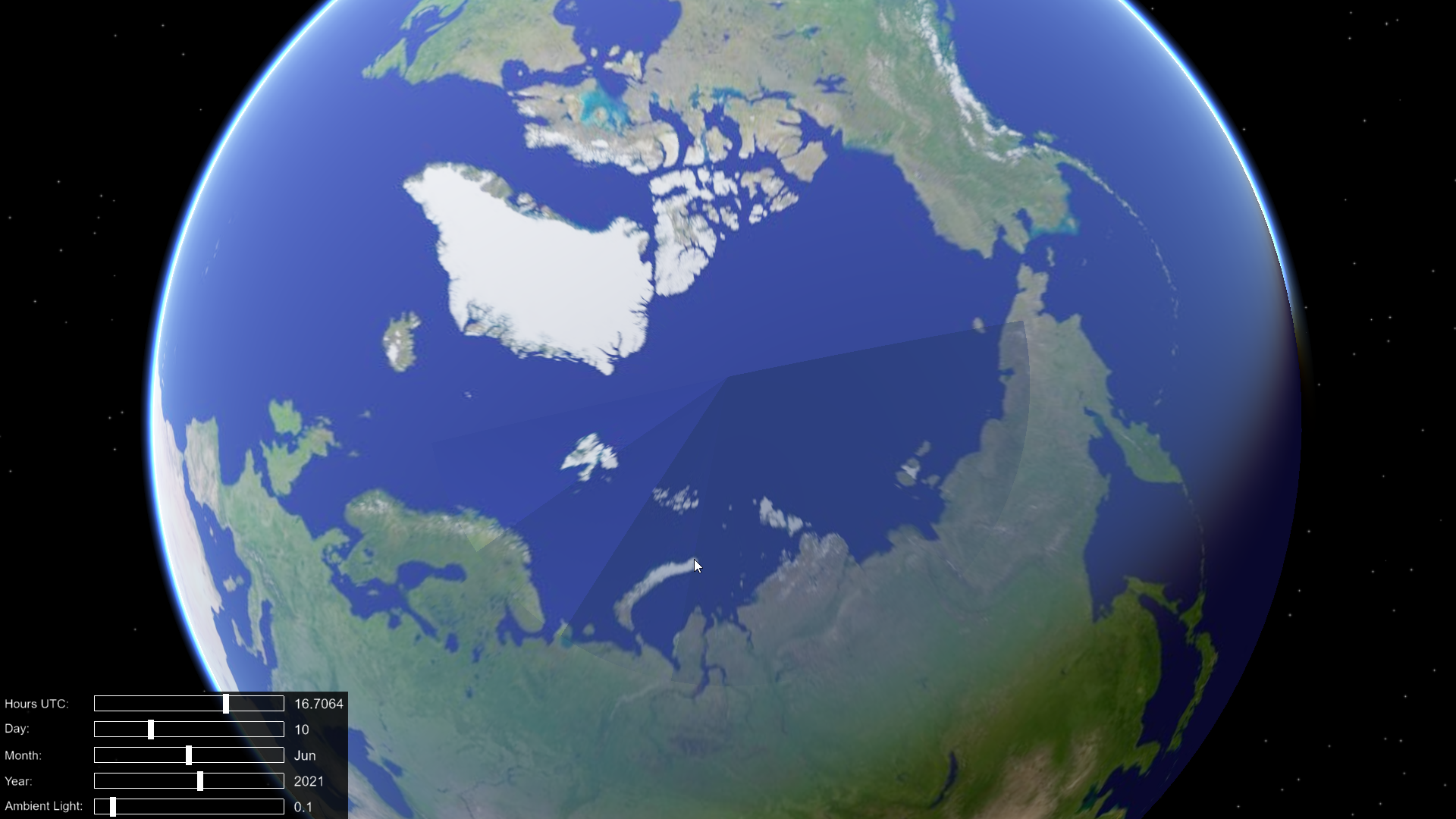
- 1 elevation layer (rainier):
<map>
    <GDALImage name="World GeoTIFF">
        <url>../data/world.tif</url>
    </GDALImage>
    <GDALElevation name="e1">
        <url>../data/terrain/mt_rainier_90m.tif</url>
    </GDALElevation>
</map>
- 2 elevation layers on both hemispheres (looks fine):
<map>
    <GDALImage name="World GeoTIFF">
        <url>../data/world.tif</url>
    </GDALImage>
    <GDALElevation name="e1">
        <url>../data/terrain/mt_rainier_90m.tif</url>
    </GDALElevation>
    <GDALElevation name="e1">
        <url>../data/terrain/mt_fuji_90m.tif</url>
    </GDALElevation>
</map>
- 1 elevation layer (doesn't matter fuji or rainier) and ContoutMap + world.tif (looks fine):
<map>
    <ContourMap>
    </ContourMap>
    <GDALImage name="World GeoTIFF">
        <url>../data/world.tif</url>
    </GDALImage>
    <GDALElevation name="e1">
        <url>../data/terrain/mt_rainier_90m.tif</url>
    </GDALElevation>
</map>
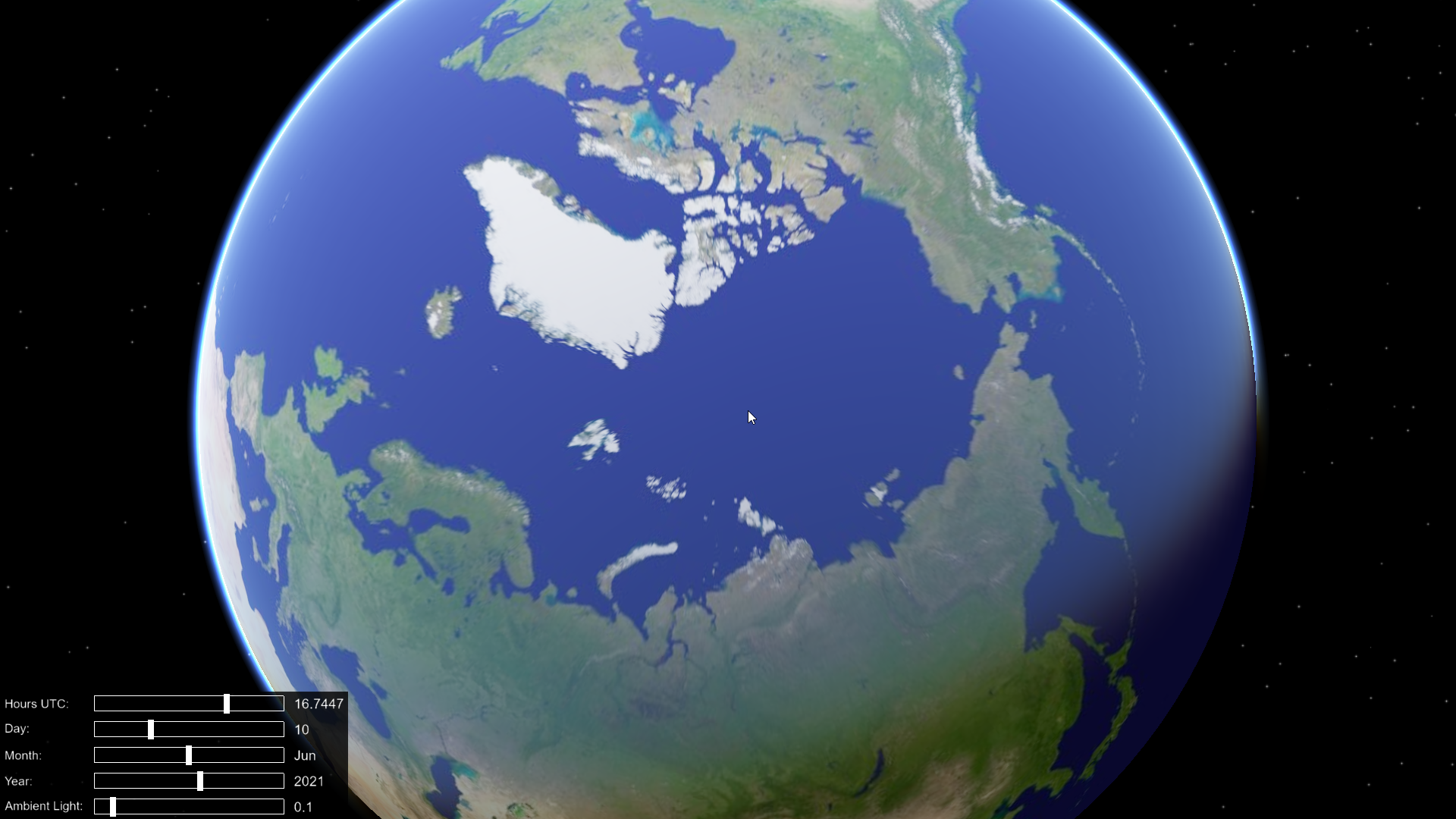
- 1 elevation layer with ContourMap and without image layer that covers the entire globe:
<map>
    <ContourMap>
    </ContourMap>
    <GDALImage name="Boston GeoTIFF">
        <url>../data/boston-inset.tif</url>
    </GDALImage>
    <GDALElevation name="e1">
        <url>../data/terrain/mt_fuji_90m.tif</url>
    </GDALElevation>
</map>
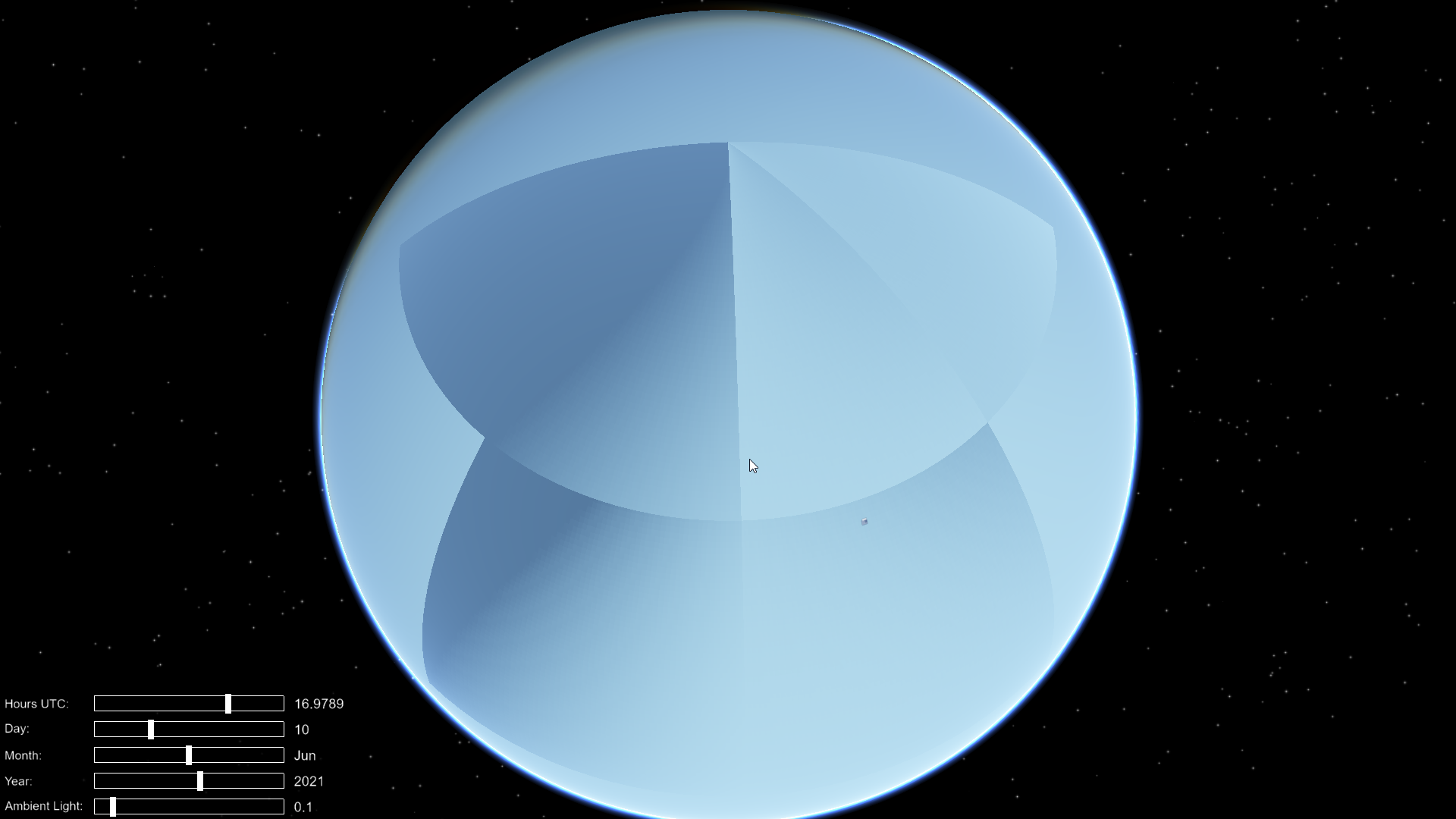
Looks like i found the issue. I've always build my osg without -DOPENGL_PROFILE=GL3 option., today i tried to build osg (and rebuild osgearth) with it, and my globe is normal right now.
Is -DOPENGL_PROFILE=GL3 mandatory for osgEarth in general? Maybe building without it can cause some other global issues which I don't know about yet?
Glad you found the problem! Technically GL3 is not mandatory, but I would always recommend using GL3 or GLCORE profile in order to have access to modern features. After all, OpenGL 3 is more than 10 years old and the old fixed-function pipeline should be left in the past where it belongs.
osgEarth itself does require OpenGL 3.3 or newer. The "GL3 profile" option is strictly an OpenSceneGraph build setting. OpenSceneGraph itself maintains legacy support for the FFP which is why the option even exists.
Still, it is a mystery why you are seeing this, and we still can't reproduce the issue.
I made a test on another environment. My steps was:
- osg 3.6 branch, Debug build without
-DOPENGL_PROFILE=GL3and osgEarth master (Debug) compiled against this osg; -
osgearth_viewerd nodata.earthstill shows this weird illumination; - reconfigure and rebuild osg 3.6 branch with
-DOPENGL_PROFILE=GL3; - rebuild osgEarth master;
-
osgearth_viewerd nodata.earthand illumination problem is gone.
And then, just to make sure:
- again reconfigure and rebuild osg, but without
-DOPENGL_PROFILE=GL3; - rebuild osgEarth master again;
-
osgearth_viewerd nodata.earthshows this issue again.
thanks for your answer
------------------ 原始邮件 ------------------ 发件人: @.>; 发送时间: 2021年9月25日(星期六) 凌晨4:48 收件人: @.>; 抄送: @.>; @.>; 主题: Re: [gwaldron/osgearth] skynode :The calculation of illumination on the earth's surface is incorrect (#1699)
I made a test on another environment. My steps was:
osg 3.6 branch, Debug build without -DOPENGL_PROFILE=GL3 and osgEarth master (Debug) compiled against this osg;
osgearth_viewerd nodata.earth still shows this weird illumination;
reconfigure and rebuild osg 3.6 branch with -DOPENGL_PROFILE=GL3;
rebuild osgEarth master;
osgearth_viewerd nodata.earth and illumination problem is gone.
— You are receiving this because you authored the thread. Reply to this email directly, view it on GitHub, or unsubscribe. Triage notifications on the go with GitHub Mobile for iOS or Android.