

 gvergnaud
matched variable type causes JavaScript heap out of memory
Describe the bug
I just spent 2 days trying to figure out this issue, as it broke the production build. Basically, that caused the node VM to crash with the magnificent error below.
After hours of code bisection, I finally found what the issue was:
I'm using react-hook-form and I pattern match its errors within the onInvalid callback.
Here's a code template:
  const onInvalid: SubmitErrorHandler<MyFormType> = (errors: DeepMap<MyFormType, FieldError>) => {
    match(errors)
      .with(
        { field1: { message: __.string } },
        () => console.error(`custom error 1")
      )
      .with(
        { field2: { message: __.string } },
        () => console.error(`custom error 2")
      )
      // ... many other matches
      .otherwise(() => console.error("Fallback error"));
  };
Which caused:
$ yarn run react-scripts --max_old_space_size=8192 build
Creating an optimized production build...

<--- Last few GCs --->

[156180:0x5572b02f1420]   233071 ms: Mark-sweep 8058.8 (8229.4) -> 8040.5 (8227.8) MB, 10881.9 / 0.1 ms  (average mu = 0.129, current mu = 0.006) allocation failure scavenge might n
ot succeed
[156180:0x5572b02f1420]   245346 ms: Mark-sweep 8061.0 (8231.9) -> 8044.8 (8231.2) MB, 12243.4 / 0.1 ms  (average mu = 0.067, current mu = 0.003) allocation failure scavenge might n
ot succeed


<--- JS stacktrace --->

FATAL ERROR: Ineffective mark-compacts near heap limit Allocation failed - JavaScript heap out of memory
 1: 0x5572ad861041 node::Abort() [/usr/bin/node]
 2: 0x5572ad7767ba node::FatalError(char const*, char const*) [/usr/bin/node]
 3: 0x5572ada3a612 v8::Utils::ReportOOMFailure(v8::internal::Isolate*, char const*, bool) [/usr/bin/node]
 4: 0x5572ada3a878 v8::internal::V8::FatalProcessOutOfMemory(v8::internal::Isolate*, char const*, bool) [/usr/bin/node]
 5: 0x5572adbfa4f6  [/usr/bin/node]
 6: 0x5572adbfa64c  [/usr/bin/node]
 7: 0x5572adc0850f v8::internal::Heap::PerformGarbageCollection(v8::internal::GarbageCollector, v8::GCCallbackFlags) [/usr/bin/node]
 8: 0x5572adc08d47 v8::internal::Heap::CollectGarbage(v8::internal::AllocationSpace, v8::internal::GarbageCollectionReason, v8::GCCallbackFlags) [/usr/bin/node]
 9: 0x5572adc0c3ec v8::internal::Heap::AllocateRawWithLightRetrySlowPath(int, v8::internal::AllocationType, v8::internal::AllocationOrigin, v8::internal::AllocationAlignment) [/usr/
bin/node]
10: 0x5572adc0c454 v8::internal::Heap::AllocateRawWithRetryOrFailSlowPath(int, v8::internal::AllocationType, v8::internal::AllocationOrigin, v8::internal::AllocationAlignment) [/usr
/bin/node]
11: 0x5572adbd15fb v8::internal::Factory::NewFillerObject(int, bool, v8::internal::AllocationType, v8::internal::AllocationOrigin) [/usr/bin/node]
12: 0x5572adf184da v8::internal::Runtime_AllocateInYoungGeneration(int, unsigned long*, v8::internal::Isolate*) [/usr/bin/node]
13: 0x5572ae272059  [/usr/bin/node]
error Command failed with exit code 1.
The really evil thing about that is that when ran through yarn+lerna, this error fails silently, lerna returning 0 to the shell. So that made the build only 10% of the files, pushing into production an incomplete build.
Resolution
I removed the whole code block, and 🎉 it worked. So then I changed the type of the errors parameter, from:
errors: DeepMap<MyFormType, FieldError>
into:
errors: Record<string, Record<string, string>|Array<Record<string, string>>>
And it worked out fine, no more issue.
-
DeepMapis from RHF and defined here. -
FieldErroris from RHF and defined here -
MyFormTypeis GraphQL type with at most 3 levels of nesting.
What's tough is that it hits the ceiling without any warning or proper error. And the compilation can take several minutes before breaking.
Versions
- TypeScript version: 4.2.3
- ts-pattern version: 3.1.1
- environment: node v15.12.0

I'm not sure what can be done about it, but at least it's documented here: things can go horribly wrong with complex input types.
Then, ideally, the best thing would be to no explode the heap when working on complex types, or at least detect early that it's going to explode and either raise a build-time error/warning. Though would that be a fix for ts-pattern, or for typescript itself?
N.B.: I tried raising the memory (NODE_OPTIONS=--max_old_space_size=8192) as far as I could with no success.
The DeepMap type is pretty complex. I really have no idea why compilation would explode like this though, I'll try profiling the compiler and see what I can find, thanks for reporting!

Oh also I improved the compile time perf on v3.1.2, I'd be interested in knowing if upgrading fixes the issue
I'm sorry, I forgot to look at my github notifs for a while, as soon as I update it, I'll try again with the crashing pattern 😉
(I'd be happy to join a chat slack/IRC channel/… where you are, to hail me if need be 😀)
I've been getting similar kinds of heap allocation errors, and I'm slightly worried it might be related to ts-pattern. Any suggestions about how I could go about identifying problematic cases? I have no reason to suspect that its related to the library at all other than I've been getting these errors with increased frequency.

It would be interesting to have a minimal github repo reproducing this issue. It's kind of hard to understand why this would happen, and I think we should gather information about the symptoms and try opening an issue on the TypeScript repo to get some feedback and determine if this is some kind of memory leak on the type checker side or if we could do something better in ts-pattern to make it more efficient.
I don't have a good way to test if my changes make the type checker run faster or consume less memory at the moment, I need to think about a way to benchmark this. I tried generating a trace by following this paragraph in the TS docs but it didn't really clarify what was going on because the trace doesn't include the names of the types that are being checked. Anyway, I'd appreciate any help to figure out what is going on! :)
Yes, the tracing tools are pretty corase grained. Only thing I notice is that the call stack for any matches with many with method calls gets qutie large during type checking.
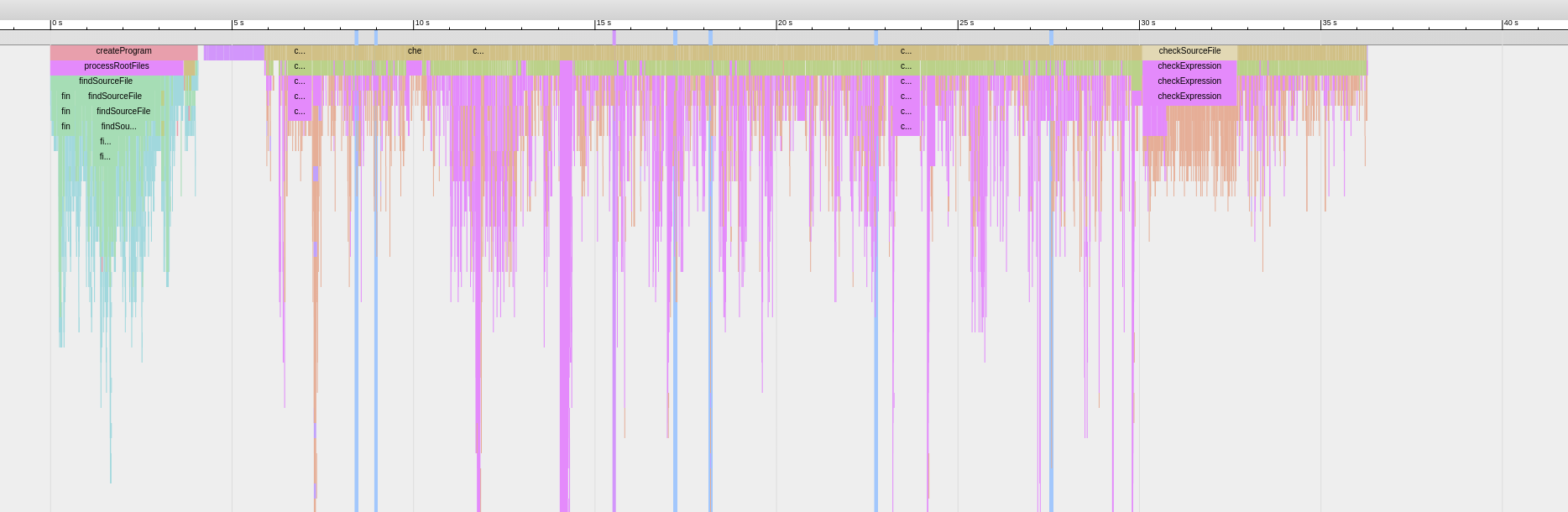
Nearly all of the very long spikes (they often go far off this image) downwards are ts-pattern. I guess this is to be expected
I wonder if this happens only when the pattern matching expression ends with .exhaustive() or if it does it with .otherwise() as well. With .otherwise(), since we don't have to check for exhaustiveness the type checking should be quicker, but I'm not sure if it still leads to long spikes like these ones in the trace
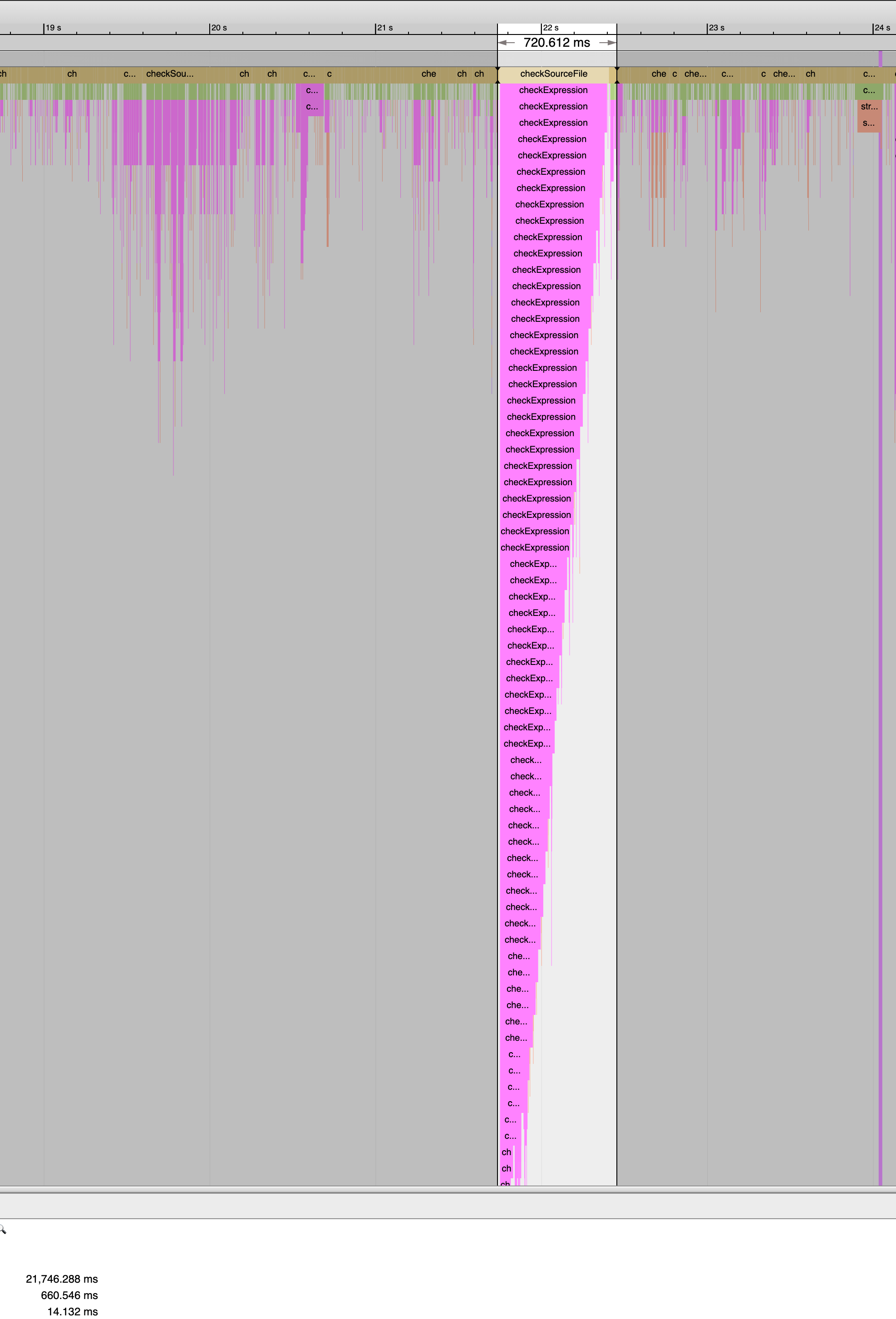
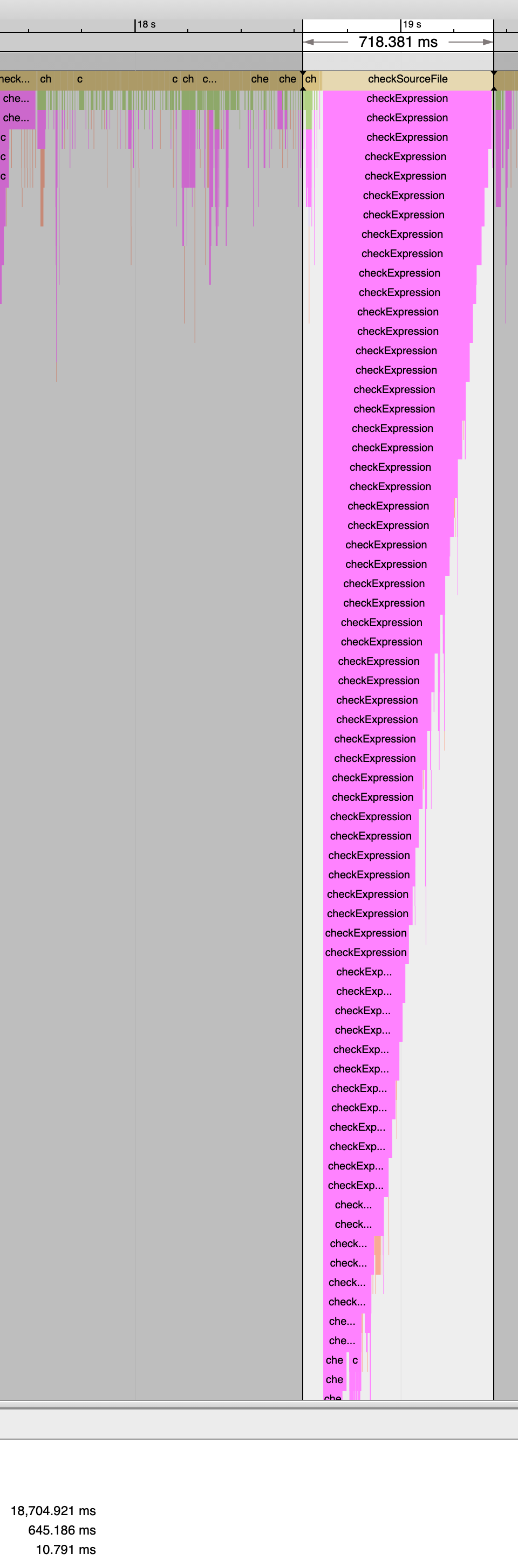
I just changed one of the big ones to otherwise instead of exhaustive and it made nearly no difference in terms of the size of the callstack or the time taken.
Closing because of staleness and the fact that a major version was released since then