

 guillaumechereau
Program fails to launch (8/21/2019)
Howdy. I tried installing Goxel to my computer a moment ago. Downloaded the .zip from the site, and then here on gitup. Both times it gives me a singular .exe file. Open attempting to open it, it simply says that goxel.exe has stopped working. I would send a crash report, but I can't seem to find one. Extracted it from the .zip, but that didn't really do much. Help would be appreciated whenever, as that infinite canvas size really got my attention. :)

Hello,
Can you tell me what version of Windows you are using ?
On Thu, Aug 22, 2019 at 10:43 AM EnderDude124 [email protected] wrote:
Howdy. I tried installing Goxel to my computer a moment ago. Downloaded the .zip from the site, and then here on gitup. Both times it gives me a singular .exe file. Open attempting to open it, it simply says that goxel.exe has stopped working. I would send a crash report, but I can't seem to find one. Extracted it from the .zip, but that didn't really do much. Help would be appreciated whenever, as that infinite canvas size really got my attention. :)
— You are receiving this because you are subscribed to this thread. Reply to this email directly, view it on GitHub https://github.com/guillaumechereau/goxel/issues/161?email_source=notifications&email_token=AAA2JH2MK74VXMB6JLLA25LQFX4ONA5CNFSM4IOQFJYKYY3PNVWWK3TUL52HS4DFUVEXG43VMWVGG33NNVSW45C7NFSM4HGVI52A, or mute the thread https://github.com/notifications/unsubscribe-auth/AAA2JH3U6WHLYNJC44427CTQFX4ONANCNFSM4IOQFJYA .
-- Sent from my iPad.

I'm using Windows 7 Home Premium. (Upgrading to Windows 10... soonish?) I've got 8 Gigs of Ram, and a 64-bit Operating System
I only have a Windows 10 machine. Maybe that’s the reason. I’ll check if I can setup a VM with Windows 7 to see if it works.
On Fri, Aug 23, 2019 at 2:17 AM EnderDude124 [email protected] wrote:
I'm using Windows 7 Home Premium. (Upgrading to Windows 10... soonish?) I've got 8 Gigs of Ram, and a 64-bit Operating System
— You are receiving this because you commented.
Reply to this email directly, view it on GitHub https://github.com/guillaumechereau/goxel/issues/161?email_source=notifications&email_token=AAA2JH4SSO5MXJSBMNMJNO3QF3JZVA5CNFSM4IOQFJYKYY3PNVWWK3TUL52HS4DFVREXG43VMVBW63LNMVXHJKTDN5WW2ZLOORPWSZGOD456KCY#issuecomment-524018955, or mute the thread https://github.com/notifications/unsubscribe-auth/AAA2JH2J4H55OOPMHW4GRC3QF3JZVANCNFSM4IOQFJYA .
-- Sent from my iPad.
I tried on a windows 8 machine using virtual box, and goxel indeed fails to launch. I suspect this is an opengl driver issue. Unfortunately virtual box on linux seems to have poor support for hardware gpu so I am not totally sure. I'll try to investigate a bit more.
Versions 0.9.0 and 0.10.0 fails to launch on my computer. Crashes at startup. Only one blank Goxel window before it's gone in about a second maybe. I have tested 0.7.0 and 0.8.3 and they launch.
I have a Windows 10 OS, AMD Ryzen 7 3700X CPU and a AMD Radeon RX 580 GPU. 2560X1440 resolution.

@Tuulikk thanks for the info. That's interesting. It's probably a minor bug that would be easily fixed if I could reproduce it. Do you happen to know how to compile goxel and do a git bisect to find out what exact change introduced this bug? Meanwhile I will try to get my hands on other Windows machine to test.
@guillaumechereau you are welcome. No, sorry. I hope you are able to reproduce the bug or in other ways find the cause of the problem. If you find something that might work, I will happily test a new build.
OK no problem. I am trying to install Windows 8.1 on an old laptop. For some reason the installer gets stuck... I'll keep you informed if I get something done.
The install finally finished, but 'unfortunately' goxel works here out the box. It's a NVidia GPU, so I think it might be an issue with the rendering on AMD. I can build a debug version and send it to you, it might show some more informations before the crash.
Nice. Interesting if AMD only bug. How do you want to send it? I should be able to test it to night or tomorrow morning.
I just put a debug build online here: https://stellarium.sfo2.digitaloceanspaces.com/tmp/goxel-0.10.0-windows-debug.zip The best is to run it from the terminal and see if there is any log showing up on the console before the crash.
Goxel still does not work. I don't understand how to run dbug from terminal, but with some searching I ended up with the app: x64dbg. Here is the log:
Initializing wait objects... Initializing debugger... Initializing debugger functions... Setting JSON memory management functions... Initializing Zydis... Getting directory information... Start file read thread... Symbol Path: J:\Download\snapshot_2019-08-23_00-59\release\x64\symbols Allocating message stack... Initializing global script variables... Registering debugger commands... Error codes database loaded! Exception codes database loaded! NTSTATUS codes database loaded! Windows constant database loaded! Reading notes file... File read thread finished! Registering GUI command handler... Registering expression functions... Registering format functions... Registering Script DLL command handler... Starting command loop... Initialization successful! Loading plugins... Handling command line... "J:\Download\snapshot_2019-08-23_00-59\release\x64\x64dbg.exe" Debugging: J:\Download\goxel-0.10.0-windows-debug\goxel.exe Database file: J:\Download\snapshot_2019-08-23_00-59\release\x64\db\goxel.exe.dd64 Process Started: 0000000000400000 J:\Download\goxel-0.10.0-windows-debug\goxel.exe "J:\Download\goxel-0.10.0-windows-debug\goxel.exe" argv[0]: J:\Download\goxel-0.10.0-windows-debug\goxel.exe Breakpoint at 00000000006301F0 (TLS Callback 1) set! Breakpoint at 00000000006301C0 (TLS Callback 2) set! Breakpoint at 0000000000645480 (TLS Callback 3) set! Breakpoint at 00000000004014F0 (entry breakpoint) set! DLL Loaded: 00007FFBF2740000 C:\Windows\System32\ntdll.dll DLL Loaded: 00007FFBF2030000 C:\Windows\System32\kernel32.dll DLL Loaded: 00007FFBF04E0000 C:\Windows\System32\KernelBase.dll DLL Loaded: 00007FFBF1530000 C:\Windows\System32\comdlg32.dll DLL Loaded: 00007FFBF2470000 C:\Windows\System32\msvcrt.dll Thread 46C4 created, Entry: ntdll.00007FFBF2773CF0 DLL Loaded: 00007FFBF07F0000 C:\Windows\System32\combase.dll DLL Loaded: 00007FFBF0190000 C:\Windows\System32\ucrtbase.dll DLL Loaded: 00007FFBF1810000 C:\Windows\System32\rpcrt4.dll DLL Loaded: 00007FFBEF970000 C:\Windows\System32\bcryptprimitives.dll Thread 51A4 created, Entry: ntdll.00007FFBF2773CF0 DLL Loaded: 00007FFBF21D0000 C:\Windows\System32\SHCore.dll DLL Loaded: 00007FFBF0EB0000 C:\Windows\System32\user32.dll DLL Loaded: 00007FFBF0290000 C:\Windows\System32\win32u.dll DLL Loaded: 00007FFBF2660000 C:\Windows\System32\gdi32.dll DLL Loaded: 00007FFBF02F0000 C:\Windows\System32\gdi32full.dll DLL Loaded: 00007FFBEF8D0000 C:\Windows\System32\msvcp_win.dll Thread 4D78 created, Entry: ntdll.00007FFBF2773CF0 DLL Loaded: 00007FFBF0E30000 C:\Windows\System32\shlwapi.dll DLL Loaded: 00007FFBF1930000 C:\Windows\System32\shell32.dll DLL Loaded: 00007FFBBFA20000 C:\Windows\WinSxS\amd64_microsoft.windows.common-controls_6595b64144ccf1df_5.82.18362.295_none_2a2c1a464665cf9f\comctl32.dll DLL Loaded: 00007FFBF0490000 C:\Windows\System32\cfgmgr32.dll DLL Loaded: 00007FFBF20F0000 C:\Windows\System32\advapi32.dll DLL Loaded: 00007FFBEF9F0000 C:\Windows\System32\windows.storage.dll DLL Loaded: 00007FFBF0D90000 C:\Windows\System32\sechost.dll DLL Loaded: 00007FFBEF640000 C:\Windows\System32\profapi.dll DLL Loaded: 00007FFBEF660000 C:\Windows\System32\powrprof.dll DLL Loaded: 00007FFBEF610000 C:\Windows\System32\umpdc.dll DLL Loaded: 00007FFBEF620000 C:\Windows\System32\kernel.appcore.dll DLL Loaded: 00007FFBF0170000 C:\Windows\System32\cryptsp.dll DLL Loaded: 00007FFBB3760000 C:\Windows\System32\opengl32.dll DLL Loaded: 00007FFBB3360000 C:\Windows\System32\glu32.dll DLL Loaded: 00007FFBEE2F0000 C:\Windows\System32\DXCore.dll System breakpoint reached!
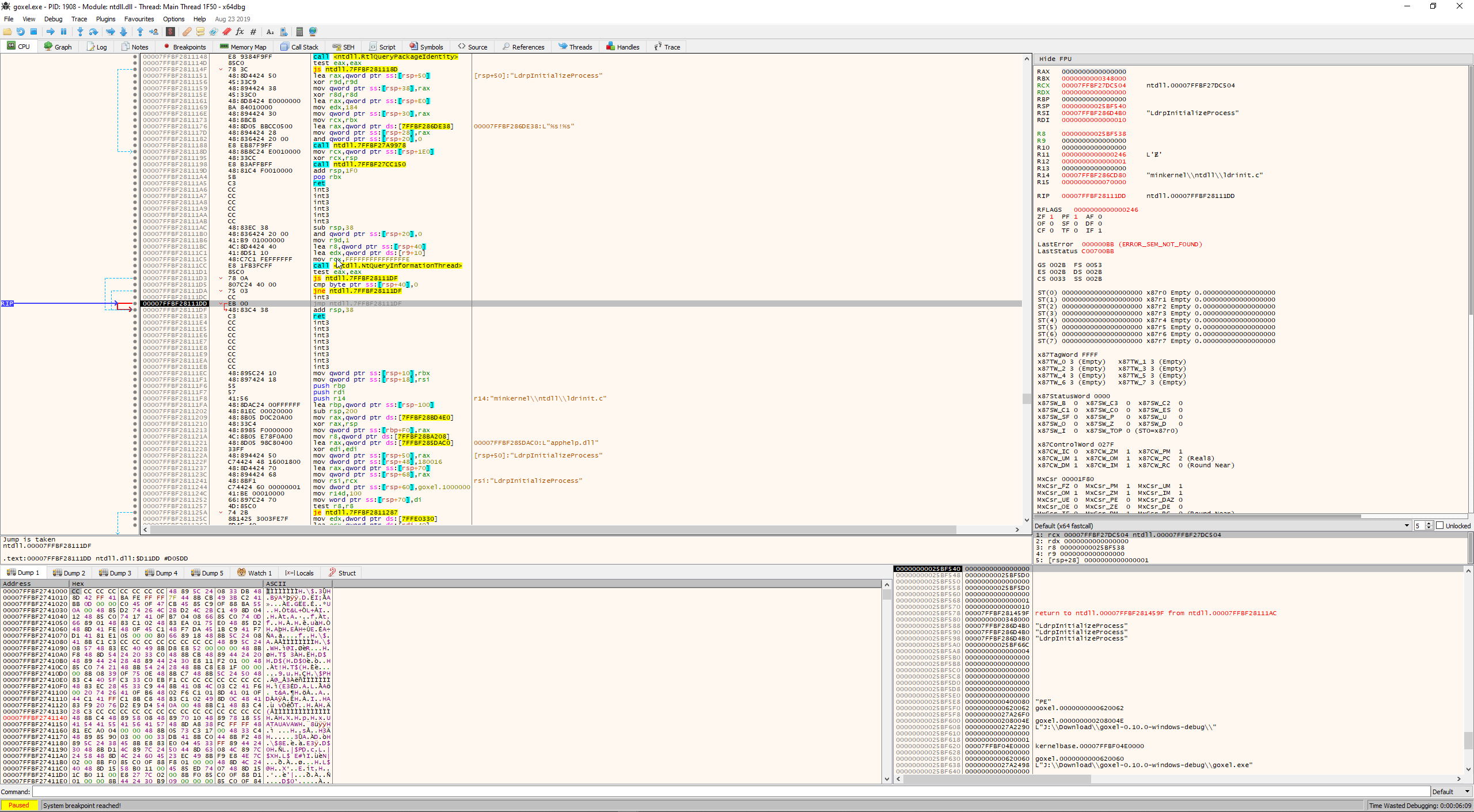
I don't know if the attatchment is useful or not, but the RIP looked interesting.
Thanks. Actually it would be useful if you just run goxel.exe from a command prompt, without using any debug tool.
Here is an explanation on how to run an exe from command prompt: https://www.wikihow.com/Run-Exe-from-Cmd-on-PC-or-Mac
The debug tool you used here seems nice, but on the screenshot I don't see much info about what happened before the crash so I am afraid it's not too useful.
Running Goxel debug version from CMD gives me nothing.
Okay. There is some kind of export function in the debug tool, but it outputs nothing when I try to save to file. There is to much to capture to images.