

 gui-cs
Enable using MenuBar as an alternative for ComboBox
See comments below.
Essence is the current ComboBox is a bugfarm and barely works. It needs to be replaced.
This Issue is to create a new View named DropDownList.
This comment illustrates how it can be built
https://github.com/gui-cs/Terminal.Gui/issues/2404#issuecomment-1519099871
Proposed Changes/Todos
- [x] Add
OpenMenu()method to programmatically open first menu item - [x] Add
OpenMenu(Point?)overload for custom positioning - [x] Update MenuBar documentation with dropdown usage pattern
- [x] Add comprehensive unit tests (3 new tests, all passing)
- [ ] Find and replace all usages of
ComboBoxwith this technique - [ ] Delete
ComboBoxfrom project

So I was experimenting thismorning and it turns out you can tab to (yay!) it but it doesn't open (boo).
I have gotten it to open with:
menuBar.Enter += (e) => {
	allowedTypeMenuBar.OpenMenu (0);
};
The trouble is that I cannot then close it again! First I tried these events (which do not get called at all)
// Does not fire
dropdownMenu.KeyPress += (k) => {
	if (k.KeyEvent.Key == Key.Tab) {
		dropdownMenu.CloseMenu (false);
	}
};
// Does not fire
dropdownMenu.Leave += (e) => {
	dropdownMenu.CloseMenu (false);
};
Next I tried this in the hosting windows public override bool ProcessHotKey (KeyEvent keyEvent) which does get fired but doesnt close the menu. Even though CloseMenu is called! Is there something about manual open the menu (like above) that is not registering events correctly for close @BDisp?
if (allowedTypeMenuBar != null &&
		keyEvent.Key == Key.Tab &&
		allowedTypeMenuBar.IsMenuOpen)
{
		allowedTypeMenuBar.CloseMenu (false, false, false);
}
Here is a minimum repro
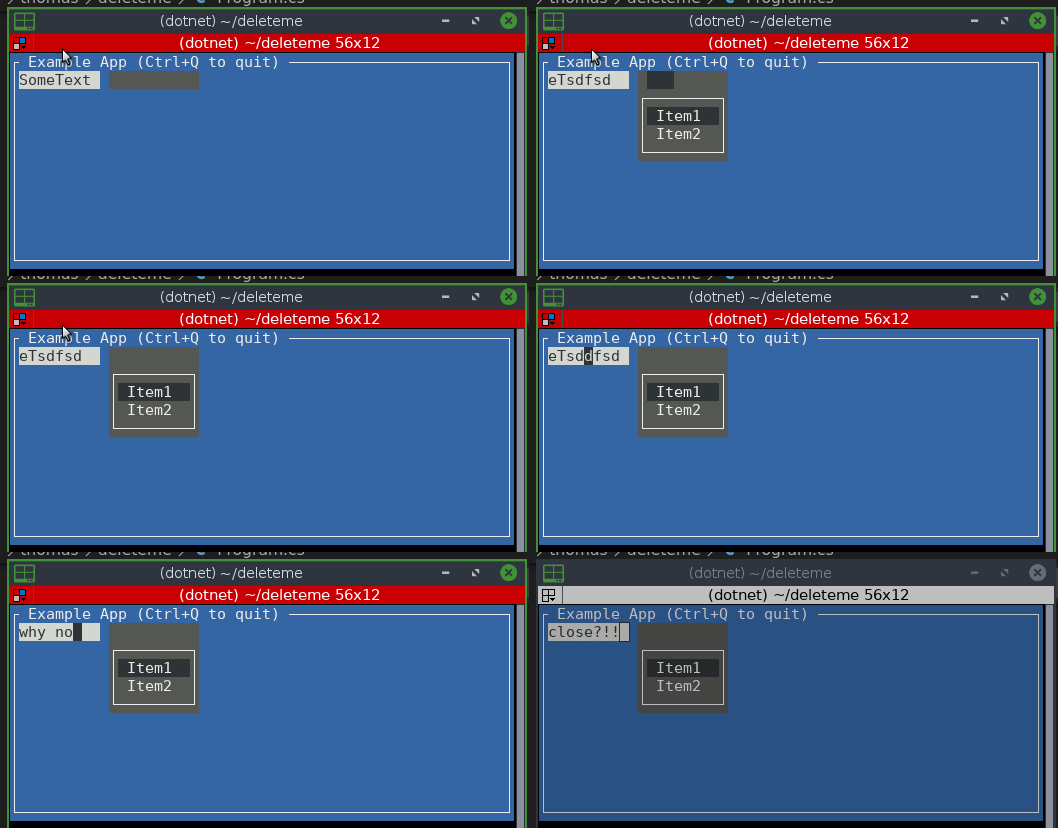
using Terminal.Gui;
using System.Data;

Application.Init();

var win = new Window("Example App (Ctrl+Q to quit)");

var mb = new MenuBar(
    new []{new MenuBarItem( new []{
        new MenuItem("Item1",null,()=>{}),
        new MenuItem("Item2",null,()=>{}),
    })}){
    CanFocus = true,
    TabStop = true,
    X = 10,
    Width = 10,
    Text = "Open Me",
    };

mb.Enter += (e) => {
	mb.OpenMenu ();
};

win.Add(new TextField("SomeText"){Width = 9});
win.Add(mb);
Application.Run(win);
Application.Shutdown();
@tznind I could make it to open and close. The problem is I have to tab/shift tab twice to close it because when we tab on the TextField, the MenuBar get focus and the Enter event open the menu, where also have a instruction to set focus to the opened menu. Unfortunately since this operation is made during the Enter event for the MenuBar getting focus, on the end is the MenuBar who get the focus. It seems that we can't set a new focus to other view on the Enter or Leave events.
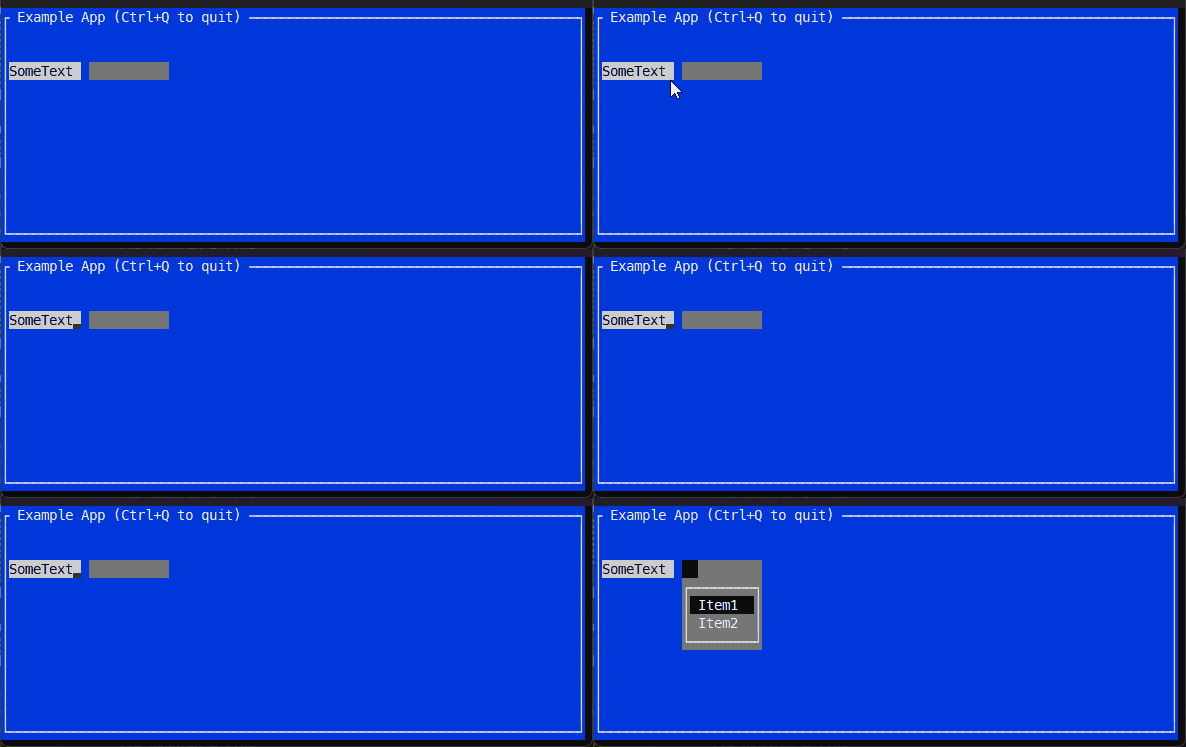

Would it make sense to rename this Issue to "Enable using MenuBar as a replacement for ComboBox?"

Would it make sense to rename this Issue to "Enable using MenuBar as a replacement for ComboBox?"
I have a WIP where the ListView is decouple from the ComboBox and will use the ColectionNavigator. Instead of "replacement" can I suggest maintaining the current "alternative" and naming the new as MenuCombo or ComboMenu?
I agree we should have both.
I don't believe "combo" as a term makes sense for this one tho.
Is it really a new view or is it just a MenuBar used in a particular way?
Is it really a new view or is it just a MenuBar used in a particular way?
About your question must be @tznind who can answer. I only said that I'm improvement the current ComboBox and I would like to maintain it, to not be replaced. Then the @tznind idea will be another new view, I think.
I agree with @tig that MenuBar should be placeable anywhere and therefore used like a 'Drop Down List' without creating a new class. This is already working in FileDialog.
So I think we could call this issue done?
Just been looking at FileDialog Here is a minimum repro. I think that what we want is for the only thing the user has to do is set CanFocus=true. The rest (like the Enter event) should not be required.
Application.Init ();

var w = new Window ();
w.Add (new TextField () { Width = 10 });

var menu = new MenuBarItem ("Dropdown " + Application.Driver.DownArrow,
	Enumerable.Range (1, 5).Select (
			(a) => new MenuItem ("Item " + a.ToString (), null, () => {
				MessageBox.Query ("Clicked", "You clicked " + a, "Ok");
			}))
		.ToArray ());

var mb = new MenuBar (new [] { menu }) {
	CanFocus = true,
	Width = 10,
	Y = 1
};

// HACKS required to make this work:
mb.Enter += (s, e) => {
	// BUG: This does not select menu item 0
	// Instead what happens is the first keystroke the user presses
	// gets swallowed and focus is moved to 0.  Result is that you have
	// to press down arrow twice to select first menu item and/or have to
	// press Tab twice to move focus back to TextField
	mb.OpenMenu ();
};

w.Add (mb);

Application.Run (w);

Application.Shutdown ();
Why isn't Onfocus true by default?
Yesterday I was goofing with Focus stuff and realized it might make sense for Menubar to participate in tabstops along with the other subviews of a view.
That's not the normal behavior on a app, but you can do that behavior for Terminal.Gui. It's debatable.
That's not the normal behavior on a app, but you can do that behavior for
Terminal.Gui. It's debatable.
Yeah. Probably best to leave it as is. It was just an idle thought.
Here's a tweaked scenario. I realy love this!
		public override void Setup ()
		{
			var tf = new TextField () { Width = 10 };
			Application.Top.Add (tf);

			MenuBarItem menu = null;

			MenuItem CreateMenuItem (int i)
			{
				return new MenuItem ($"Item {i}", null, () => {
					tf.Text = menu.Children [i - 1].Title;
				});
			}

			menu = new MenuBarItem ($"{Application.Driver.DownArrow}",
				Enumerable.Range (1, 5).Select (
						(a) => CreateMenuItem (a))
					.ToArray ());

			var mb = new MenuBar (new [] { menu }) {
				CanFocus = true,
				Width = 1,
				Y = Pos.Top (tf),
				X = Pos.Right (tf)
			};

			// HACKS required to make this work:
			mb.Enter += (s, e) => {
				// BUG: This does not select menu item 0
				// Instead what happens is the first keystroke the user presses
				// gets swallowed and focus is moved to 0.  Result is that you have
				// to press down arrow twice to select first menu item and/or have to
				// press Tab twice to move focus back to TextField
				mb.OpenMenu ();
			};

			Application.Top.Add (mb);
This mostly works today as @tznind notes.

What needs to be fixed to make this really be done:
- The menu should pop down aligned to the left of the textField.
- MenuBorderStyle = LineStyle.None might look better