

 gui-cs
The application freezes while resizing the terminal on MacOS
Describe the bug The whole app freeze If I resize the terminal while Application fetching the current time from internet.
To Reproduce
https://www.toptal.com/developers/hastebin/iruwokoxuw.csharp
Desktop:
- MacOS
Additional context I don't know if it's a bug or I'm doing something wrong. But the same issue you will get in Threading scenario from UICatalog if you run few tasks and start playing with terminal size by mouse.

I updated the code a bit as I couldn't get yours to work straight off. Here it is:
https://www.toptal.com/developers/hastebin/xizitagije.csharp
I added a couple of test entries to the list and initialized the collection before the list view. I am not able to reproduce the hanging issue and can resize on both Windows and Linux (including with UseSystemConsole) so this might be a MacOS only issue?

You should start playing with terminal size just after running an app.
https://media.giphy.com/media/9ap4iFOBViDFdcgErl/giphy.gif
I'm guessing this must be a MacOS issue. I don't have a MacOS device to test with and as you can see below the behavior isn't replicated on Linux (or Windows) - I tested with Powershell, Visual Studio Terminal, Linux Terminology and Terminator. Maybe one of the other maintainers will be able to help more, sorry.
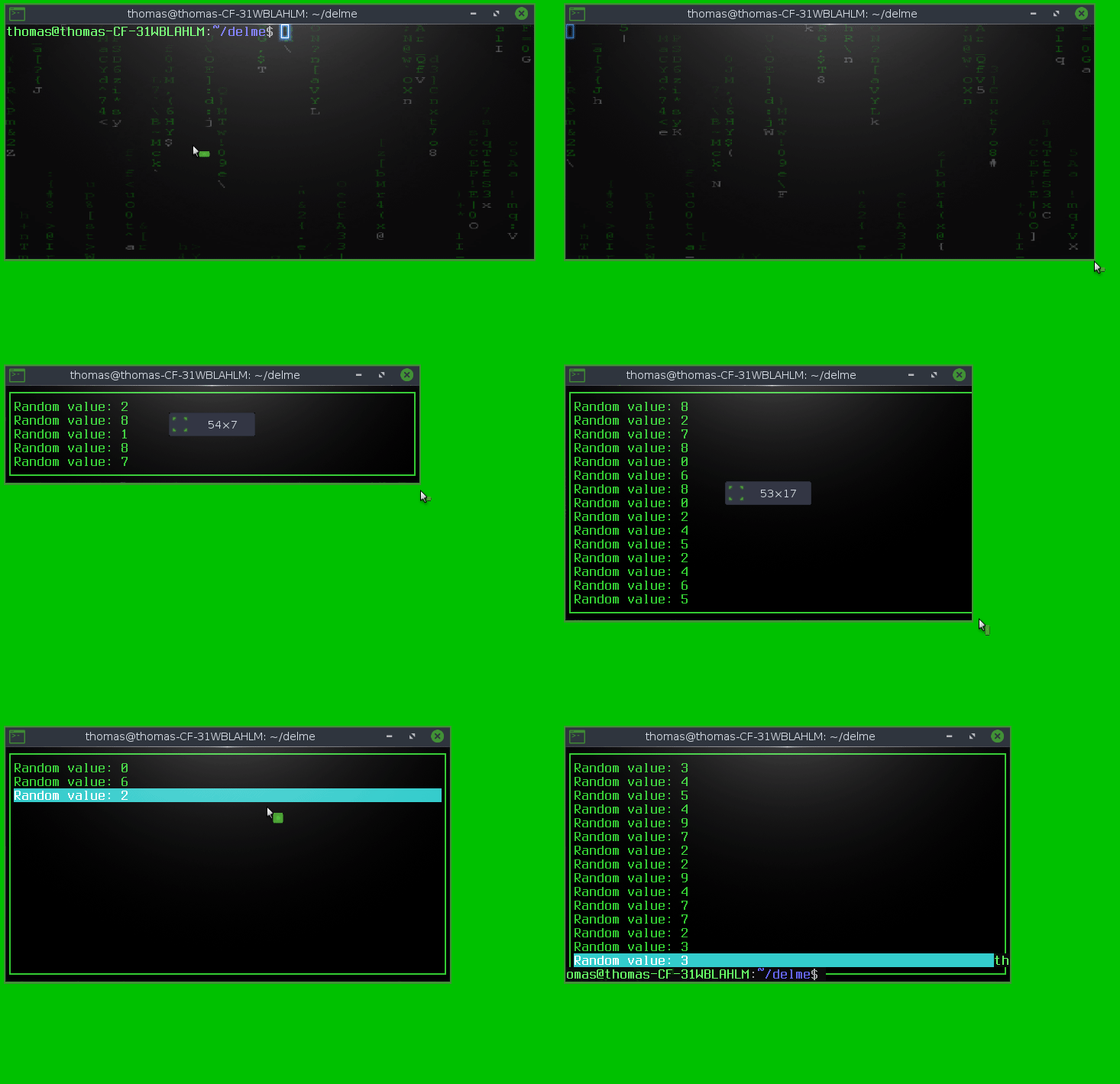
Just to confirm that you only see this behavior when resizing?
Yes, only while resizing.
You change terminal dimensions after the InternetTime.GetCurrentTime() finished. Start to play with terminal size immediately after dotnet run.
I checked now, Windows don't have this issue.
Probably a long shot @kacperpikacz but could you see if my PR changes anything for you with this issue https://github.com/migueldeicaza/gui.cs/pull/1684 . It fixes some threading issues to do with timeouts so might help (or it could be entirely unrelated to that).
@tznind just checked your modified MainLoop class but it doesn't fix issue in this case.
Application.UseSystemConsole = true will fix this issue. So the problem is somewhere inside ConsoleDriver
Can confirm that I'm having a similar issue on MacOS terminal.
https://user-images.githubusercontent.com/62508229/169698674-47dd7202-dfdd-404d-9e1f-dc2d259950d7.mov


@tig The issue is still there.
https://github.com/gui-cs/Terminal.Gui/assets/76921244/178b2687-da9a-400c-8186-45d7b0472155
I've checked versions 1.6.4, 1.5, 1.4 from NuGet now and I can confirm that the issue with my code example doesn't exist there (not sure about Threading Scenario from UICatalog). If I update version to any above 1.6.4 the issue is back again.
✅ Version 1.6.4 - Example with Label (No issue with ListView also)
https://hastebin.com/share/cevigenoze.csharp
⁉️ Version 1.11.2 - Example with ListView (Same issue will be with Label)
https://hastebin.com/share/ozukenatof.csharp
@kacperpikacz it seems that you are dealing with some threading job and updating the screen without using Application.MainLoop.Invoke (() => do screen update here in the UI thread).

@kacperpikacz it seems that you are dealing with some threading job and updating the screen without using
Application.MainLoop.Invoke (() => do screen update here in the UI thread).
It's not about updating screen.
https://hastebin.com/share/ucehihumoy.csharp
https://github.com/gui-cs/Terminal.Gui/assets/76921244/130f625a-63f1-4c4d-b494-37d21e2721db
You need to update the TextField like this. Here you don't need to call Application.MainLoop.Invoke because the AddTimeout already handles that. You also don't need to call SetNeedsDisplay because the Text property already do that.
		static Func<MainLoop, bool> fetchTime = (loop) => {
			UpdateTimeAsync ();
			MainField.Text = Clock.unixtime.ToString ();
			//MainField.SetNeedsDisplay ();

			return true;
		};
@kacperpikacz do you get this issue when you run the demo application (UICatalog) in this repository?
If not then it is probably to do with cross thread access as @BDisp says.
@kacperpikacz I confirm that the Threading scenario hangs after a while. This only happens on macOS, not on Windows and Linux. I'll try to find the cause but without promises.
You need to update the
TextFieldlike this. Here you don't need to call Application.MainLoop.Invoke because theAddTimeoutalready handles that. You also don't need to callSetNeedsDisplaybecause theTextproperty already do that.static Func<MainLoop, bool> fetchTime = (loop) => { UpdateTimeAsync (); MainField.Text = Clock.unixtime.ToString (); //MainField.SetNeedsDisplay (); return true; };
I appreciate your recent fix @BDisp but as you can see in the code I'm not trying to update the TextField in any way. But application still will freeze because of UpdateTimeAsync()
I can confirm that your fix is working with threading scenario from UICatalog but not fixes issue what you can see below.
When you replace TextField with Label, there is no issue with resizing & UpdateTimeAsync method fire every 500 ms.
Code
https://hastebin.com/share/ucehihumoy.csharp
My mistake, I added the reference to the wrong project. I apologize for the misunderstanding. Recent commit fixes the problem.
https://github.com/gui-cs/Terminal.Gui/assets/76921244/83709188-cfbd-4cad-8454-f23df89be2ce
@kacperpikacz your comment above is confusing. Is this fixed now in develop or not? Thanks!