
anchor
 anchor copied to clipboard
 greymass
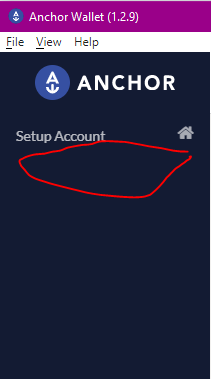
Tools section to generate a private key from Anchor no longer seems to exist in version 1.2.9
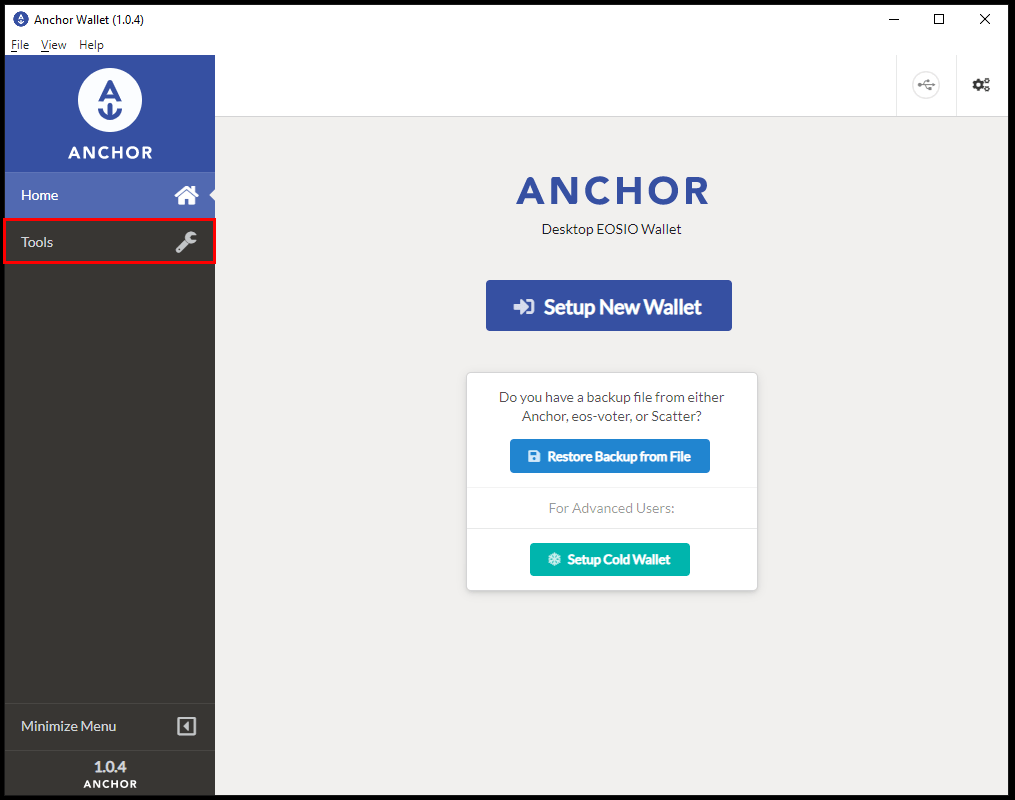
All guides for setting up a WAX wallet using Anchor reference a Tools section of the desktop app to generate a private key. However, this section does not seem to exist in the current version of Anchor.
Example guide: https://eosnation.io/generate-new-key-pair-anchor/
Image from the guide:
My Anchor on 1.2.9:

Seems no matter what we do there's always a bit of confusion 😅
The tools section is now hidden by default until you get your first account setup. You can show it however by going into the Settings (gear in the top right) and enabling the "Advanced Options" item. I think it's the 2nd option. With that enabled, the sidebar will show the "Tools" section and let you get into the keys section.
Our goal was to hide the more advanced stuff to avoid new user confusion.

Our goal was to hide the more advanced stuff to avoid new user confusion.
I think that is a good goal, but the key pair generator is very useful for new users to create their first account. I think that should be exposed or integrated into the Setup Account screen somehow.
