grassmunk
Every start icon available is not sized correctly by whisker...
Not sure whats up, although I'm probably just doing something wrong...

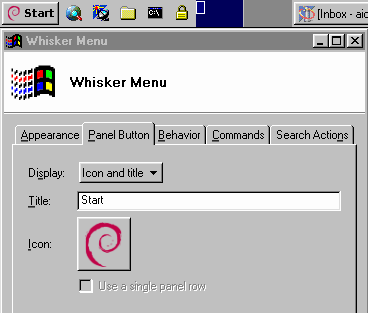
this is what it looks like

Those icons were there for an old version of XFCE while the project was transitioning from GTK2 to GTK3. The Whisker plugin at the time didn't support a button border style, so we used an icon that looked like the start button instead.
Today those Whisker start button icons shouldn't be needed. As you can see, there's already a button border effect for the Whisker menu plugin seen in your screenshot.
All that you need to do is open the Whisker menu properties, click Panel Button tab, then adjust the "Display" option for "Icon and title." In the title section, type in "Start" and then adjust the icon to something like the Microsoft Window logo or something else. Here's what mine looks like.