

 googleprojectzero
WinAFL crash with incorrect target_offset but ddrun run fine.
I had an issue when I tried to fuzz a correct target_offset in a Blackbox binary, seems like WinAFL is unable to find the offset.
drrun show the following correct output using the target_offset:
Command:
drrun.exe -c winafl.dll -debug -target_module binary.exe -target_offset 0xa06f0 -fuzz_iterations 5 -nargs 3 - C: \ binary.exe -e C: \ sample C: \ output
In pre_fuzz_handler
In OpenFileW, reading C: \ sample
In post_fuzz_handler
In pre_fuzz_handler
In OpenFileW, reading C: \ sample
In post_fuzz_handler
In pre_fuzz_handler
In OpenFileW, reading C: \ sample
In post_fuzz_handler
In pre_fuzz_handler
In OpenFileW, reading C: \ sample
In post_fuzz_handler
In pre_fuzz_handler
In OpenFileW, reading C: \ sample
In post_fuzz_handler
Everything appears to be running normally.
Coverage map follows: ...
But when I used the same offset in WinAFL, the just application crash:
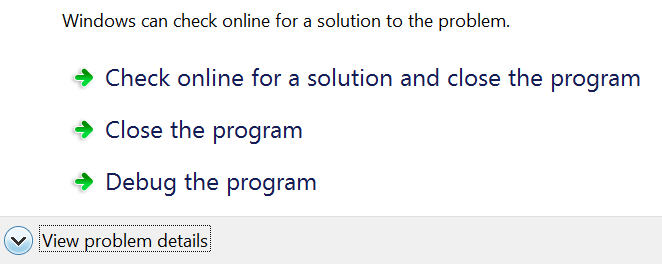
The WinAFL log said:
Exception caught: e06d7363
Exception caught: e06d7363
WARNING: Target function was never called. Incorrect target_offset?
Coverage map follows: ...
What is going on? There is a workaround to this issue?

Note that you should remove the -debug flag from your command line when running afl-fuzz.exe. It is only meant to be used with drrun.exe directly and leaving it will prevent afl-fuzz from connecting to your target.
Also note that if you recompiled your target between running the debug mode and afl-fuzz, the target method offset could have changed.

Hi @ifratric, the application also crash without de -debug function applied, as can be seen in the following image:
Command:
afl-fuzz.exe -i C:\minset -o C:\crashes -D C:\DynamoRIO\bin32 -t 1000+ -- -coverage_module binary.exe -fuzz_iterations 01 -target_module binary.exe -target_offset 0xa06f0 -nargs 3 -- C:\binary.exe @@ C:\trash

The binary was not recompiled and it was not patched, its the original Blackbox binary. Is there is a way to debug this behaviour?
Furthermore, I was able to run afl-showmap.exe successfully over the target_offset:
C:\winafl\bin32>afl-showmap.exe -o C:\output.txt -D C:\DynamoRIO\bin32
 -t 1000+ -- -coverage_module binary.exe -fuzz_iterations 01 -target_module binary.exe -target_offset 0xa06f0 -nargs 3 -- C:\binary.exe  C:
\sample C:\trash

afl-showmap for Windows 2.36b by <[email protected]>
Based on WinAFL 2.36b by <[email protected]>
Based on AFL 2.36b by <[email protected]>
[*] Executing 'C:\binary.exe'...

-- Program output begins --

file: C:\sample

Searching...-- Program output ends --

--- Program finished properly ---
[+] Captured 565 tuples in 'C:\7zcrashes\output.txt'.
Output:
000000:2
000036:4
000048:4
000054:4
000068:4
000080:1
000083:4
000129:7
000153:7
000158:7
...
At what point does the error occur? During the dry run or when fuzzing already starts? I'm thinking that maybe, on invalid (fuzzed) samples, your target throws some custom exception that WinAFL doesn't know how to handle currently.
Hi @ifratric, I was able to create a harness to avoid the above issue, but after a good time of fuzzing (around 1 hs) I got the following error message: OS message : Not enough space

Can you give me some insights about the issue?
Can't tell you much more than what you see from the error message (i.e. where it occured). Possibly your target hasn't closed the file at the end of the iteration, which is why WinAFL is unable to write to it. However, in that case, WinAFL should kill the target process (which will impact performance, but shoudln't cause a crash).
Hi @ifratric I will check the harness again to check possible solutions to this issue! Thanks for your fast reply!