

 googleprojectzero
An error occurred during fuzz test_netmode.exe
When I try to fuzz test_netmode.exe, I got an error after a few minutes
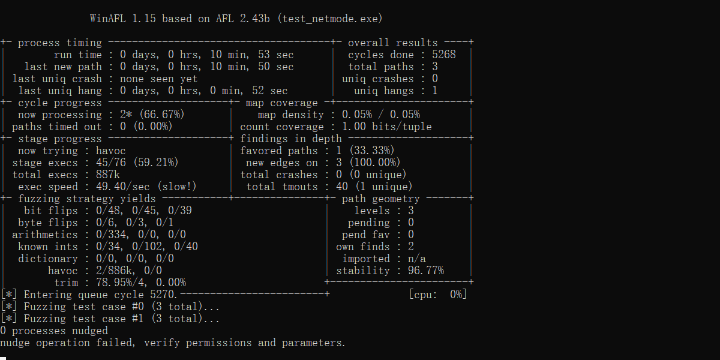
processes nudged
nudge operation failed, verify permissions and parameters

Hi, can you tell me what happens after you get that error, does fuzzing continue normally, does it get stuck, does afl-fuzz exit (with what message?) etc.
"Nudging" a process (a DynamoRIO mechanism) is one of the ways afl-fuzz attempts to terminate a target process (but not the only one). I noticed that nudging does not work on some configurations, so this message by itself is not necessarily a problem as WinAFL will then use other means to attempt to terminate a process. It is only a problem if something else undesirable happens afterwards.

After the first error appeared, the same errors has always appeared all the time
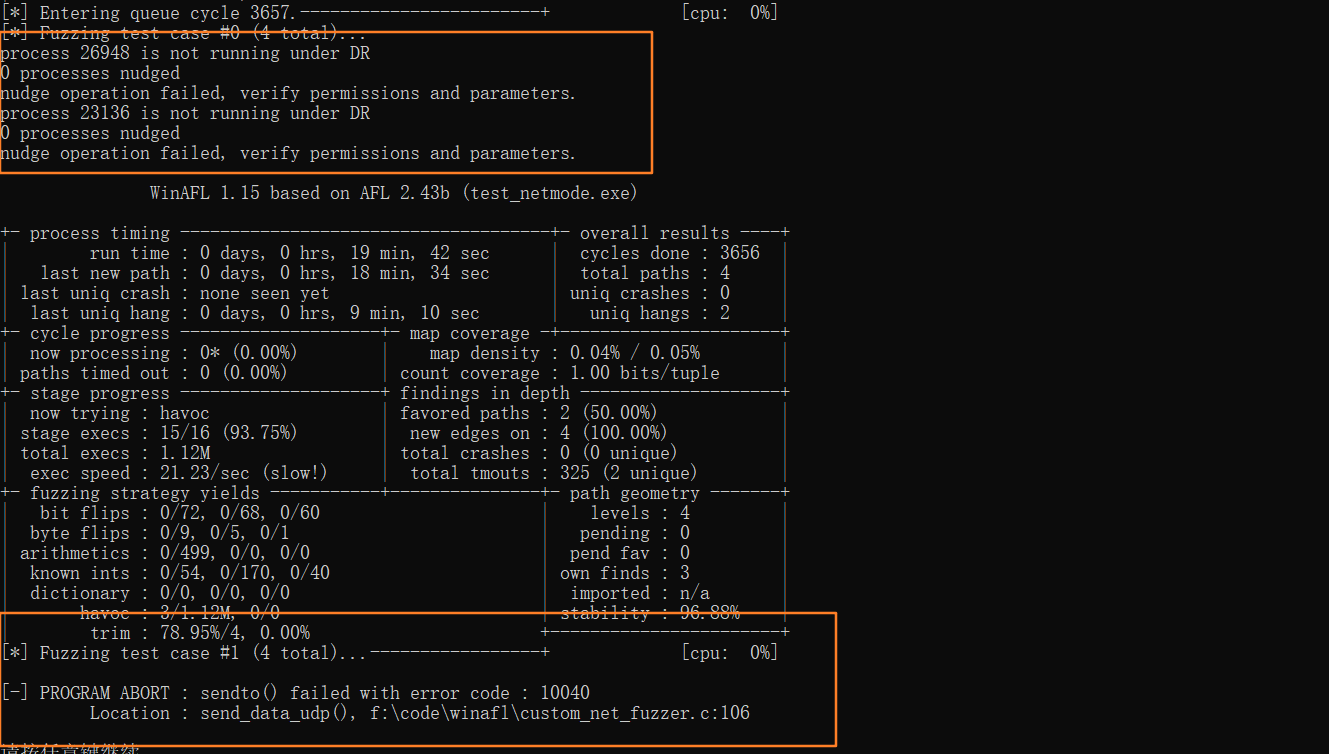
Adding @mxmssh who wrote the network fuzzing parts, in case he has any ideas.
I have also seen this error recently in file-based fuzzing mode on Windows 10. Please check that your target is correctly running under debug version of winafl. See this for more details. It might be related to network fuzzing as well but we have to exclude other problems first.
BTW, are you running the latest version of winAFL? The current version is 1.16b. Could you also copy-paste here the command line you are using to run winAFL ?

I compile winafl with dynamorio 7
afl-fuzz.exe -i test_in -o out -D F:\code\DynamoRIO-Windows-7.0.17725-0\bin32 -t 20000 -l F:\code\winafl\build32_dy7\bin\Debug\custom_net_fuzzer.dll -- -coverage_module test_netmode.exe -fuzz_iterations 5000 -target_module test_netmode.exe -target_offset 0x1400 -nargs 2 -persistence_mode in_app -- test_netmode.exe

The command
F:\code\DynamoRIO-Windows-7.0.17725-0\bin32\drrun.exe -c winafl.dll -debug -coverage_module test_netmode.exe -fuzz_iterations 5000 -target_module test_netmode.exe -target_offset 0x1400 -nargs 2 -persistence_mode in_app -- test_netmode.exe
Could you copy-paste output of log file created in the same directory where you run command ?
Module loaded, test_netmode.exe
Module loaded, drx.dll
Module loaded, drreg.dll
Module loaded, drmgr.dll
Module loaded, winafl.dll
Module loaded, drwrap.dll
Module loaded, dynamorio.dll
Module loaded, VCRUNTIME140.dll
Module loaded, dtrampo.dll
Module loaded, CRYPTBASE.dll
Module loaded, SspiCli.dll
Module loaded, bcryptPrimitives.dll
Module loaded, ucrtbase.dll
Module loaded, USER32.dll
Module loaded, KERNELBASE.dll
Module loaded, KERNEL32.dll
Module loaded, SECHOST.dll
Module loaded, win32u.dll
Module loaded, msvcp_win.dll
Module loaded, IMM32.dll
Module loaded, ADVAPI32.dll
Module loaded, WS2_32.dll
Module loaded, msvcrt.dll
Module loaded, RPCRT4.dll
Module loaded, GDI32.dll
Module loaded, gdi32full.dll
Module loaded, ntdll.dll
Very strange output, it should say either target function found or not found and print a bitmap.
Hi, did anyone figure that out? I also try to fuzz test_netmode.exe and let it run for half an hour. However, WinAFL can only found 5 paths and the content of mutated files in out/queue is always only 4 bytes. WinAFL can't find crash. I am confused about this situation.
