

 google
Segmentation fault while opening Magic VLSI with sky130 technology

For one, you can provide enough information that somebody like me can diagnose the issue. "segmentation fault while opening magic" is not actionable information.

I'm sorry, I should have elaborated on my issue.
Firstly, I am using an Ubuntu VM on Windows, and have installed Magic VLSI on the Ubuntu VM. Then, to use Magic VLSI on skywater technology, I cloned this repository in my machine. This is from where I followed the steps of installation.
I first executed the following command:
./configure --enable-sky130-pdk
and got the following output:
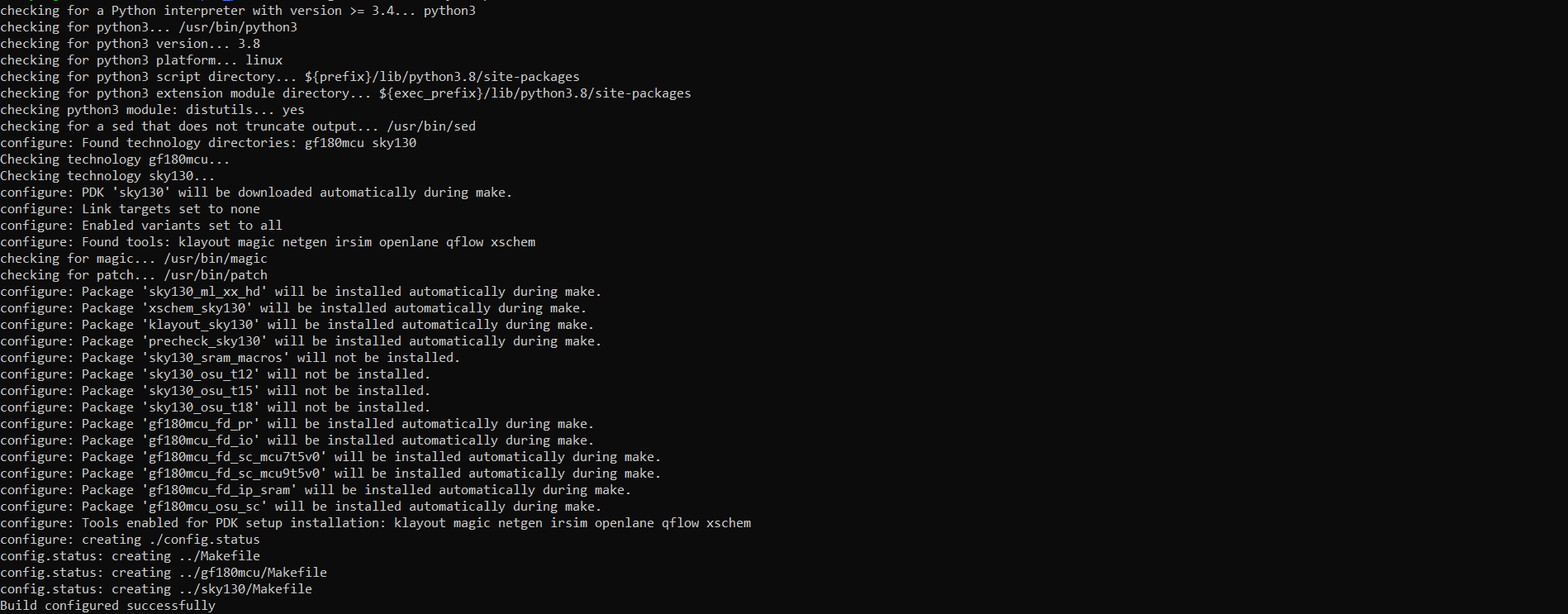
Then I executed the 'make' command and got something like this at the end:

Finally I executed the 'sudo make install' and got something like this:

After this, just to try the sky130 technology, I went to the directory where the technology file is stored and tried to start magic with the technology file, and got the 'segmentation fault' message:

I'm pretty sure that I'm doing something obviously wrong as I'm an amateur in all these things, please can you guide me so that I can resolve this issue?
Thank you.
Looking quickly at the logs seems that "make install" step failed. It says that your filesystem is read-only.

I think you have more than one issue here. The most problematic issue is that your version of magic is very old. That is probably what is causing the error with make, although it would be necessary to look through the log file to figure out where the actual error is being reported. Secondly, the OSError ... Read-only file system message is a bit concerning, and probably has something to do with the VM; do you really have sudo privileges within the VM? Lastly, you should not use the source template file sky130.tech on the command line to magic. This is a template file and not an actual tech file.
Hello sir,
The issue has been solved. The main issue was as you had mentioned, I had an older version of Magic, so I installed the latest version (8.3) and followed all the steps again (even added the 'sudo' privilege to 'make'), installed the skywater package and created a soft link for the sky130A technology file and other files in the system directory, and now Magic is opening with the sky130A technology as expected.
Thank you so much for giving your time and attention to such a trivial issue, really means a lot for a beginner like me.
@ddm2000 if you want to install the latest version of magic without building is from source, you could give a try to the conda package published here: https://anaconda.org/conda-forge/magic
