

 google
Implement TwG custom GA events for customization
GA events for the second part of the TwG setup (customization) and similar settings interactions should be implemented.
Do not alter or remove anything below. The following sections will be managed by moderators only.
Acceptance criteria
For all of the following GA events, the event category should be {viewContext}_thank-with-google.
- When changing the TwG button/CTA type, a custom GA event should be sent:
- Event name:
change_cta_type - Event label: either
overlayorfixed, based on what the user selected
- Event name:
- When changing the TwG button/CTA prominence (in case of
overlay), a custom GA event should be sent:- Event name:
change_cta_prominence - Event label: either
loworhigh, based on what the user selected
- Event name:
- When changing the TwG button/CTA position (in case of
fixed), a custom GA event should be sent:- Event name:
change_cta_position - Event label: either
auto,above-content,below-content, orbelow-first-paragraph, based on what the user selected
- Event name:
- When changing the TwG color theme, a custom GA event should be sent:
- Event name:
change_color_theme - Event label: the color slug/string identifier, based on what the user selected
- Event name:
- When changing the TwG button/CTA post types, a custom GA event should be sent:
- Event name:
change_cta_post_types - Event label: comma separated list of post type slugs/string identifiers, based on what the user selected
- Event name:
- All of the above events should be fired for the setup customization step and in settings. The only difference there would be the event category (which would be handled automatically via the
viewContextvariable).
Implementation Brief
action: change_cta_type
- Update
onChangehandler toTypeRadioinCTAPlacementto calltrackEventwith the attributes defined in the AC
action: change_cta_prominence
- Update
onChangehandler withinProminenceRadioto calltrackEventwith the attributes defined in the AC
action: change_cta_position
- Update
onChangehandler withinPositionRadioto calltrackEventwith the attributes defined in the AC
action: change_color_theme
- Update
onChangehandler withinColorRadioto calltrackEventwith the attributes defined in the AC
action: change_cta_post_types
- Update
toggleChiphandler withinPostTypesSelectto calltrackEventwith the attributes defined in the AC
Test Coverage
- No changes necessary
QA Brief
- Ensure that the
twgModulefeature flag is enabled. - Ensure that
Trackingis enabled in Site KitAdmin Settings. - While setting up Thank with Google, reach the step which lets you customise its appearance.
- Using a browser extension like this, verify that all the custom GA events mentioned in the ACs are triggered with appropriate attributes.
- After setup, go to
Settings->Connected Servicesand edit theThank with Googlemodule. - Verify that the events are also triggered during updating the settings.
Changelog entry
- Measure interactions when changing Thank with Google configuration.

QA Update: ⚠️
@nfmohit. An observation: If you use all or any of the defaults when setting up TwG, the appropriate GA events are not triggered. They only get triggered when you click on the particular individual settings. Is this expected? I suspect not.
Verified:
The context was moduleSetup_thank-with-google
-
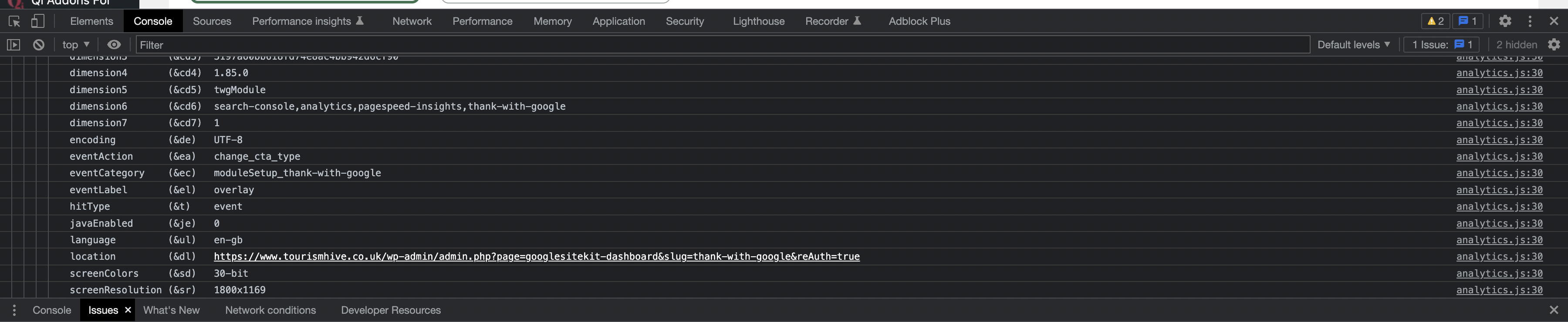
When changing the TwG button/CTA type, a custom GA event is sent:
- Event name:
change_cta_type - Event label: either overlay or fixed.
- Event name:
-
When changing the TwG button/CTA prominence (in case of overlay), a custom GA event is sent:
- Event name:
change_cta_prominence - Event label: either low or high.
- Event name:
-
When changing the TwG button/CTA position (in case of fixed), a custom GA event is sent:
- Event name:
change_cta_position - Event label: either auto, above-content, below-content, or below-first-paragraph.
- Event name:
-
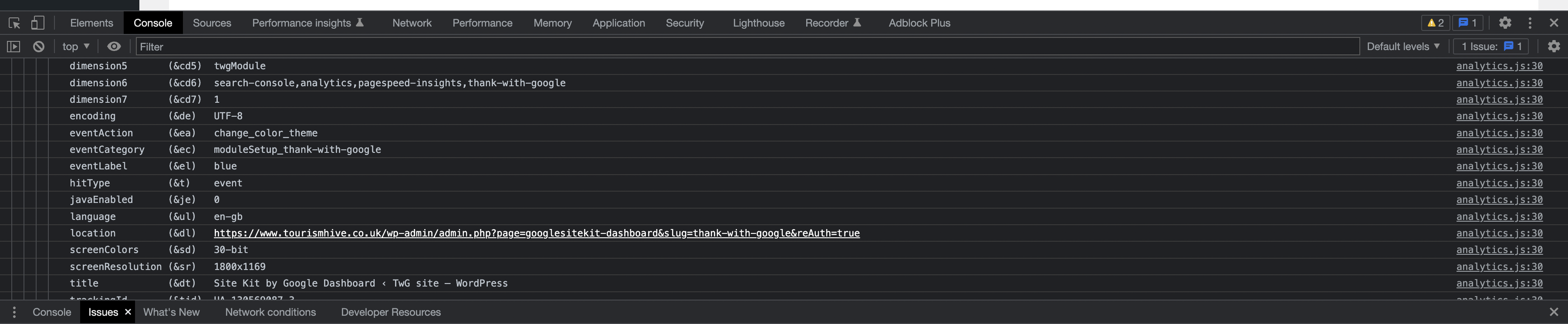
When changing the TwG color theme, a custom GA event is sent:
- Event name:
change_color_theme - Event label: the color slug/string identifier.
- Event name:
-
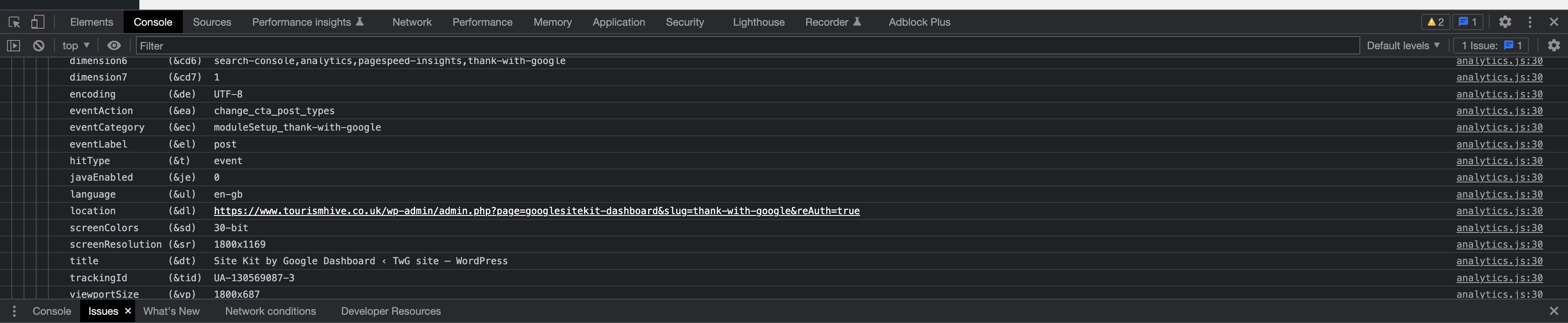
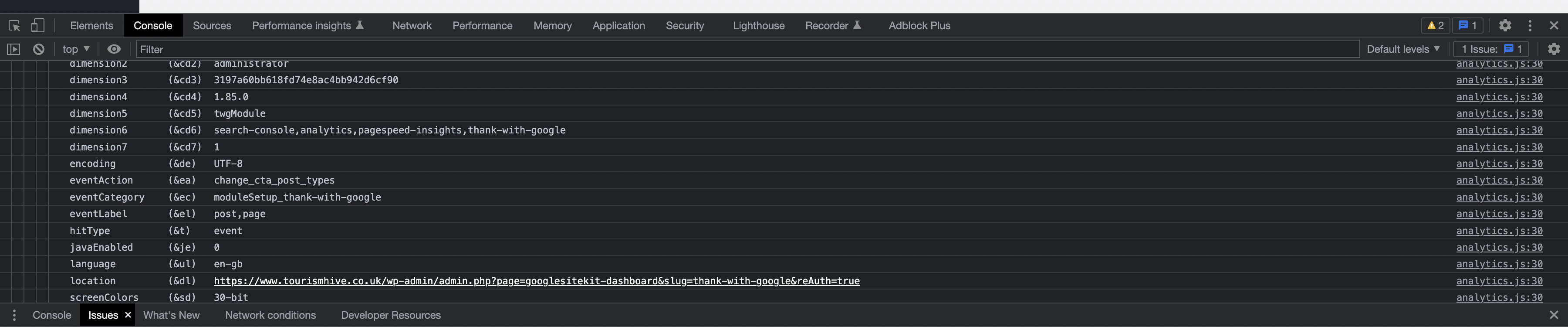
When changing the TwG button/CTA post types, a custom GA event should be sent:
- Event name:
change_cta_post_types - Event label: comma separated list of post type slugs/string identifiers.
- Event name:
I tested all of the events above in the settings but the context was settings_thank-with-google
Screenshots






From the ACs here, these should only fire on change, presumably because otherwise it would be the defaults for every user. I assume the intent of the events here is to capture when a user changes to non-default settings (and/or when they change back to the defaults from a non-default setting).
So this is working as intended I think, but worth being checked by @felixarntz or @aaemnnosttv during approval.
I think that's QA ✅ for now 👍🏻
