
site-kit-wp
 site-kit-wp copied to clipboard
 google
Prepare TwG links to Publisher Center
This is effectively a preparation task for #5537: We already know all the technical parts on how to refer users to the TwG flow in Publisher Center, the only thing we don't know is the exact URL. This shouldn't block the technical groundwork for this though, so let's already get started.
The idea is that once this issue has been completed, the only thing to do in #5537 would literally be to replace the URL string with another URL string which should take 5 minutes :)
Do not alter or remove anything below. The following sections will be managed by moderators only.
Acceptance criteria
- The Publisher Center link to create a new TwG publication should be adjusted as follows:
- A query parameter
sk_urlshould be added to thehttps://publishercenter.google.com/base URL, with the (URL escaped) reference site URL in it. - The final URL should be run through the
getAccountChooserURLselector. - This should be implemented as a new
modules/thank-with-googleselectorgetServiceCreatePublicationURL()(including basic tests), which is then used in the relevant components.
- A query parameter
- All remaining Publisher Center links (in TwG setup flow and success banner) should be adjusted as follows:
- Point to
https://publishercenter.google.com/publications/{publicationID}/overview - The
{publicationID}bit should always be the relevant TwG publication ID. For the setup flow, that means whatever is the currently determined publication ID (seegetCurrentPublication). For the success banner, it should be the publication ID from settings (seegetPublicationID). - This should be implemented as a new
modules/thank-with-googleselectorgetServicePublicationURL( publicationID )(including basic tests), which is then used in the relevant components.
- Point to
Implementation Brief
In assets/js/modules/thank-with-google/datastore/publications.js:
- Add a new
getServiceCreatePublicationURLselector:- Create a URL with base
https://publishercenter.google.com/. Append the query paramsk_urlcontaining theencodeURIComponent-encoded value of thegetHomeURLselector. - Pass this URL to
getAccountChooserURLand return the result.
- Create a URL with base
- Add a new
getServicePublicationURLselector:- This should take a
publicationIDargument. - It should return
https://publishercenter.google.com/publications/${ publicationID }/overview.
- This should take a
In assets/js/modules/thank-with-google/components/setup/SetupCreatePublication.js
- Replace the inline
https://publishercenter.google.com/value with a call togetServiceCreatePublicationURL.
In assets/js/modules/thank-with-google/components/setup/SetupPublicationActionRequired.js
and assets/js/modules/thank-with-google/components/setup/SetupPublicationPendingVerification.js:
- Retrieve the current publication ID with
getCurrentPublication. - Replace the inline
https://publishercenter.google.com/value with a call togetServicePublicationURL, passing in the publication ID.
In assets/js/components/notifications/SetupSuccessBannerNotification.js:
- Retrieve the publication ID with
getPublicationID. - Replace the inline
https://publishercenter.google.com/value with a call togetServicePublicationURL, passing in the publication ID.
Test Coverage
Add tests for getServiceCreatePublicationURL and getServicePublicationURL.
QA Brief
- Verify the
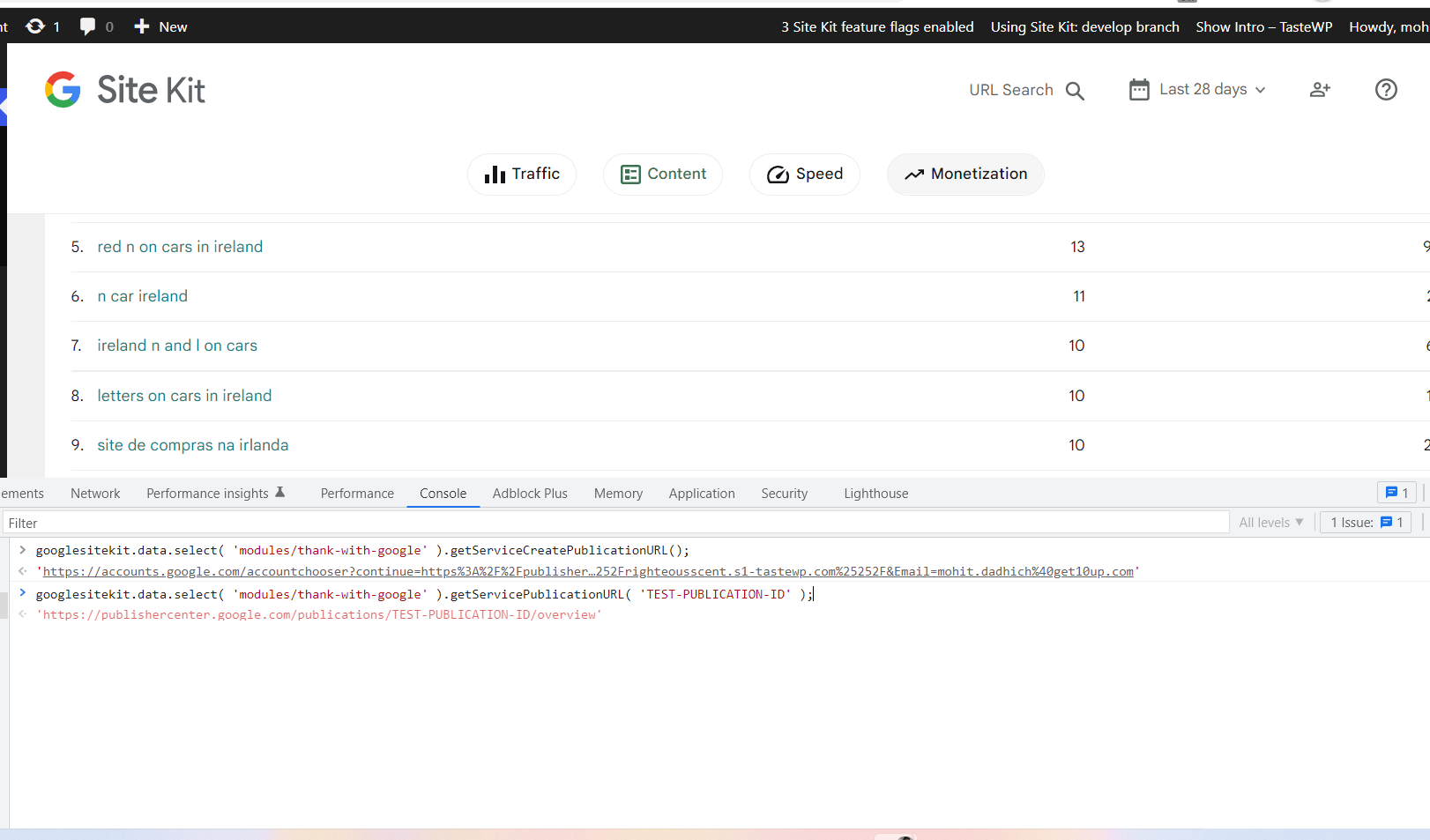
getServiceCreatePublicationURLselector:- In the browser console, run the following:
googlesitekit.data.select( 'modules/thank-with-google' ).getServiceCreatePublicationURL(); - It should return an account chooser URL with
https://publishercenter.google.com/as the destination URL with the query string ofsk_urland the site URL as the value. The link should look something like this:https://accounts.google.com/accountchooser?continue=https%3A%2F%2Fpublishercenter.google.com%2F%3Fsk_url%3Dhttp%25253A%25252F%25252Fexample.com&Email=wapuu.wordpress%40gmail.com.
- In the browser console, run the following:
- Verify the
getServicePublicationURLselector:- In the browser console, run the following:
googlesitekit.data.select( 'modules/thank-with-google' ).getServicePublicationURL( 'TEST-PUBLICATION-ID' ); - This selector needs a publication ID to be passed to it. We're passing
TEST-PUBLICATION-IDas the publication ID. - It should return this URL:
https://publishercenter.google.com/publications/TEST-PUBLICATION-ID/overview.
- In the browser console, run the following:
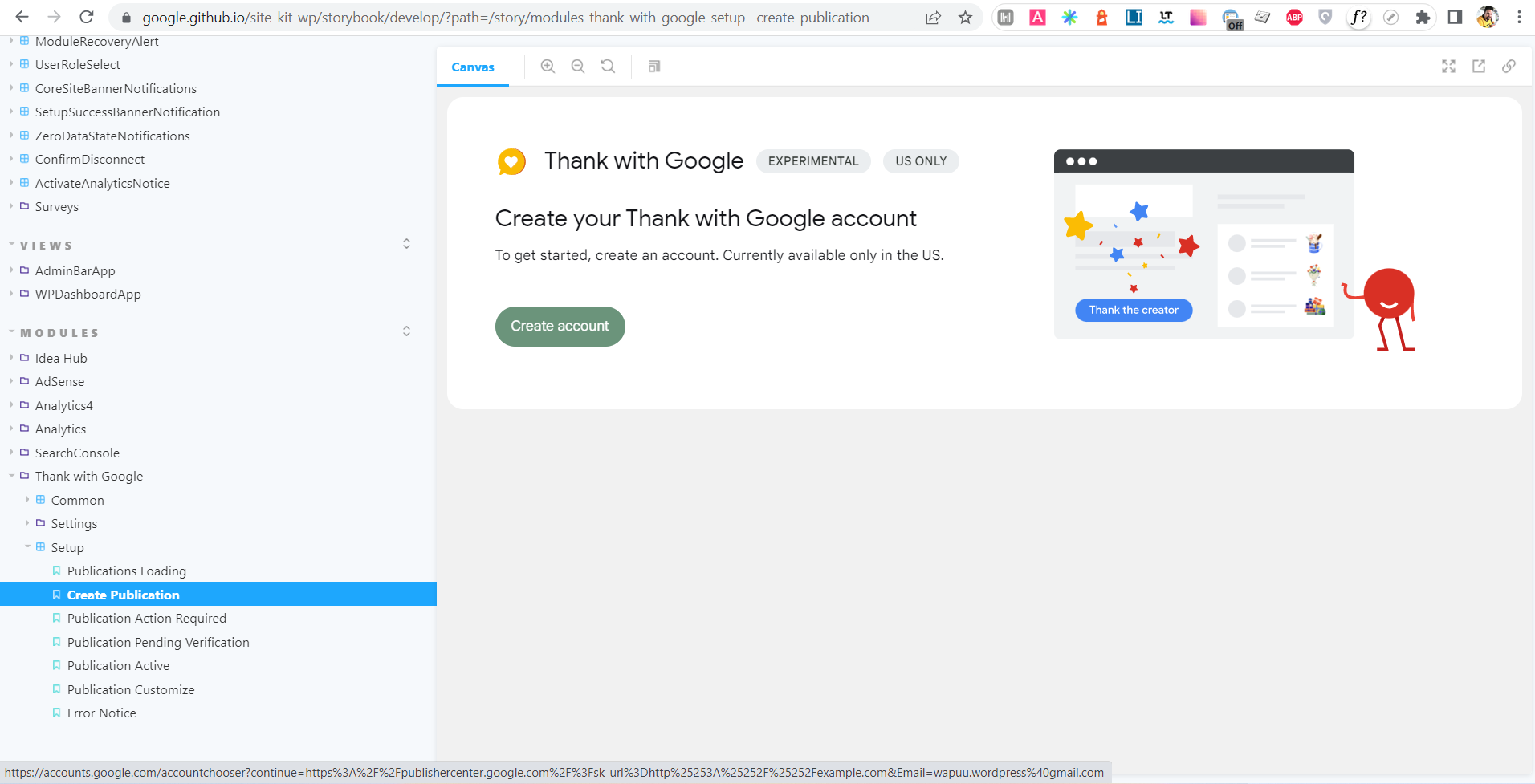
- Verify "Create Publication" screen:
- Open the
Modules - Thank with Google - Setup - Create PublicationStorybook story. - Verify the link for the "Create account" button.
- The link should be an account chooser URL with
https://publishercenter.google.com/as the destination URL with the query string ofsk_urland the site URL as the value. The link should look something like this:https://accounts.google.com/accountchooser?continue=https%3A%2F%2Fpublishercenter.google.com%2F%3Fsk_url%3Dhttp%25253A%25252F%25252Fexample.com&Email=wapuu.wordpress%40gmail.com. Clicking on it should open an authentication screen in a new tab.
- The link should be an account chooser URL with
- Open the
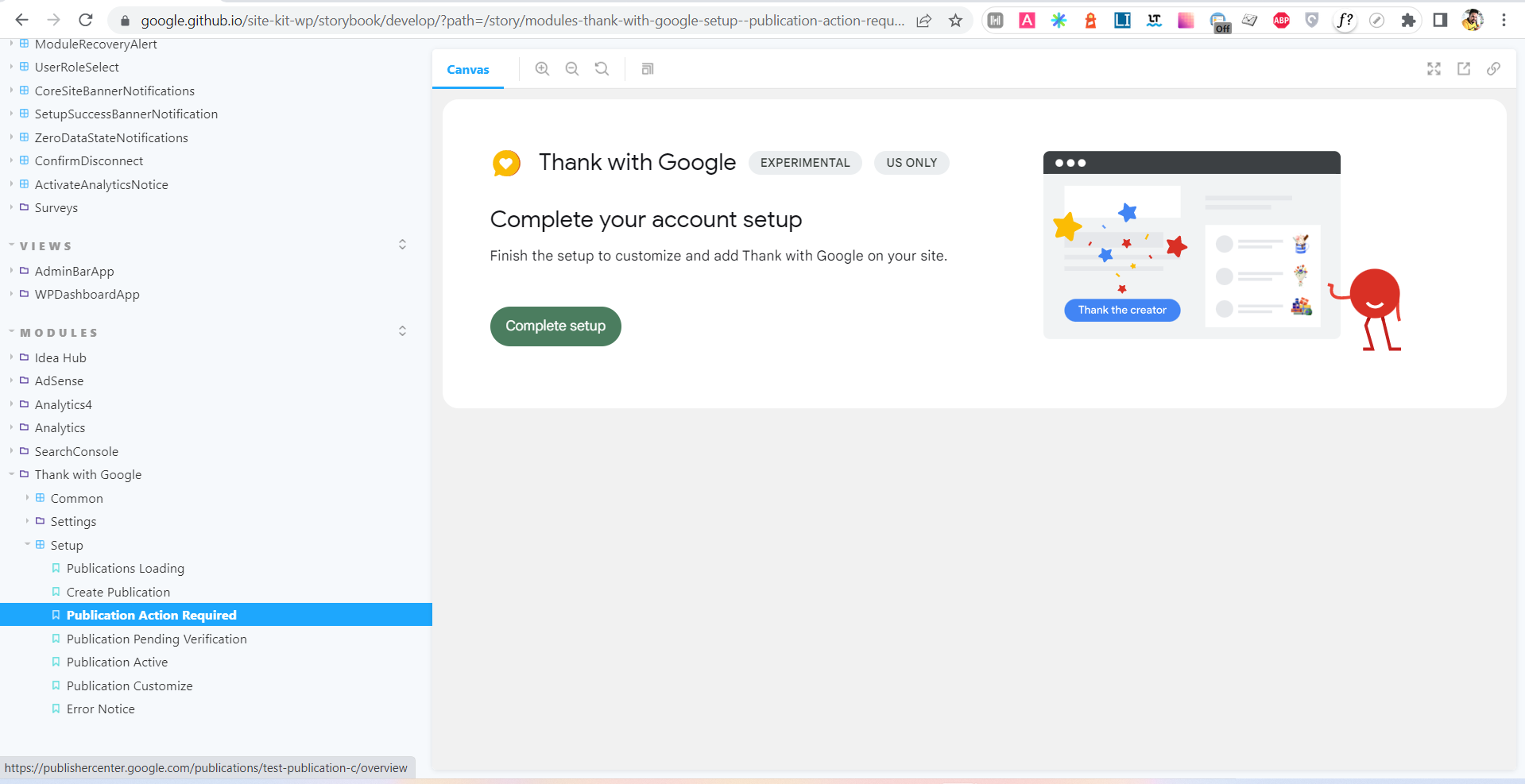
- Verify "Publication Action Required" and "Publication Pending Verification" screens:
- Open the
Modules - Thank with Google - Setup - Publication Action RequiredandModules - Thank with Google - Setup - Publication Pending VerificationStorybook stories. - Verify the link for the CTA button.
- The link should be in this format:
https://publishercenter.google.com/publications/{ PUBLICATION ID }/overviewwhere{ PUBLICATION ID }is the ID of the current publication. It should open in a new tab.
- The link should be in this format:
- Open the
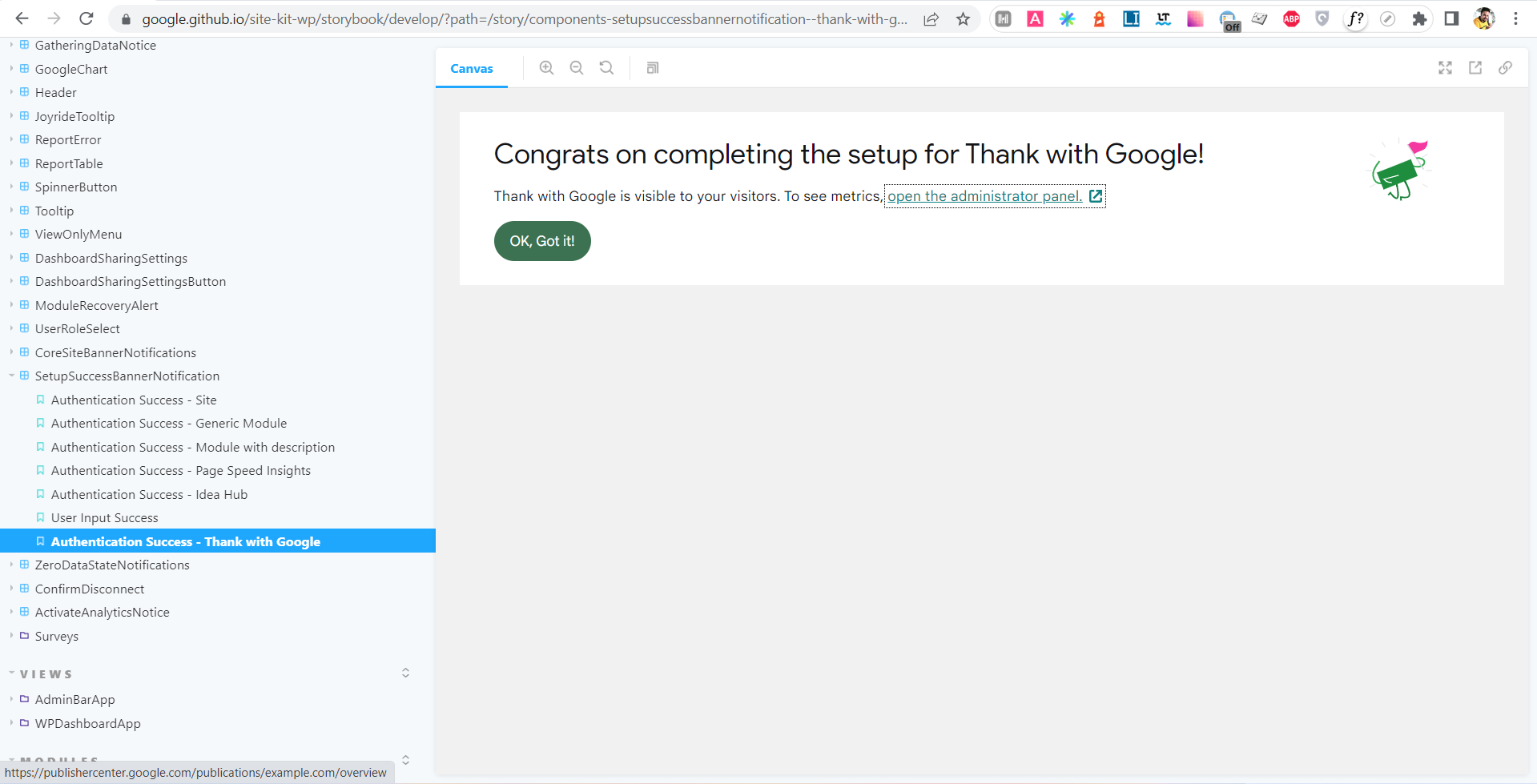
- Verify the success banner notification for Thank with Google:
- Open the
Components - SetupSuccessBannerNotification - Authentication Success - Thank with GoogleStorybook story. - Verify the link for the
open the administrator panellink.- The link should be in this format:
https://publishercenter.google.com/publications/{ PUBLICATION ID }/overviewwhere{ PUBLICATION ID }is the ID of the saved publication. It should open in a new tab.
- The link should be in this format:
- Open the
Changelog entry

@eclarke1 @FlicHollis Based on our call earlier today, I have created this issue to already do any slightly more involved prep work for the Publisher Center links (#5537) already before we know the URLs so this is unblocked. So this issue here is not related to the bug bash, but we should prioritize it for e.g. next week.
In other words, once we have completed this issue here, it will leave #5537 with a 5 minute engineering estimate :)
Excellent thanks @felixarntz I've added this to the TwG epic and also to Sprint 82 to be prioritised.


QA Update ✅
-
Verified the
getServiceCreatePublicationURLselector. -
Verified the
getServicePublicationURLselector. -
Verified "Create Publication" screen: Modules - Thank with Google - Setup - Create Publication Storybook story.
-
Verified "Publication Action Required" and "Publication Pending Verification" screens:
Modules - Thank with Google - Setup - Publication Action RequiredandModules - Thank with Google - Setup - Publication Pending VerificationStorybook stories. -
Verify the success banner notification for Thank with Google: Open the
Components - SetupSuccessBannerNotification - Authentication Success - Thank with Google -
All links are in expected format.
-
All links opening in new tab.


Approval ❌
@nfmohit @eugene-manuilov There is one small but critical problem here: See https://github.com/google/site-kit-wp/pull/5729#pullrequestreview-1101244882, the sk_url parameter value is currently double encoded. The ACs mention that the parameter should be escaped, but addQueryArgs already handles that, so we don't need to encode the value itself when using that function.


Great catch, @felixarntz!
Thank you for addressing this in my absence, @eugene-manuilov!
