

 google
Limit shared requests for AdSense reports to metrics and dimensions used by the Site Kit dashboard
Similar to #5711: As an additional security & privacy requirement, the report endpoints should only allow for specific metrics and dimensions to be requested when used by a user with shared access - namely those metrics and dimensions that are also used by Site Kit (so that users with shared access can't just craft any report request they like).
While this is still not 100% bullet proof, it is more compliant with really only sharing data that the Site Kit dashboard also shows anyway.
Do not alter or remove anything below. The following sections will be managed by moderators only.
Acceptance criteria
- The
AdSenseGET:reportendpoint should be adjusted as follows:- If the request is shared (see infrastructure from #5711), it should perform additional validation on the provided
metricsanddimensions. - For that, it should define and use two allowlists, of only the metrics and dimensions that are used anywhere by Site Kit (the relevant JS code has to be inspected for which metrics and dimensions are ever passed in AdSense API requests).
- Both lists should be filterable, via filters like e.g.
googlesitekit_shareable_adsense_metricsandgooglesitekit_shareable_adsense_dimensions. - If the request contains any metrics or dimensions not in the respective allowlist, the request should fail with an error.
- If the request is shared (see infrastructure from #5711), it should perform additional validation on the provided
Implementation Brief
In includes/Modules/AdSense.php:
-
Create a new protected method,
validate_report_metrics.- This should accept an array of metrics.
- Check if
is_using_shared_credentials(introduced in #5711) isfalseand return early withnullif so. - Define a list of valid metrics - this will entail searching through the JS code to check which are currently in use. Look for calls to the AdSense
getReportselector. - Filter this list through a filter called
googlesitekit_shareable_adsense_metrics. - Check for any metrics in the passed array that are not in the resulting list of valid metrics.
- If there are any invalid metrics, return an error message:
- Unsupported metric/s requested: {comma-separated list of metrics}.
- Pluralize metric/s properly.
- Remember to translate the strings.
- Otherwise, return
null.
-
Create a new protected method
validate_report_dimensions.- This should be identical to
validate_report_metricsbut for dimensions instead of metrics. These could be refactored to DRY if it seems worthwhile, but it's probably not needed.
- This should be identical to
-
In the
GET:reportcase of thecreate_data_requestmethod:- At the point where the metrics have been parsed, call
validate_report_metrics.- The argument to it should be the parsed list of
$metrics. - If
validate_report_metricsreturns an error message, return a newWP_Errorobject including the error message, with codeinvalid_metricsand HTTP status400.
- The argument to it should be the parsed list of
- At the point where the dimensions have been parsed, call
validate_report_dimensions.- The argument to it should be the parsed list of
$dimensions. - If
validate_report_dimensionsreturns an error message, return a newWP_Errorobject including the error message, with codeinvalid_dimensionsand HTTP status400.
- The argument to it should be the parsed list of
- At the point where the metrics have been parsed, call
Test Coverage
- No new tests needed.
QA Brief
- As an admin, connect and share both AdSense and Analytics (Analytics is needed in order to show Top Earning Pages).
- Login as another user and view the view-only dashboard.
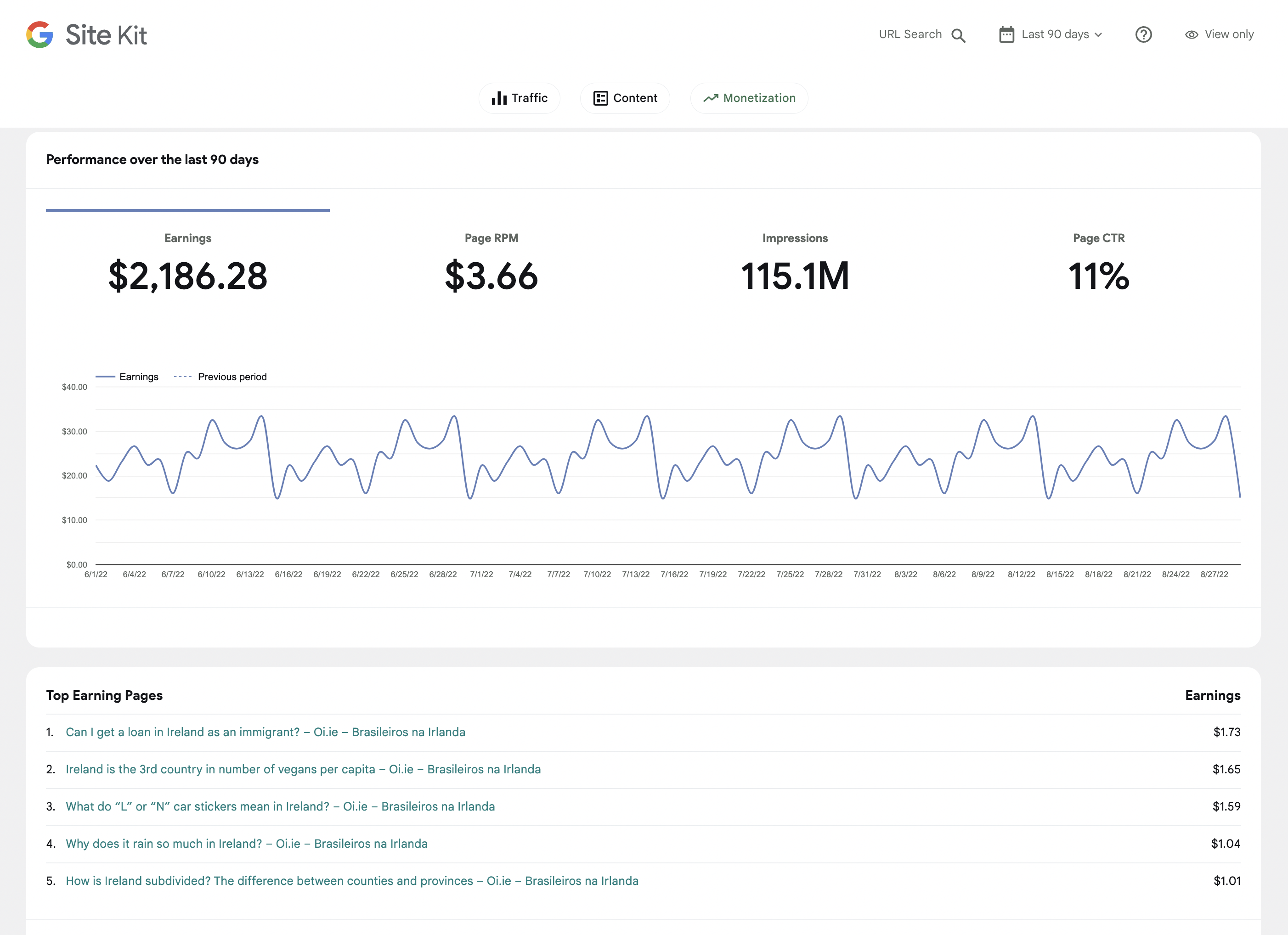
- Navigate to the Monetization section and verify the Performance over the last X days and Top Earning Pages widgets still work as expected.
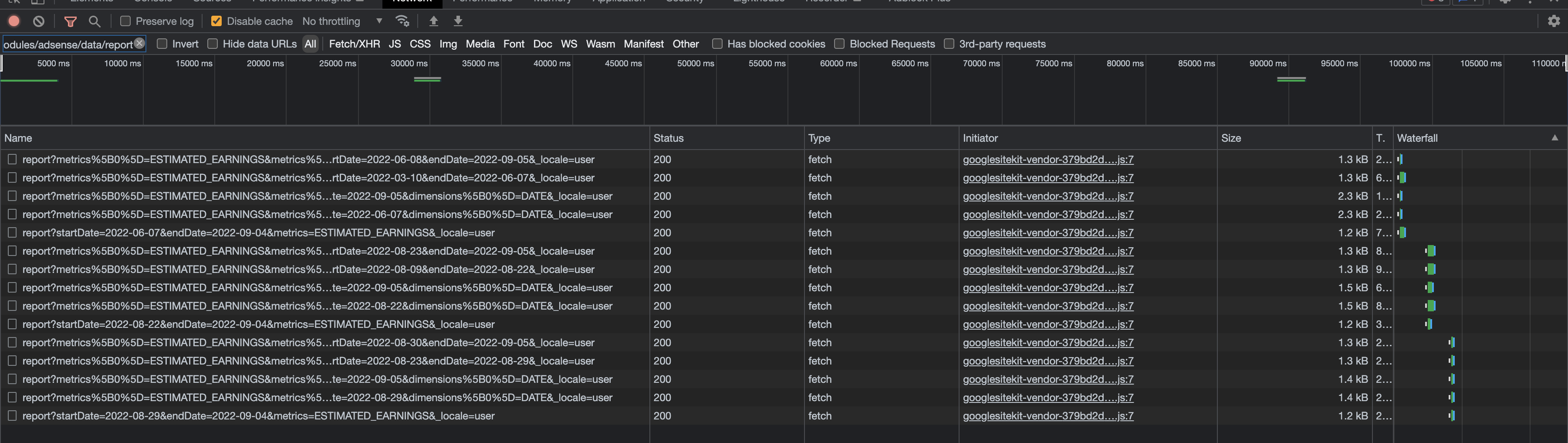
- Check there are no errors for the AdSense report requests in the Network tab, i.e. requests with the path
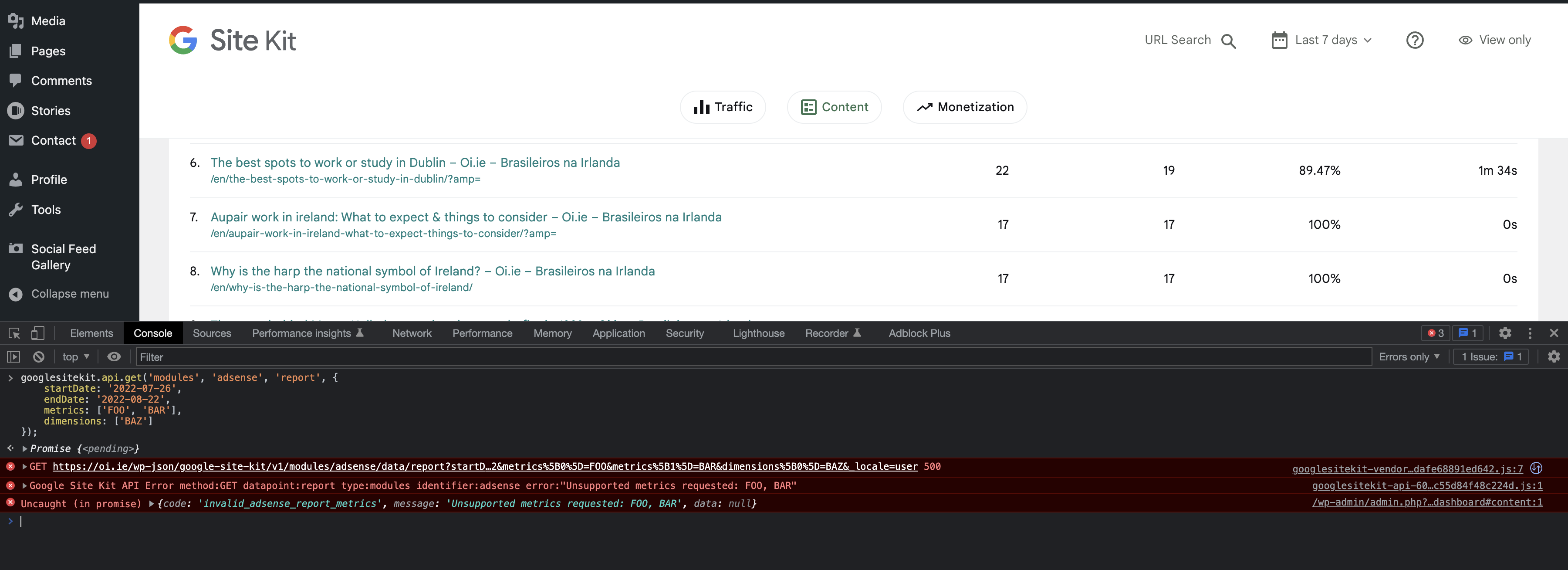
/wp-json/google-site-kit/v1/modules/adsense/data/report. - Make some requests with invalid AdSense report metrics and dimensions and verify that they return a
400error with an error message in the format Unsupported (metric|dimension)/s requested: SOME_METRIC - In order to make the requests, invoke as follows in the JS Console.
- Note the valid metrics are:
ESTIMATED_EARNINGS, IMPRESSIONS, PAGE_VIEWS_CTR, PAGE_VIEWS_RPM - And the only valid dimension is:
DATE
- Note the valid metrics are:
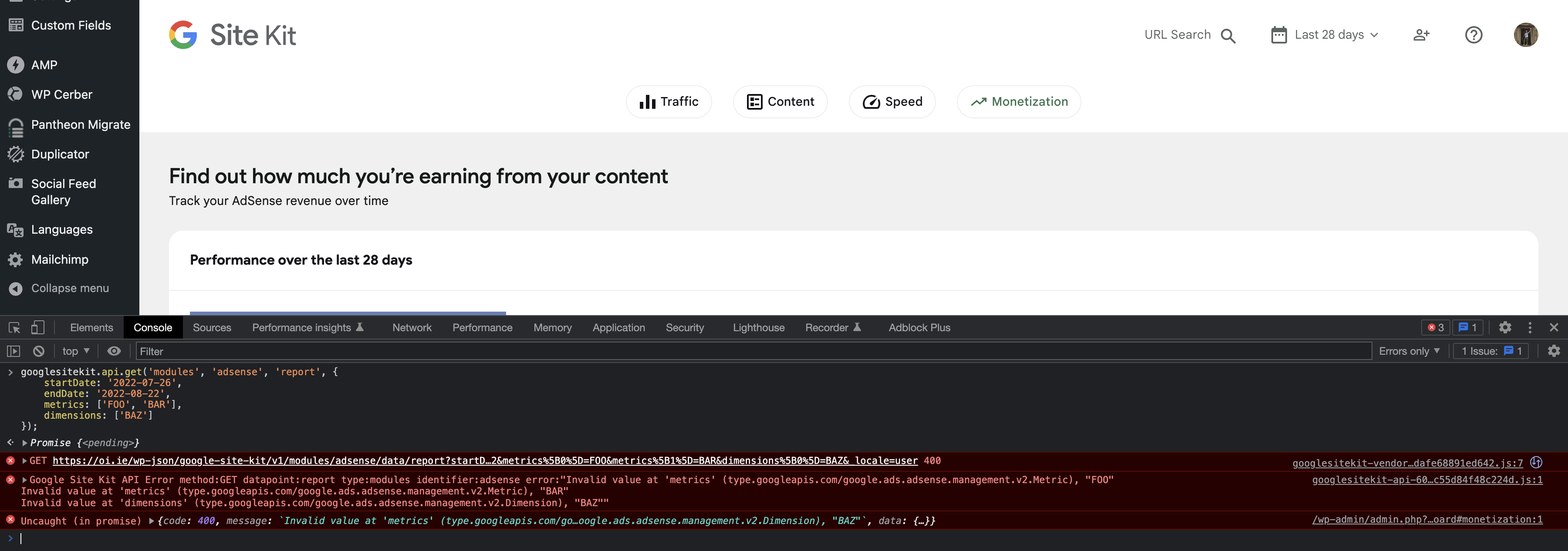
googlesitekit.api.get('modules', 'adsense', 'report', {
    startDate: '2022-07-26',
    endDate: '2022-08-22',
    metrics: ['FOO', 'BAR'],
    dimensions: ['BAZ']
});
Changelog entry


@techanvil @tofumatt Since the metrics and dimensions are not in the IB, please make sure to encompass in the code review or QA here to double-check the codebase for whether the implementation actually includes all the necessary metrics and dimensions (and not more).
QA Update: ⚠️
Make some requests with invalid AdSense report metrics and dimensions and verify that they return a 400 error with an error message in the format Unsupported (metric|dimension)/s requested: SOME_METRIC
@techanvil I do see the error message but it is returning a 500 error. From the QAB, it should be 400, so just checking.

Verified:
Checked that there are no errors for the AdSense report requests in the Network tab, i.e. requests with the path /wp-json/google-site-kit/v1/modules/adsense/data/report.
Screenshots


@wpdarren the status code changed from what was in the IB and looks like the QAB wasn't updated, but it should be a 500 in this case.
I should note that requesting dummy metrics will error in a non-shared context as well with a slightly different message ("Unknown metric(s)" I believe), so it's important to test with real metrics which are outside of the allowed metrics for SK in both shared and non-shared contexts to see that it works for the module owner but not for a shared user.
You can see all the available metrics and dimensions for AdSense here: https://developers.google.com/adsense/management/metrics-dimensions
The QAB mentions which ones are allowed in a shared context, although again, they should still work outside of a shared context. Let me know if you have any questions about this.

QA Update: ⚠️
I am trying to find a site that I have access to live AdSense data. For some reason I am unable to see data from our usual testing site. Will pick this up on Monday and get moved forward.
QA Update: ✅
Verified:
Viewing the shared dashboard
- As secondary user when viewing the view-only dashboard, the Performance over the last X days and Top Earning Pages widgets still work as expected within Monetization.
- There are no errors for the AdSense report requests in the Network tab
- When making requests with invalid AdSense report metrics and dimensions they return a 500 error with an error message.
- I included the code provided in the QAB with a site that has real data. I also used various metrics and dimensions from here and the same error appeared.
Viewing as main admin
As main admin user when viewing the dashboard, the Performance over the last X days and Top Earning Pages widgets still work as expected within Monetization. There are no errors for the AdSense report requests in the Network tab
- When making requests with invalid AdSense report metrics and dimensions they return a 500 error with an error message.
- I included the code provided in the QAB with a site that has real data. I also used various metrics and dimensions from here and the error did not appear.
Screenshots
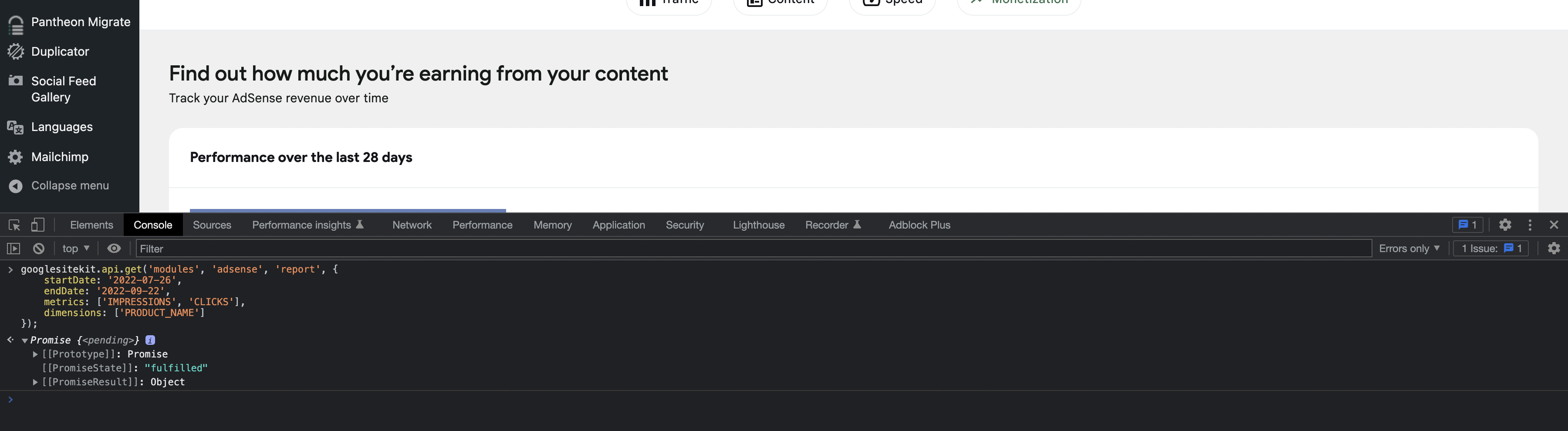
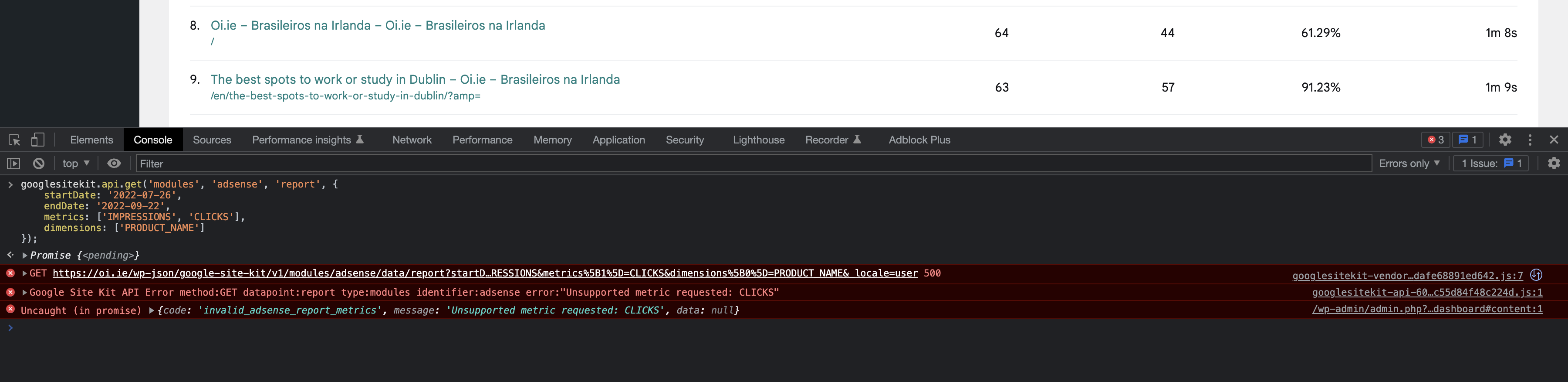
Did a few extra checks in the context of the module owner and a view-only user. Confirmed non-allowlisted metrics and dimensions raised errors for the view-only user but not the owner, as expected 👍