

 google
Limit shared requests for Analytics reports to metrics and dimensions used by the Site Kit dashboard
As an additional security & privacy requirement, the report endpoints should only allow for specific metrics and dimensions to be requested when used by a user with shared access - namely those metrics and dimensions that are also used by Site Kit (so that users with shared access can't just craft any report request they like).
While this is still not 100% bullet proof, it is more compliant with really only sharing data that the Site Kit dashboard also shows anyway.
Do not alter or remove anything below. The following sections will be managed by moderators only.
Acceptance criteria
- A small piece of infrastructure should be added to the
Modulebase class which allows any sub-class to check (e.g. within a data point such asGET:report) whether the current request is using shared credentials (i.e. credentials not by the current user). - The
AnalyticsGET:reportendpoint should make use of this ability as follows:- If the request is shared, it should perform additional validation on the provided
metricsanddimensions. - For that, it should define and use two allowlists, of only the metrics and dimensions that are used anywhere by Site Kit (the relevant JS code has to be inspected for which metrics and dimensions are ever passed in Analytics requests).
- Both lists should be filterable, via filters like e.g.
googlesitekit_shareable_analytics_metricsandgooglesitekit_shareable_analytics_dimensions. - If the request contains any metrics or dimensions not in the respective allowlist, the request should fail with an error.
- If the request is shared, it should perform additional validation on the provided
Implementation Brief
In includes/Core/Modules/Module.php:
-
Add a new protected boolean instance variable,
is_using_shared_credentialswith defaultfalse. -
In the
execute_data_requestmethod:- There is a condition that checks for
$this->authentication->get_oauth_client() !== $oauth_client. When true, the request is using shared credentials. Within the conditional block, setis_using_shared_credentialstotrue. - In the
finallyblock, setis_using_shared_credentialsback tofalse.
- There is a condition that checks for
In includes/Modules/Analytics.php:
-
Create a new protected method,
validate_report_metrics.- This should accept an array of metrics (specifically, these will be metric expressions, e.g.
ga:pageviews,ga:usersetc). - Check if
is_using_shared_credentialsisfalseand return early withnullif so. - Define a list of valid metrics - this will entail searching through the JS code to check which are currently in use. Look for calls to the Analytics
getReportselector. - Filter this list through a filter called
googlesitekit_shareable_analytics_metrics. - Check for any metrics in the passed array that are not in the resulting list of valid metrics.
- If there are any invalid metrics, return an error message:
- Unsupported metric/s requested: {comma-separated list of metrics}.
- Pluralize metric/s properly.
- Remember to translate the strings.
- Otherwise, return
null.
- This should accept an array of metrics (specifically, these will be metric expressions, e.g.
-
Create a new protected method
validate_report_dimensions.- This should be identical to
validate_report_metricsbut for dimensions instead of metrics. These could be refactored to DRY if it seems worthwhile, but it's probably not needed.
- This should be identical to
-
In the
GET:reportcase of thecreate_data_requestmethod:- At the point where the metrics have been parsed, call
validate_report_metrics.- The argument to it should be a mapped list of expressions from the list of
$metrics- map over these callinggetExpressionon each instance. - If
validate_report_metricsreturns an error message, return a newWP_Errorobject including the error message, with codeinvalid_metricsand HTTP status400.
- The argument to it should be a mapped list of expressions from the list of
- At the point where the dimensions have been parsed, call
validate_report_dimensions.- The argument to it should be a mapped list of names from the list of
$dimensions- map over these callinggetNameon each instance. - If
validate_report_dimensionsreturns an error message, return a newWP_Errorobject including the error message, with codeinvalid_dimensionsand HTTP status400.
- The argument to it should be a mapped list of names from the list of
- At the point where the metrics have been parsed, call
Test Coverage
- No new tests needed.
QA Brief
QA Basic QA can be done to make sure Analytics requests work as expected for shared and non-shared requests.
QA:Eng
- As an admin, connect and share Analytics.
- Login as another user and view the view-only dashboard.
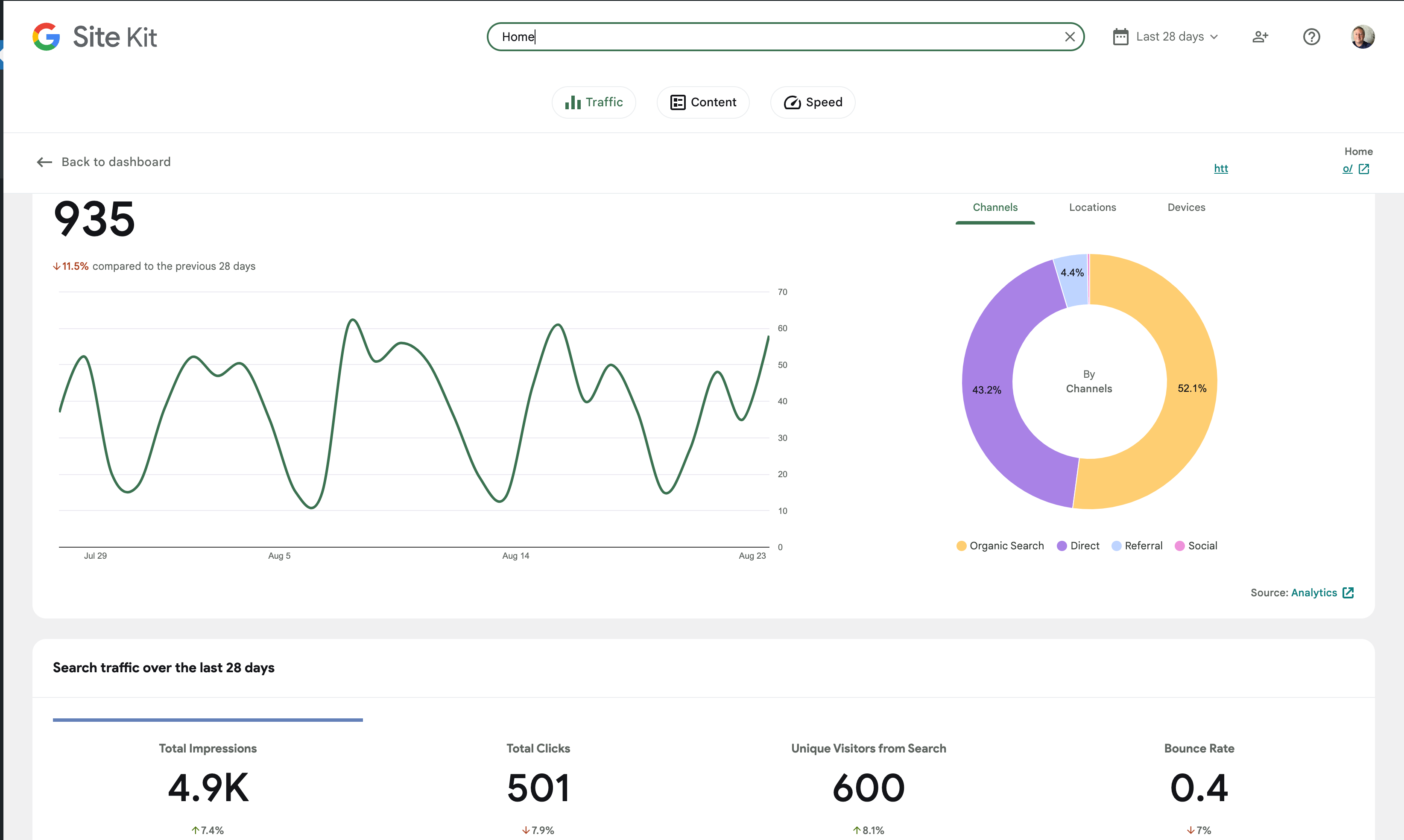
- Navigate to the Traffic section and verify the All Traffic widget still work as expected.
- Check there are no errors for the Analytics report requests in the Network tab, i.e. requests with the path
/wp-json/google-site-kit/v1/modules/analytics/data/report. - Make some requests with invalid Analytics report metrics and dimensions and verify that they return a
400error with an error message in the format Unsupported (metric|dimension)/s requested: SOME_METRIC - In order to make the requests, invoke as follows in the JS Console.
- Note the valid metrics are:
-
ga:sessions -
ga:users -
ga:pageviews -
ga:uniquePageviews -
ga:bounceRate -
ga:avgSessionDuration -
ga:adsenseRevenue -
ga:adsenseECPM -
ga:adsensePageImpressions -
ga:goalCompletionsAll
-
- And the valid dimensions are:
-
ga:date -
ga:pagePath -
ga:pageTitle -
ga:channelGrouping -
ga:country -
ga:deviceCategory -
ga:hostname
-
- Note the valid metrics are:
googlesitekit.api.get( 'modules', 'analytics', 'report', {
    startDate: '2022-07-26',
    endDate: '2022-08-22',
    metrics: [ {
        expression: 'FOO'
    } ],
    dimensions: [ 'BAR' ]
});
Changelog entry
- Limit shared requests for Analytics reports to metrics and dimensions used by the Site Kit dashboard.


@techanvil @tofumatt Since the metrics and dimensions are not in the IB, please make sure to encompass in the code review or QA here to double-check the codebase for whether the implementation actually includes all the necessary metrics and dimensions (and not more).
⚠️ Just left a review here after noticing something although it had already been merged before I submitted it. Two things should be addressed and the rest can be done in a follow-up issue I think as it's more of a refactoring.
- Fixing the return type in the doc blocks
- Adding an additional definition of the
is_using_shared_credentialsproperty

QA:Eng ✅
With Analytics shared with an editor,
as the editor I see the expected errors
Unknown metric

Unknown dimension

Valid, but non-SK metric
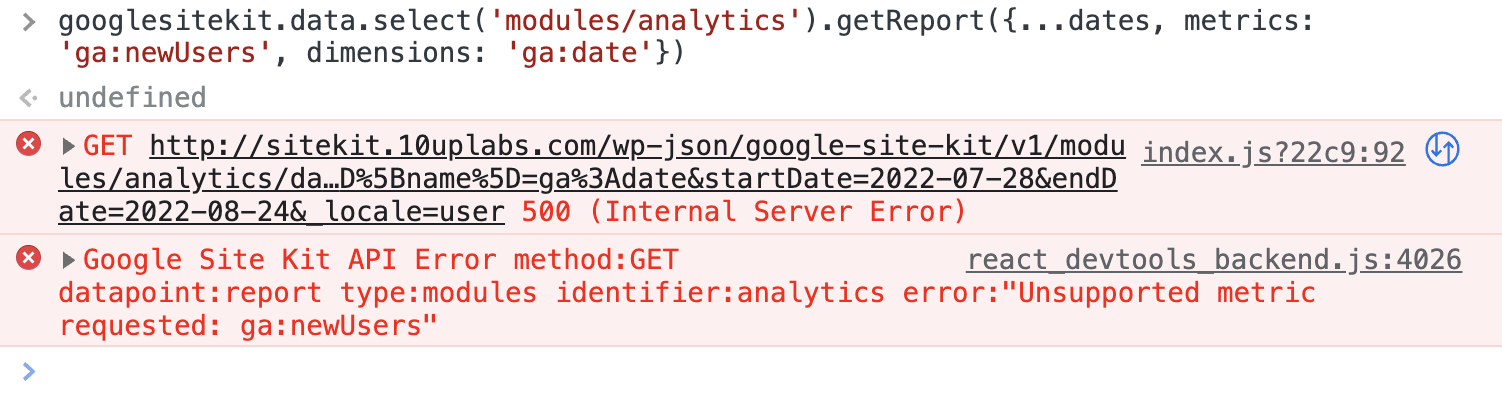
Valid but non-SK dimension
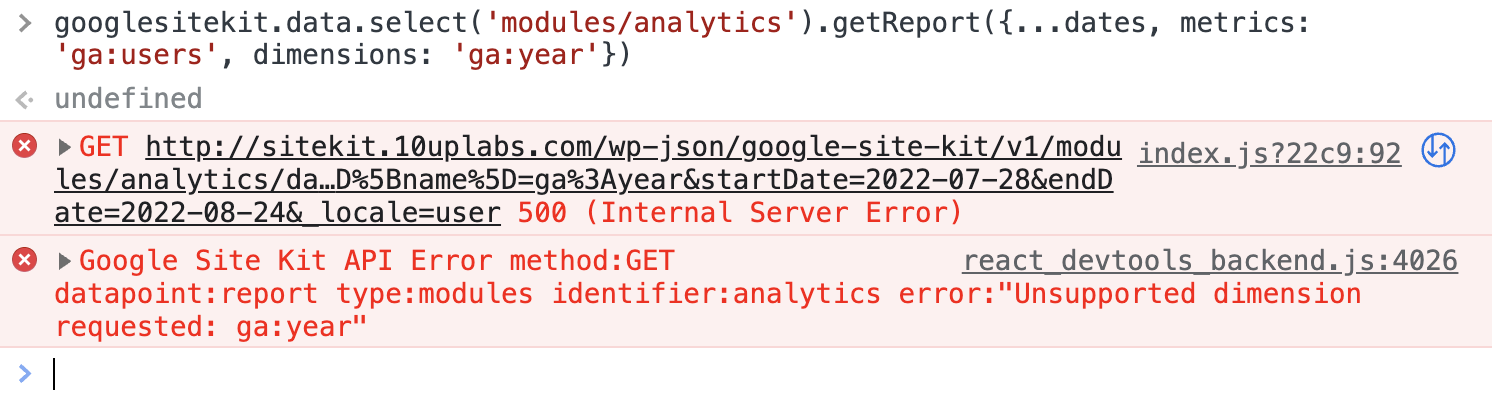
When requesting as the owner, I am able to request other metrics and dimensions beyond Site Kit's allow list
Valid, but non-SK metric

Valid but non-SK dimension

I also analyzed the codebase to grep all the metrics and dimensions which match those in the QAB above.
QA Update: ✅
Verified:
For Administrator:
- Went through the main and entity dashboard for Analytics. With actual data. Saw no issues with requests.
- Went through the main and entity dashboard for Analytics. With zero and gathering data state. Saw no issues.
- Looked at the Analytics data on the Admin tool bar on FE. Saw no issues with requests.
- Looked at the Analytics data on the Site Kit widget on the WP Dashboard. Saw no issues with requests.
- Switched between 7, 14, 28 and 90 days no issues with requests.
For Editor (view only dashboard):
- Went through the main and entity dashboard for Analytics. With actual data. Saw no issues with requests.
- Went through the main and entity dashboard for Analytics. With zero and gathering data state. Saw no issues.
- Switched between 7, 14, 28 and 90 days no issues with requests.
Screenshots



@aaemnnosttv @nfmohit Related to https://github.com/google/site-kit-wp/pull/5721/files#r952989940, I have a follow-up question / potential concern here: Is using a single boolean property (plus the solution from #5727) a reliable approach here? With nested requests being possible, could it be that the single property is set to another value due to one requests, but then that value affects the other request (within the same module, since the property affects the whole class)?
@aaemnnosttv @nfmohit Related to https://github.com/google/site-kit-wp/pull/5721/files#r952989940, I have a follow-up question / potential concern here: Is using a single boolean property (plus the solution from #5727) a reliable approach here? With nested requests being possible, could it be that the single property is set to another value due to one requests, but then that value affects the other request (within the same module, since the property affects the whole class)?
I must admit I had not considered this when speccing the IB. As alluded to in this thread, maybe adding a property to Data_Request instead would be a good way to address this...

Is using a single boolean property (plus the solution from #5727) a reliable approach here? With nested requests being possible, could it be that the single property is set to another value due to one requests, but then that value affects the other request (within the same module, since the property affects the whole class)?
@felixarntz this was my concern as well which I raised on the initial CR in https://github.com/google/site-kit-wp/pull/5721#discussion_r952989940
As things are now, I don't think there is a problem because in order to use shared credentials, create_data_request needs to return a RequestInterface (deferred request). Nested requests return a closure so they can't make use of shared credentials, regardless of this property. Even if a shared endpoint was requested within a nested request via get_data, the property would be set correctly before it would be executed.
Thinking about this a bit more theoretically, it could technically be possible for the property to be subverted if the datapoint handler made a request to a non-shared datapoint before creating the Google API request where we apply the validation although this would have to happen in the switch case itself – not a returned closure – so this would require us to be "doing it very wrong" but I suppose even that still shouldn't even be possible in an ideal world.
What we have is an improvement and does protect the report endpoints from being abused by a knowledgable view-only user, but I'll look into this a bit more to see if there are some additional enhancements that could be made to make it a bit more solid.
Rereading my comment from before, I should clarify that the added property for whether or not shared credentials are being used doesn't determine whether shared credentials are used. The main risk to mitigate is that the value of the property could get out of sync through the use of nested requests and the added validation or other behavior controlled by it might not be triggered when it should be. I still don't think this is a problem now, but now that we have a bit more time I think it would be good to explore how we can enhance it.
@aaemnnosttv Can you open a follow-up issue about exploring that? I will close this one as approved then.