
site-kit-wp
 site-kit-wp copied to clipboard
 google
Add a "get help" link to the compatibility error notice.
Feature Description
We need to update the compatibility error notice to show the "get help" link next to the compatibility error. URLs for the new "get help" link should be obtained using the getErrorTroubleshootingLinkURL selector introduced in https://github.com/google/site-kit-wp/issues/5423.
Do not alter or remove anything below. The following sections will be managed by moderators only.
Acceptance criteria
- The
CompatibilityErrorNoticecomponent should be updated to display the "get help" link for the following errors:ERROR_TOKEN_MISMATCH- the link should lead to the{proxy}/support/?error_id=setup_token_mismatchURLERROR_API_UNAVAILABLE- the link should lead to the{proxy}/support/?error_id=check_api_unavailableURLERROR_AMP_CDN_RESTRICTED- the link should lead to the{proxy}/support/?error_id=amp_cdn_restrictedURL
Implementation Brief
- Inside
assets/js/components/setup/CompatibilityChecks:- Create a new file named
GetHelpLink.js. From this file:- Export a new component named
GetHelpLinkwhich should accept one prop namederror. - Inside this new component:
- Create a new variable named
errorCodeswhich should be an object with keys being theERROR_constants and the values being the error code (e.g.check_api_unavailable) that we will use to compose the get help link. Example:
Ensure that the constants are imported accordingly.const errorCodes = { [ ERROR_API_UNAVAILABLE ]: 'check_api_unavailable', ... };- Use the
getErrorTroubleshootingLinkURLselector in thecore/sitestore and pass an object in the selector function withcodeas the key anderrorCodes[ error ]as the value, wherease theerrorhere is the prop passed into the component. Assign this to a variable namedgetHelpLinkURL. - If
getHelpLinkURLis falsey, returnnullfrom the component. - If not, return a
<Link />component with:hrefprop withgetHelpLinkURLas the value.targetprop with_blankas the value.Get Help(translatable) as the content.
- Create a new variable named
- Export a new component named
- In
assets/js/components/setup/CompatibilityChecks/CompatibilityErrorNotice.js:- Import the
GetHelpLinkcomponent. - For error
ERROR_API_UNAVAILABLE, render the<GetHelpLink />componenet after the string before the<p>tag is closed. Passerroras theerrorprop. https://github.com/google/site-kit-wp/blob/8118271eedb7550fad8505604902d0e39bca5f54/assets/js/components/setup/CompatibilityChecks/CompatibilityErrorNotice.js#L98-L106 - For error
ERROR_TOKEN_MISMATCH, render the<GetHelpLink />componenet after the string before the<p>tag is closed. Passerroras theerrorprop. https://github.com/google/site-kit-wp/blob/8118271eedb7550fad8505604902d0e39bca5f54/assets/js/components/setup/CompatibilityChecks/CompatibilityErrorNotice.js#L130-L138 - For error
ERROR_AMP_CDN_RESTRICTED, replace the<p>tag with a simplified version (removedangerouslySetInnerHTMLand just add a<p>tag) with theLooks like the AMP CDN is restricted in your region, which could interfere with setup on the Site Kit service.as the translatable string followed by the<GetHelpLink />componenet. Passerroras theerrorprop. https://github.com/google/site-kit-wp/blob/8118271eedb7550fad8505604902d0e39bca5f54/assets/js/components/setup/CompatibilityChecks/CompatibilityErrorNotice.js#L168-L196
- Import the
- Create a new file named
Test Coverage
- No tests need to be added/updated.
QA Brief
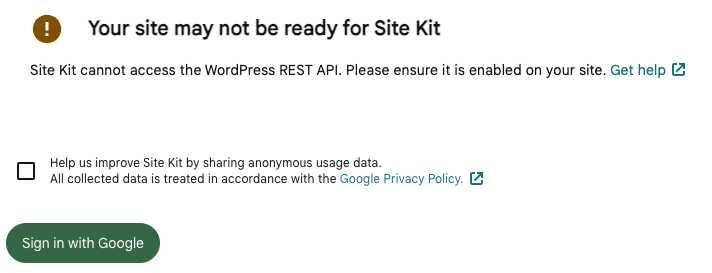
- Install the Disable REST API plugin (or any other plugin that disables the REST API).
- Attempt Site Kit setup.
- Ensure the warning about REST API is disabled.
- To test the region-specific error (ERROR_AMP_CDN_RESTRICTED), a VPN should be used to e.g. request the AMP CDN from a country like Egypt, where it is currently restricted.
- Ensure the
Get helpURLs are as expected.
Changelog entry
- Add the "Get Help" link to the compatibility error notice.

I noticed the IB mentions using dangerouslySetInnerHTML={ sanitizeHTML( ) }, but that's not how we insert translated HTML (anymore). Instead the IB should use createInterpolateElement, like we do elsewhere, eg. https://github.com/google/site-kit-wp/blob/8840391cdd700f3c93df9df5d559321401b91f2f/assets/js/modules/idea-hub/components/dashboard/DashboardCTA.js#L150-L166
Aside from that this is good-to-go, can you just update that part of the IB?

I noticed the IB mentions using
dangerouslySetInnerHTML={ sanitizeHTML( ) }
@tofumatt I apologise for being unclear. I actually suggested removing dangerouslySetInnerHTML and just inserting the translatable string followed by the <GetHelpLink /> component inside the <p> tag.
I have tried to clarify this in the IB now.

Ahhhhh, yes. Sorry about that—I think the GitHub-auto-code inclusion made it read a bit like it was a suggestion.
Thanks so much for the clarification in the IB, it reads a bit more straightforwardly now 😅
IB ✅
@tofumatt, I have a question for you: https://github.com/google/site-kit-wp/pull/5660#discussion_r943489714, do you mind looking at it?
QA Update ⚠️
@hussain-t I verified notice for Rest API using steps mentioned in QAB.
I noticed that 'Get help' link targeting to {proxy}/support/?error=undefined instead of {proxy}/support/?error_id=check_api_unavailable and redirecting user to https://sitekit.withgoogle.com/documentation/troubleshooting/using-troubleshooting-mode/
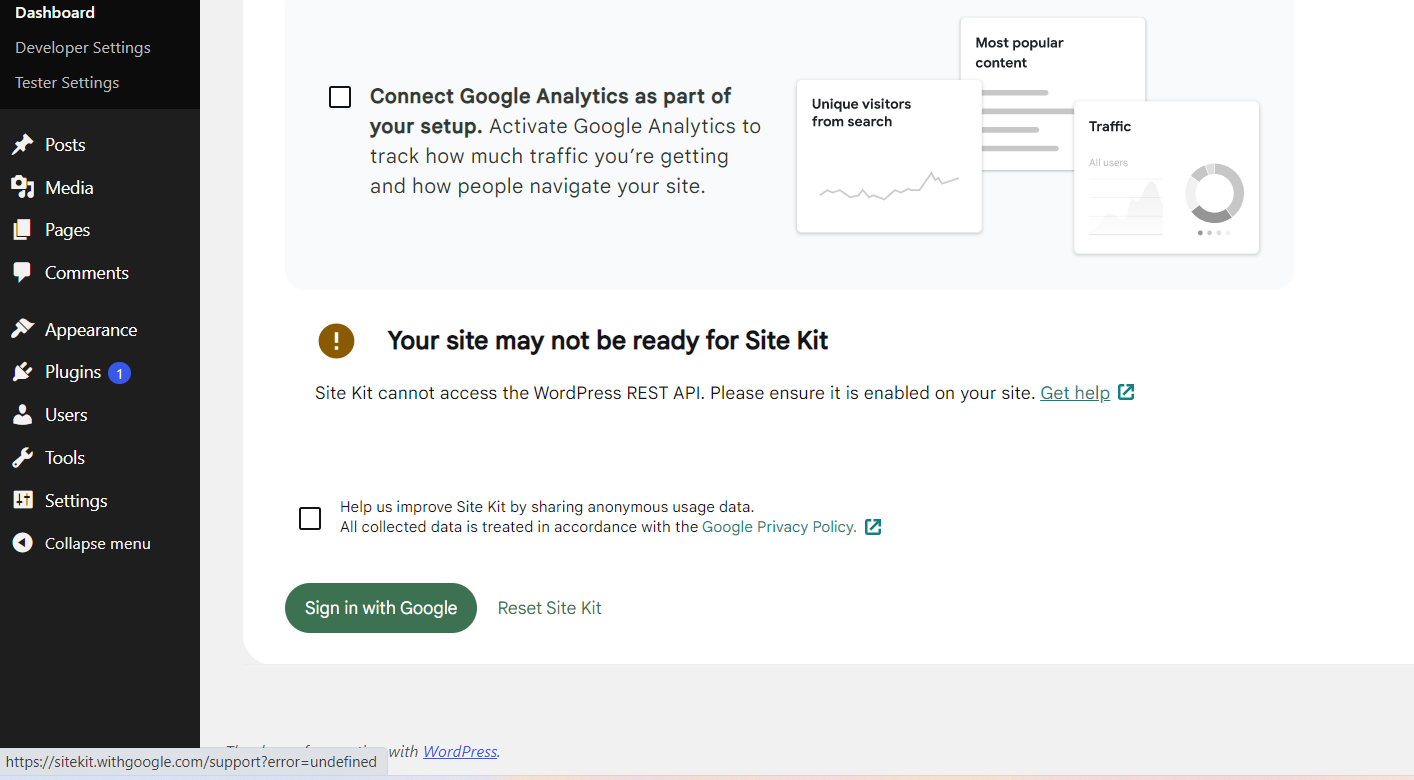
@wpdarren as discussed, can you please verify 2nd condition mentioned in QAB using VPN because I don't have paid plan to access desire location.

Thanks, @mohitwp; I found the issue. I will create a follow-up PR to fix it shortly.

@hussain-t
Issue mentioned here is now resolved.
- 'Get help' link targeting to {proxy}/support/?error_id=check_api_unavailable
- On clicking user redirecting to https://sitekit.withgoogle.com/documentation/troubleshooting/setup/#rest-api
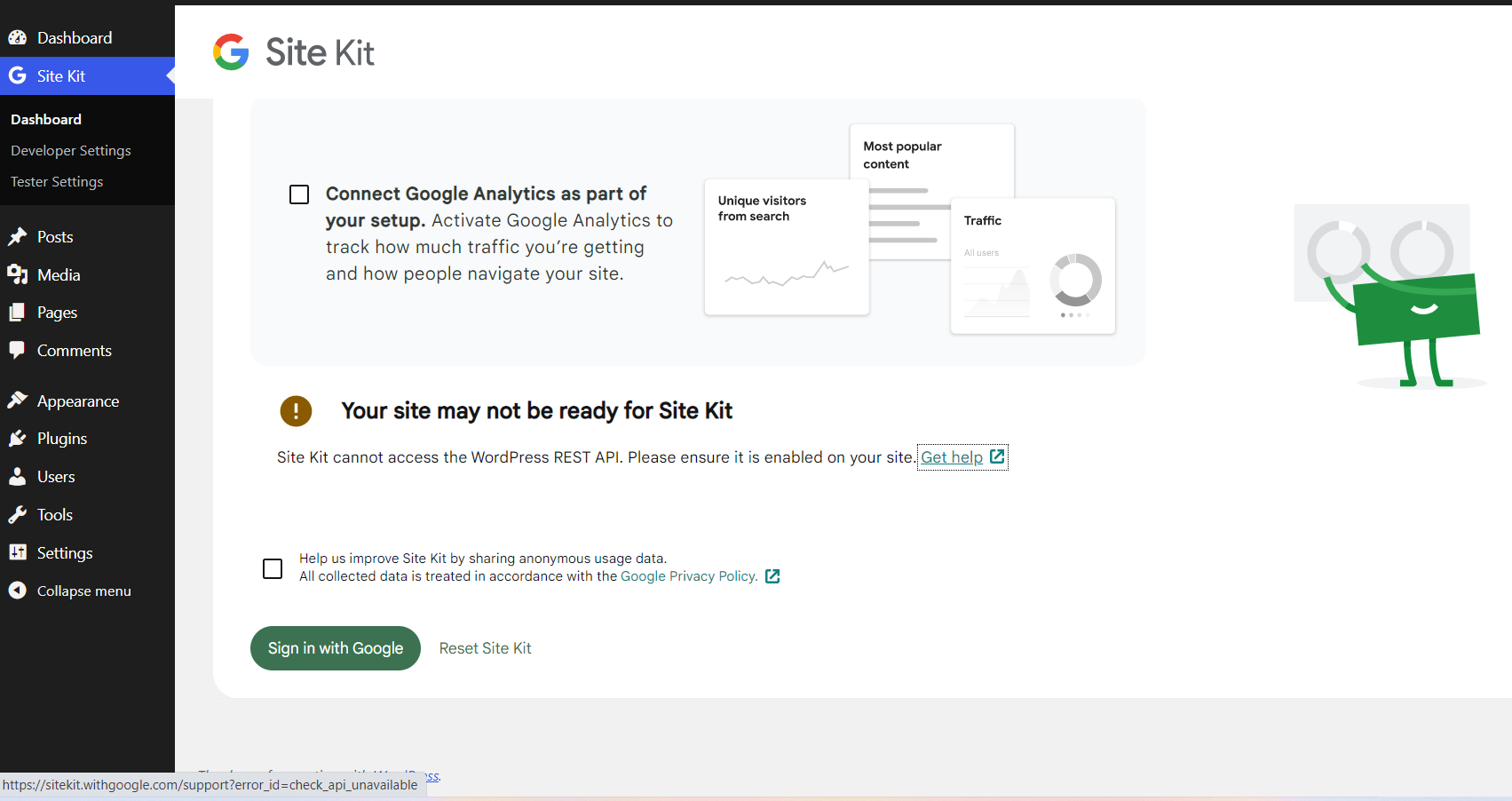
Assigning to @wpdarren to check ERROR_AMP_CDN_RESTRICTED notice using VPN.
QA Update: ⚠️
@hussain-t I am on a VPN for Egypt, and have confirmed the IP address to make sure. It's a brand new site that hasn't had Site Kit connected at all. The splash screen looks the same as normal. I am not seeing any message I was expecting to see from the troubleshooting page:
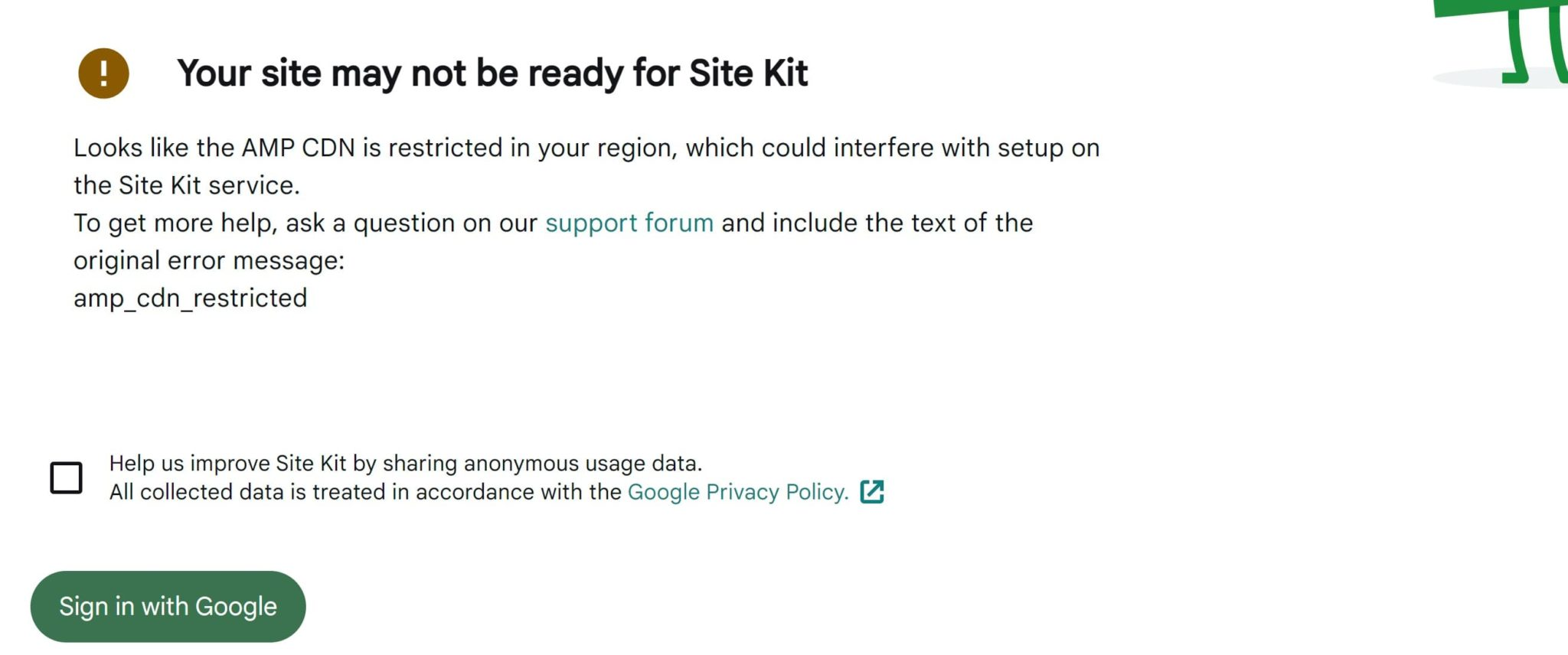
Any ideas how we could trigger this? 🤔 c.c. @mohitwp

@wpdarren, as we discussed, I couldn’t trigger this amp_cdn_restricted error using a VPN for Egypt. Perhaps it’s not restricted anymore for Egypt.
@jamesozzie, are you aware of other regions restricted to testing this flow?
QA Update: ✅
@hussain-t from my conversation with James, Egypt is the only country, and while I was unable to test this with a Egypt VPN, James was able to. I can therefore confirm that the message for AMP CDN does appear with the get help link and the points to the correct location on the Site Kit website.
Since @mohitwp has confirmed his tests have worked, I am moving this to approved. 🎆
