

 google
Redirect to OAuth flow from the Setup Component to provide the edit scope when needed
Feature Description
The Analytics edit scope is required in order to set up a property and measurement ID. When displaying the Setup Component in one of the "no existing GA4 property" variants, check if the user has the edit scope. An example of checking for the edit scope can be found in the Analytics SetupForm component. If the edit scope is not present then the following should happen.
Show an informative message in the component:
You will need to give Site Kit permission to create an Analytics property on your behalf.
When the Setup Component CTA is pressed, the OAuth flow should be initiated to allow the user to grant permission for the edit scope. For an example of navigating to the OAuth flow, see the onConfirm callback in the AuthenticatedPermissionsModal.
Upon return from the OAuth flow, ensure the Setup Component is still displayed. To enable this, a persistent stateful value should be set prior to redirecting to OAuth, which can be queried upon return to determine the local state and thus to show the Setup Component again.
To persist/retrieve the state, use setValues / getValue from the core/forms store in conjunction with calling snapshotAllStores prior to redirecting to the OAuth flow.
- Design Doc: https://docs.google.com/document/d/1DeWo38lcV7lvLFfcmt-mQ0iaxzB4qfiPArs_yZzYkIM/edit#heading=h.2g0r7ejoqctz
- Figma: https://www.figma.com/file/vMaCWwr6lpk4PrJWb7jIpz/GA4-Banner-Input?node-id=1082%3A1526
Acceptance criteria
- When displaying the Setup Component in one of the "no existing GA4 property" variants, and the Analytics edit scope is not present:
- An informative message should be shown in the component:
- You will need to give Site Kit permission to create an Analytics property on your behalf.
- The OAuth flow to grant the edit scope should be initiated when the Create property CTA is clicked.
- Upon returning from the the OAuth flow, the Setup Component should be displayed in the same state as it last was in.
- An informative message should be shown in the component:
Implementation Brief
In assets/js/modules/analytics-4/components/dashboard/ActivationBanner/index.js, add the following logic for the "no existing GA4 property" variants:
- Get the user has edit scope using the
hasScopeselector ofCORE_USERstore by passing theEDIT_SCOPEconstant fromassets/js/modules/analytics/datastore/constants. - If the user does not have the edit scope, show an informative message below the CTA:
- You will need to give Site Kit permission to create an Analytics property on your behalf.
- Get the permissions error using the
getPermissionScopeErrorselector ofCORE_USERstore. - Get the connect URL to navigate using the
getConnectURLselector of theCORE_USERstore. - Pass an object to the
getConnectURLselector with the following properties:-
additionalScopeswith the valuescopesobtained from thegetPermissionScopeErrorselector. -
redirectURLwith valueglobal.location.href.
-
- Modify the
handleCTAClickto async callback using theuseCallbackhook and add the following:- Set a global state using the
setValuesaction of theCORE_FORMSstore with the keyGA4_ACTIVATION_BANNER_STATEand the value as an object containing propertyreturnToSetupStepto the valuetrue. - Call the
snapshotAllStoresfunction from theassets/js/googlesitekit/data/create-snapshot-store.jsand pass theregistryusing theuseRegistryhook. - Dispatch the
navigateToaction of theCORE_LOCATIONstore and pass theconnectURLobtained from thegetConnectURLselector. See: https://github.com/google/site-kit-wp/blob/fa5b15659fb0fb71ac205ea83d33e9d66ed1c1fb/assets/js/components/PermissionsModal/AuthenticatedPermissionsModal.js#L55-L60
- Set a global state using the
- Upon returning from the OAuth flow, to display the Setup component in the same state, get the step state using the
getValuesselector of theCORE_FORMSstore (which was stored before callingsnapshotAllStores). - After returning from the OAuth flow, add the following logic in a
useEffectif thereturnToSetupStepistrue:- Set
ACTIVATION_STEP_SUCCESSto the local statesetStep. - Set
returnToSetupSteptofalseusingsetValueswith the keyGA4_ACTIVATION_BANNER_STATE. - Call the
snapshotAllStoresfunction.
- Set
Test Coverage
- No new tests are to be added.
QA Brief
Changelog entry

QA Update ✅
- Verified this by using elasticpress.io site using dev branch.
- To make sure that the 'Google user doesn't have an edit scope'. I removed
wp_googlesitekit_additional_auth_scopesmeta key for your user from the wp_usermeta table. - Verified story it displays the informative message as per the AC.
- Verified that on clicking set up - user navigates to create property CTA which displays 'You will need to give Site Kit permission to create an Analytics property on your behalf' informative message.
- On clicking 'Create Property' CTA user navigates to OAuth screen.
- Verified that on returning from the OAuth flow, the Setup Component displays the same state as it last was in and user gets the edit scope permission.
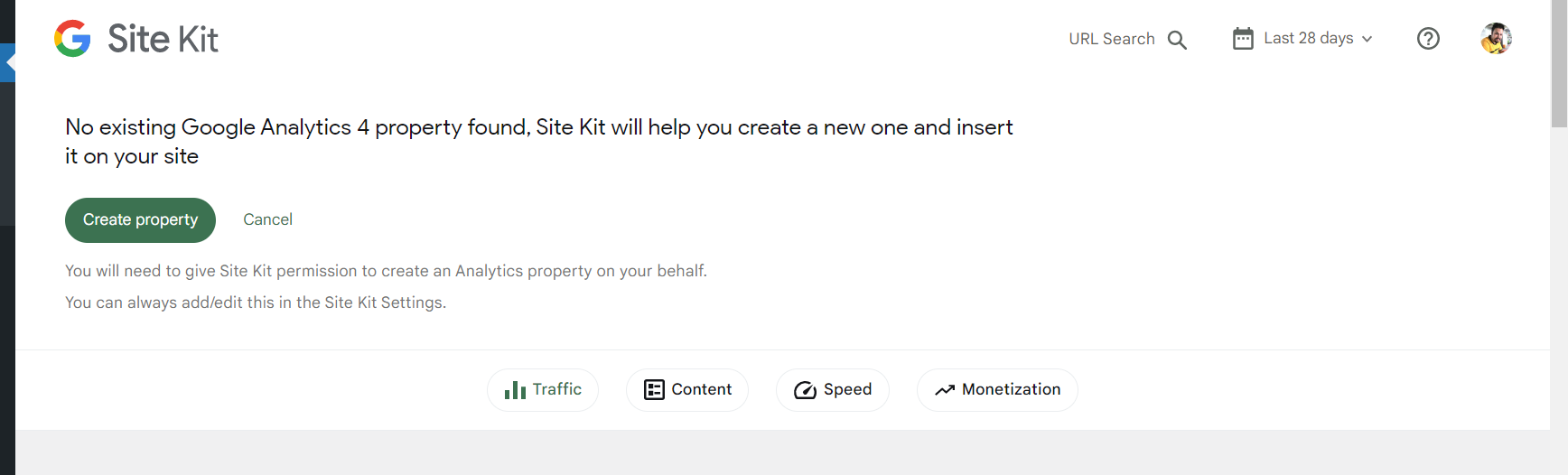
On returning to the dashboard from OAuth flow-
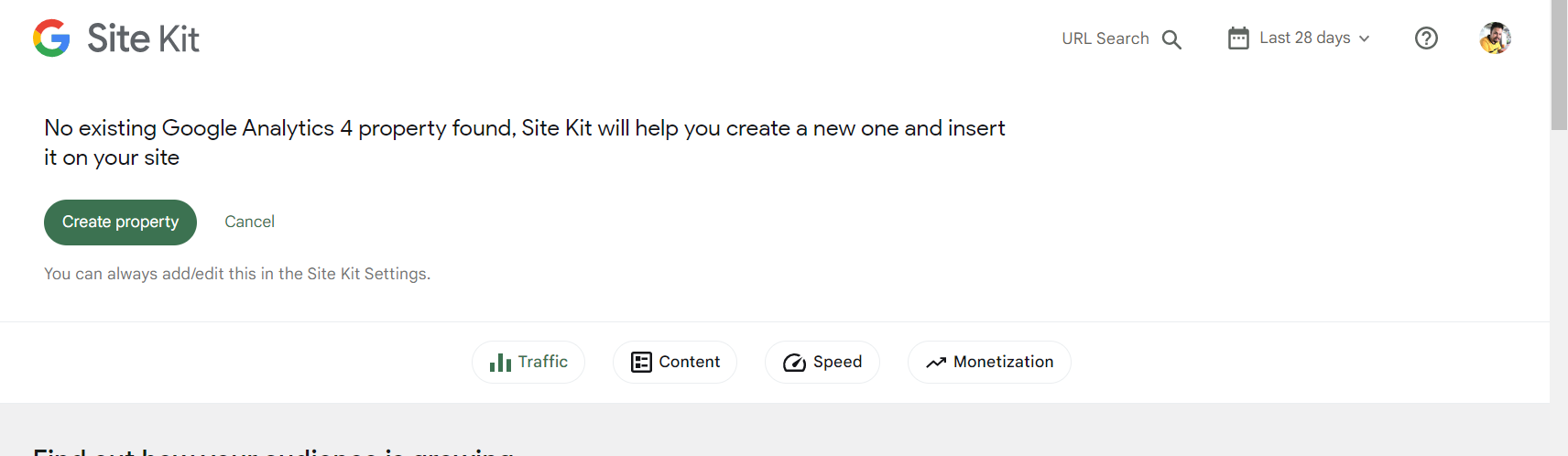
https://user-images.githubusercontent.com/94359491/189670354-2d150378-0f76-447a-a1ce-a10dff8348cd.mp4
