

 google
Good practice/sample for adding social bar (e.g. share on Twitter) to blog posts?
Searching the documentation I did not find guidance on adding the usual social features found on many blogs. You know, the button bar motivating the user to share on Twitter, LinkedIn, via email etc.
Is that out of scope of the core functionality? Did I not find it? Is this something one has to build? (Is it so easy to enable/build it's not worth documenting it?) Are there samples you'd recommend to have a look at?
I'd appreciate hints on where to start. Thank you!

Do you have any good examples of this? I haven't seen this feature on any of our Docsy examples, and it's not something that had occurred to me before but I can see how it might be useful.
Something like the share icons on this blog? https://developers.googleblog.com/2022/07/how-to-use-app-engine-blobstore-Module15.html. The share URLs don't seem complicated if you want to build something yourself.
The only issue for something like that as standard (or a standard option) on a Docsy blog page would be that we already have lots of icons etc. in our right nav so don't want to make the page too cluttered/confusing. Could do a separate right call to action thingy specifically for Blog layouts, like the Docsy site kubernetes.io - they don't have a share option but do have "submit a post" and links to their social media and repos, you could take a look at their docs repo to see how they did it. I also like the fact that they don't have the edit, child page options for their blog because you (probably?) don't want people editing other people's blog posts. @chalin @geriom @emckean thoughts?

I had something like the Google blog in mind, good example! A "copy permalink" button as generic fallback plus chosen specific platforms to share with.
No clue though where and how to integrate this (yet).
Note: came across the hugo-clarity theme, which has a "Share on" section on top of blog posts, visible e.g. here https://neonmirrors.net/post/2022-07/attesting-image-scans-kyverno/

That looks good.
This seems like a great feature to have.
IMHO our current nav is too busy -- something I've been wanting to address for a while. The text labels could be replaced by icons (pushing the text into the button title). Here's mockup of what I have in mind:
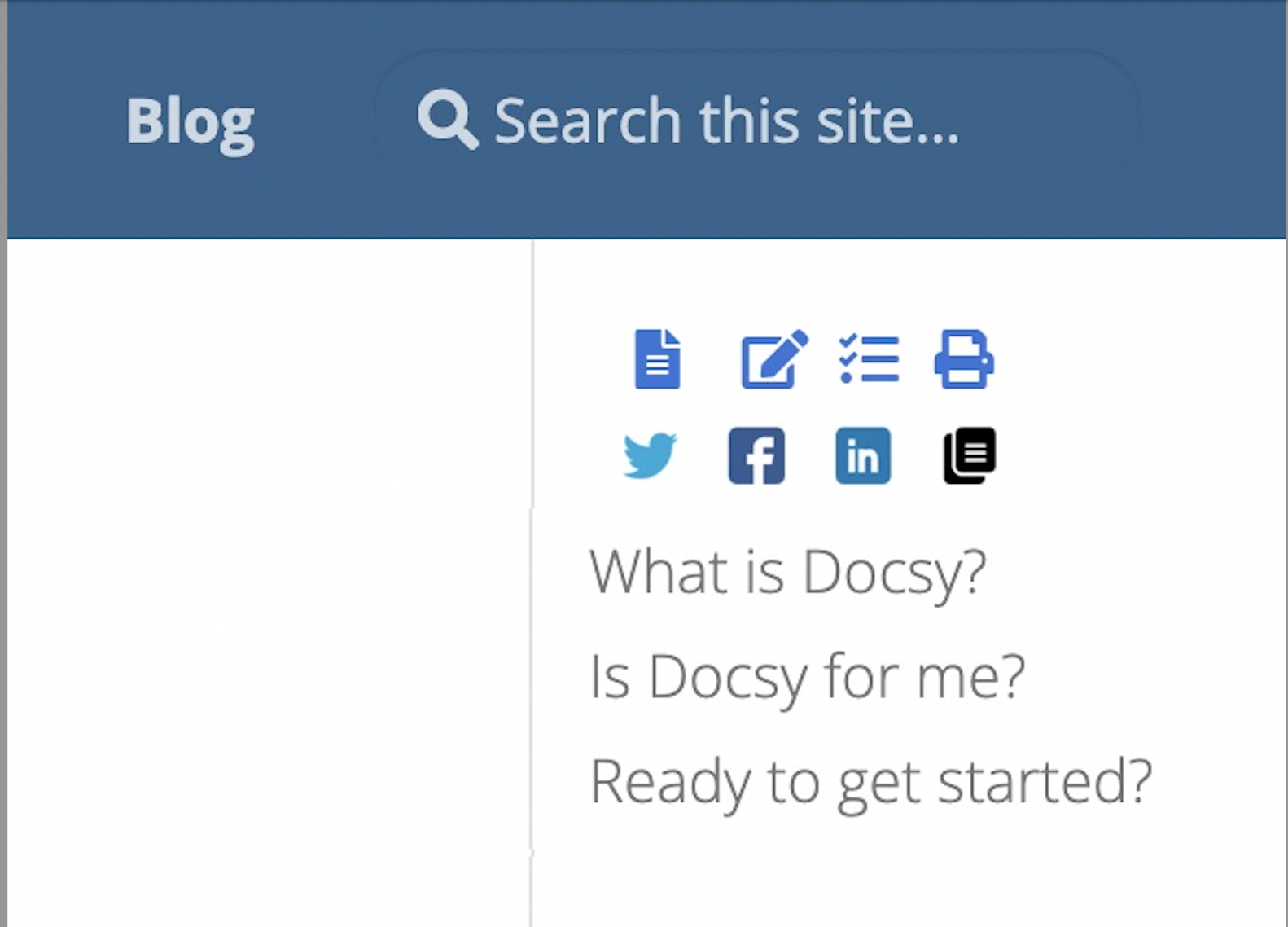

TBH, it still looks a bit overcrowded to me, I'd suggest making it possible to set its location from the config, or maybe separately enable/disable the block in the right-hand toc and maybe at the bottom of the pages.
