

 google
keyboard-navigation: zelos renderer cursor
Category Plugins
Component keyboard-navigation: zelos renderer
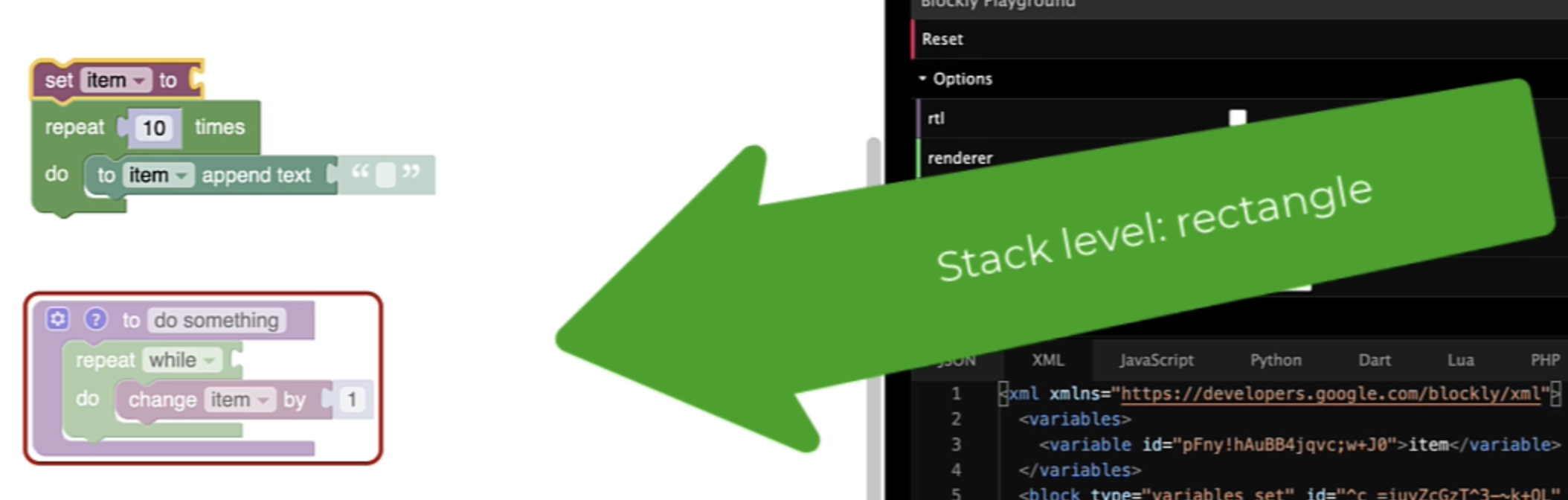
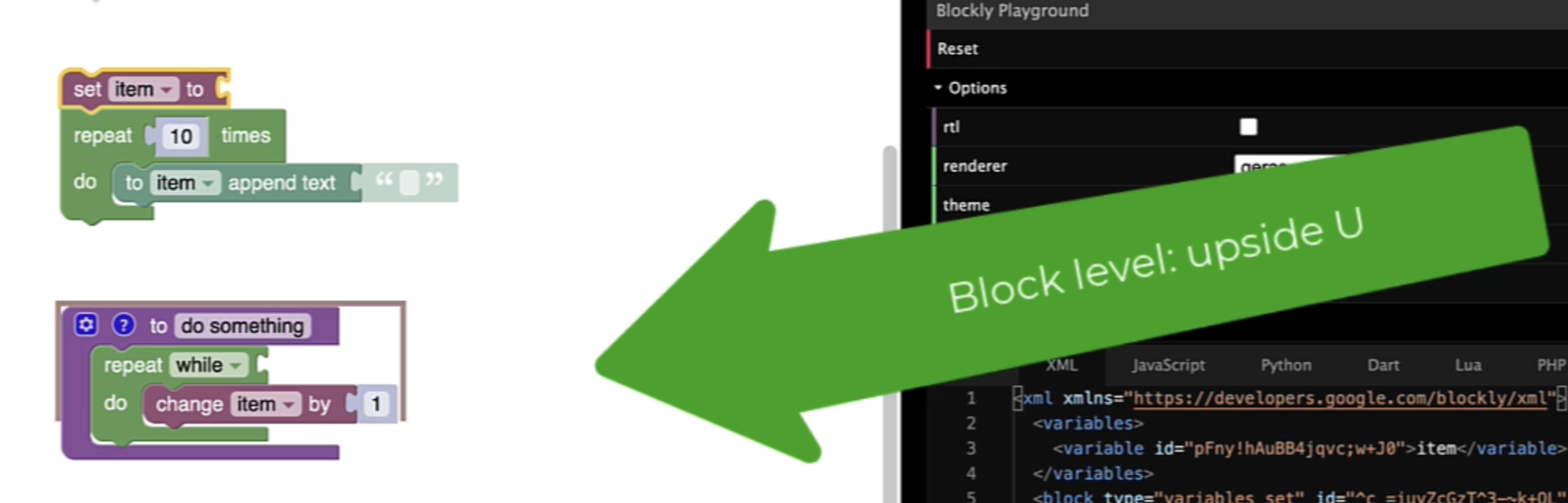
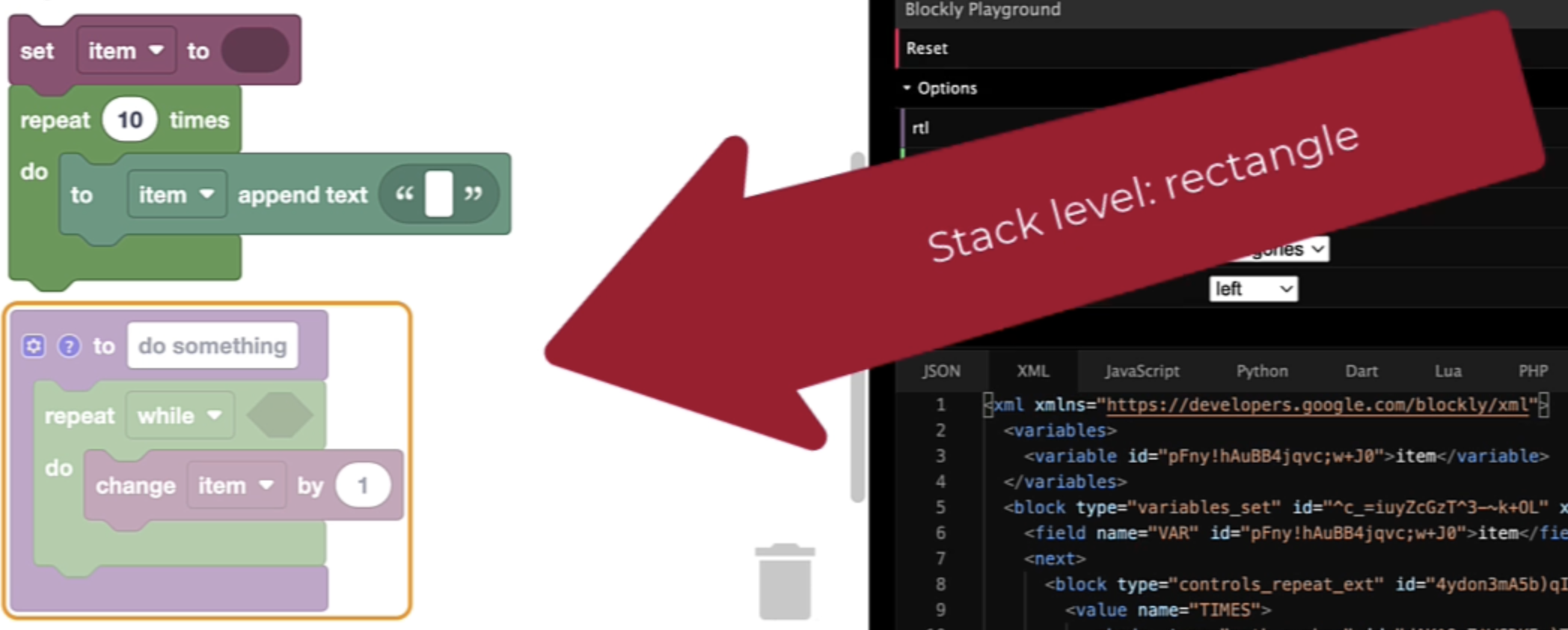
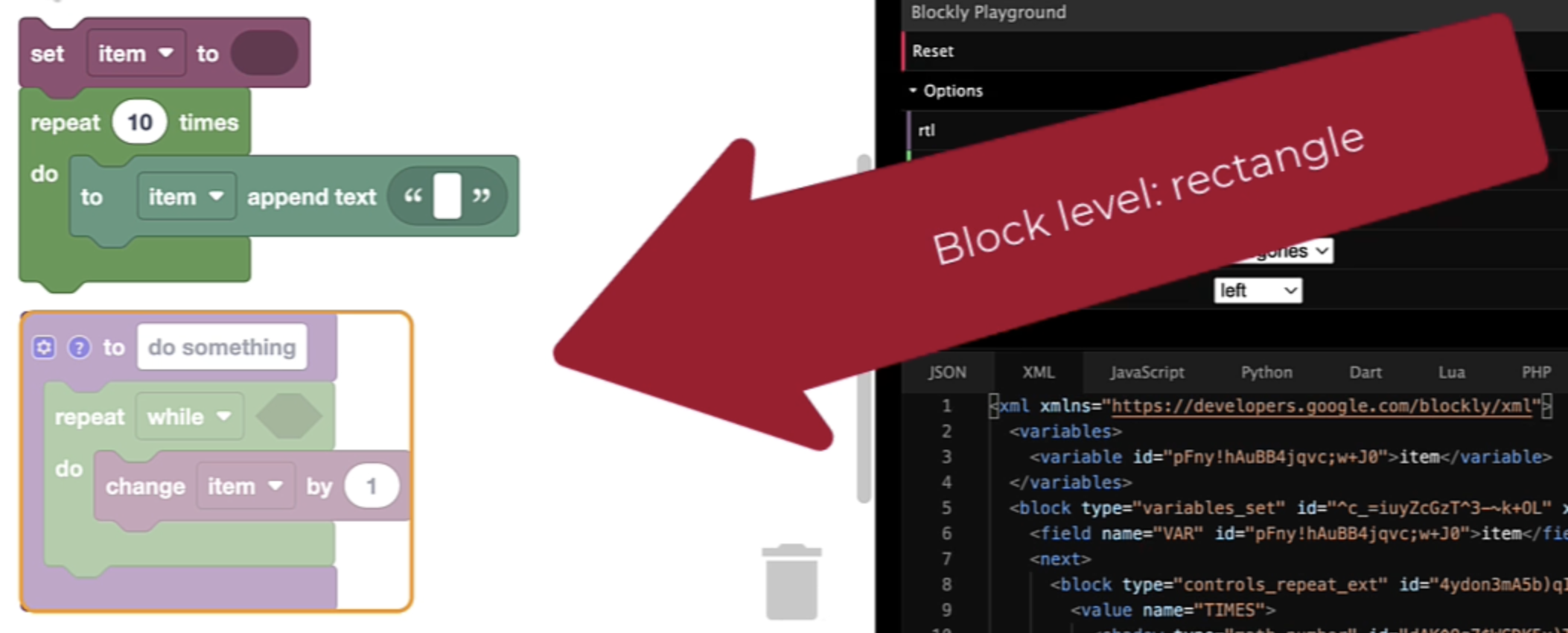
Describe the bug In the @blockly/keyboard-navigation Demo, when the Accessibility Mode is enabled and the renderer selected is 'zelos', the stack-level view and the block-level view of the cursor are very similar for an event or function definition block (sometimes displayed as a 'hat'). Both views are displayed as a box around the block. The other renderers display the block-level cursor as an upside U.
To Reproduce
Steps to reproduce the behavior:
- Go to the @blockly/keyboard-navigation Demo with Accessibility Mode enabled and use the geras (or thrasos or minimalist) renderer. Use the 'asdw' keys to navigate through the blocks in the workspace. Note that for the stack level, the cursor is a box around the block and at the block level, the cursor is an upside U.
- Then use the zelos renderer and as you navigate, you will see that for a 'hat' block such as a function definition block ('to do something'), the cursor at the stack-level view and block view are very similar, both a box around the block.
Expected behavior The expected behavior for a 'hat' block using the zelos renderer would be the same as for the other renderers - the stack-level cursor is a box and the block-level cursor is an upside U.
Below is a screencast video comparing keyboard navigation with the geras renderer and then the zelos renderer.
https://user-images.githubusercontent.com/107423305/207641127-d385edad-dea2-43ac-ab41-41afd5911449.mp4
Screenshots geras stack level:
 geras block level:
zelos stack level:
zelos block level:
Additional context Code.org is experimenting with adding the zelos renderer as an option for all our Blockly labs.
