

 godotengine
Godot does not snap to left or right sides automatically on Gnome 42
Godot version
4.0
System information
PopOs 22.04, any renderer, Gnome
Issue description
On Gnome, and many other DE's including XFCE, when you drag a window towards the right or left edge, it snaps in there and gets resized to take up half of the screen.
However, Godot does not follow suit, and you have to do the resizing & positioning manually.
Here what it looks like with Firefox, Lapce, Blender, and then Godot :
https://user-images.githubusercontent.com/3624853/222990604-a7f03d28-857f-466f-9033-be8e846df434.mp4
However, bringing Godot towards the upper side of the screen works fine. It maximized the whole editor window, as it should be.
Cheers !
Steps to reproduce
Open Godot, move its screen to the left or the right side of your monitor.
Minimal reproduction project
No need. Just the empty editor is enough to test this.

On a 1920x1080 monitor, the minimum width of the Godot window corresponds to a little more than half the width of the screen. Attempt to shrink the window by hand and you will see.
By lowering the display scale to 75% in the editor options, I can make the half-screen positioning work again on the window manager. Would be great to have the minimum window width adjusted to make it work by keeping the 100% scale. Also covers scenarios for smaller resolutions of monitors and working with other windows on the side in general.
I assume the window manager decides not to propose the half-screen positioning because it is informed of an incompatible minimum width.

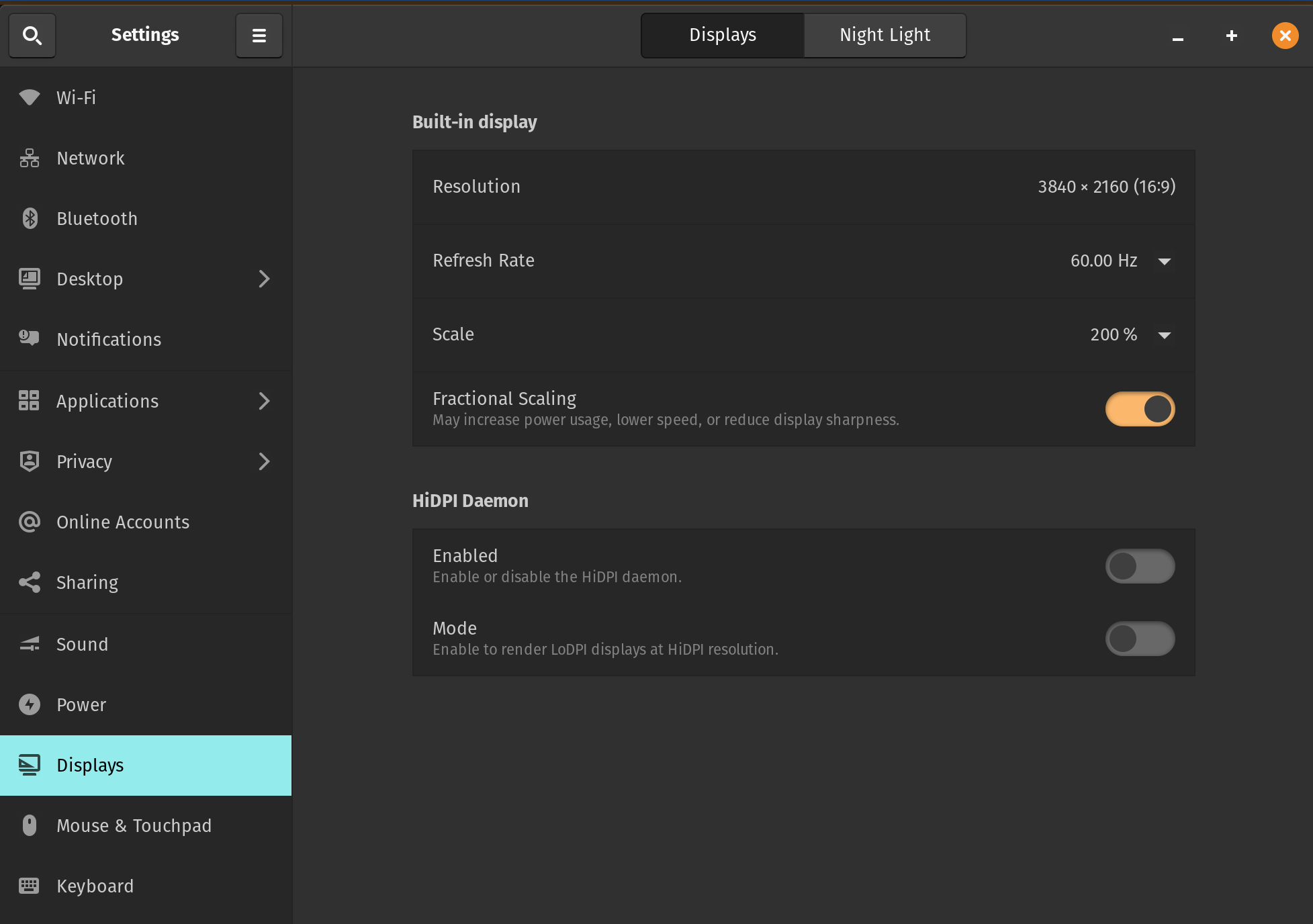
You're right, I just tried with different Display scales in the editor settings. I was on 200%, and it turns out, that's the only one that didn't allow the editor to snap. Switching to 175% or less worked fine. Unfortunately, anything less than 200% is too small for me.
Here is my system display resolution :
I've been using the following script to workaround this. Just set the script as an autoload and reload the project.
@tool
extends Node

func _ready():
	if Engine.is_editor_hint():
		DisplayServer.window_set_min_size(Vector2i.ZERO)
Would be nice to be able to disable the minimum window size in the editor settings.

Even with the current minimum window size enforced, I can notice that the whole editor UI is "pushing the walls" towards the right, making the top right buttons inaccessible, below a certain width. Likely due to an inner control that enforces a minimum size... the toolbars, perhaps?... and pushes the walls outside in consequence. Like it happens on a web page.
I am working on a compact theme design to improve the usability in such scenarios.
We can lower the minimum window size to a lower value that makes sense. Smaller to allow flexibility, yet not too small in order to allow the window to be shrunk at sometimes such as 10px*10px. In many cases, the window manager gets in the way and enforces a minimum size itself to keep the title bar buttons visible.
Here is some inspiration...
Half 1080p width = 960px Side-by-side window arrangement possible if equal or less
Half 1080p height = 540px One-above-the-other window arrangement possible if less, need to deduct the eventual room taken by the OS global menu or system bars that windows cannot overlap.
Visual Studio Code minimum size: 400 *270
Raspberry Pi stock touchscreen: 800 * 480 There are attempts to run Godot on this platform, I admit it is a minor case today but the lightness of the engine makes it possible. Even if not doing full-blown development on that screen, having the editor accessible for quick fixes can be handy.
- Duplicate of https://github.com/godotengine/godot/issues/36373 (same cause).
