
godot

godot copied to clipboard
 godotengine
Improve stroke drawing on 2D collision shapes
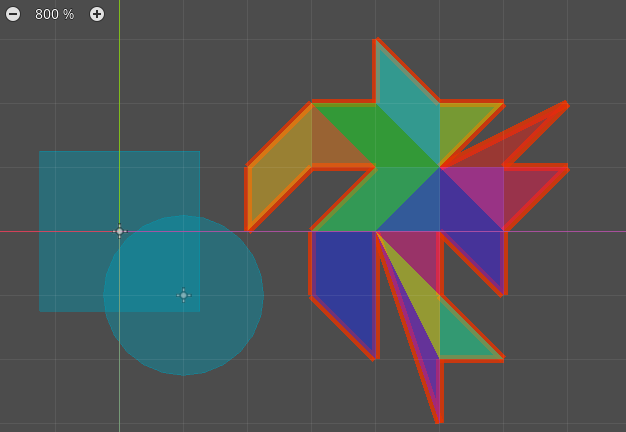
- Thin lines when scaling
CollisionPolygon2D. - Draw a
CollisionPolygon2Dstroke on top of the polygon instead of below it. - Improve the strokes of
RectangleShape2D,CircleShape2D,CapsuleShape2DandConvexPolygonShape2D. Since we can't control the exact position of the thin lines when scaling (and a line of the same color will be drawn next to the shape, not on top of it), I changed the stroke's alpha channel to 1.
Before:
After:
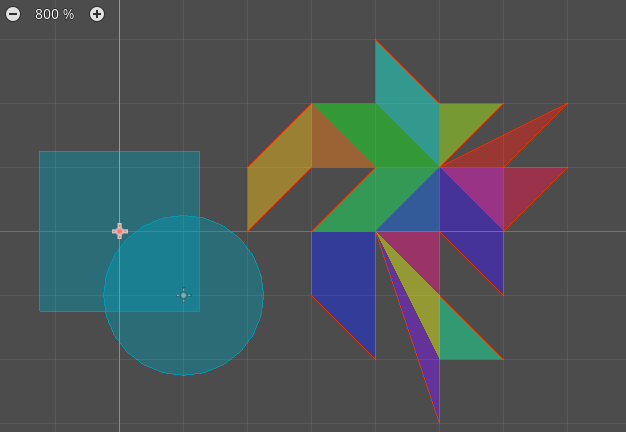

Drawing the outlines with
alpha = 1.0makes sense to me, looks like improvement.
One reason I made outlines translucent is that you can notice if multiple outlines (from different shapes) are overlapping. It's not essential to do, but it's nice to have to troubleshoot specific issues.

I don't insist on alpha = 1.0, but the color of the stroke should be noticeably different from the color of the shape, due to the way drawing lines with width < 0 works.
