

 godotengine
Setting rigidbody transform half-pauses simulation for one frame
Godot version
v3.5.1.stable.mono.official [6fed1ffa3]
System information
Windows 10
Issue description
I'm creating a multiplayer game. When the client receives a state message from the server, I look back through a list of buffered states and make any corrections necessary. I was encountering strange issues with the physics jittering and not working properly, and I eventually narrowed it down.
Turns out, setting the transform of a rigidbody makes the simulation half-pause for one frame. I say "half" pause, because the linear velocity still seems to increase even while the rigidbody doesn't move (?). I can't find any reference to why this would happen in the documentation or how I'm supposed to avoid it. I can't imagine any reason changing the current position or angle of a rigidbody would need to stop part of the simulation for one frame. That's just bizarre and I can only assume it must surely be a bug.
I'm fully aware that setting the transform of a rigidbody won't allow the physics engine to work properly, but it shouldn't freeze it like this. I should be able to set the position of a rigidbody as often as I want and still have the simulation proceed even if the results are broken.
Steps to reproduce
Have a rigidbody sphere roll down a slope, with this code attached:
public override void _PhysicsProcess(float delta)
{
	if(Input.IsKeyPressed((int)KeyList.G))
	{
		Transform transform = Transform;
		Transform = transform;
	}
}
While G is held, the sphere will freeze even though I'm not setting the position. When G is released, the sphere will shoot away, faster than it was previously moving.
Minimal reproduction project
N/A

Citing CONTRIBUTING.md
On the contributors' end, recreating a test project from scratch takes valuable time that can be saved by uploading a minimal project.
To speed up our work, please upload a minimal project that isolates and reproduces the issue. This is always the best way for us to fix it. We recommend attaching a ZIP file with the minimal project directly to the bug report, by drag and dropping the file in the GitHub edition field. This ensures the file can remain available for a long period of time. Only use third-party file hosts if your ZIP file isn't accepted by GitHub because it's too large.
We recommend always attaching a minimal reproduction project, even if the issue may seem simple to reproduce manually.
and especially this one:
Note for C# users: If your issue is not .NET-specific, please upload a minimal reproduction project written in GDScript. This will make it easier for contributors to reproduce the issue locally as not everyone has a .NET setup available.
Please join a MRP.

From the original Godot Docs:
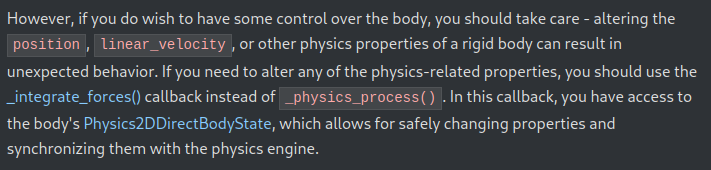
Without a test project is hard to say, but it sound that your problem may be related with the expected behaviour if you change the transform of a rigidbody mid simulation outside of integrate_forces()

Apologies for the lack of MRP and the long delay. Life got in the way.
I've created and attached an MRP. I can easily reproduce on 3.5.2 with GDScript, but I'm unable to reproduce in either 4.0.3 or 4.1.1 (with either GDScript or C#). I thought maybe it could be a Bullet vs GD Physics difference, but I can repro with both physics engines in 3.5.2, so I guess something changed in Godot 4 that fixed it.
I doubt anyone wants to try to fix this for Godot 3 (I suspect it'll be a risky fix) so I'll close. Feel free to reopen if you think it's a big enough issue for LTS to warrant trying to fix.
SetRigidbodyTransformBugMinimalRepro3.5.2.zip