
godot
 godot copied to clipboard
Published
20 hours ago •
 godotengine
godotengine
Key with empty texture losts its function in editor after reloading
Godot version
3.4.5-stable
System information
Windows 10 x64
Issue description
After closing and reopening a scene(or project), keys of empty texture lost their original values. Cliking on the timeline of those keys also has no effect (changing texture to empty).
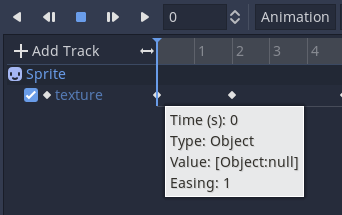 Before reloading
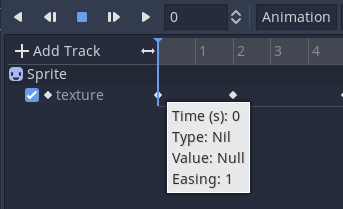 After reloading
Steps to reproduce
Create a new texture track of a Sprite node. Insert some keys with empty texture. Close the scene and reopen it. Click on a time when there is a texture. Click on a time when the texture is empty. Move cursor to those keys with an empty texture.
Minimal reproduction project
Open the project and click Animation Player node. Move cursor to the first key in texture track. Click the timeline of empty texture.
BTW, playing of animation doesn't have the problem.
